
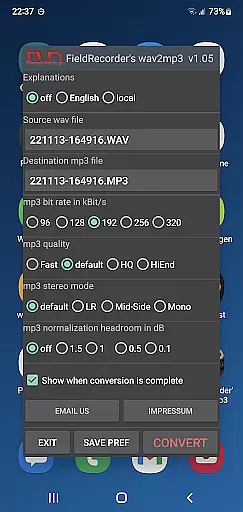
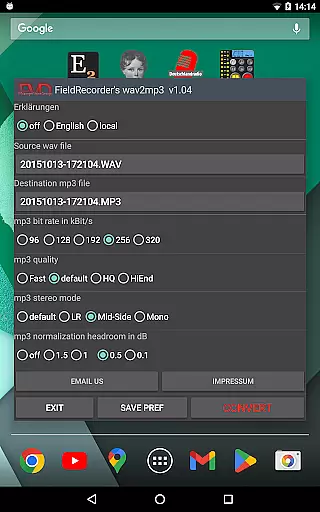
FieldRecorder's wav2mp3 is a streamlined audio conversion tool designed specifically for users who need to convert WAV files to MP3 format without any hassle. The app eliminates common frustrations such as intrusive ads, unnecessary rating prompts, and confusing options that often clutter similar applications. With its minimalist one-screen interface, users can effortlessly select source and destination files, then initiate the conversion process with a single tap. This efficient design ensures conversions happen quickly in the background, providing an intuitive user experience.
What sets FieldRecorder's wav2mp3 apart is its commitment to user privacy and satisfaction. The app operates without collecting data or displaying advertisements, relying solely on its purchase price for revenue. Additionally, it offers a full refund policy, allowing users to test the application risk-free. Its compact download size of under 1.3MB reflects the developer’s focus on performance through native code optimization. Furthermore, integration capabilities with their professional audio recorder app, Field Recorder, enhance its utility by enabling seamless remote operations.
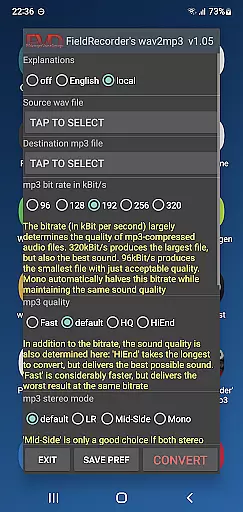
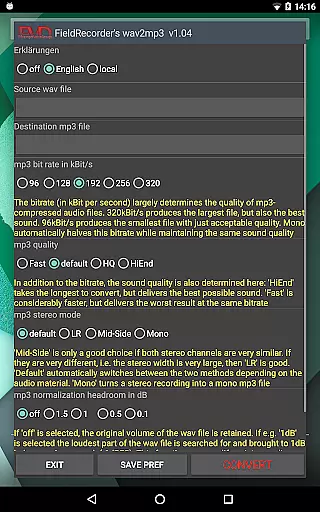
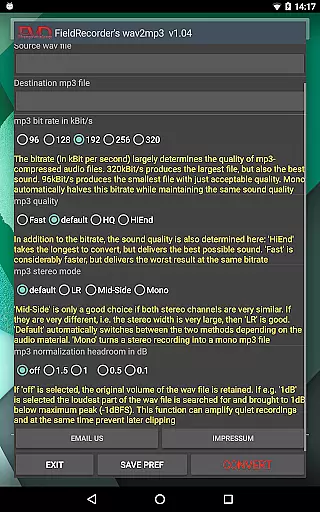
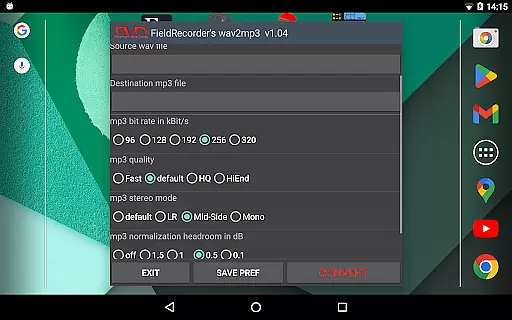
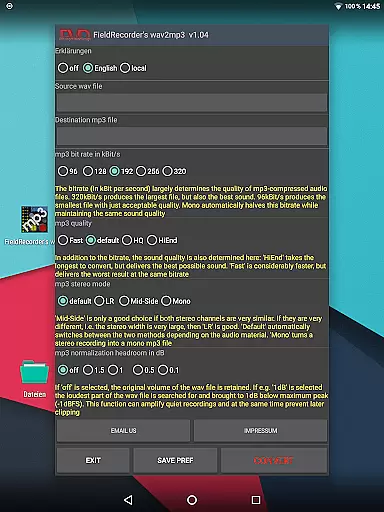
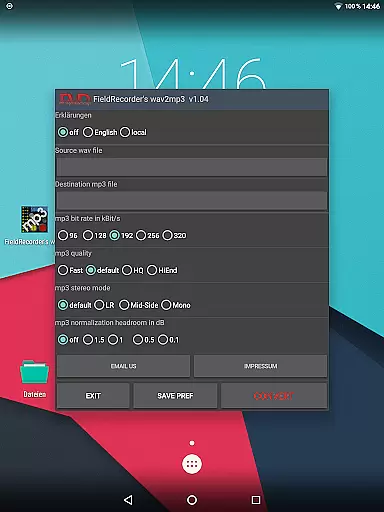
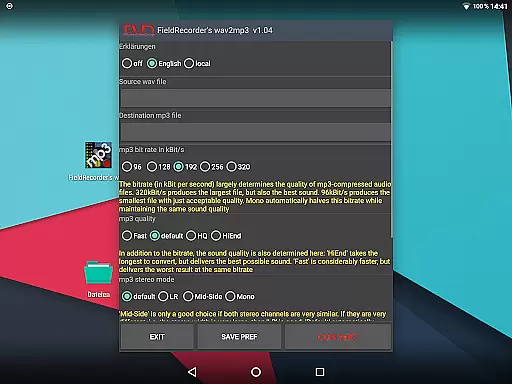
FieldRecorder's wav2mp3 stands out due to its array of practical features tailored for both casual users and audio professionals. One key feature is the ability to customize various encoding parameters according to individual preferences. Users can choose from five preset bit rates, which are halved when converting mono files, ensuring flexibility based on specific project requirements. Additionally, the app allows users to adjust the complexity of the MP3 creation process, balancing between faster processing times and improved sound quality.
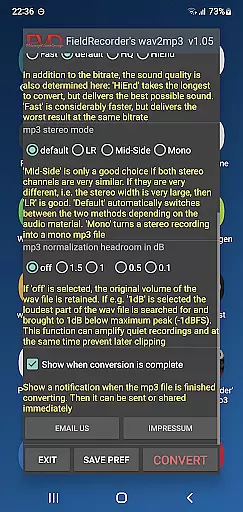
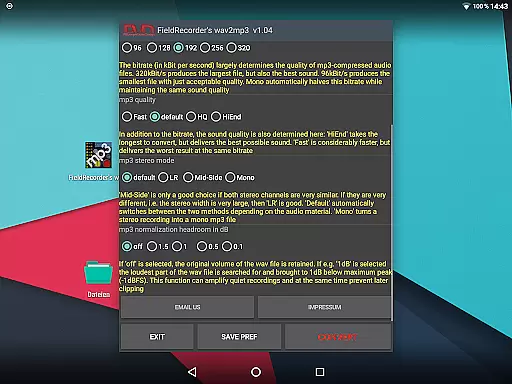
The app also provides multiple stereo mode options, giving users control over how channels are encoded—either separately (LR), jointly (Mid-Side), or dynamically decided by the software itself (default). Volume normalization settings let users maintain original levels or maximize output while avoiding clipping issues during playback. Moreover, comprehensive language support and customizable explanatory texts enhance accessibility. Finally, post-conversion notifications enable immediate sharing or further processing of the resulting MP3 file, streamlining workflow efficiency.
FieldRecorder's wav2mp3 may not boast an extensive music library, but it excels in providing a streamlined and focused audio conversion experience. The app allows users to convert WAV files to MP3 with ease, without the clutter of ads or unnecessary features that could infringe on copyright laws.
The application respects user privacy and content ownership by not collecting data or embedding hidden costs, ensuring that any audio file converted retains its integrity and legal standing. This approach aligns with copyright authenticity principles, giving users peace of mind when transforming their audio files.
While the app doesn't offer a vast repository of tracks, its dedication to pure functionality ensures that each conversion is legitimate and free from legal entanglements. Users can trust that their conversions are kept private and secure, away from prying eyes and potential misuse.
For those seeking a tool that prioritizes straightforwardness and respects intellectual property rights, FieldRecorder's wav2mp3 stands out as a reliable choice within the Music & Audio category.
FieldRecorder's wav2mp3 places a strong emphasis on delivering high-quality audio output through customizable settings. Users have the ability to adjust bit rates, select stereo modes, and control volume levels to ensure the resulting MP3 files meet their specific needs and preferences.
The app offers five common bit rates for quick selection, allowing users to balance between file size and sound quality efficiently. Additionally, advanced options such as encoding complexity and channel handling enable fine-tuning of the audio output, catering to audiophiles who demand precision.
With FieldRecorder's wav2mp3, users can maximize the volume while avoiding clipping, thanks to adjustable decibel thresholds. These features collectively contribute to an enhanced listening experience, preserving the nuances of the original recordings.
Whether you're converting files for personal use or professional purposes, the app's robust audio quality options make it a versatile tool in the realm of digital audio processing.
User-friendly interface
No ads or data collection
Customizable encoding options
Compact download size
Seamless integration with Field Recorder
Limited advanced features
No batch conversion option
Basic UI design
Fewer updates compared to competitors
Requires separate app for full functionality

Control your MIDI USB or Bluetooth devices in app and avoid some trampling
 3.30
3.30
Save hundreds of dollars for a physical strobe tuner and instead use this app.
4.50
Your song collections with lyrics and chords on Android smartphones and tablets.
4.80
Enjoy singing any song, no matter how high or low it is
4.30
Play your hearts out on TouchTunes jukeboxes & connect with fellow music lovers.
4.80
Offline Music Player & MP3 Player.Powerful equalizer, Lyrics, Themes, Tag Editor
4.80
Powerful 10-Band equalizer pro with sound booster improves Android audio quality
4.30
Manage your Sonos system directly from your home-screen!
4.40
Offline Tunes, Unlimited Vibes
3.90
Learn the notes on the guitar fretboard fast with this easy and fun app
4.60
Taal player that lets you sing any Indian & Western song with Tabla & Tanpura
4.60
10-Band Audio Equalizer, Sound / Bass Booster for Spotify Users & Music Players
4.40
Advanced 10-Band Audio Graphic Equalizer Sound Booster Pro
4.30
Learn and play 2M+ music tabs & chords on guitar, ukulele, bass, and more
4.30
Time Trainer: accurate metronome w tools to help you develop your internal time!
4.20
Next generation modular control surface
4.10
Permanently backup Now Playing. Maps, filters & listening stats.
4.00
Sheet music reader, piano & music note player. Play music score & learn to read.
3.90
Make music anywhere. Turn your device into an instrument.
4.0



User Reviews