
RE Equalizer FX is a professional-grade equalizer app designed for both casual listeners and audio enthusiasts. Developed by WiseSchematics, this application brings studio-quality sound processing to mobile devices. The app features advanced technologies like the Shunt Audio Engine and Smart Interface, which work together to eliminate audio artifacts and distortion. With its precise controls and real-time analyzer, users can shape their audio with exceptional accuracy.
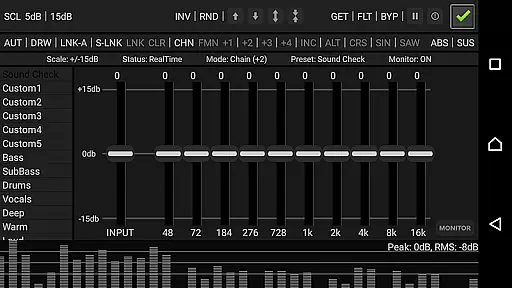
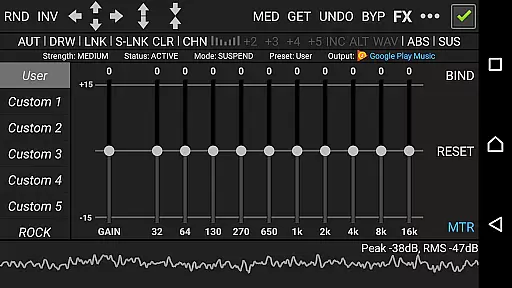
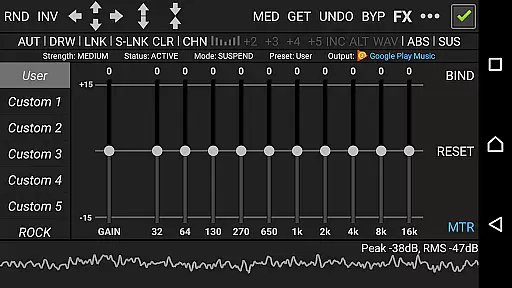
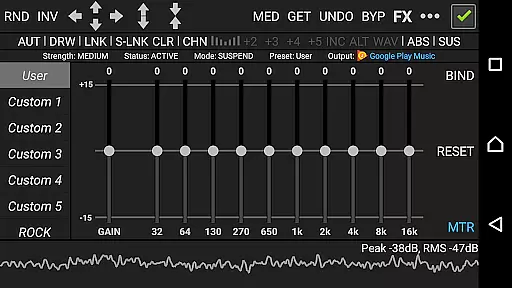
The app offers an extensive set of tools for sound customization, including 10 ISO faders, proportional Q filters, and various effects such as amplifier, compressor, and balance adjustments. These features allow users to fine-tune their listening experience exactly how they want it. Whether you're looking to tweak your music for better sound quality or create specific audio effects, RE Equalizer FX provides all the necessary controls in an intuitive interface.
Designed for flexibility, RE Equalizer FX works both as a standalone app and as a plugin within the Resound Methods audio player. This dual functionality makes it suitable for different usage scenarios, whether you're managing your daily playlist or working on detailed audio projects. The inclusion of 20 built-in presets and 10 customizable slots ensures that users can quickly access their preferred settings while also having room for experimentation.
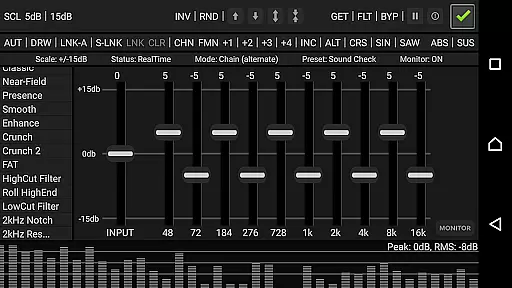
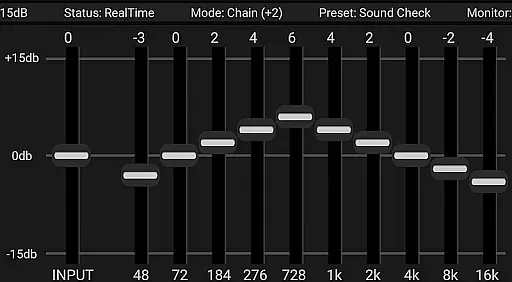
RE Equalizer FX stands out through its comprehensive feature set tailored for audiophiles. The app includes a 10-band equalizer with one band per octave, providing detailed control over each frequency range. Its proportional Q filters ensure smooth transitions between bands, avoiding unwanted audio artifacts. Additionally, the app's gain scaling options and multi-directional automation controls allow for complex audio shaping techniques.
Beyond basic equalization, RE Equalizer FX incorporates several advanced audio effects. Users can apply compression to manage dynamic range, adjust channel balance for personalized stereo imaging, and utilize a built-in threshold gate to prevent signal clipping. The app's seven curve-drawing modes enable creative freedom when forming custom EQ shapes, while the global bypass and real-time switches facilitate instant comparison between processed and unprocessed audio.
For those seeking convenience, the app provides 20 pre-engineered presets covering common audio scenarios, complemented by 10 user-definable slots. A real-time audio analyzer helps users visualize their adjustments, making it easier to achieve desired results. Furthermore, the availability of a detailed tutorial ensures that even beginners can learn to use these sophisticated tools effectively, bridging the gap between professional audio engineers and everyday users.
RE Equalizer FX offers an extensive music library that caters to audiophiles and sound engineers alike. The application provides a vast array of built-in pre-engineered presets, complemented by custom preset options, allowing users to explore different soundscapes and equalization settings.
Copyright authenticity is taken seriously by the developers at WiseSchematics. Every preset and audio effect within RE-EQ is crafted with attention to legal detail, ensuring that users can apply effects and utilize the equalizer without concerns over unauthorized content usage.
The app's dedication to originality extends beyond its presets. With features like the Amplifier effect, Compressor effect, and Balance effect, all aspects of the audio manipulation process are covered under legitimate, proprietary technologies, such as the Shunt Audio Engine and Smart Interface.
Users benefit from this adherence to copyright law through unencumbered access to professional-grade tools for adjusting audio dynamic range, channel volume, and more. This ensures a seamless experience when shaping their audio projects with precision and creative freedom.
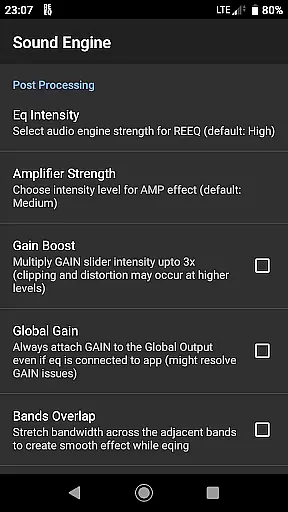
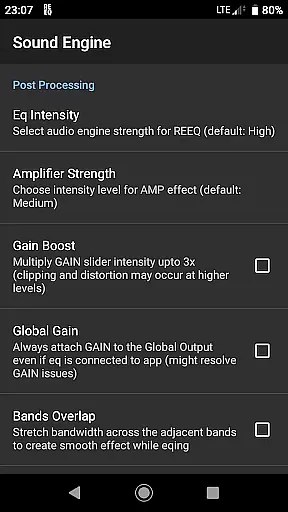
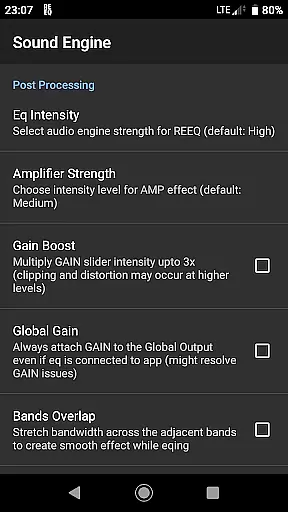
Audio quality is paramount in RE Equalizer FX, which is why it includes gain scaling options and multi-directional automation control for bands stepping, mixing, morphing, and shifting. These features provide users with the ability to fine-tune every aspect of their sound output with exceptional clarity and detail.
The proportional 'Q' filters and seven modes for drawing multiple shapes and curve formation allow for precise adjustments that maintain the integrity of the original audio signal while enabling significant enhancement or alteration according to user preference.
With a built-in threshold gate to override clipping signals and a global BYPASS/REAL TIME switch, RE-EQ ensures that audio processing remains smooth and distortion-free. Users can monitor their adjustments in real time thanks to the integrated audio analyzer, providing instant feedback on how changes affect the overall sound profile.
This commitment to high-quality audio options empowers users to achieve studio-grade results on the move, making RE Equalizer FX a versatile tool for both casual listeners looking to improve their music experience and professionals requiring reliable sound editing capabilities.
Professional-grade audio processing
Advanced equalization controls
Real-time audio analysis
Wide range of presets
Dual standalone/plugin functionality
Complex for beginners
Requires device compatibility
Background effect conflicts
Premium features locked
Resource-intensive operation

Make music anywhere. Turn your device into an instrument.
 4.2
4.2
JBL PartyBox APP works with 110/310/710/120/320/520/Encore/Encore 2/Encore Ess 2
4.80
A High-Precision Audio Spectrum Analysis App
4.20
Your song collections with lyrics and chords on Android smartphones and tablets.
4.80
Network/Cloud Streaming, Visualization, Graphic Equalizer and Sound Effects.
4.20
Next generation modular control surface
4.10
The Minimalistic Premium Music Player. Handmade with passion for music
2.20
Offline Tunes, Unlimited Vibes
3.90
Listen to offline music and sounds from all categories
4.70
Listen to live FM radio stations, sports, music and news on global radios online
4.70
Simple & Intuitive Metronome
4.70
Taal player that lets you sing any Indian & Western song with Tabla & Tanpura
4.60
The best music and audio player, with beautiful UI, music search and equalizer.
4.60
Super Sound Editor, Song Maker & Mixer, Vocal Remover, Voice Recorder & Changer!
4.60
10-Band Audio Equalizer, Sound / Bass Booster for Spotify Users & Music Players
4.40
Full featured mp3 and audio player with Chromecast and Android Auto support.
4.40
A sleek, no-frills player designed for true music lovers.
4.20
VB-AUDIO Software / VBAN-Receptor allows listening to any VBAN Streams
4.10
Remove ads permanently from Music Visualizer
4.2



User Reviews