
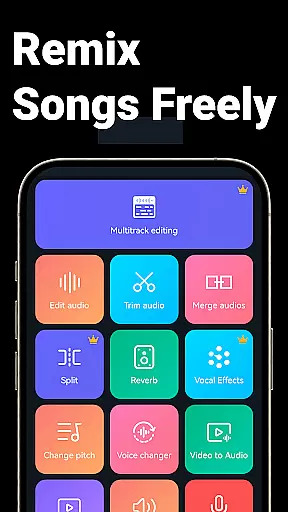
Music Audio Editor, MP3 Cutter is a comprehensive audio editing tool designed for both casual users and professionals on Android. This powerful app allows you to cut, splice, mix, and convert audio files with precision and ease. Whether you're creating custom ringtones or editing music tracks, the application provides all necessary features including vocal removal, pitch adjustment, and format conversion.
The app stands out with its multitrack editing capabilities, letting you work on multiple audio layers simultaneously. You can also enhance your projects with fade effects, tempo changes, and equalizer settings. With additional functionalities like video-to-audio conversion and batch processing, it's an all-in-one solution for your audio editing needs.
Ideal for musicians, podcasters, and content creators, this app streamlines the audio production process while offering advanced tools that cater to various creative requirements.
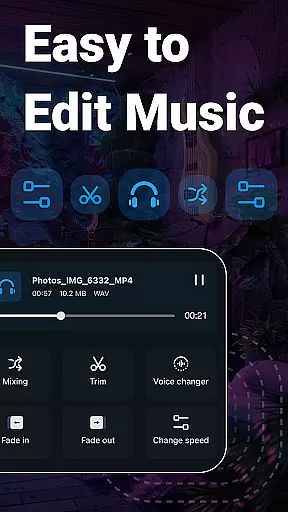
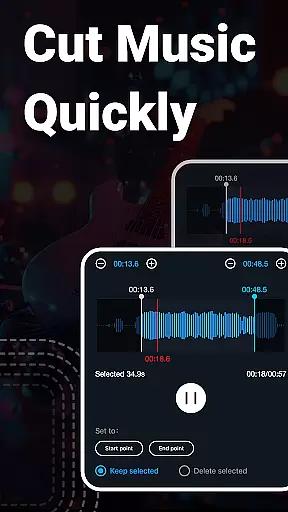
One of the standout features of Music Audio Editor, MP3 Cutter is its extensive range of audio manipulation tools. The app supports precise cutting in milliseconds, enabling users to trim their audio files accurately. It also offers rich editing functions such as fading in and out, changing volume levels, adjusting playback speed, and altering music tones.
In addition to basic editing, the app includes advanced capabilities like multitrack mixing, voice changing, and vocal removal. Users can merge multiple audio tracks, add background music, and even modify the pitch of songs. The inclusion of a video editor allows for adding audio effects to videos, making it a versatile tool for multimedia projects.
Practical utilities such as format conversion, audio compression, and voice recording further enhance its functionality. These features ensure that whether you're preparing audio files for sharing or creating professional-quality soundtracks, this app has the tools you need.
When it comes to music editing applications, the size and authenticity of the music library are crucial factors. Music Audio Editor, MP3 Cutter offers an extensive collection of over 2000 royalty-free tracks that users can download and incorporate into their projects without worrying about copyright infringement. This vast library spans multiple genres, catering to diverse musical tastes and creative needs.
The app ensures all provided tracks are properly licensed, giving users peace of mind when using the music in their creations. Whether you're producing a podcast, video, or personal project, having access to a wide variety of legally safe music enhances your creative possibilities while maintaining professional standards.
Moreover, the application supports multiple audio formats such as mp3, aac, wav, flac, m4a, and amr. This versatility allows users to work with their preferred file types and ensures compatibility across different platforms and devices. The ability to convert between these formats further expands the utility of the app, making it a comprehensive tool for all audio-related tasks.
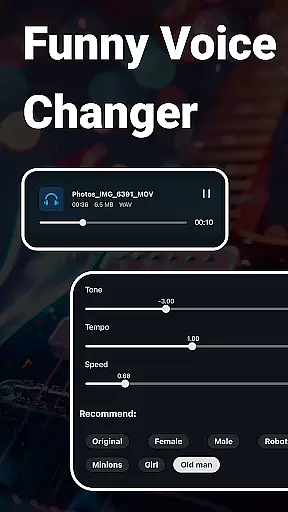
Audio quality is paramount when editing and producing music or audio files. Music Audio Editor, MP3 Cutter excels in providing high-quality audio processing features that ensure your final output meets professional standards. One of its standout capabilities is the ability to adjust various parameters such as sound volume, tone, tempo, and playback speed, allowing users to fine-tune their audio precisely as needed.
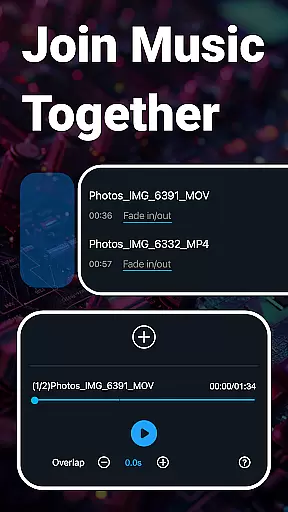
In addition to basic editing functions, the app includes advanced features like a multitrack audio editor and equalizer settings. Users can mix multiple audio tracks, split audio into separate channels, and apply fade-in and fade-out effects to create smooth transitions. The built-in equalizer offers a range of presets and customizable options, enabling detailed adjustments to achieve the desired sound profile.
For those who require specific output settings, the app provides control over sound channels, sample rates, and bit rates during audio compression. These options ensure that the exported files maintain optimal quality while being appropriately sized for sharing or uploading. With such comprehensive audio quality controls, Music Audio Editor, MP3 Cutter stands out as a robust solution for both amateur enthusiasts and professional audio editors alike.
User-friendly interface
Extensive editing options
High precision cutting
Multitrack support
Versatile export formats
Occasional bugs reported
Advanced features may overwhelm beginners
Advertisements present in free version
Some features require in-app purchases
Interface could be more visually appealing

Most Advanced AI Song Generator and Music Creator. Rap, Pop, Rock, Gospel & more
 4.70
4.70
JBL PartyBox APP works with 110/310/710/120/320/520/Encore/Encore 2/Encore Ess 2
4.80
Record, Mix & Master with all n-Track effects, 64-bit audio and Stem Separation.
4.70
24,000 free audio books and no ads!
4.90
Make songs with AI! Any genre, custom lyric, song generator for music creation!
4.80
Turn your Android phone into a professional audio analyser with up to 120 bands.
4.00
Play KORG’s revolutionary touch-based instrument on a variety of devices.
4.40
Offline Tunes, Unlimited Vibes
3.90
Get alarms that fit your lifestyle and wake up to the sounds you love.
4.80
A complete sound package for the sound engineer or enthusiast
4.60
Learn the notes on the guitar fretboard fast with this easy and fun app
4.60
Reverse your voice & songs instantly! Fun singing challenge with cool effects.
4.60
Manage your Sonos system directly from your home-screen!
4.40
A sleek, no-frills player designed for true music lovers.
4.20
No wifi music app. Mp3 offline. Tuner radio, young radio music. Music downloader
4.20
Background pads for your band
3.80
Simple mp3 and mp4 player with advanced features.
3.40
Remove ads permanently from Music Visualizer
4.1
Music Streaming suite for Ampache, Nextcloud Music and compatible backends.
4.5




User Reviews