
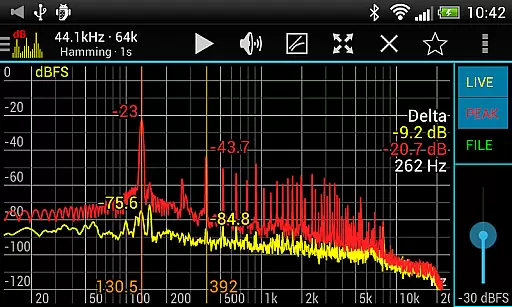
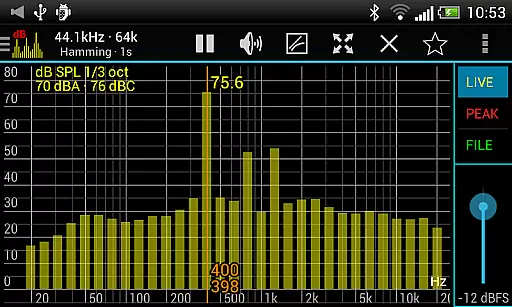
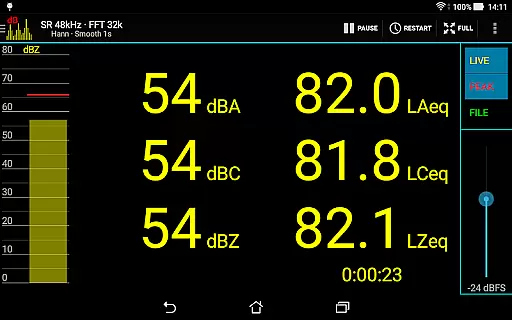
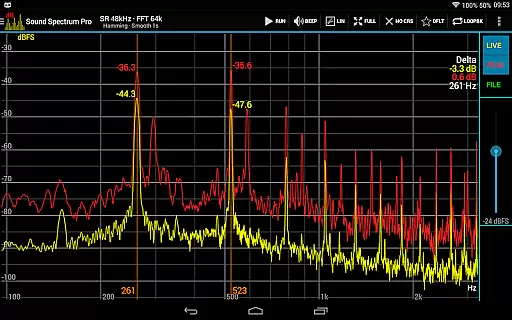
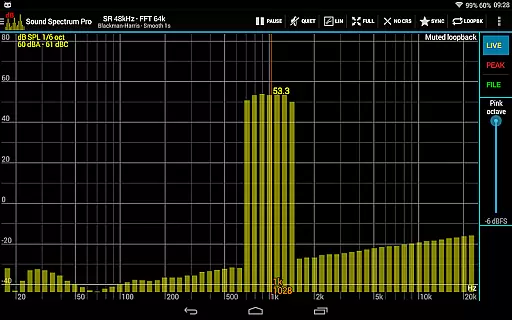
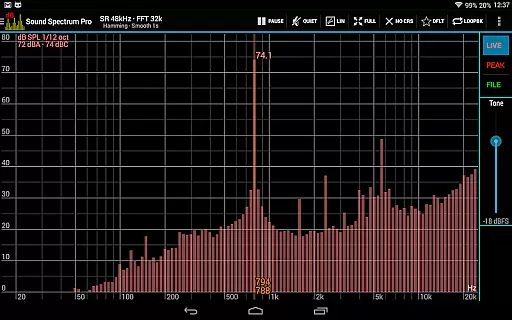
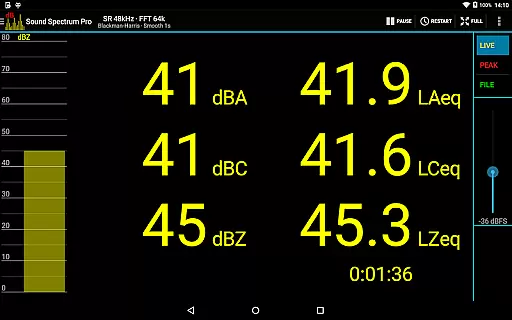
Sound Spectrum Pro is a comprehensive audio analysis tool designed for both professionals and enthusiasts in the music and audio industry. This application provides advanced features such as FFT amplitude display, RTA octave band analysis, and sound pressure level measurements in dBA, dBC, and dBZ. With its user-friendly interface, users can easily navigate through various on-screen controls to access real-time data visualization.
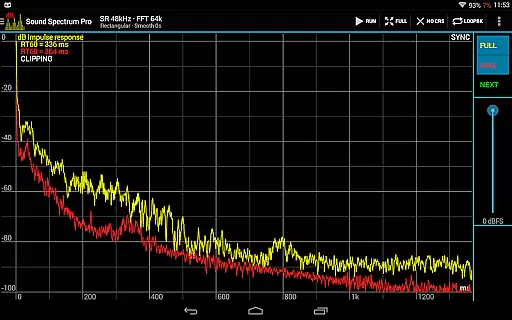
In addition to its core functionalities, Sound Spectrum Pro offers specialized tools like Noise Criterion measurement, equivalent continuous sound level tracking (LAeq, LCeq), and impulse response testing. The app supports high-resolution FFT analysis with adjustable window functions and frequency axis settings, making it suitable for detailed acoustic evaluations. Whether you're conducting professional sound assessments or exploring personal audio projects, this app delivers precise and reliable results.
The application's versatility extends to its signal generation capabilities, providing tones and noise types that cater to different testing requirements. Its compatibility with high sample rates and comprehensive file management options ensure accurate calibrations and seamless workflow integration. Ideal for studio engineers, acousticians, and audiophiles, Sound Spectrum Pro enhances your ability to analyze and optimize audio environments effectively.
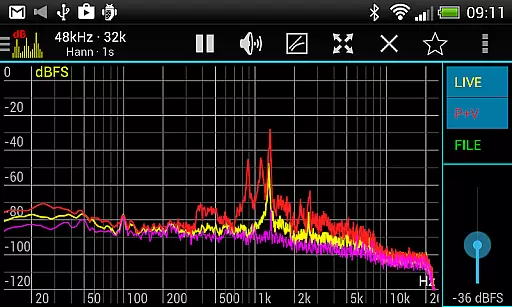
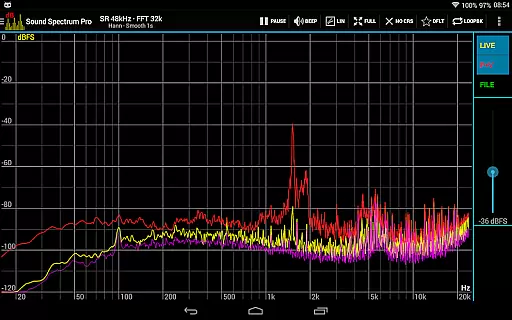
Sound Spectrum Pro distinguishes itself through an extensive array of sophisticated features tailored for audio professionals. The application's FFT functionality supports sizes from 16k to 1M, delivering exceptional frequency resolution down to 0.01Hz when combined with downsampling techniques. This level of precision allows users to conduct thorough spectral analyses across various applications, from room acoustics to equipment testing.
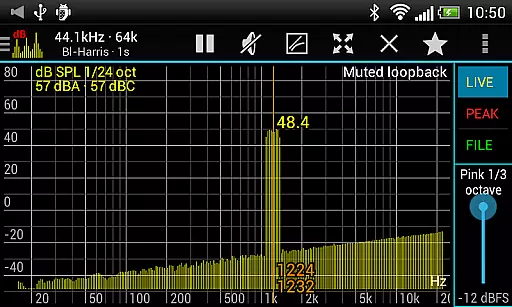
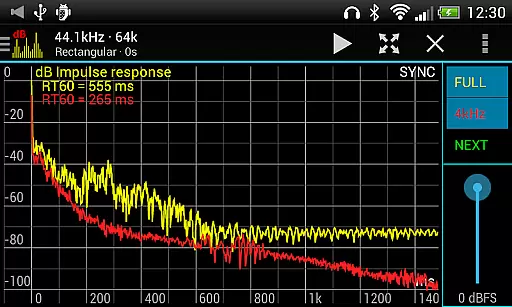
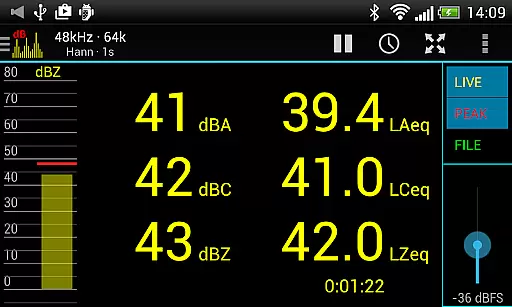
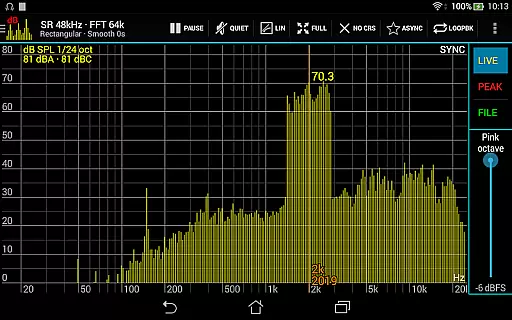
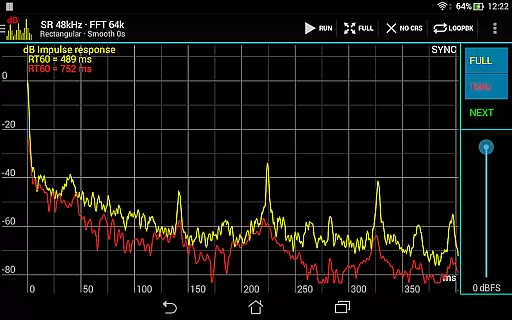
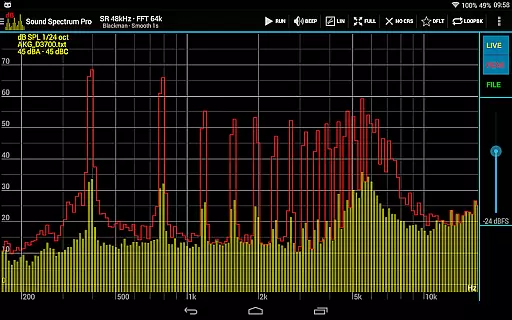
A key advantage of this application lies in its versatile RTA capabilities, offering octave band analysis from full octave down to 1/24 octave resolutions. The inclusion of multiple SPL measurement modes (dBA, dBC, dBZ) alongside specialized metrics like Noise Criterion and LAeq values provides comprehensive assessment options. Advanced features such as THD+N measurement and RT60 calculation enable detailed evaluation of audio system performance and room acoustics.
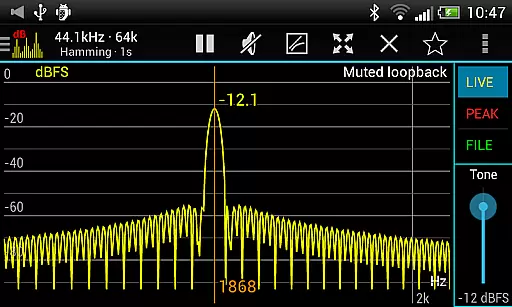
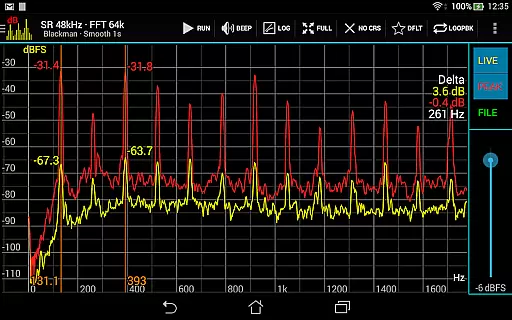
The application's intuitive interface incorporates numerous practical tools including peak/valley hold functions, adjustable smoothing parameters, and measurement cursors. These features work together to create a powerful yet accessible platform for audio analysis. Additionally, the built-in signal generators and synchronous measurement mode facilitate efficient system testing and calibration procedures, while the loopback function allows for convenient experimentation with different analysis parameters.
Sound Spectrum Pro offers an extensive array of audio analysis and signal generation features, forming a comprehensive music library that caters to both casual listeners and audio professionals. With capabilities ranging from Real-Time Analyzer (RTA) to Fast Fourier Transform (FFT) driven amplitude displays, the app provides tools for in-depth sound examination.
The app includes several octave bands for RTA, precise sound pressure level measurements in dBA, dBC, and dBZ, as well as advanced metrics like Noise Criterion and Noise Rating. This ensures users have access to a vast spectrum of audio data, enhancing their understanding and interaction with different soundscapes.
Furthermore, Sound Spectrum Pro supports copyright authenticity through its accurate calibration and measurement features. Users can load and save files with full calibration, ensuring that their readings are reliable and true to the original audio source. This functionality is crucial for professionals who require exactness in their work.
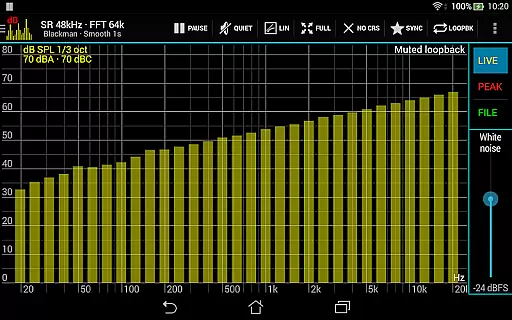
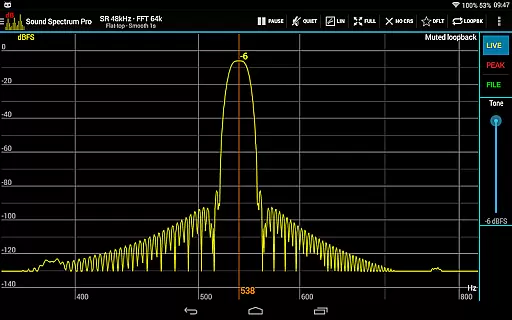
In addition to its analytical prowess, the app also boasts various signal generators including tone, white noise, and pink noise among others. These generators not only expand the breadth of the audible content available but also affirm the legitimacy of audio reproduction within the app, providing peace of mind regarding copyright compliance.
Sound Spectrum Pro stands out with its superior audio quality options that cater to audiophiles and sound engineers alike. The application supports a lightning-fast FFT with sizes from 16k to 1M, delivering an impressive frequency resolution down to 0.01Hz when using downsampling techniques. Such precision allows users to experience every nuance in their audio files.
With compatibility for a sample rate of up to 48kHz, contingent on device support, the app ensures high-fidelity playback and analysis. A selection of window functions coupled with logarithmic or linear frequency axis adjustments empowers users with flexibility in how they visualize sound frequencies, adapting the listening experience to personal preferences or professional requirements.
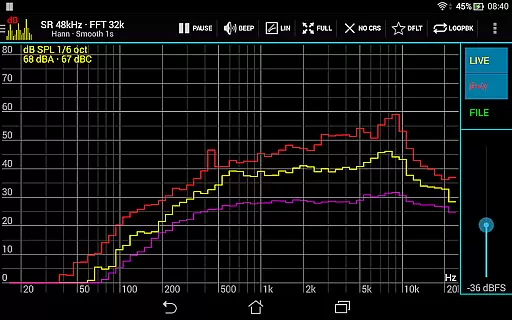
Peak and valley hold functions alongside highest peak display offer granular control over dynamic range visualization. Adjustable exponential smoothing further refines this process by allowing users to tweak response times according to their specific needs or environmental conditions, thus preserving audio integrity during real-time monitoring sessions.
Moreover, easy pan and zoom controls combined with measurement cursors facilitate detailed exploration of spectral content while enabling precise setting of signal generator frequencies. Sharing and printing options for screenshots add convenience, making it simple for users to document their findings without sacrificing quality or authenticity in representation.
Comprehensive audio analysis tools
High-resolution FFT capabilities
User-friendly interface design
Multiple SPL measurement modes
Versatile signal generation options
Steep learning curve for beginners
Requires technical audio knowledge
May overwhelm casual users
Professional price point
Device compatibility limitations

Time Guru will strengthen your internal sense of musical time via random muting.
 4.30
4.30
The Cubase remote control app
3.60
Time Trainer: accurate metronome w tools to help you develop your internal time!
4.20
Gorgeous UI, Powerful music Search and Equalizer, the great choice for you!
4.70
VB-AUDIO Software / VBAN-Receptor allows listening to any VBAN Streams
4.10
Walkout Song DJ is the most intuitive app to manage your sports music.
4.70
Save hundreds of dollars for a physical strobe tuner and instead use this app.
4.50
One-tap booster for max volume - enjoy powerful sound with this audio booster
4.50
Play your music offline without limits
4.80
Offline Music Player & MP3 Player.Powerful equalizer, Lyrics, Themes, Tag Editor
4.80
Simple & Intuitive Metronome
4.70
Taal player that lets you sing any Indian & Western song with Tabla & Tanpura
4.60
Reverse your voice & songs instantly! Fun singing challenge with cool effects.
4.60
Help you quickly get started with Shokz headphones
4.40
Full featured mp3 and audio player with Chromecast and Android Auto support.
4.40
Smart piano keyboard, Classical to Pop, Real-time multiplayer connection!
4.20
Sing, record, and create music together — enhanced by smart voice tools.
4.00
The ultimate media player for Android devices
3.90
Background pads for your band
3.80




User Reviews