
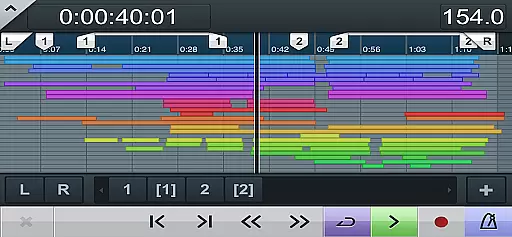
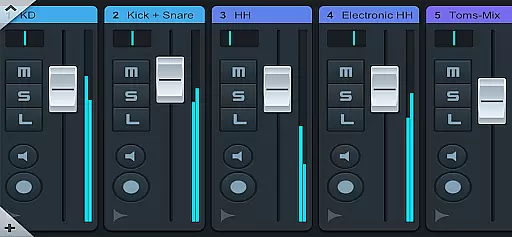
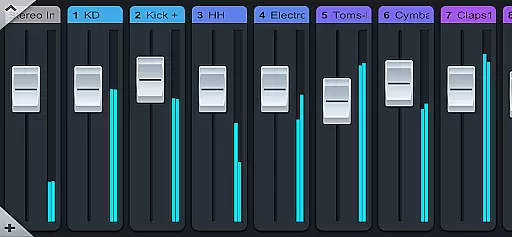
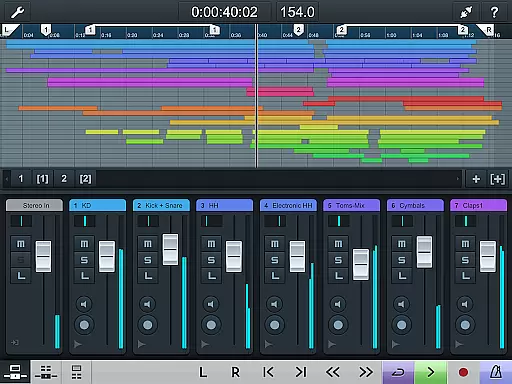
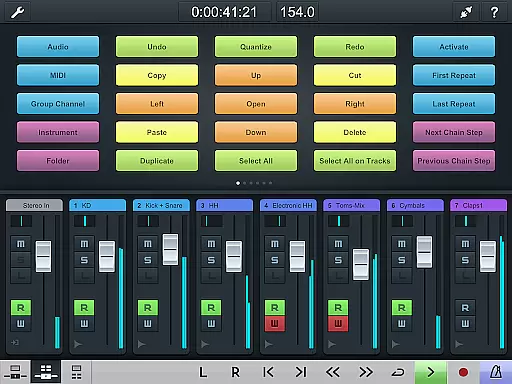
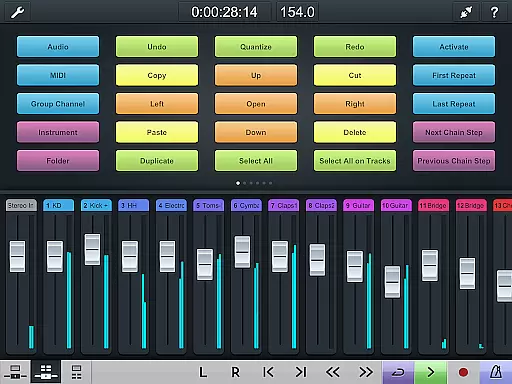
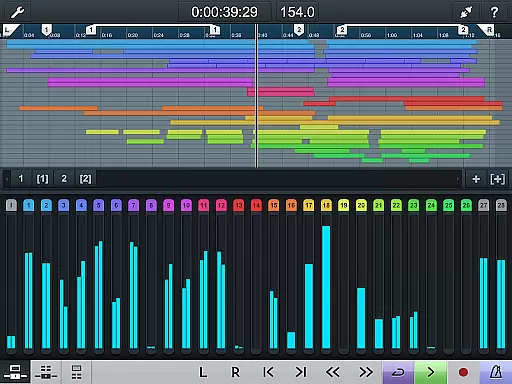
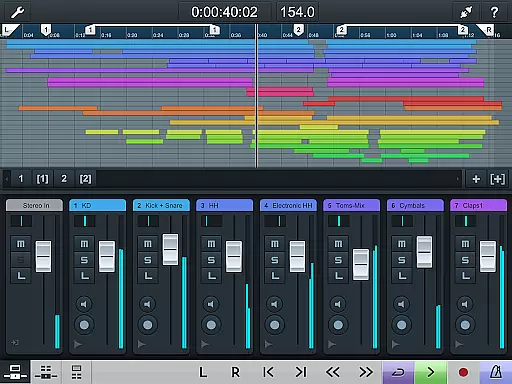
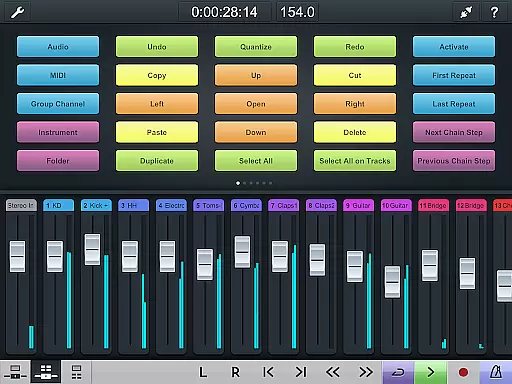
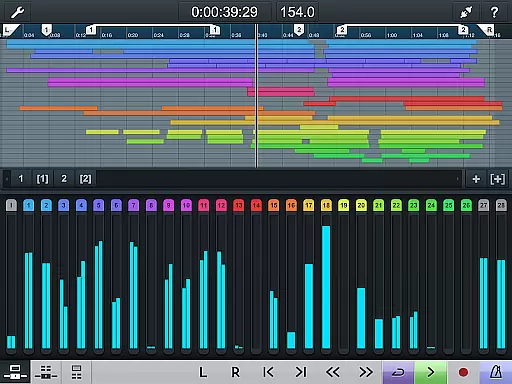
Cubase iC Pro is an advanced control application designed specifically for music production professionals using Cubase software. This app serves as a personal recording assistant, providing users with seamless access to key features of Cubase directly from their mobile devices. The app's main interface mirrors the Cubase environment, featuring a project overview page and mixer that allow users to manage their projects on-the-go.
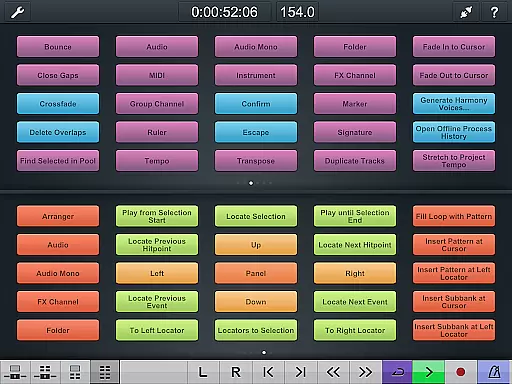
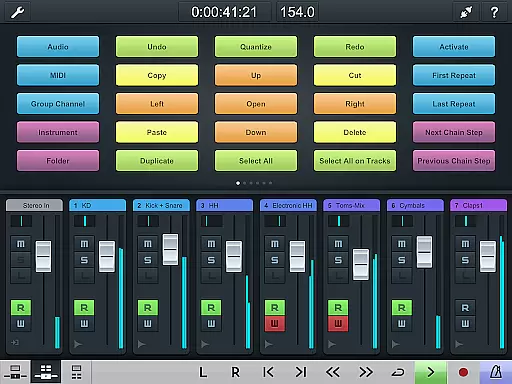
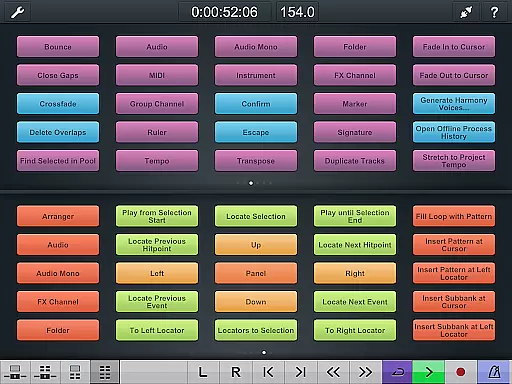
One of the standout capabilities of Cubase iC Pro is its ability to integrate deeply with Cubase, offering functionality that surpasses other remote control apps in the market. Users can view their projects exactly as they appear in Cubase, while also accessing a dedicated key command page for setting up frequently used keyboard shortcuts and macros. This level of integration makes it an indispensable tool for producers who need to maintain creative control even when away from their studio setup.
The app proves particularly useful during recording sessions where physical access to the main workstation might be limited. Engineers can remotely adjust settings, monitor levels, and manage tracks without interrupting the creative flow. However, it's important to note that Cubase iC Pro requires connection to Cubase and some features are only available with advanced versions of the software. Additionally, users must install the Steinberg SKI Remote before using the app.
Cubase iC Pro stands out among music production apps due to its specialized feature set tailored for professional audio engineers and producers. The app's most notable characteristic is its deep integration with Cubase, allowing users to replicate their desktop experience on mobile devices. Through its intuitive interface, users can access a comprehensive project overview that mirrors their Cubase workspace, complete with track information and mixing capabilities.
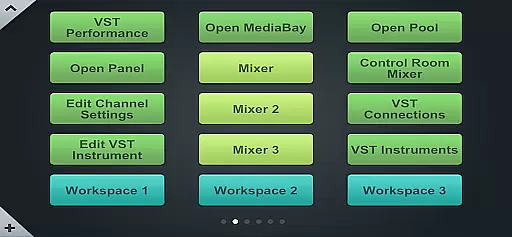
A key differentiating factor is the dedicated key command page, which enables power users to configure and utilize their most essential keyboard shortcuts and macros directly from their mobile device. This feature significantly enhances workflow efficiency by allowing complex operations to be executed with simple taps. The app maintains consistent communication with the main Cubase software, ensuring real-time updates and accurate representation of project status.
Additional features include precise transport controls, marker management, and customizable interface elements that adapt to different workflows. While these capabilities provide unprecedented remote control over Cubase projects, users should be aware that full functionality requires specific hardware configurations and software versions. The app's dependency on the Steinberg SKI Remote installation adds another layer of technical requirement but ensures optimal performance and stability.
When it comes to music production, having access to a vast and diverse music library is essential. Cubase iC Pro offers an extensive collection of high-quality audio samples and loops that are fully licensed and royalty-free. This ensures that musicians can explore various genres and styles without worrying about copyright infringement.
The app's integration with Cubase provides seamless access to these resources directly from the project overview page. Users can easily browse, preview, and import sounds into their projects, streamlining the creative process. The content is regularly updated, keeping the library fresh and relevant for producers of all levels.
Moreover, Steinberg has established partnerships with renowned sound designers and composers, ensuring the highest standards of audio quality. Each sample undergoes rigorous testing and validation to meet professional requirements. This commitment to excellence makes Cubase iC Pro a reliable tool for both amateur enthusiasts and seasoned professionals.
Audio quality is paramount in music production, and Cubase iC Pro excels in delivering pristine sound across all its features. The app supports high-resolution audio formats, allowing users to work with 24-bit/192kHz files for unparalleled clarity and detail. This level of precision ensures that every nuance of a performance is captured accurately.
In addition to supporting high-quality audio files, Cubase iC Pro includes advanced processing capabilities. Its built-in effects and plugins are designed to maintain signal integrity throughout the production chain. Whether applying EQ adjustments or adding reverb, users can trust that the original sound quality will be preserved.
Furthermore, the app's compatibility with premium audio interfaces enhances the recording experience. By connecting more deeply to Cubase than any other app, Cubase iC Pro enables low-latency monitoring and playback. This tight integration empowers musicians to focus on their craft without technical limitations hindering their creativity.
User-friendly interface
Deep Cubase integration
Real-time project monitoring
Customizable key commands
Professional-grade features
Requires Cubase connection
Limited standalone functionality
Advanced features need premium Cubase
Dependent on SKI Remote
Technical setup required

The Skullcandy App Experience
 3.20
3.20
Network/Cloud Streaming, Visualization, Graphic Equalizer and Sound Effects.
4.20
24,000 free audio books and no ads!
4.90
Smart piano keyboard, Classical to Pop, Real-time multiplayer connection!
4.20
Offline Music Player&MP3 Player with themes, equalizer, lyrics, music play mode
4.60
Slow music down without changing pitch.
3.70
Sheet music reader, piano & music note player. Play music score & learn to read.
3.90
Reverse your voice & songs instantly! Fun singing challenge with cool effects.
4.60
Travel To The Music Universe
3.40
Offline Music Player & MP3 Player.Powerful equalizer, Lyrics, Themes, Tag Editor
4.80
Brian Eno and Peter Chilvers’ acclaimed music app Bloom, radically reinvented.
4.80
Listen to live FM radio stations, sports, music and news on global radios online
4.70
Bass Booster & Volume Equalizer Pro improves your music and video sound quality
4.60
Let your Android device with the sound effects you want
4.50
Your HD audio recorder on the go for music, meetings, ambience, animal sounds…
4.30
Turn your Android phone into a professional audio analyser with up to 120 bands.
4.00
USB audio recording and playback finally possible on Android 3.1 or higher!
3.90
The iconic iOS metronome app is now on Android.
3.70
Make music anywhere. Turn your device into an instrument.
4.5




User Reviews