
Amazing Slow Downer is a powerful tool for musicians, transcribers, and dancers who want to learn new songs or techniques. This app allows users to slow down music playback without changing the pitch, making it easier to practice and learn. With speed adjustments ranging from 25% to 200%, you can customize the tempo of any song to suit your needs.
In addition to speed control, Amazing Slow Downer also offers seamless looping and pitch adjustment features. These tools help users focus on specific sections of a track and adapt the music to different tunings or keys. Whether you're mastering a complex guitar solo or perfecting a dance routine, this app provides the flexibility and precision needed to improve your skills effectively.
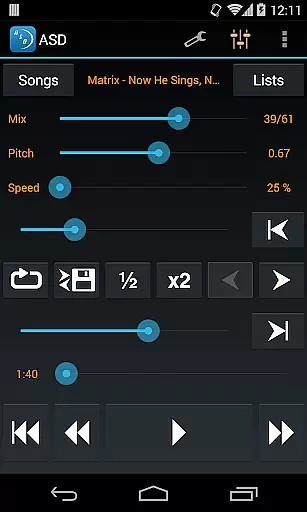
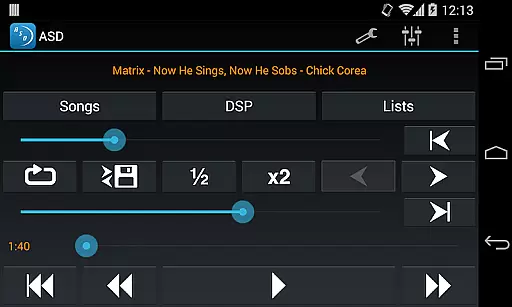
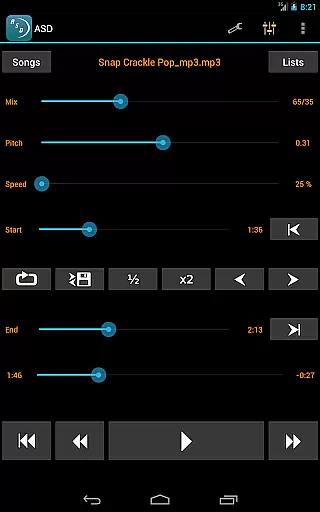
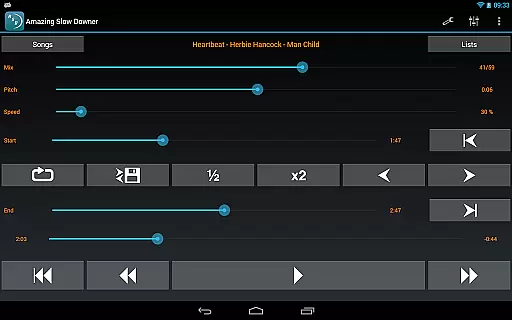
One of the standout features of Amazing Slow Downer is its ability to change the playback speed of music without altering the pitch. This functionality supports speeds between 25% and 200%, allowing users to slow down or speed up tracks as needed. The app also enables seamless looping by simply touching 'Set' buttons during playback, which is ideal for repetitive practice sessions.
Another notable feature is the pitch adjustment capability, which lets users change the musical key of a track. This is particularly useful for musicians who need to adapt songs to different instruments or vocal ranges. Additionally, Amazing Slow Downer delivers outstanding sound quality, ensuring that even at slower speeds, the audio remains clear and distortion-free.
When evaluating a music application like Amazing Slow Downer, the size and authenticity of its music library are crucial factors. This app allows musicians to import their own music files, ensuring that users have access to a vast array of tracks without legal concerns. The ability to use personal files means there's no limit to the library size, as it depends on the user's collection.
The app supports various file formats, which enhances its compatibility with different music libraries. Users can be confident in the copyright authenticity since they are using their legally acquired music. This feature is particularly beneficial for musicians who need to practice with specific tracks that they already own.
Amazing Slow Downer stands out by offering tools that manipulate playback speed and pitch without compromising audio quality. This ensures that even when music is slowed down or sped up, it remains true to the original piece. Such functionality is invaluable for those looking to learn complex musical passages or improve their dancing skills.
Audio quality is paramount when dealing with music applications, especially for an app like Amazing Slow Downer that targets musicians and dancers. The app provides exceptional sound quality, maintaining the integrity of the original track even when altering its speed or pitch. This ensures that users can focus on their practice without being distracted by poor audio performance.
One of the key features of Amazing Slow Downer is its ability to change the speed of a track from 25% to 200% of the original, all without affecting the pitch. This flexibility allows users to adapt the music to their skill level or specific learning needs while preserving high-quality sound output. Whether you're transcribing a song or perfecting a dance routine, this capability is indispensable.
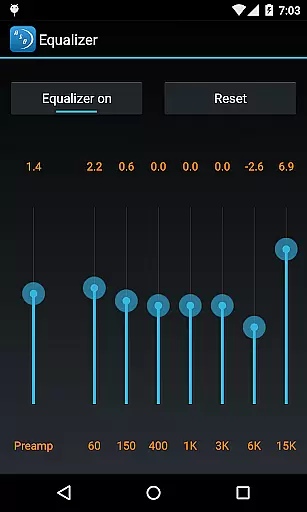
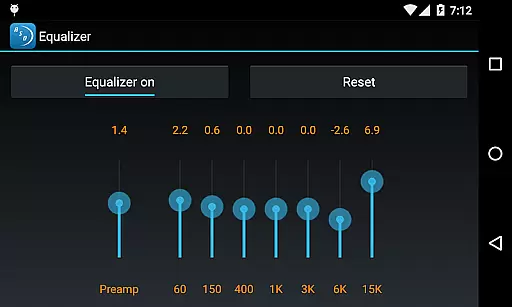
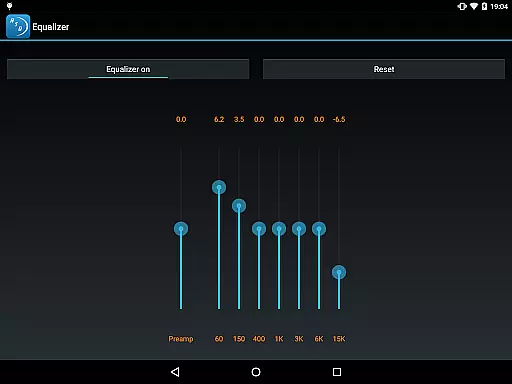
In addition to speed adjustments, the app also offers tuning and key changes, further enhancing the audio experience. These options ensure that musicians can customize their listening environment precisely as needed. With seamless loop setups and outstanding sound quality, Amazing Slow Downer proves itself as an essential tool for anyone serious about improving their musical or dancing abilities.
User-friendly interface
High-quality audio output
Flexible speed adjustments
Pitch correction technology
Seamless looping functionality
No official Spotify support
Limited free version features
Occasional bugs reported
Higher cost for full access
Requires manual updates

Your HD audio recorder on the go for music, meetings, ambience, animal sounds…
 4.30
4.30
Equalizer, Bass Booster and Volume Booster (Eq & Bass) improve sound quality
4.30
Remove ads permanently from Music Visualizer
4.3
A High-Precision Audio Spectrum Analysis App
4.20
Let your Android device with the sound effects you want
4.50
Learn the notes on the guitar fretboard fast with this easy and fun app
4.60
Versatile MP3 recorder with auto-backup to Dropbox and Google Drive
4.10
Responsive piano with great sounds, graphics, and songs
4.80
Melody Beat: Great for travel, workouts, offline vibes, play your tunes anytime.
4.10
Over 100 million tracks available for high quality streaming and download
4.60
Bass Booster & Volume Equalizer Pro improves your music and video sound quality
4.60
Super Sound Editor, Song Maker & Mixer, Vocal Remover, Voice Recorder & Changer!
4.60
AI Music Maker: Generate And Compose AI Tunes & AI Songs & AI Music & AI Melody!
4.60
Reverse your voice & songs instantly! Fun singing challenge with cool effects.
4.60
Visualize the guitar fretboard, master scales & play through changes like a pro!
4.50
Help you quickly get started with Shokz headphones
4.40
Time Trainer: accurate metronome w tools to help you develop your internal time!
4.20
Offline and always ad-free - stream in the highest quality available.
4.10
The only true audiophile music player with Hi-Fi audio rendering and DSP engine
3.90




User Reviews