
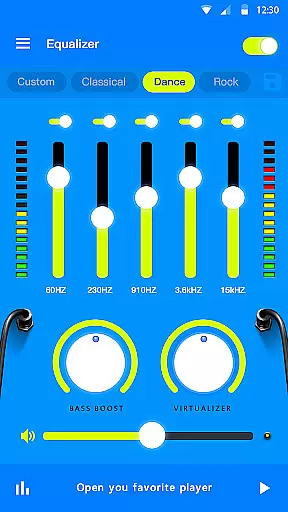
Music Equalizer Pro is a comprehensive audio enhancement app designed for music enthusiasts who seek to optimize their listening experience. This app offers advanced equalizer settings with 5 to 10 bands, allowing users to fine-tune audio output according to their preferences. Additionally, it features bass boost and volume booster capabilities that significantly enhance sound quality.
Beyond basic equalization, the app includes virtualizer effects such as stereo surround sound and visualizer options, making it an all-in-one solution for audiophiles. Whether you're using headphones or speakers, Music Equalizer Pro ensures an immersive audio experience across various devices. Its user-friendly interface and customizable themes make it accessible for both casual listeners and audio professionals alike.
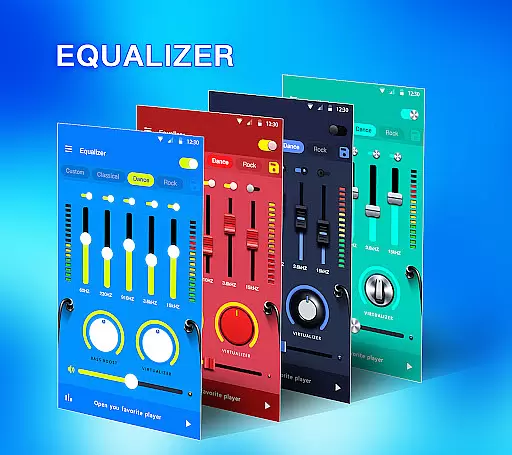
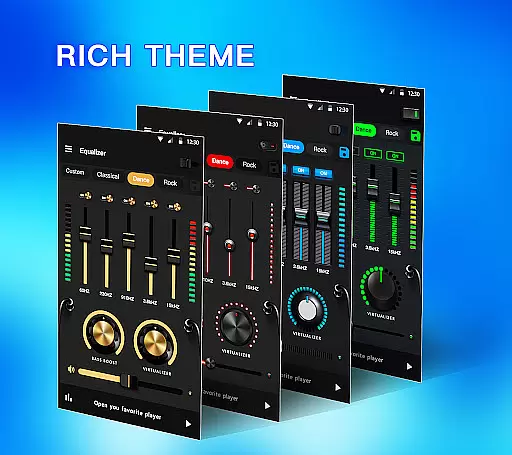
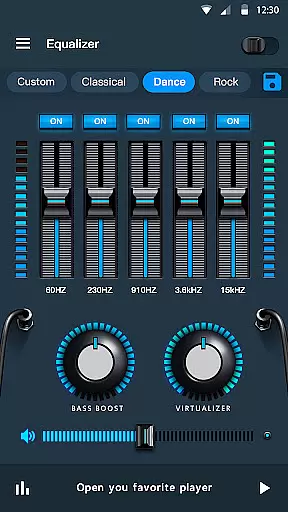
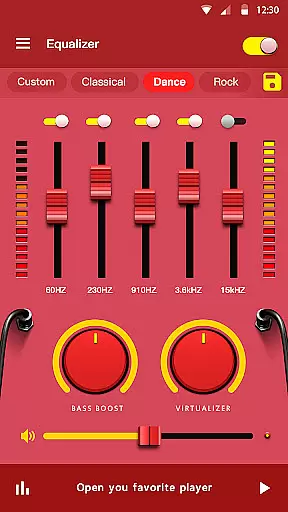
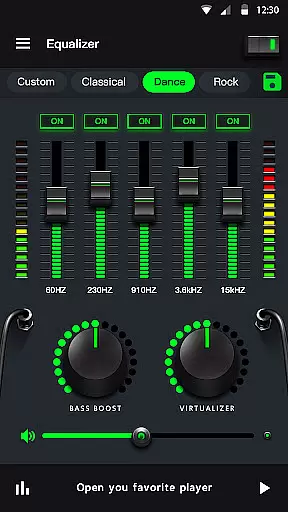
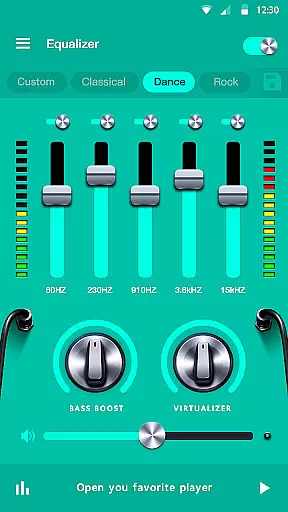
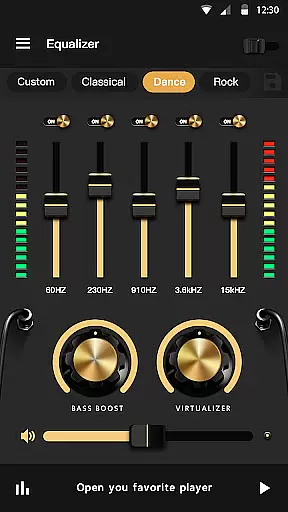
One of the standout features of Music Equalizer Pro is its versatile equalizer functionality. With up to 10 bands available on Android 10.x devices, users can precisely adjust frequencies to achieve desired sound profiles. The app also provides 18 colorful themes and 10 preset equalizations including Normal, Classic, Dance, and more, catering to diverse musical tastes.
In addition to its core capabilities, this app offers practical tools like media volume control, edge lighting, and music playing process control. Users can enable or disable specific equalizer bands via the notification bar or widget, ensuring seamless integration into daily routines. These features collectively deliver a personalized and high-quality audio experience tailored to individual preferences.
Music Equalizer Pro offers an extensive range of sound customization options, ensuring users have access to a comprehensive music library filled with diverse presets. These include Normal, Classic, Dance, Flat, Folk, Heavy Metal, Hip Hop, Jazz, Pop, and Rock, catering to all musical tastes and genres.
The app guarantees the authenticity of its audio effects by providing high-quality, licensed features such as Bass Booster, Volume Booster, and 3D Virtualizer effects. Users can be confident that they are enhancing their music listening experience with legitimate, state-of-the-art technology.
With over 18 colorful themes and 10 bands equalizer support for Android 10.x, Music Equalizer Pro stands out in the market by offering unique visual and auditory enhancements not commonly found in other audio applications.
One of the core strengths of Music Equalizer Pro is its ability to significantly improve audio quality through advanced features like Stereo Surround Sound Effect and Bass Booster for headphones. These tools provide an immersive listening experience that transforms ordinary music into a high-fidelity auditory event.
In addition to its impressive equalizer capabilities, the app includes a Volume Booster feature which allows users to amplify their media volume beyond standard levels while maintaining clarity and avoiding distortion. This ensures that every note and beat is heard as the artist intended.
Users also benefit from precise control over each band's equalization settings, enabling them to fine-tune their sound output according to personal preferences or specific audio equipment characteristics, thus achieving optimal audio performance across different devices.
Advanced equalizer settings
Bass and volume boosters
Stereo surround effects
Customizable themes
User-friendly interface
Limited iOS compatibility
Some features require premium
Occasional performance lags
Interface may feel complex
Battery consumption concerns

DJ Music Mixer Pro is a real DJ controllers and DJ Music Studio to remix DJ.
 4.40
4.40
DJ Music Mixer - DJ Remix: remix songs, make beat music & record mix of DJ.
4.40
24,000 free audio books and no ads!
4.90
Super Sound Editor, Song Maker & Mixer, Vocal Remover, Voice Recorder & Changer!
4.60
Recording studio w/ 10k beats, pro vocal FX and a network of 20M rappers & fans!
4.60
Voice recorder - Audio recorder. Best recorder for recording
4.90
Make songs with AI! Any genre, custom lyric, song generator for music creation!
4.80
PowerAudio is a powerful offline music player.
4.20
One-tap booster for max volume - enjoy powerful sound with this audio booster
4.50
Music, News & Sports Radio Tuner App. Tune in Live FM & AM Radio Stations.
4.80
Pay Once, no monthly payment
4.60
Enhance the sound quality of your devices, listen to what you want
4.50
Formerly known as Spotistats! View your top tracks, artists, albums and more!
4.40
The Music Journey in Your Hands
4.30
Learn and play 2M+ music tabs & chords on guitar, ukulele, bass, and more
4.30
USB audio recording and playback finally possible on Android 3.1 or higher!
3.90
Powerful beat maker & DJ mixer to remix tracks, make music, & perform DJ mix
3.70
The iconic iOS metronome app is now on Android.
3.70
The Minimalistic Premium Music Player. Handmade with passion for music
2.20



User Reviews