
USB Audio Recorder PRO is a specialized audio recording and playback application designed for users who require high-quality audio processing directly through USB audio interfaces. The app offers an extensive range of functionalities, including the ability to record in mono, stereo, or multichannel formats, as well as playback through stereo outputs. It supports various bit depths such as 16-, 24-, and 32-bit, depending on your device's capabilities, with sample rates reaching up to 384 kHz.
This app is particularly useful for musicians, podcasters, and audio engineers who need precise control over their recordings. With features like input/output selection, buffer size adjustments, and support for multiple file formats (WAV, FLAC, OGG, AIFF), it ensures that users can tailor their recording experience to meet professional standards. Additionally, the app provides real-time level meters and monitoring options, making it easier to achieve optimal recording levels.
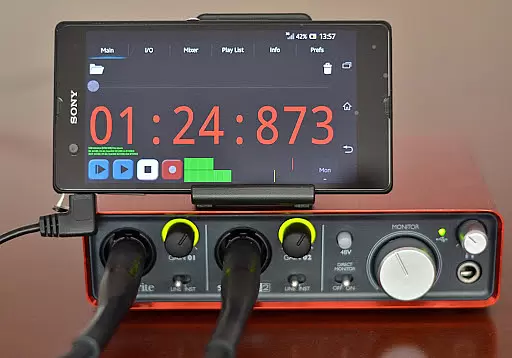
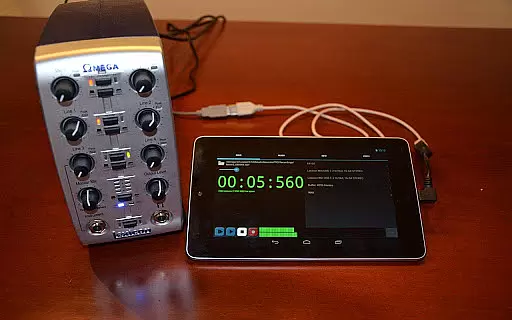
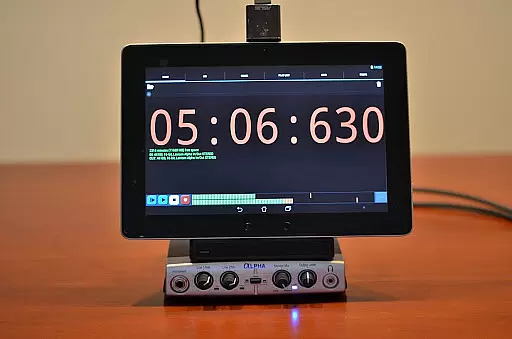
One key advantage of USB Audio Recorder PRO is its compatibility with class-compliant USB audio devices without requiring root access on Android devices. This makes it accessible to a wide range of users who want to integrate their existing audio equipment into a mobile recording setup. Whether you're capturing live performances or conducting voiceovers, this app delivers the tools necessary for producing high-fidelity audio content.
USB Audio Recorder PRO stands out due to its comprehensive feature set tailored for both amateur and professional audio recording needs. One of its primary strengths is the ability to work seamlessly with class-compliant USB audio devices, supporting both USB 1.1 and USB 2.0 specifications. This ensures broad compatibility across different hardware configurations, allowing users to connect their preferred audio interfaces directly to their Android devices.
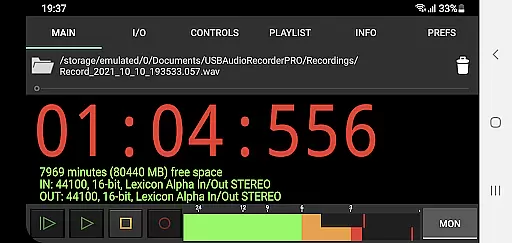
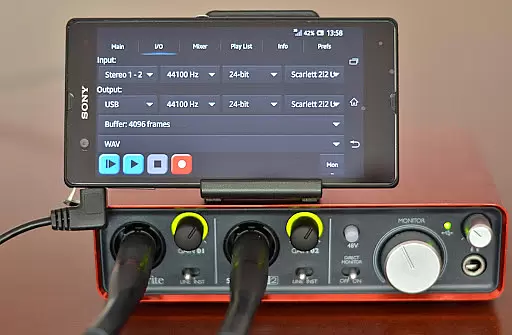
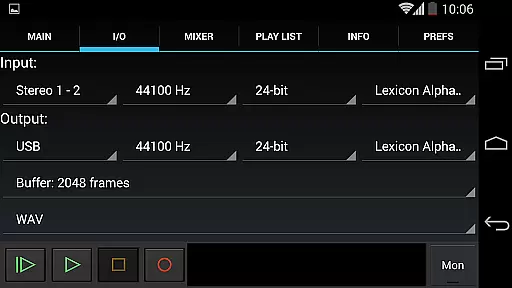
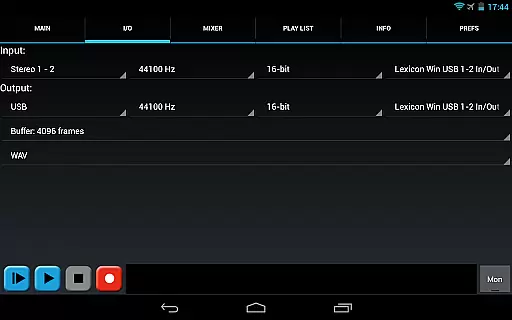
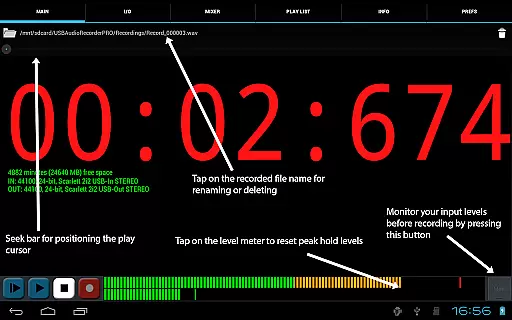
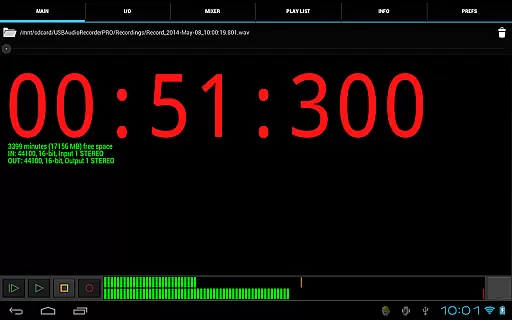
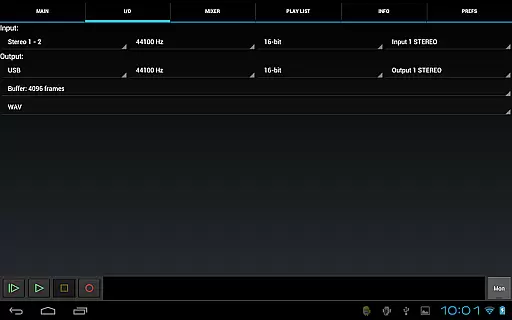
The app offers advanced controls for managing audio inputs and outputs, enabling users to fine-tune their recording setups. Key features include adjustable buffer sizes ranging from 1024 to 16384 frames, which helps minimize latency during recording sessions. Additionally, users can choose from several recording formats—WAV, FLAC, OGG, and AIFF—ensuring flexibility in post-production workflows. The inclusion of level meters with peak hold functionality further enhances precision by providing visual feedback on audio levels.
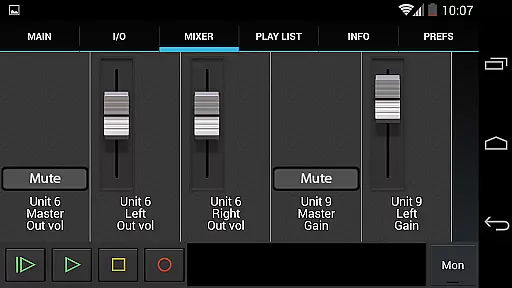
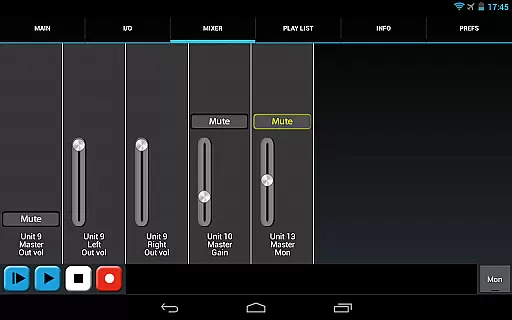
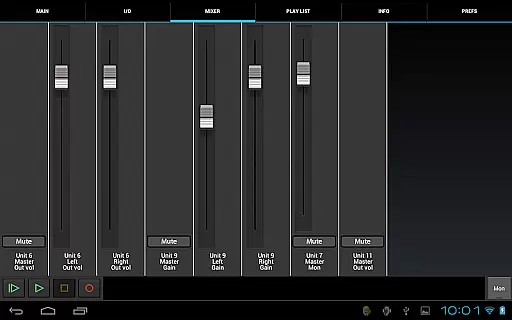
Another notable aspect is the app's ability to handle multichannel recording and stereo playback, catering to complex audio projects. Users also benefit from internal mixer controls, which allow adjustments to gain, volume, and mute settings directly within the app interface. These features collectively empower creators to produce polished audio recordings while maintaining full creative control over their projects.
USB Audio Recorder PRO offers a comprehensive set of features for high-quality audio recording and playback directly from a USB audio interface. While it doesn't provide a traditional music library, the app supports a wide range of audio formats including WAV, FLAC, OGG, and AIFF, ensuring that users can work with their preferred file types.
The app respects copyright laws by not supporting MP3 due to patent restrictions, recommending OGG as an alternative for similar quality and compression. This approach ensures that all recordings made within the app are original works, preserving copyright authenticity.
With support for mono, stereo, and multichannel recording at various bit depths (16-, 24-, and 32-bit) and sample rates (up to 384 kHz), users can create professional-grade audio content. The ability to select input/output sources and adjust buffer sizes provides additional control over recording quality.
Furthermore, the app allows sharing of recordings through platforms like GMail and SoundCloud, while maintaining proper attribution and copyright compliance. This combination of flexible recording options and copyright-conscious format choices makes USB Audio Recorder PRO a valuable tool for creating and managing original audio content.
USB Audio Recorder PRO excels in delivering exceptional audio quality options for both recording and playback. The application supports various bit depths including 16-, 24-, and 32-bit, allowing users to capture audio with remarkable clarity and dynamic range.
Sample rate flexibility is another key feature, with support for rates up to 384 kHz depending on the connected audio device. This high sample rate capability ensures that even the most subtle audio details are accurately captured during recording sessions.
The app provides comprehensive control over recording parameters, including buffer size selection (ranging from 1024 to 16384 frames) and format options such as WAV, FLAC, OGG, and AIFF. These options enable users to optimize their recording setup based on specific project requirements.
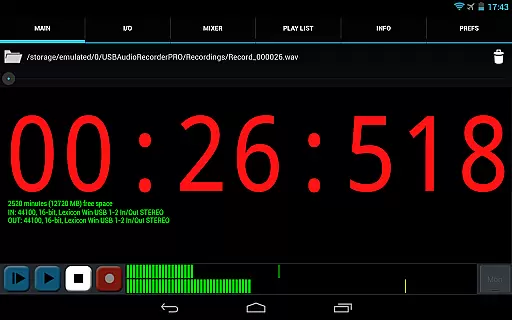
Additionally, the inclusion of level meters with peak hold functionality and a monitor button for setting levels before recording helps maintain consistent audio quality throughout sessions. The ability to utilize internal controls like gain, volume, and mute further enhances the precision of audio capture, making USB Audio Recorder PRO a powerful solution for achieving professional-grade audio quality.
User-friendly interface
High-quality audio support
Wide device compatibility
Flexible recording options
Real-time monitoring tools
Limited to specific devices
No MP3 format support
Requires OTG cable
Basic playlist functionality
Device initialization issues

Formerly known as Spotistats! View your top tracks, artists, albums and more!
 4.40
4.40
The Skullcandy App Experience
3.20
The Cubase remote control app
3.60
Remove ads permanently from Music Visualizer
4.4
The best music and audio player, with beautiful UI, music search and equalizer.
4.60
Learn and play 2M+ music tabs & chords on guitar, ukulele, bass, and more
4.30
The original SP-1200 experience on your iPad
4.20
Manage your Sonos system directly from your home-screen!
4.40
PowerAudio is a powerful offline music player.
4.20
Music, News & Sports Radio Tuner App. Tune in Live FM & AM Radio Stations.
4.80
Make songs with AI! Any genre, custom lyric, song generator for music creation!
4.80
Simple & Intuitive Metronome
4.70
Fun & Easy Voice Changer – Record, Edit & Add Hilarious Effects!
4.50
Time Trainer: accurate metronome w tools to help you develop your internal time!
4.20
A High-Precision Audio Spectrum Analysis App
4.20
Network/Cloud Streaming, Visualization, Graphic Equalizer and Sound Effects.
4.20
Offline and always ad-free - stream in the highest quality available.
4.10
The official Sonos app
4.10
The iconic iOS metronome app is now on Android.
3.70



User Reviews