
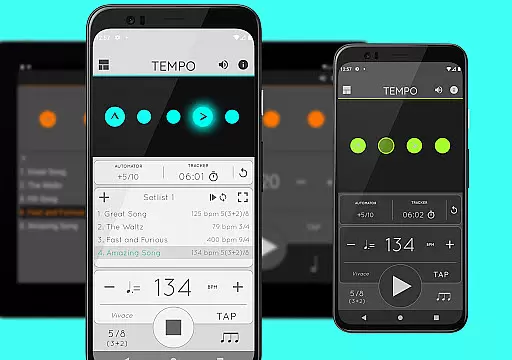
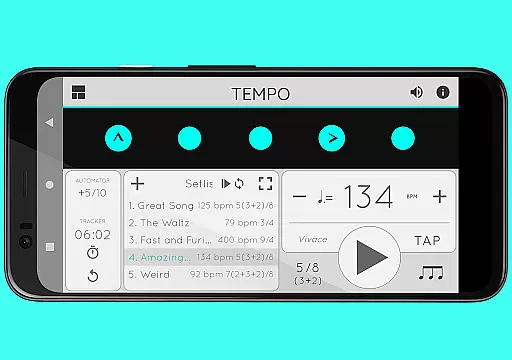
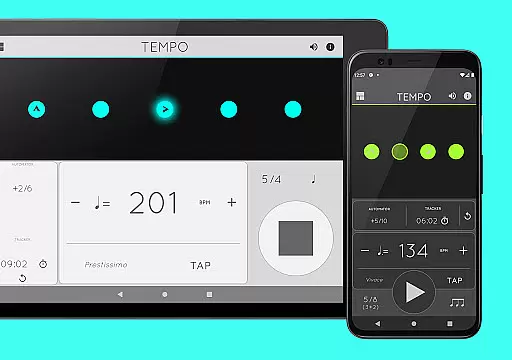
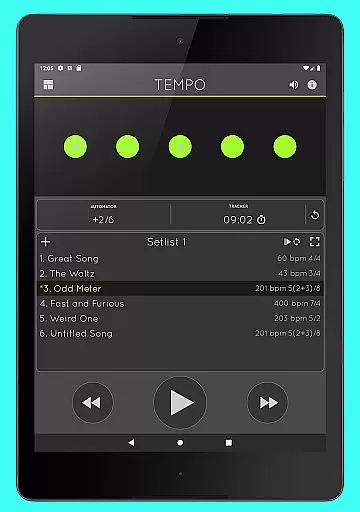
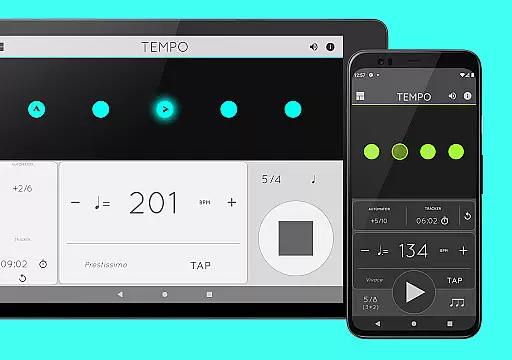
Tempo is a premier mobile metronome app designed for musicians, teachers, and students. It offers high accuracy and stability with an intuitive single-screen interface. The app allows users to customize beats using flashing LED buttons, creating complex rhythms effortlessly. Tempo supports saving configurations as songs in setlists, which can be shared with others, including iOS users. Its innovative interface adapts to five modes: Basic, Preset, Setlist, Practice, and Gig, each optimized for specific tasks.
Whether you're preparing for a gig, conducting a lesson, or practicing at home, Tempo provides the tools you need. With features like tap tempo, visual feedback through pulsating LEDs, and compatibility with AirTurn Bluetooth controllers, it ensures a seamless experience. This makes Tempo not just a metronome but a comprehensive tool for musical practice and performance.
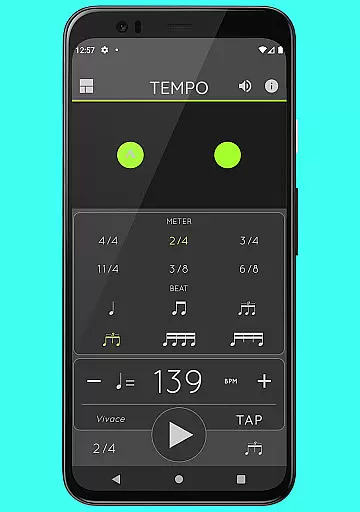
Tempo boasts an array of features that cater to both amateur and professional musicians. It supports 30 different time signatures and various rhythm patterns for simple and compound meters, allowing users to create complex rhythms by customizing accents or turning beats off. The tap tempo function and tempo range from 10 to 400 ensure precision in timing.
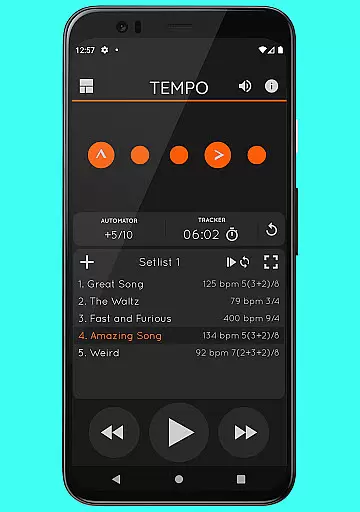
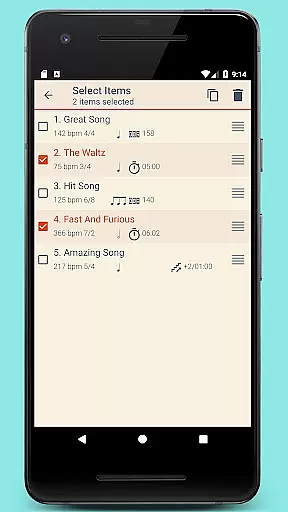
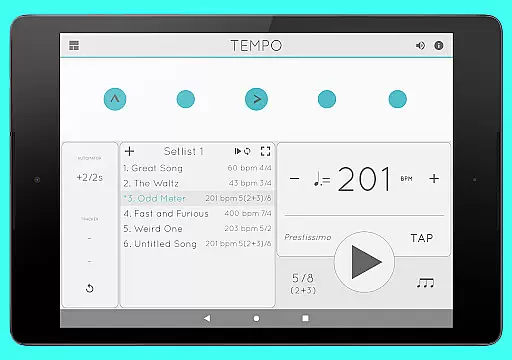
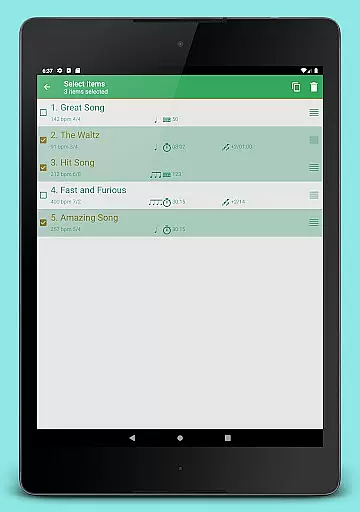
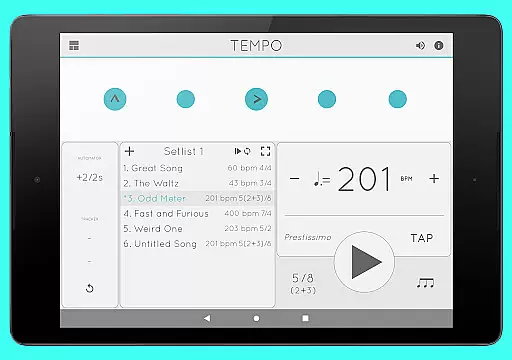
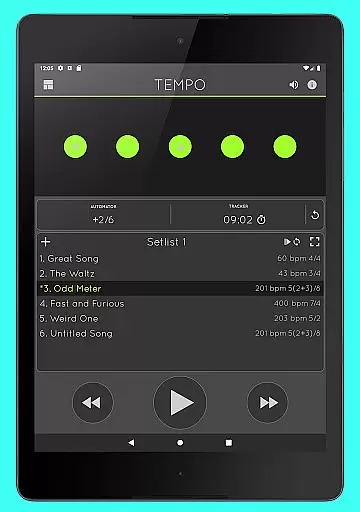
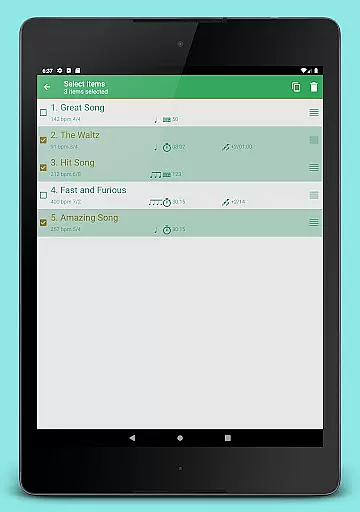
Setlist management is advanced yet user-friendly, enabling users to store presets in multiple setlists, search, overwrite, copy between setlists, and perform multi-deletion. Quick editing and sharing via email are also supported. Additionally, Tempo includes tracker and automator functionalities, such as tracking bars played, timing practices, and automatic tempo adjustments. With 12 sound sets and volume control, users can tailor their auditory experience while enjoying uninterrupted playback even outside the app.
When it comes to music and audio applications, the size and authenticity of the music library are crucial. Tempo offers an extensive selection of sound sets, including twelve unique options tailored for various musical contexts.
Each sound set is crafted with precision, ensuring that users have access to high-quality audio resources. The inclusion of a sound set optimized for live drumming click tracks exemplifies the app's commitment to catering to diverse musical needs.
Moreover, all sound sets in Tempo are properly licensed, guaranteeing copyright authenticity. This not only protects users from legal issues but also assures them of the legitimacy and quality of the audio content they are utilizing.
By providing a wide array of sound options while maintaining strict adherence to copyright laws, Tempo ensures that musicians and audio professionals can focus on their creative process without any concerns about the legality of their resources.
Audio quality is paramount in music applications, and Tempo excels in delivering top-notch sound experiences. The app provides multiple sound sets, each designed to offer distinct audio characteristics and cater to different performance scenarios.
Users can customize their auditory experience by adjusting volume levels according to their preferences or environmental requirements. This flexibility allows for optimal sound output whether practicing alone or performing on stage.
In addition to volume control, Tempo supports multi-tasking, enabling playback to continue even when the app is running in the background. This feature ensures uninterrupted audio performance, which is essential during live performances or training sessions.
The combination of high-quality sound sets, flexible volume adjustments, and seamless multi-tasking support establishes Tempo as a reliable tool for both amateur musicians and seasoned professionals seeking exceptional audio quality options.
User-friendly interface
Highly customizable
Accurate tempo control
Comprehensive setlist management
Versatile rhythm creation
No built-in tuner
Limited free sound sets
Occasional sync issues
Premium feature cost
Complex for beginners

Simply convert wav to mp3. Clear. Reliable. Safe.
 4.4
4.4
Time Guru will strengthen your internal sense of musical time via random muting.
4.30
Taal player that lets you sing any Indian & Western song with Tabla & Tanpura
4.60
DJ Music Mixer - DJ Remix: remix songs, make beat music & record mix of DJ.
4.40
Permanently backup Now Playing. Maps, filters & listening stats.
4.00
The alternative folder based music player.
4.20
Ringtone Maker is free app create ringtone from music files or your recording.
4.40
Turn Every Moment into Music
3.60
Travel To The Music Universe
3.40
Tune in to the greatest hits on UK Radio | The home of Capital, Smooth & Heart.
4.90
Make songs with AI! Any genre, custom lyric, song generator for music creation!
4.80
Listen to live FM radio stations, sports, music and news on global radios online
4.70
Ultimate Sonos Controller
4.70
Let your Android device with the sound effects you want
4.50
PowerAudio is a powerful offline music player.
4.20
Offline and always ad-free - stream in the highest quality available.
4.10
Turn your Android phone into a professional audio analyser with up to 120 bands.
4.00
Turn your phone into a musical instrument from the future!
3.90
The Cubase remote control app
3.60




User Reviews