
Ringtone Maker Pro is a versatile audio editing tool designed specifically for creating personalized ringtones, alarms, and notifications. This powerful app supports multiple audio formats including MP3, WAV, AAC/MP4, and 3GPP/AMR files, making it compatible with various devices.
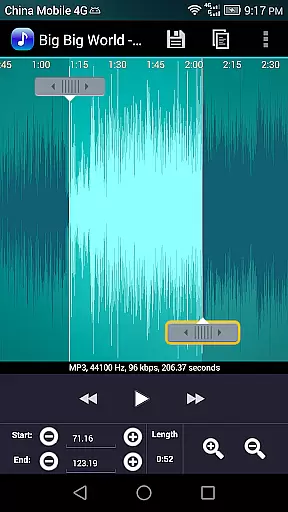
The application's intuitive interface allows users to precisely set start and end points for their audio clips through a timeline slider, manual time stamp entry, or simple button presses. With additional features like fade in/out effects, volume adjustment, and waveform visualization at five zoom levels, users can create professional-quality audio clips tailored to their preferences.
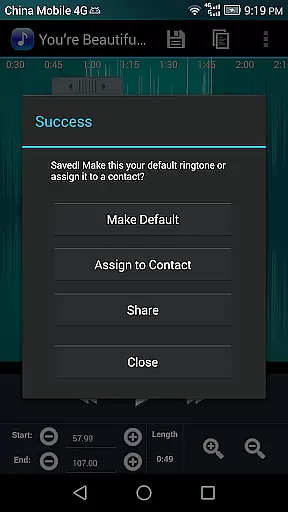
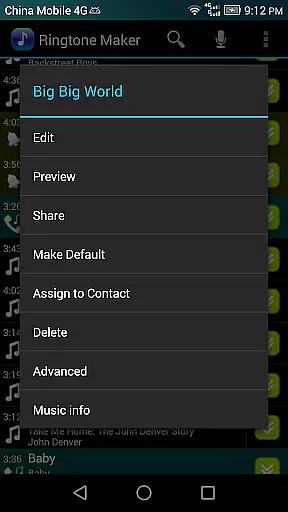
Whether you're looking to customize your phone's notification sounds or create unique ringtones for specific contacts, Ringtone Maker Pro offers the tools needed to achieve these tasks efficiently. Its ability to preview edits and assign custom ringtones directly to contacts makes it an invaluable tool for personalizing your mobile experience.
Ringtone Maker Pro stands out with its comprehensive set of audio editing features. The app enables users to perform essential editing functions such as copy, cut, and paste operations on audio files. Advanced capabilities include fade in/out effects specifically for MP3 files and precise volume adjustments.
One of the app's most notable features is its ability to display a scrollable waveform representation of audio files at multiple zoom levels. This visualization tool, combined with the intuitive touch interface for setting clip boundaries, provides users with unprecedented control over their audio editing process. The built-in preview function, complete with an indicator cursor and automatic waveform scrolling, ensures accurate editing results.
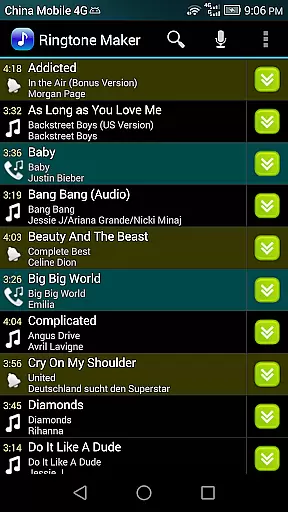
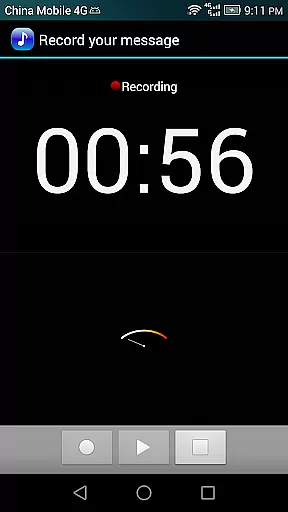
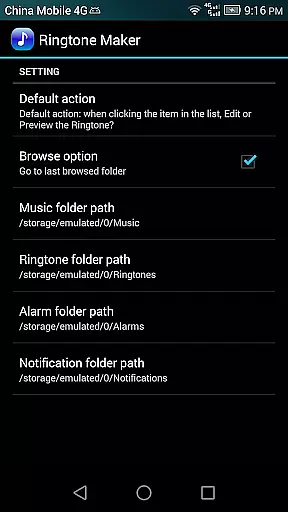
Additional professional-grade features include the ability to record new audio clips directly within the app, manage contact-specific ringtones, and sort audio files by tracks, albums, or artists. The organized file management system saves created ringtones in designated folders (sdcard/ringtones) while notifications and alarms are stored in their respective directories, maintaining a well-structured audio library.
Ringtone Maker Pro offers an extensive music library that supports multiple formats including MP3, WAV, AAC/MP4, and 3GPP/AMR files. This wide-ranging compatibility ensures users can work with their preferred audio types, making it a versatile tool for creating personalized ringtones, alarms, and notifications.
The app's commitment to copyright authenticity is evident in its adherence to legal standards and permissions. By allowing users to create ringtones from their own music files, it respects copyright laws while providing creative freedom. The app does not include preloaded copyrighted tracks, thus avoiding potential legal issues related to unauthorized use of music.
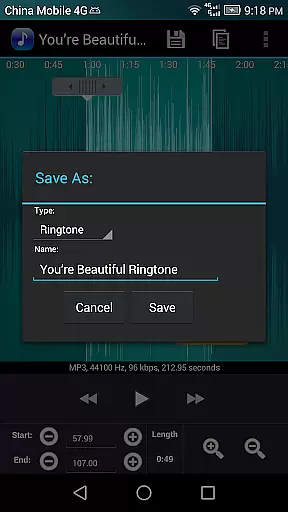
Users benefit from the ability to customize audio clips without worrying about copyright infringement. They can confidently edit and save their creations as new audio files, assigning them as Music, Ringtone, Alarm, or Notification. This feature empowers users to personalize their devices legally and safely.
Ringtone Maker Pro excels in delivering high-quality audio output through various features designed to enhance sound clarity. Users can adjust volume levels specifically for mp3 files, ensuring optimal playback quality tailored to individual preferences. Additionally, the fade-in and fade-out effects contribute to smoother transitions between sounds, further enriching the listening experience.
The app provides five zoom levels for viewing a scrollable waveform representation of the audio file. This detailed visualization allows precise editing, enabling users to set exact starting and ending points for their clips. Such accuracy ensures minimal loss of audio quality during the clipping process, preserving the integrity of the original track.
Furthermore, the preview function lets users test their edited ringtones before finalizing them. This step is crucial for verifying audio quality and making necessary adjustments prior to saving. Overall, these features collectively ensure that the output meets professional standards, offering users superior audio quality options within an intuitive interface.
User-friendly interface
Multiple format support
Precise editing tools
Professional audio effects
Comprehensive file management
Requires storage permission
Contact access needed
Pro version costs money
Learning curve present
Occasional bugs reported

Performance-Synthesizer & Multi-Track-Sequencer, polyphonic + multi timbral!
 4.70
4.70
Taal player that lets you sing any Indian & Western song with Tabla & Tanpura
4.60
VB-AUDIO Software / VBAN-Receptor allows listening to any VBAN Streams
4.10
Listen to live FM radio stations, sports, music and news on global radios online
4.70
A High-Precision Audio Spectrum Analysis App
4.20
The ultimate media player for Android devices
3.90
Help you quickly get started with Shokz headphones
4.40
Offline Music Player&MP3 Player with themes, equalizer, lyrics, music play mode
4.60
Play your music offline without limits
4.80
24,000 free audio books and no ads!
4.90
Your song collections with lyrics and chords on Android smartphones and tablets.
4.80
Guzheng Master supports many playing techniques as an acoustic Guzheng
4.50
Time Trainer: accurate metronome w tools to help you develop your internal time!
4.20
A sleek, no-frills player designed for true music lovers.
4.20
USB audio recording and playback finally possible on Android 3.1 or higher!
3.90
Background pads for your band
3.80
The Skullcandy App Experience
3.20
Simply convert wav to mp3. Clear. Reliable. Safe.
4.3
Make music anywhere. Turn your device into an instrument.
4.4



User Reviews