
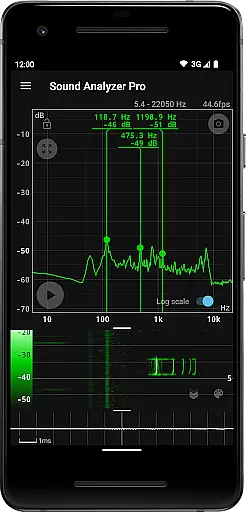
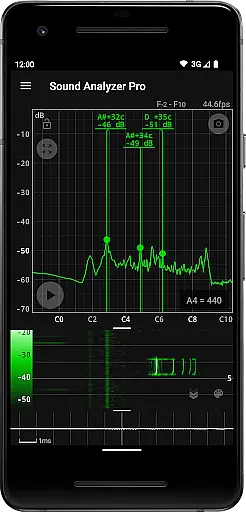
Sound Analyzer is a powerful audio analysis tool designed for both audio professionals and enthusiasts. This application allows users to analyze audio signals in real-time using only their mobile device, making it highly accessible for on-the-go use. The app's core functionality lies in its ability to display frequency (Hz) and amplitude (dB) spectra with exceptional accuracy, ensuring reliable measurements even in relatively low-noise environments.
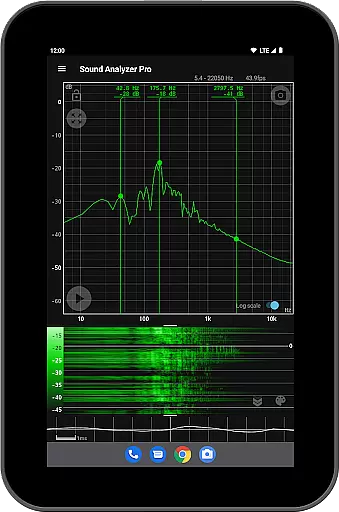
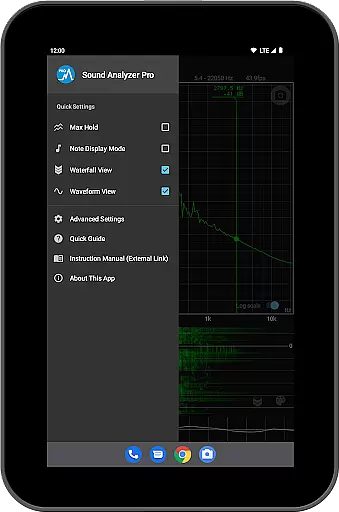
In addition to real-time spectrum analysis, Sound Analyzer offers advanced features such as waterfall views that track spectral changes over time, waveform displays for visualizing sound waveforms, and a peak frequency display function. These tools provide users with comprehensive insights into audio characteristics, whether they are tuning musical instruments, conducting acoustic research, or troubleshooting audio equipment.
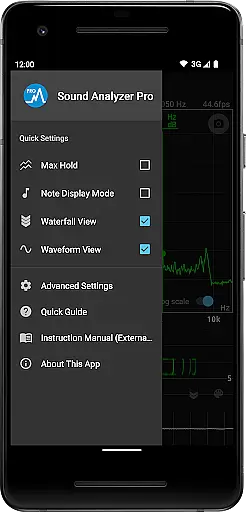
The app is particularly useful for musicians who need precise pitch detection, thanks to its note display mode that translates frequencies into musical notes. With no advertisements and additional functionalities like a max hold function and screenshot capability, Sound Analyzer delivers professional-grade performance in a user-friendly package.
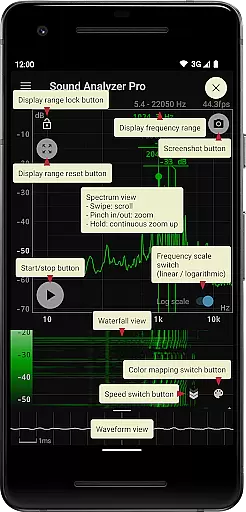
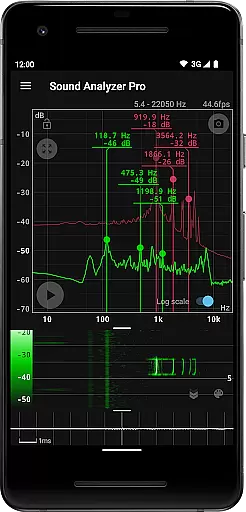
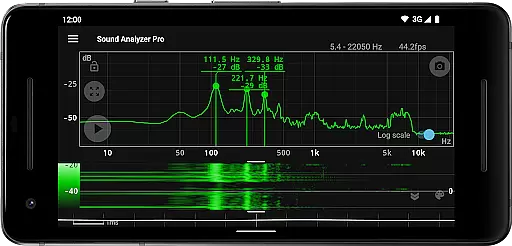
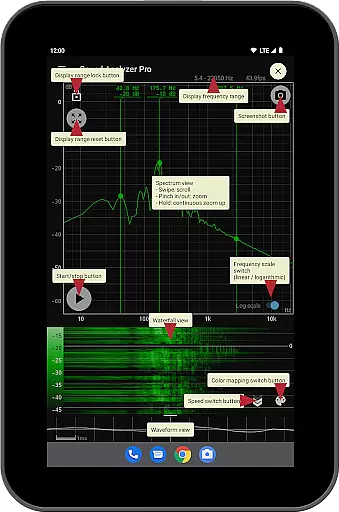
Sound Analyzer stands out with its diverse range of specialized features tailored for detailed audio analysis. One of the key highlights is the peak frequency display function, which identifies and showcases prominent spectral components in real time, providing both frequency (Hz) and amplitude (dB) data. This feature is complemented by an intuitive touch-based interface that allows users to easily adjust display ranges and toggle between logarithmic and linear frequency scales.
For those requiring more dynamic analysis, the app includes a waterfall view that visually maps how audio spectra evolve over time, alongside a waveform view that presents raw sound waveforms. Additionally, the note display mode caters specifically to musicians by translating frequencies into standard musical notes (A to G♯) while indicating any deviation in cents. These capabilities ensure the app serves a wide audience, from audio engineers to hobbyists.
Other notable features include a max hold function for capturing transient peaks, a timer-equipped screenshot function for saving analyses, and the ability to extend frequency settings up to 96 kHz for high-performance devices. While higher settings may not be suitable for all devices due to hardware limitations, these options underscore the app’s versatility and commitment to delivering precise, customizable audio analysis.
Sound Analyzer does not focus on providing a vast music library but rather emphasizes real-time audio signal analysis. The app allows users to analyze any audio input, making it versatile for various sound sources.
While the app doesn't directly deal with copyrighted music tracks, its ability to display frequency and amplitude spectra in real time ensures that users can study and understand the intricacies of any audio content they own or create.
The application's strength lies in its adaptability to different audio inputs, whether from a microphone or pre-recorded tracks, offering an educational perspective on sound properties without infringing on copyright issues.
Sound Analyzer excels in delivering high-quality audio analysis features. With measurement errors generally within 0.1 Hz in low-noise environments, the app provides precise readings crucial for accurate audio examination.
Users have access to multiple views such as waterfall and waveform displays, which contribute to a comprehensive understanding of their audio files' characteristics. These tools ensure that even minute details are captured, contributing to overall superior audio quality assessment.
Additionally, advanced settings allow adjustments up to 96 kHz, catering to high-performance devices and enabling detailed scrutiny of professional-grade audio recordings.
High measurement accuracy
No advertisements
Real-time spectrum analysis
User-friendly interface
Versatile functionality
Limited high-frequency support on some devices
Advanced features may overwhelm beginners
Requires relatively quiet environments for best results
Interface can feel cluttered
Higher settings demand powerful hardware

Equalizer, Bass Booster and Volume Booster (Eq & Bass) improve sound quality
 4.30
4.30
Over 100 million tracks available for high quality streaming and download
4.60
Performance-Synthesizer & Multi-Track-Sequencer, polyphonic + multi timbral!
4.70
Listen to live FM radio stations, sports, music and news on global radios online
4.70
Advanced 10-Band Audio Graphic Equalizer Sound Booster Pro
4.30
Music Streaming suite for Ampache, Nextcloud Music and compatible backends.
4.3
Learn to play the piano using falling notes!
3.80
The original SP-1200 experience on your iPad
4.20
Learn the notes on the guitar fretboard fast with this easy and fun app
4.60
Tune in to the greatest hits on UK Radio | The home of Capital, Smooth & Heart.
4.90
JBL PartyBox APP works with 110/310/710/120/320/520/Encore/Encore 2/Encore Ess 2
4.80 4.70
4.70
Recording studio w/ 10k beats, pro vocal FX and a network of 20M rappers & fans!
4.60
Offline Music Player&MP3 Player with themes, equalizer, lyrics, music play mode
4.60
Formerly known as Spotistats! View your top tracks, artists, albums and more!
4.40
Time Guru will strengthen your internal sense of musical time via random muting.
4.30
Next generation modular control surface
4.10
Sing, record, and create music together — enhanced by smart voice tools.
4.00
Simple mp3 and mp4 player with advanced features.
3.40



User Reviews