
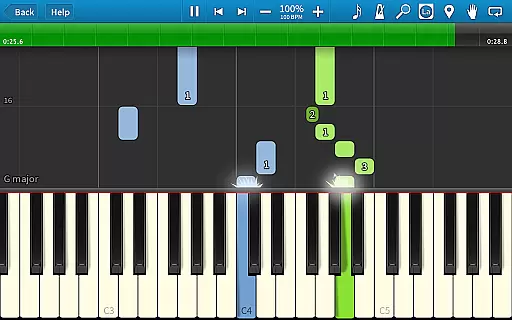
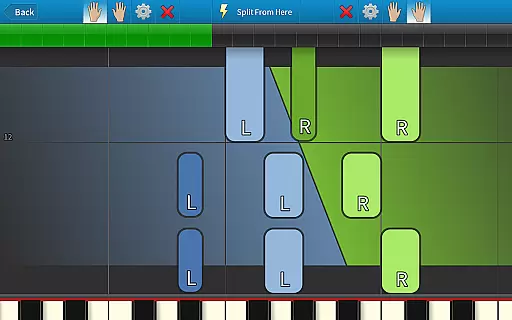
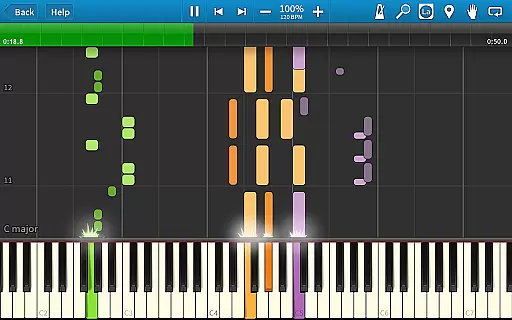
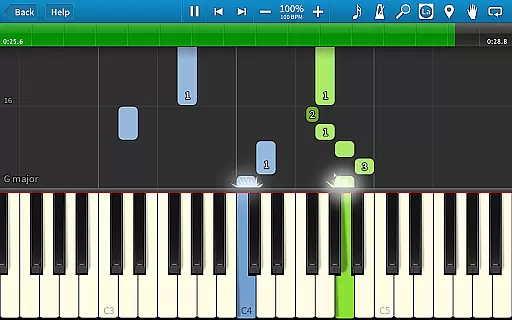
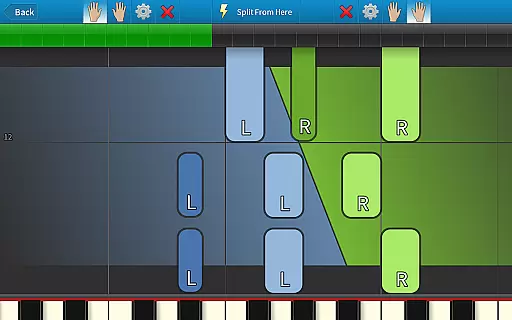
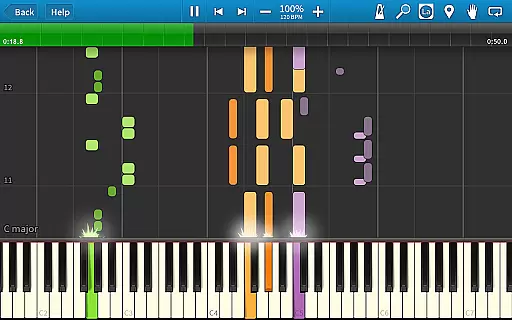
Synthesia is an innovative music learning application designed to make playing the piano accessible and enjoyable for users of all skill levels. The app allows you to start playing immediately, even if you can't read sheet music, by offering interactive features like touchscreen controls or compatibility with digital keyboards. Synthesia supports both hands separately or together, making it ideal for practice sessions.
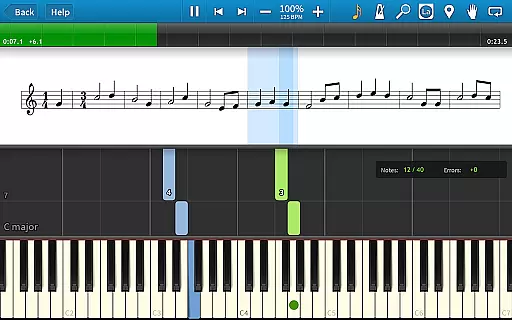
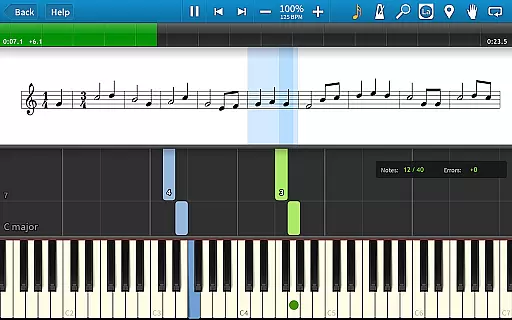
One of the standout features of Synthesia is its Melody Practice mode, which waits until you hit the correct note, ensuring a smooth learning curve. It also offers compatibility with lighted keyboards and provides options for traditional sheet music or falling note blocks. With over 150 included songs and the ability to play any MIDI song ever created after unlocking, Synthesia caters to beginners and advanced musicians alike.
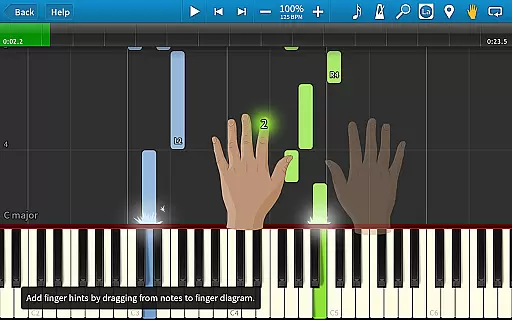
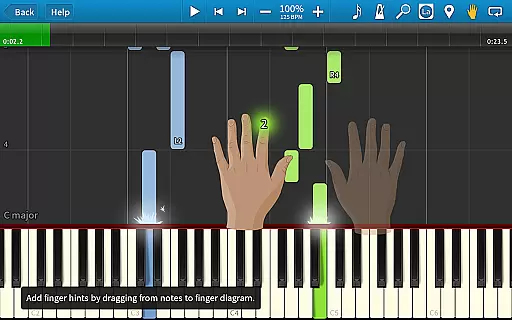
Synthesia boasts a variety of features that enhance the music learning experience. The app includes a built-in metronome, loops, bookmarks, and hints for every song, allowing users to learn correct finger placement and practice efficiently. Its compatibility with digital pianos and lighted keyboards makes it versatile for different setups.
Users can enjoy more than 20 free songs in the basic version, with the option to unlock all 150 songs and additional functionalities through a one-time purchase. This unlocks features such as a multi-track recorder for creating your own compositions. Synthesia's user-friendly interface and extensive feature set make it a valuable tool for anyone looking to learn or improve their piano skills.
Synthesia offers an extensive music library that caters to users of all skill levels. With over 150 included songs, learners can explore a wide variety of musical pieces to practice and enjoy.
The app ensures copyright authenticity by allowing users to play any MIDI song ever created, which means the music is sourced directly from MIDI files that are either public domain or user-created. This approach guarantees that users have access to legitimate content without copyright infringement concerns.
Additionally, Synthesia's free version provides more than 20 songs for users to try out before committing to a purchase. This extensive selection empowers musicians to learn new pieces and improve their skills with confidence in the legality and authenticity of the music provided.
Synthesia delivers versatile audio quality options that enhance the learning experience for aspiring pianists. The app supports high-quality audio playback, ensuring that every note sounds clear and true to the original composition.
Users can connect their own digital piano and play along with the songs, experiencing realistic sound output that mimics the acoustic properties of a real piano. This feature is crucial for developing an accurate sense of timing and dynamics in performance.
Moreover, Synthesia includes a built-in metronome and allows players to adjust tempo settings without affecting pitch, providing flexibility in practice routines. These audio features collectively contribute to a richer, more immersive music education platform.
User-friendly interface
Interactive learning modes
Compatibility with MIDI devices
Extensive song library
One-time purchase for full access
Limited free content
Requires compatible hardware
No advanced music theory
Basic visual design
Premium features locked behind paywall

Time Trainer: accurate metronome w tools to help you develop your internal time!
 4.20
4.20
Remove ads permanently from Music Visualizer
4.2
DJ Music Mixer - DJ Remix: remix songs, make beat music & record mix of DJ.
4.40
Powerful beat maker & DJ mixer to remix tracks, make music, & perform DJ mix
3.70
Brian Eno and Peter Chilvers’ acclaimed music app Bloom, radically reinvented.
4.80
Advanced 10-Band Audio Graphic Equalizer Sound Booster Pro
4.30
A complete sound package for the sound engineer or enthusiast
4.60
Slow music down without changing pitch.
3.70
Sheet music reader, piano & music note player. Play music score & learn to read.
3.90
JBL PartyBox APP works with 110/310/710/120/320/520/Encore/Encore 2/Encore Ess 2
4.80
Gorgeous UI, Powerful music Search and Equalizer, the great choice for you!
4.70
Record, Mix & Master with all n-Track effects, 64-bit audio and Stem Separation.
4.70
Taal player that lets you sing any Indian & Western song with Tabla & Tanpura
4.60
Recording studio w/ 10k beats, pro vocal FX and a network of 20M rappers & fans!
4.60
Visualize the guitar fretboard, master scales & play through changes like a pro!
4.50
Turn your Android phone into a professional audio analyser with up to 120 bands.
4.00
The only true audiophile music player with Hi-Fi audio rendering and DSP engine
3.90
The Skullcandy App Experience
3.20
Simply convert wav to mp3. Clear. Reliable. Safe.
4.2




User Reviews