
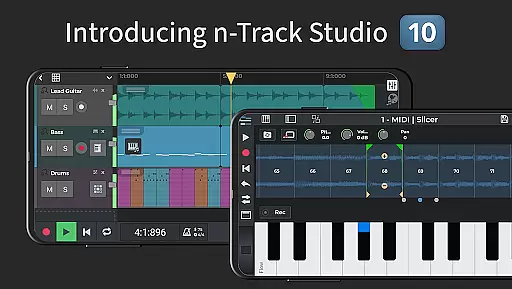
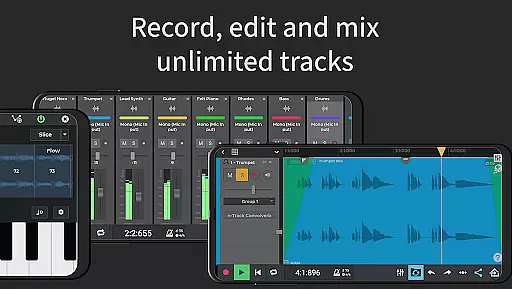
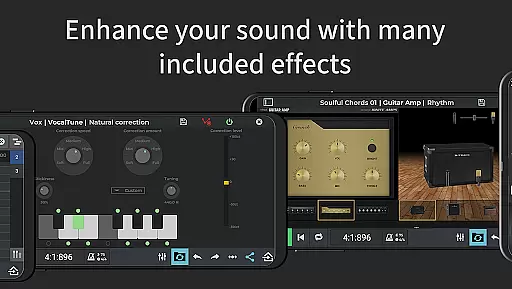
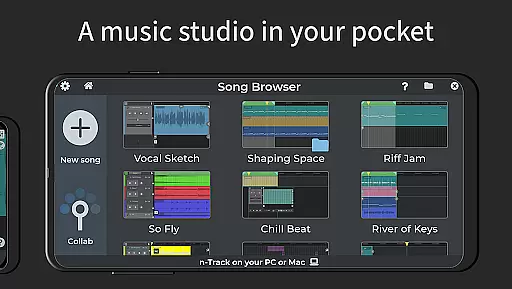
n-Track Studio Pro is a comprehensive music production application that transforms your Android device into a fully functional recording studio. The app allows users to record an unlimited number of audio, MIDI, and drum tracks, making it ideal for both amateur musicians and professional producers. With features like built-in effects such as Guitar Amps, VocalTune, and Reverb, users can mix tracks during playback and edit songs with precision.
One of the standout capabilities of n-Track Studio Pro is its compatibility with external audio interfaces and support for high-quality audio up to 192 kHz. This makes it suitable for creating studio-grade recordings directly on mobile devices. Whether you're looking to create simple beats or complex multi-track compositions, this app provides all the necessary tools to produce high-quality music right from your fingertips.
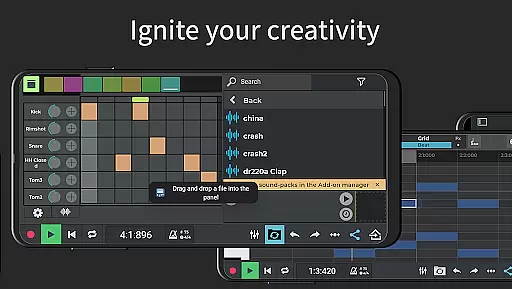
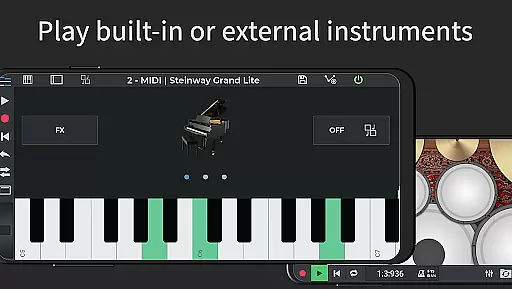
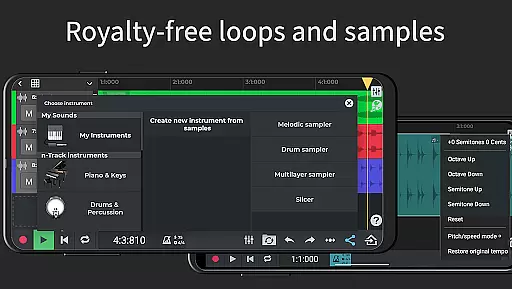
n-Track Studio Pro offers a rich set of features designed to cater to every aspect of music production. The app supports stereo and mono audio tracks, MIDI tracks with built-in synthesizers, and includes a Step Sequencer Beat Maker for crafting intricate rhythms. Users can take advantage of the Loop Browser and in-app sample packs to enhance their compositions with royalty-free sounds.
The app also includes advanced mixing capabilities with a built-in EQ featuring 2D and 3D spectrum analyzers, alongside a chromatic tuner for precise adjustments. Effects like Reverb, Echo, Chorus, Flanger, Tremolo, Pitch Shift, Phaser, Tube Amp, and Compression can be applied to any track or the master channel. Additionally, the app supports exporting audio files in various formats including WAV and MP3, with options for 16, 24, or 32-bit depth.
For those seeking more sophisticated functionality, n-Track Studio Pro offers a 64-bit double precision floating point audio engine, internal audio routing, and synchronization with other apps or external devices using MIDI clock and MTC sync. These features ensure that the app meets the demands of even the most discerning audio professionals.
n-Track Studio Pro offers an extensive music library that caters to a wide range of musical genres and styles. The app provides users with access to a virtually unlimited number of audio, MIDI, and drum tracks, ensuring that creators have the resources they need to produce high-quality music. This vast library is complemented by royalty-free sample packs, which can be easily integrated into projects using the built-in Loop Browser.
Copyright authenticity is a crucial aspect of n-Track Studio Pro's offering. All the samples and loops provided within the app are guaranteed to be royalty-free, meaning users can incorporate them into their compositions without worrying about legal issues. This assurance allows musicians and producers to focus on their creative process, knowing that their work will be legally compliant and free from copyright infringements.
The inclusion of premium royalty-free WAV loops and one-shots further enhances the value of the music library. These high-quality audio samples enable users to add professional-grade elements to their tracks, elevating the overall production quality. With over 10GB of these exclusive samples available as in-app purchases, n-Track Studio Pro ensures that its users have access to top-tier content that respects copyright laws.
When it comes to audio quality options, n-Track Studio Pro stands out with its advanced features designed to deliver pristine sound. The app supports exporting audio files in various bit depths, including 16, 24, and 32 bits, allowing users to choose the level of detail and clarity that best suits their project requirements. This flexibility ensures that whether you're creating music for streaming platforms or preparing tracks for professional mastering, the app can meet your needs.
In addition to flexible bit depth options, n-Track Studio Pro also enables users to set sampling frequencies up to 192 kHz. While frequencies above 48 kHz require an external audio device, this capability underscores the app's commitment to delivering superior audio fidelity. High sampling rates capture more detailed audio information, resulting in clearer and more accurate sound reproduction, especially important for audiophiles and professionals who demand the highest standards.
The app's 64-bit double precision floating point audio engine represents another significant advancement in audio quality. This technology minimizes rounding errors during audio processing, preserving the integrity of the original recordings. Combined with multichannel USB class-compliant audio interface support and 3D frequency spectrum view, n-Track Studio Pro provides a comprehensive suite of tools that empower users to achieve exceptional audio quality in their productions.
Unlimited audio tracks
Built-in effects suite
High-quality audio export
External interface support
Active user community
Steep learning curve
Interface may feel cluttered
Advanced features costly
Heavy on system resources
Limited free content

Remove ads permanently from Music Visualizer
 4.0
4.0
Gorgeous UI, Powerful music Search and Equalizer, the great choice for you!
4.70
Background pads for your band
3.80
Most Advanced AI Song Generator and Music Creator. Rap, Pop, Rock, Gospel & more
4.70
More downloads than any other metronome. Includes drum machine & tempo trainer.
4.80
The official Sonos app
4.10
Let your Android device with the sound effects you want
4.50
Versatile MP3 recorder with auto-backup to Dropbox and Google Drive
4.10
Offline Tunes, Unlimited Vibes
3.90
Play your hearts out on TouchTunes jukeboxes & connect with fellow music lovers.
4.80
Listen radio AM / FM Stations. Live AM / FM Radio App Station. Radio Com.
4.70
Over 100 million tracks available for high quality streaming and download
4.60
Offline Music Player&MP3 Player with themes, equalizer, lyrics, music play mode
4.60
Your HD audio recorder on the go for music, meetings, ambience, animal sounds…
4.30
The original SP-1200 experience on your iPad
4.20
Turn your phone into a musical instrument from the future!
3.90
MilkDrop for Android TV
3.00
The Minimalistic Premium Music Player. Handmade with passion for music
2.20
Music Streaming suite for Ampache, Nextcloud Music and compatible backends.
4.3




User Reviews