
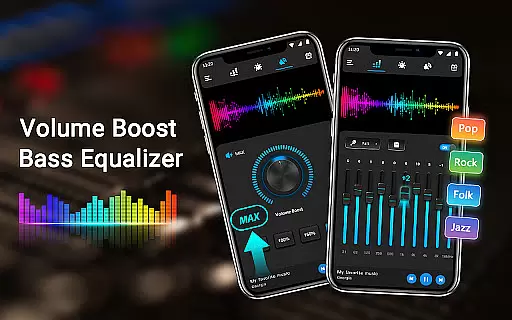
Equalizer & Bass Booster Pro is a premium audio enhancement application designed to elevate the sound quality of Android devices. This app offers users a comprehensive suite of audio tools, including a five-band equalizer, bass boost, and virtualizer effects. These features work in tandem to deliver an immersive audio experience that transforms the way music, videos, and other audio content sounds on mobile devices.
The app's intuitive interface allows for precise control over audio frequencies, enabling users to customize their listening experience according to personal preferences or specific audio requirements. Whether you're an audiophile seeking the perfect sound or simply looking to enhance your device's audio output, Equalizer & Bass Booster Pro provides the necessary tools to achieve studio-quality sound right from your smartphone or tablet.
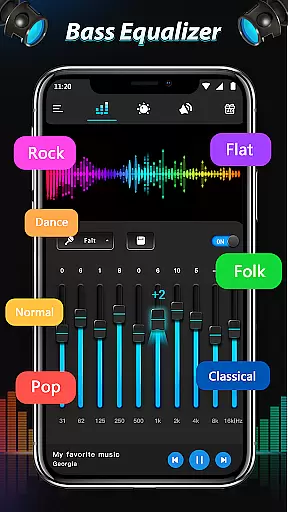
Ideal for use with headphones, this application ensures optimal performance when enjoying music, watching videos, or engaging with any media that demands high-fidelity audio. By offering 22 preset equalizer settings alongside the ability to create and save custom configurations, it caters to both casual listeners and audio enthusiasts alike.
Equalizer & Bass Booster Pro stands out with its robust feature set tailored for audio enthusiasts. The app's signature functionality lies in its five-band equalizer, which allows users to fine-tune specific frequency ranges, from deep bass tones to crisp treble notes. This level of granular control enables precise sound shaping that can dramatically improve the listening experience across various audio sources.
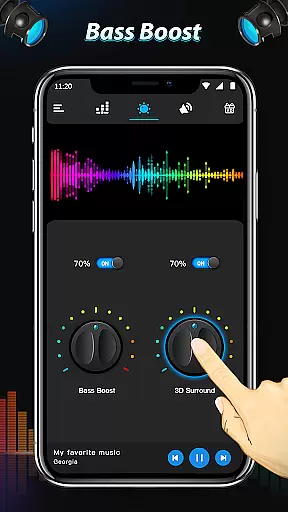
In addition to its core equalization capabilities, the app incorporates advanced bass boost and virtualizer effects. The bass boost feature enhances low-frequency sounds, providing a richer, more impactful audio experience, particularly noticeable when listening to genres like electronic or hip-hop music. Meanwhile, the virtualizer effect creates a wider, more spatial soundstage, making it feel as though the audio is coming from beyond the confines of your device's speakers.
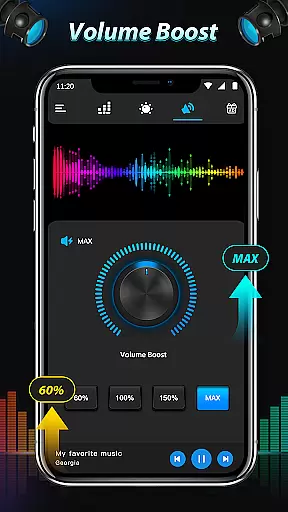
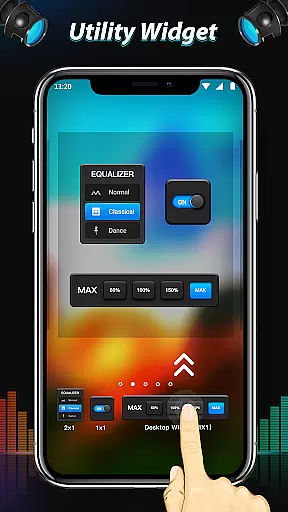
Practical features such as media volume control, stereo LED VU meter visualization, and quick-access controls through the notification bar demonstrate the app's attention to user convenience. The inclusion of music playback controls and the ability to operate seamlessly with most music players, video players, and even FM radio applications makes Equalizer & Bass Booster Pro a versatile tool for managing and enhancing all aspects of mobile audio consumption.
Equalizer & Bass Booster Pro offers an extensive range of sound customization options that can be applied to your entire music library. Although the app itself does not provide a built-in music library, it ensures that all adjustments made to your personal collection are preserved with high fidelity.
The application respects copyright laws and does not infringe on any intellectual property rights. It focuses solely on enhancing the listening experience by providing powerful tools such as five-band equalizers, bass boosters, and virtualizers without altering or copying the original audio files.
Users benefit from the ability to save custom presets, which means they can apply their preferred sound settings across different tracks and genres without worrying about copyright issues. This feature allows for a personalized audio journey tailored to individual tastes while maintaining the integrity of the original content.
This application excels in delivering superior audio quality through its advanced features like the five-band equalizer, bass booster, and virtualizer effects. These tools allow users to fine-tune their audio output, ensuring crystal-clear sound whether they're listening to music, watching videos, or tuning into radio FM.
With support for high-quality audio formats and the ability to adjust various sound levels, Equalizer & Bass Booster Pro caters to audiophiles who demand the best from their devices. The app supports nuanced adjustments that significantly enhance the depth and clarity of sound reproduction.
Furthermore, the inclusion of 22 equalizer presets provides a variety of audio enhancement options suitable for different types of media and personal preferences. Users can also create and save their own presets, guaranteeing an optimized and consistent listening experience across all audio content on their Android device.
Comprehensive audio tools
Intuitive user interface
Wide device compatibility
Customizable presets
Real-time sound adjustment
Premium price point
Advanced features may overwhelm beginners
Notification bar clutter
Limited free version options
Occasional stability issues

Control your MIDI USB or Bluetooth devices in app and avoid some trampling
 3.30
3.30
Full-featured, High-Quality Groovebox Workstation, perfect for Live Performance!
4.80
Time Trainer: accurate metronome w tools to help you develop your internal time!
4.20
Bass Booster & Volume Equalizer Pro improves your music and video sound quality
4.60
Recording studio w/ 10k beats, pro vocal FX and a network of 20M rappers & fans!
4.60
AI Music Maker: Generate And Compose AI Tunes & AI Songs & AI Music & AI Melody!
4.60
Turn your Android phone into a professional audio analyser with up to 120 bands.
4.00
Get alarms that fit your lifestyle and wake up to the sounds you love.
4.80
Customize Your Favorite Songs and Videos with booster.
4.70
Your song collections with lyrics and chords on Android smartphones and tablets.
4.80
Play your hearts out on TouchTunes jukeboxes & connect with fellow music lovers.
4.80
Listen to live FM radio stations, sports, music and news on global radios online
4.70
The best music and audio player, with beautiful UI, music search and equalizer.
4.60
Reverse your voice & songs instantly! Fun singing challenge with cool effects.
4.60
Enhance the sound quality of your devices, listen to what you want
4.50
Save hundreds of dollars for a physical strobe tuner and instead use this app.
4.50
Full featured mp3 and audio player with Chromecast and Android Auto support.
4.40
Enjoy singing any song, no matter how high or low it is
4.30
Simply convert wav to mp3. Clear. Reliable. Safe.
4.4



User Reviews