
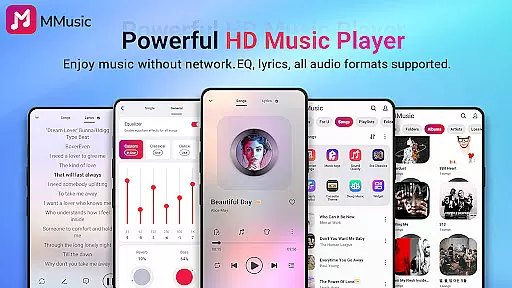
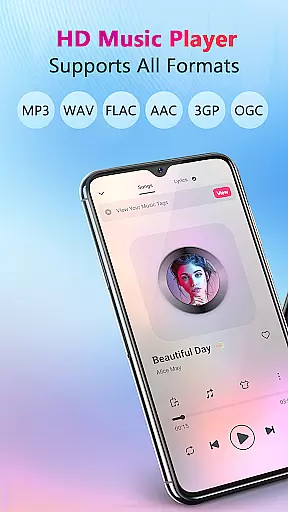
MMusic is a feature-rich offline music player designed for Android users who demand high-quality audio playback and versatile functionality. This professional-grade app supports all mainstream audio formats including MP3, FLAC, WAV, MIDI, AAC, and APE, ensuring full compatibility with your music library. With its powerful equalizer presets, retro-inspired interface themes, and intelligent music management system, MMusic delivers an immersive listening experience.
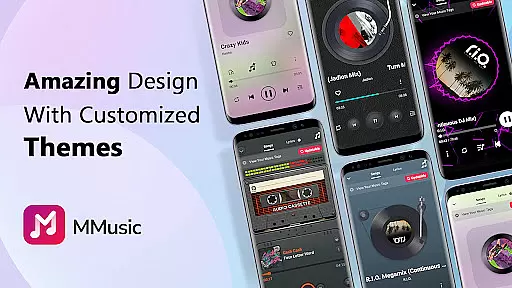
The app's standout features include advanced sound enhancement technologies, customizable playlists, automatic library scanning, and support for lyrics display. Whether you're commuting without internet access or simply prefer managing your music collection locally, MMusic provides seamless offline playback capabilities. Its intuitive design incorporates modern minimalist aesthetics with nostalgic tape and vinyl record styles, making it suitable for both casual listeners and audiophiles.
MMusic's value extends beyond basic playback functions. The built-in equalizer offers specialized presets for different music genres, while supporting Bluetooth and wired headphones ensures universal device compatibility. Users can enjoy uninterrupted background playback, smart auto-playlists, and various playback modes like shuffle and repeat. These comprehensive features make MMusic an ideal choice for those seeking a complete offline music solution.
MMusic distinguishes itself through its comprehensive feature set tailored for discerning music enthusiasts. The app's core strength lies in its universal format support, accommodating over ten audio formats including lossless options like FLAC and APE. This versatility ensures that users can play their entire music collection without worrying about compatibility issues. The implementation of advanced audio decoding technology guarantees pristine sound reproduction across all supported formats.
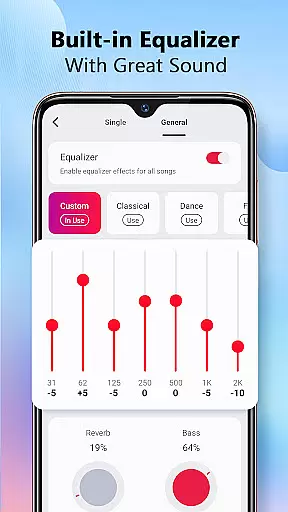
A key highlight is the sophisticated equalizer system with professionally crafted presets for various music genres. Users can choose from predefined settings for classical, rock, pop, and other styles, or manually adjust frequency bands to create personalized sound profiles. The app enhances this further with bass boost and reverb effects, allowing precise control over audio characteristics. Additionally, the lyrics synchronization feature enables real-time display of song lyrics, creating an engaging karaoke-like experience.
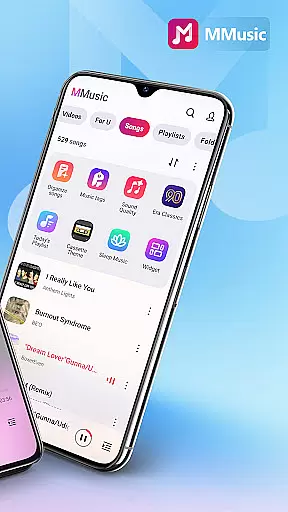
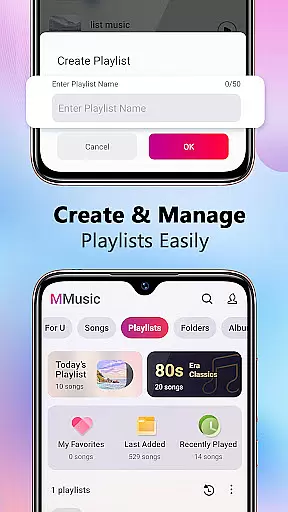
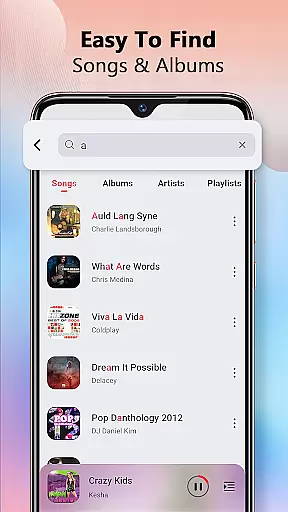
Music organization receives equal attention through intelligent categorization systems. MMusic automatically scans device storage, organizing tracks by artist, album, folder, and playlist. The smart playlist generator creates dynamic collections based on listening habits, while manual playlist creation offers complete control over music curation. Visual presentation choices, including retro tape and vinyl themes, complement the functional aspects with aesthetic appeal.
MMusic offers an extensive music library that supports all mainstream audio formats including MP3, FLAC, WAV, MIDI, AAC, and APE. This ensures comprehensive compatibility, allowing every song to be presented in its best state. The app's deep scan capability automatically refreshes and categorizes your music library, making it easy to manage vast collections of audio files.
The application's commitment to copyright authenticity is evident through its support for original file formats and high-definition sound quality playback. By preserving the integrity of the original audio files, MMusic respects the work of artists and producers, ensuring users can enjoy an unlimited music experience without any compromise on quality or legality.
With intelligent music management features, users can browse, manage, and play music by playlists, albums, and artists. This not only enhances user experience but also promotes the value of original content, aligning with industry standards for music distribution and consumption.
MMusic elevates the music experience with exceptional sound quality powered by advanced audio technology. Every track is presented in high-definition, offering an immersive listening experience that captures the nuances of each composition. The built-in equalizer provides amazing presets for various genres such as classical, dance, folk, and rock, enhancing the auditory experience according to personal preferences.
Users have the option to further customize their listening experience with bass boosting, various reverb effects, and a music virtualizer. These features ensure that whether you're enjoying a symphony or a solo performance, the audio quality can be tailored to match the mood and style of the music, providing unparalleled depth and clarity.
In addition to superior sound quality, MMusic supports offline playback, enabling users to enjoy their favorite tracks without internet connectivity. This feature not only saves data usage but also ensures uninterrupted playback, regardless of network conditions, making it perfect for listeners who demand the highest audio quality options in any environment.
User-friendly interface
Wide format support
Advanced equalizer
Offline functionality
Smart playlists
No cloud integration
Limited social features
Android only
No streaming service
Heavy storage use

Formerly known as Spotistats! View your top tracks, artists, albums and more!
 4.40
4.40
Most Advanced AI Song Generator and Music Creator. Rap, Pop, Rock, Gospel & more
4.70
Powerful beat maker & DJ mixer to remix tracks, make music, & perform DJ mix
3.70
Your song collections with lyrics and chords on Android smartphones and tablets.
4.80
Advanced 10-Band Audio Graphic Equalizer Sound Booster Pro
4.30
Ultimate Sonos Controller
4.70
Play your hearts out on TouchTunes jukeboxes & connect with fellow music lovers.
4.80
Reverse your voice & songs instantly! Fun singing challenge with cool effects.
4.60
Sing, record, and create music together — enhanced by smart voice tools.
4.00
Simple & Intuitive Metronome
4.70
Pay Once, no monthly payment
4.60
Learn the notes on the guitar fretboard fast with this easy and fun app
4.60
A synth that really lets you shape your sounds!
4.50
Guzheng Master supports many playing techniques as an acoustic Guzheng
4.50
Help you quickly get started with Shokz headphones
4.40
Equalizer, Bass Booster and Volume Booster (Eq & Bass) improve sound quality
4.30
Bass Booster Pro takes auto-equalizing to the next level!
4.30
Control your MIDI USB or Bluetooth devices in app and avoid some trampling
3.30
Make music anywhere. Turn your device into an instrument.
4.0




User Reviews