
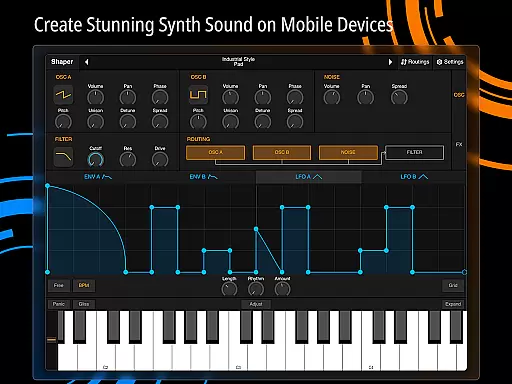
Shaper is a professional-grade subtractive synthesizer designed specifically for mobile platforms. This app empowers musicians and sound designers to create dynamic sounds through an advanced feature set. The core functionality revolves around its powerful modulation capabilities, classic analog filter, and a suite of built-in effects.
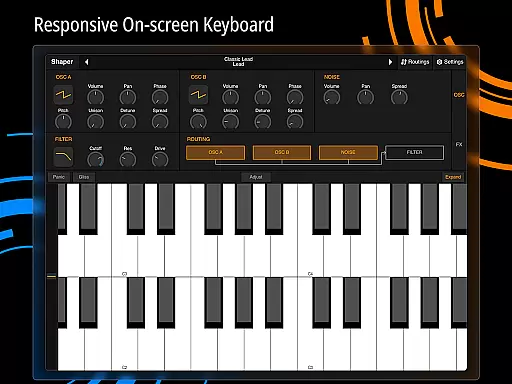
The app's intuitive interface ensures a seamless creative experience. Whether you're crafting complex soundscapes or simple melodies, Shaper provides the tools needed to bring your musical ideas to life. Its thoughtful design makes it suitable for both beginners and experienced professionals in the music production field.
With support for Android devices, Shaper brings desktop-level sound design to your fingertips. This makes it an ideal tool for producing music on-the-go or in the studio, offering flexibility and high-quality sound in any setting.
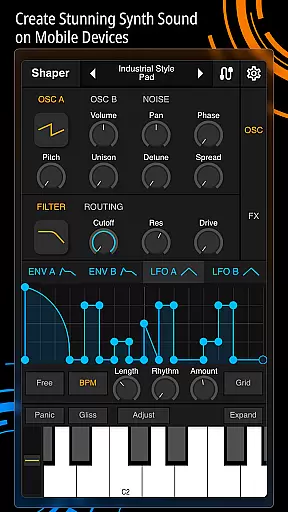
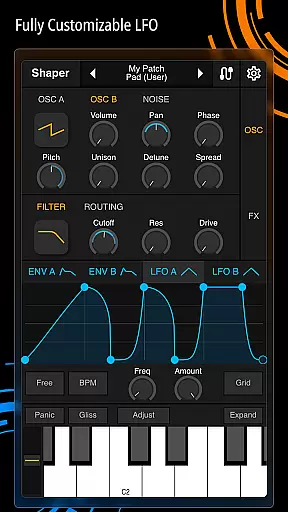
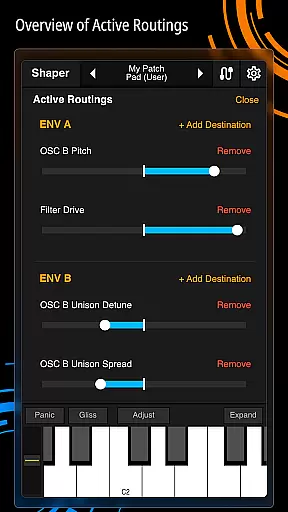
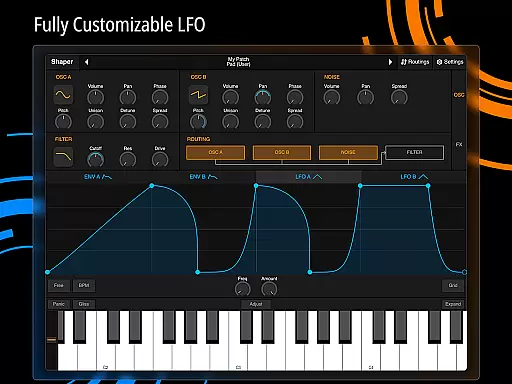
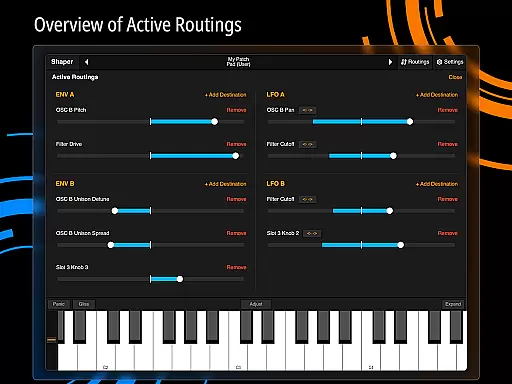
Shaper stands out with its comprehensive set of features tailored for sound synthesis. The app includes an advanced modulation matrix that allows users to create intricate sound designs. Its fully configurable LFO graphs provide precise control over modulation parameters, enabling detailed customization of audio characteristics.
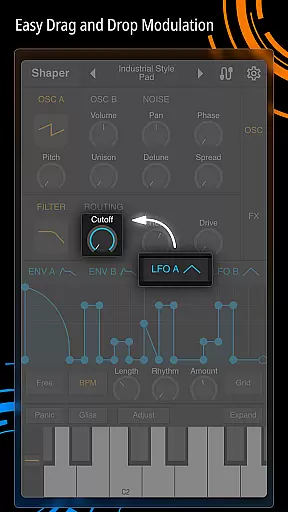
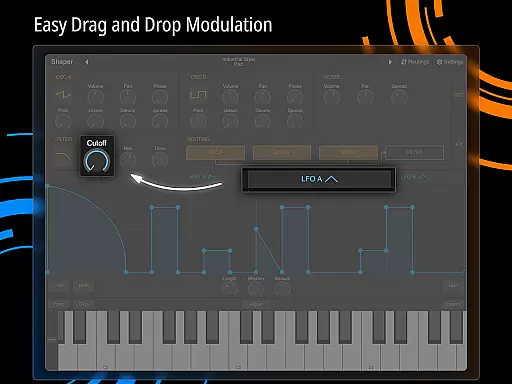
A key highlight is the intuitive drag-and-drop modulation assignment system. This innovative approach simplifies complex routing processes, making sophisticated sound design accessible to users of all skill levels. Additionally, the app incorporates a classic analog filter renowned for its rich, warm sound quality.
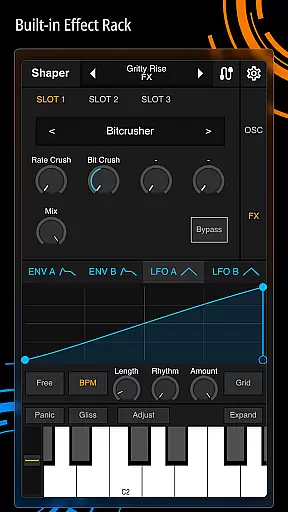
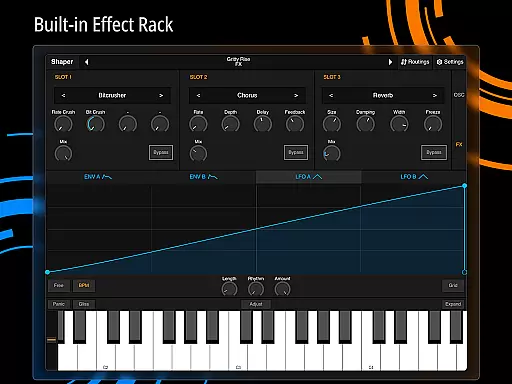
Shaper also offers eight built-in effects: Bitcrusher, Chorus, Delay, Groove Delay, Distortion, Filter, Phaser, and Reverb. These effects expand creative possibilities and allow for professional-grade sound processing directly within the app. Each effect is carefully crafted to deliver exceptional audio quality and versatility.
Shaper offers a comprehensive suite of sound design tools that effectively serve as a rich music library. The app includes eight built-in effects such as Bitcrusher, Chorus, Delay, and Reverb, providing users with an extensive palette for crafting unique audio experiences.
The synthesizer's advanced modulation matrix and configurable LFO graphs ensure that each sound produced is authentic and copyright-compliant. These features allow creators to experiment freely without concerns about intellectual property issues.
With its professional-grade capabilities, Shaper guarantees that musicians and producers have access to high-quality audio processing. This ensures that all sounds generated maintain the highest standards of musical authenticity.
Furthermore, the app's official website provides detailed documentation and resources, confirming the legitimacy of its audio processing algorithms. Users can confidently create and share their work knowing they are using properly licensed and authorized content creation tools.
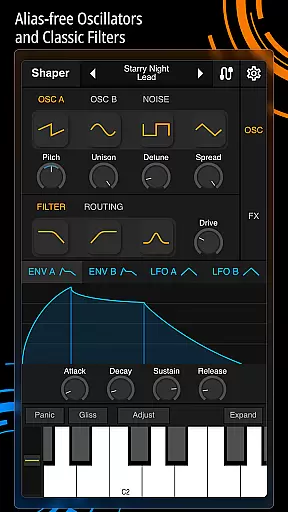
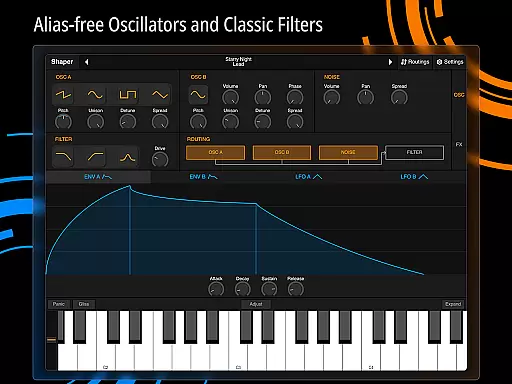
Shaper delivers exceptional audio quality through its meticulously designed analog filter and multiple effect options. The classic analog filter produces amazing-sounding results while maintaining pristine audio fidelity across all frequency ranges.
Users can choose from various built-in effects including Distortion, Phaser, and Groove Delay, each offering precise control over audio parameters. This level of detail ensures that sound designers can achieve their desired quality level with accuracy.
The app's intuitive drag-and-drop modulation assignment makes it easy to create complex audio configurations without compromising quality. This feature streamlines the sound design process while preserving optimal audio performance.
Additionally, Shaper's fully configurable LFO graphs enable precise waveform shaping, allowing producers to fine-tune their audio output. These sophisticated tools guarantee that users can consistently achieve professional-grade audio quality in their projects.
Powerful modulation options
Intuitive user interface
High-quality built-in effects
Seamless mobile integration
Professional-grade sound engine
Steep learning curve
Limited platform support
No MIDI input capability
Resource-intensive operation
Complex interface for beginners

The Cubase remote control app
 3.60
3.60
A High-Precision Audio Spectrum Analysis App
4.20
More downloads than any other metronome. Includes drum machine & tempo trainer.
4.80
Network/Cloud Streaming, Visualization, Graphic Equalizer and Sound Effects.
4.20
The only true audiophile music player with Hi-Fi audio rendering and DSP engine
3.90
Bass Booster & Volume Equalizer Pro improves your music and video sound quality
4.60
Super Sound Editor, Song Maker & Mixer, Vocal Remover, Voice Recorder & Changer!
4.60
Learn and play 2M+ music tabs & chords on guitar, ukulele, bass, and more
4.30
Offline Music Player & MP3 Player.Powerful equalizer, Lyrics, Themes, Tag Editor
4.80
Make songs with AI! Any genre, custom lyric, song generator for music creation!
4.80
Simple & Intuitive Metronome
4.70
Pay Once, no monthly payment
4.60
Fun & Easy Voice Changer – Record, Edit & Add Hilarious Effects!
4.50
Let your Android device with the sound effects you want
4.50
DJ Music Mixer Pro is a real DJ controllers and DJ Music Studio to remix DJ.
4.40
Play KORG’s revolutionary touch-based instrument on a variety of devices.
4.40
Bass Booster Pro takes auto-equalizing to the next level!
4.30
Powerful 10-Band equalizer pro with sound booster improves Android audio quality
4.30
Music Streaming suite for Ampache, Nextcloud Music and compatible backends.
4.1




User Reviews