
Echoist is a premium offline music player designed for audiophiles who value seamless access to their local music library. This app supports multiple audio formats including MP3, FLAC, WAV, and AAC, ensuring compatibility with virtually any music file you own.
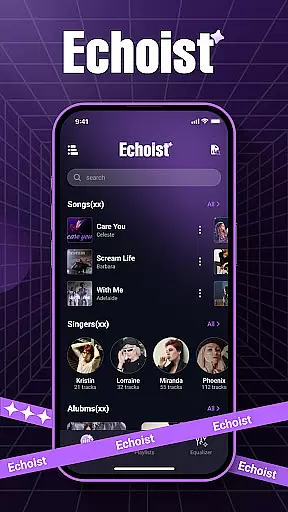
What sets Echoist apart is its intuitive interface combined with powerful organizational tools. Users can sort their music by artist, album, or genre while enjoying advanced features like customizable equalizers and background playback. Whether commuting or relaxing at home, Echoist ensures uninterrupted music enjoyment without requiring an internet connection.
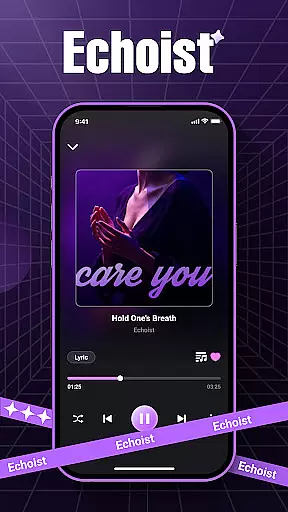
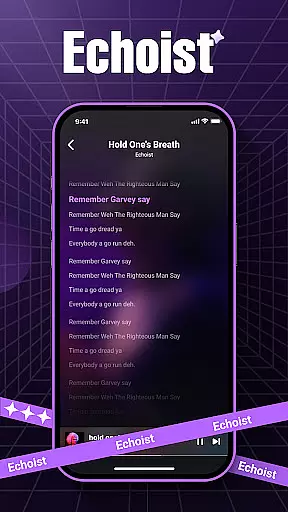
Ideal for users seeking full control over their personal music collection, Echoist offers a sleek design paired with essential functionalities such as sleep timers and lyrics display, making it the perfect companion for both casual listeners and dedicated music enthusiasts.
Echoist stands out in the Music & Audio category through its comprehensive feature set tailored for offline listening. The app's instant scanning capability quickly loads entire music libraries, regardless of size or format complexity.
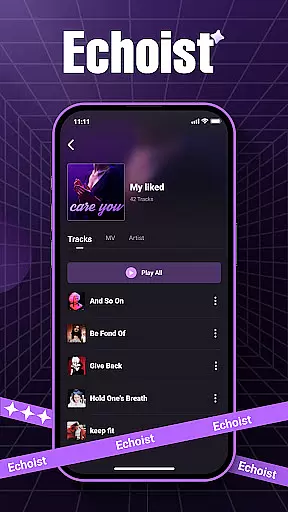
Organization is key with Echoist's smart library management system. Users can create custom playlists, utilize advanced search functions, and maintain neatly sorted collections by artist, album, or genre. The app also includes practical utilities like a sleep timer for bedtime listening and a favorites section for quick access to preferred tracks.
Sound quality remains paramount, which is why Echoist incorporates a customizable equalizer allowing users to fine-tune audio output according to their preferences. Background playback ensures continuous music streaming even while using other apps, providing an uninterrupted listening experience that adapts to various lifestyles.
When it comes to music applications like Echoist, the size and authenticity of the music library are crucial factors for users. Echoist allows you to access your entire local music collection, supporting a wide range of formats including MP3, FLAC, WAV, and AAC.
The app ensures that all your music files are genuine copies from your personal collection, eliminating concerns about copyright infringement or unauthorized content. This makes Echoist not just a versatile player but also a secure one.
With instant scanning capabilities, the app quickly loads all your tracks, giving you immediate access to thousands of songs stored on your device. This extensive library support ensures that no matter how large or diverse your music collection is, Echoist can handle it with ease.
Audio quality is a key consideration for any music enthusiast, and Echoist excels in providing top-notch sound options. The app features a customizable equalizer that lets you fine-tune audio output to match your preferences or listening environment.
Whether you're using high-end headphones or standard speakers, Echoist ensures that you experience the best possible sound quality. The equalizer offers multiple presets, allowing you to choose settings that enhance bass, treble, or vocal clarity.
In addition to its equalizer, Echoist supports lossless audio formats like FLAC, preserving the original quality of your music files. This focus on audio fidelity ensures that every note and beat is reproduced accurately, offering an immersive listening experience.
User-friendly interface
Multi-format support
Offline functionality
Customizable equalizer
Smart library organization
No cloud integration
Limited social features
Basic lyrics support
No streaming service
Premium-only features

Remove ads permanently from Music Visualizer
 4.2
4.2
DJ Music Mixer - DJ Remix: remix songs, make beat music & record mix of DJ.
4.40
Unleash your creativity! Turn simple prompts into full fledged songs.
4.70
Offline Music Player&MP3 Player with themes, equalizer, lyrics, music play mode
4.60
The original SP-1200 experience on your iPad
4.20
Powerful 10-Band equalizer pro with sound booster improves Android audio quality
4.30
Manage your Sonos system directly from your home-screen!
4.40
Versatile MP3 recorder with auto-backup to Dropbox and Google Drive
4.10
Be a true music maker: create beats, mix and make music like a real DJ!
4.30
Tune in to the greatest hits on UK Radio | The home of Capital, Smooth & Heart.
4.90
Full-featured, High-Quality Groovebox Workstation, perfect for Live Performance!
4.80
A complete sound package for the sound engineer or enthusiast
4.60
Guzheng Master supports many playing techniques as an acoustic Guzheng
4.50
Turn your Android phone into a professional audio analyser with up to 120 bands.
4.00
The ultimate media player for Android devices
3.90
Powerful beat maker & DJ mixer to remix tracks, make music, & perform DJ mix
3.70
Simple mp3 and mp4 player with advanced features.
3.40
Simply convert wav to mp3. Clear. Reliable. Safe.
4.0
Music Streaming suite for Ampache, Nextcloud Music and compatible backends.
4.1



User Reviews