
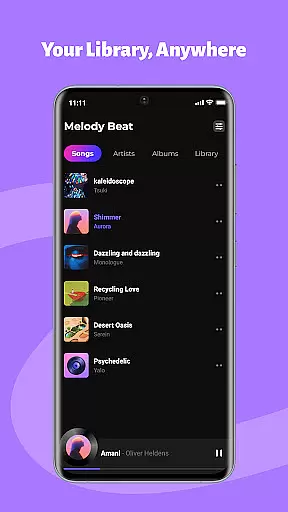
Melody Beat is a premium offline music player tailored for audiophiles who value quality and control. Designed to support over 30 audio formats including MP3, FLAC, and WAV, it ensures lossless playback without the need for file conversion. The app's intelligent library management system organizes tracks by artist, album, genre, or folder, making navigation effortless.
With its advanced equalizer, users can customize their listening experience through various presets like Pop, Rock, and Jazz. Melody Beat also offers uninterrupted background and lockscreen playback, perfect for workouts or commutes. Its privacy-first approach guarantees that all files remain local, ensuring complete data security. Regular updates bring new features and performance improvements, keeping the app at the forefront of music technology.
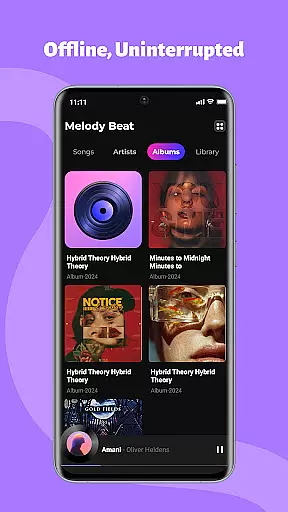
Melody Beat stands out with its universal format support, accommodating more than 30 audio formats without compromising on quality. This eliminates the hassle of converting files before playback. The smart library management feature automatically sorts music, providing quick filter options for easy searching. Lyrics are displayed even without an internet connection, enhancing the user experience.
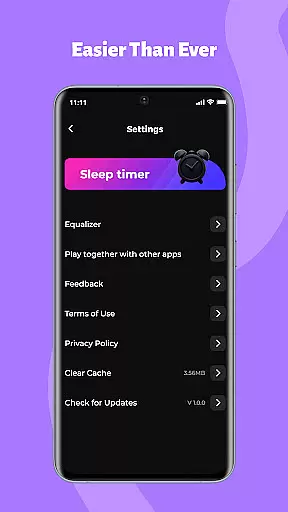
The app includes a professional-grade equalizer with bass boost and virtualizer functions, allowing users to fine-tune their sound. It supports background and lockscreen controls, enabling seamless music management. Privacy is prioritized with local-only storage and no hidden subscription costs. An intuitive interface ensures smooth navigation, while regular updates promise continuous improvement and additional functionalities.
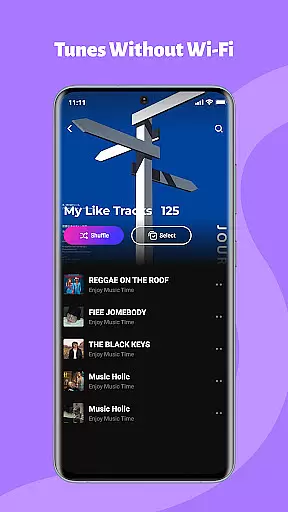
When it comes to music applications, the size and authenticity of the music library are crucial factors. Melody Beat offers an extensive offline music experience by supporting over 30 audio formats including MP3, FLAC, WAV, and AAC. This ensures that users have access to a vast array of music without worrying about format compatibility or the need for file conversion.
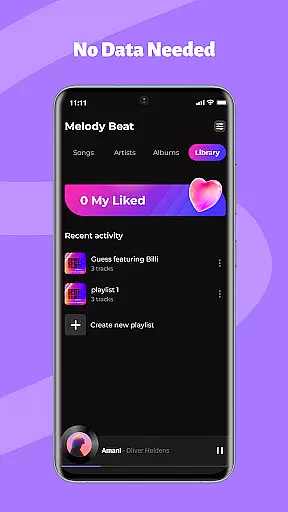
The application's smart library management automatically organizes music by artist, album, genre, or folder, making it easy for users to find exactly what they're looking for. With quick filters and included lyrics support, even without an internet connection, Melody Beat guarantees a seamless and enriched listening experience.
Moreover, Melody Beat respects user privacy with its local-only storage policy. There is no cloud storage or data tracking, meaning all files remain on the user's device. This not only assures users of their music's copyright authenticity but also gives peace of mind regarding personal data security.
Audio quality is paramount for any music enthusiast, and Melody Beat excels in delivering pristine sound through its advanced features. The app includes a professional equalizer, bass boost, virtualizer, and pre-set modes tailored for different music genres such as Pop, Rock, Jazz, and Classical. These tools allow users to customize their listening experience according to their preferences and ensure the highest audio fidelity.
Melody Beat supports lossless audio quality across more than 30 formats, which means users can enjoy their music in the exact quality it was recorded. Whether you're a casual listener or an audiophile, the superior sound customization options cater to all tastes and requirements.
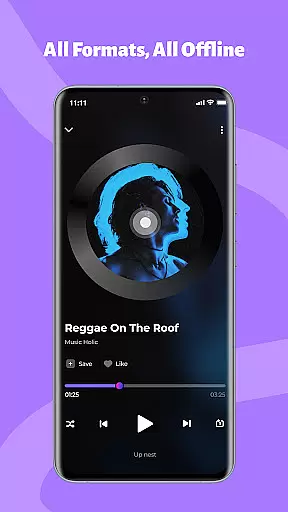
In addition to its impressive audio capabilities, Melody Beat provides uninterrupted playback with convenient controls directly from the notification bar or lock screen. Users can easily manage their music with simple taps to play, pause, skip tracks, and adjust volume, ensuring a smooth and high-quality auditory journey at all times.
Supports 30+ formats
Lossless audio quality
Smart library organization
Advanced equalizer settings
Privacy-focused design
No cloud integration
Limited social features
Offline-only mode
Basic UI design
No streaming service

Formerly known as Spotistats! View your top tracks, artists, albums and more!
 4.40
4.40
Control your MIDI USB or Bluetooth devices in app and avoid some trampling
3.30
Gorgeous UI, Powerful music Search and Equalizer, the great choice for you!
4.70
Bass Booster Pro takes auto-equalizing to the next level!
4.30
Music Streaming suite for Ampache, Nextcloud Music and compatible backends.
4.1
Play your hearts out on TouchTunes jukeboxes & connect with fellow music lovers.
4.80
Powerful 10-Band equalizer pro with sound booster improves Android audio quality
4.30
Reverse your voice & songs instantly! Fun singing challenge with cool effects.
4.60
Sing, record, and create music together — enhanced by smart voice tools.
4.00
Full-featured, High-Quality Groovebox Workstation, perfect for Live Performance!
4.80
Recording studio w/ 10k beats, pro vocal FX and a network of 20M rappers & fans!
4.60
AI Music Maker: Generate And Compose AI Tunes & AI Songs & AI Music & AI Melody!
4.60
A synth that really lets you shape your sounds!
4.50
The Music Journey in Your Hands
4.30
Advanced 10-Band Audio Graphic Equalizer Sound Booster Pro
4.30
Time Trainer: accurate metronome w tools to help you develop your internal time!
4.20
Turn your Android phone into a professional audio analyser with up to 120 bands.
4.00
Background pads for your band
3.80
Slow music down without changing pitch.
3.70



User Reviews