
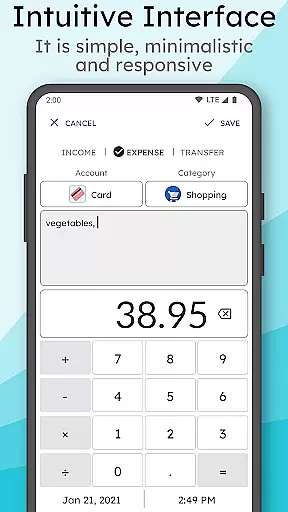
MyMoney Pro is a comprehensive personal finance management application designed to help users effectively track and control their spending. The app offers an intuitive interface that allows users to easily log expenses, categorize them, and monitor their financial habits through insightful analysis charts. With its offline functionality, users can access all features without requiring an internet connection.
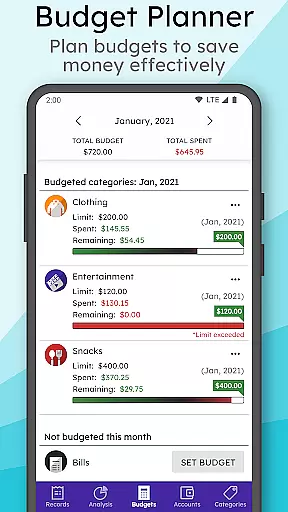
A key highlight of MyMoney Pro is its robust budgeting system, which enables users to set monthly budgets for different categories such as food, transportation, and entertainment. This ensures better control over expenditures and helps users achieve their savings goals. Additionally, the app provides customizable homescreen widgets, multiple account management, and advanced security features like passcode protection and data backup options.
Whether you're looking to manage daily expenses or plan long-term financial strategies, MyMoney Pro serves as an essential tool for anyone aiming to gain better visibility into their financial health while maintaining privacy and convenience.
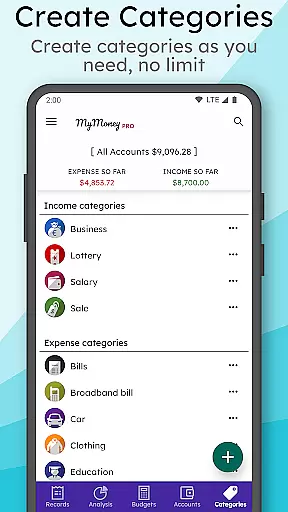
MyMoney Pro stands out with its extensive range of features tailored to simplify personal finance management. One of its core functionalities is the Expense Manager, which lets users categorize income and expenses under various headings such as Cars, Foods, Clothing, and more. Users have the flexibility to create unlimited custom categories based on their specific needs.
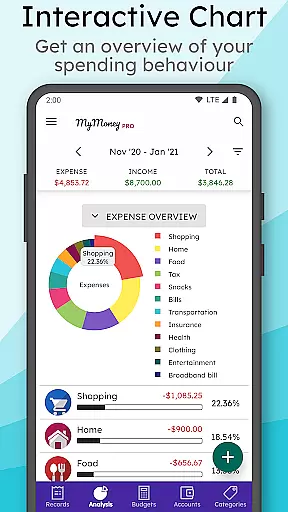
The Budget Planner feature empowers users to establish realistic monthly budgets across different expense categories, helping them avoid overspending. For those who prefer visual insights, the Effective Analysis tool presents clear charts displaying monthly income and expenditure patterns, offering deeper understanding of one’s financial behavior. Furthermore, the app includes Smart Homescreen Widgets that allow quick access to balance information and facilitate easy record entry on the go.
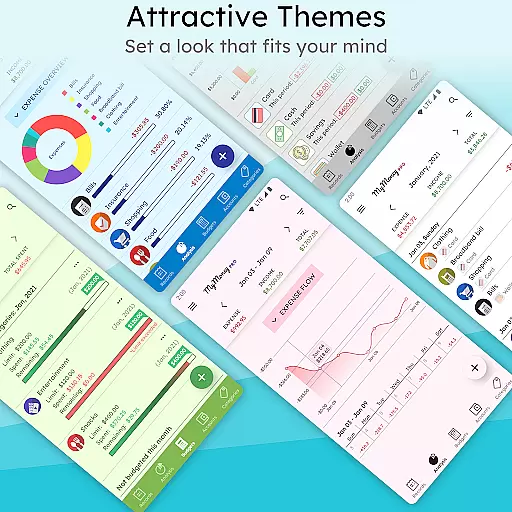
Additional premium features include multiple themes, extended view modes (3 months, 6 months, yearly), and enhanced security measures such as passcode protection. These aspects make MyMoney Pro not only functional but also highly customizable and secure, catering to both casual users and finance enthusiasts alike.
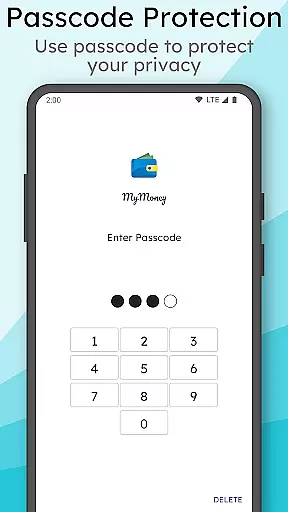
Account and fund security is a critical aspect of any financial management application. MyMoney Pro ensures the safety of your financial data through multiple layers of protection. The app offers passcode protection for privacy, which means only authorized users can access sensitive information.
In addition to user authentication, the app provides backup and restore functionality. This feature allows you to keep your record data safe and recover it if necessary. You can also export worksheets to print the records, ensuring that you have physical copies of your financial data.
The app's permissions are transparent and limited to essential functions. For instance, storage access is needed only when creating or restoring a backup file. Network communication is solely for sending crash reports, ensuring that your financial data remains offline and secure.
By combining these security measures, MyMoney Pro delivers peace of mind to users who want to manage their finances without compromising on safety.
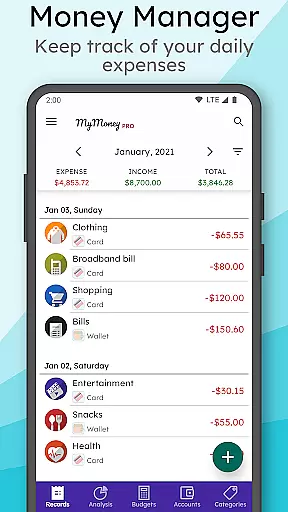
A seamless transaction experience is vital for effective personal finance management. MyMoney Pro excels in this area by providing an intuitive interface that simplifies the process of tracking expenses. With just a few taps, you can add an expense record, categorize it, and view how it fits into your overall budget.
The app includes a daily expense tracker and free budget planner, empowering you to take control of your spending habits. Whether it's limiting coffee purchases or setting monthly budgets for groceries, MyMoney Pro helps you stay within your financial limits.
For those who appreciate visual analysis, the app presents clean charts that display monthly income and expense breakdowns. These visuals make it easier to understand where your money goes and adjust your spending accordingly.
Moreover, the customizable homescreen widget adds another layer of convenience. It allows you to monitor your balance and add records on the go, making the transaction experience as smooth and efficient as possible.
User-friendly interface
Comprehensive budgeting tools
Offline functionality
Customizable categories
Advanced security options
Limited free version
No automatic transaction syncing
Manual data entry required
Premium features come at a cost
Occasional bugs reported

The DailyPay app lets you access earned wages before your next payday.
 4.70
4.70
Debt pay off. Build credit history. AI budget tool. Loan offers.
4.60
BTC, Crypto, Stocks & Options.
4.20
Change the way you money with Credit Genie
4.30
Get up to 500, get paid early, earn interest and find work with no hidden fees.
4.40
Check EBT, SNAP, WIC balances, manage food stamps, and save money with benefits
4.80
Registration of your debts and Mdionatk and assembled, as well as a significant reports
4.30
The US Debt Clock .org App gives you a Real-Time glimpse of US Financial Stats
4.60
Military retirement pay estimation calculator
4.70
No credit check, no interest, no worries.
4.70
Manage your credit card account with the Credit One Bank mobile app.
4.70
Loan Calculator, Mortgage Calculator, Compound Interest Calculator
4.70
Pay, bank & build credit.
4.70
Download the MySynchrony App to manage your accounts securely and conveniently!
4.60
Earn cash back. Build credit.
4.60
The all-in-one app to save, earn, travel, and put more money in your pocket
4.50
Car Insurance Made For You.
4.50
The PayPal app is the secure way to send and receive money, shop and pay in 4.
4.20
Make your paycheck work harder for you with Perpay.
4.10




User Reviews