
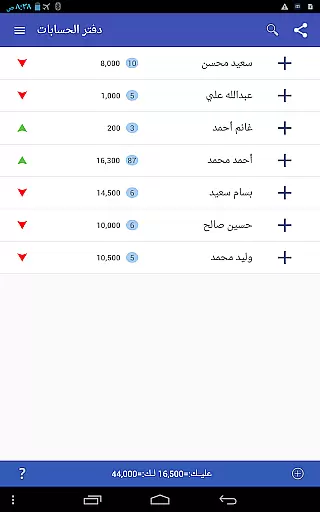
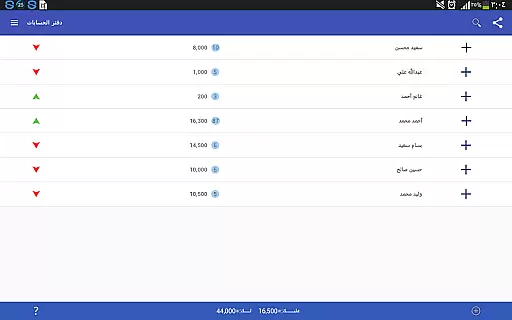
Pro Accounting Book is a comprehensive finance management application designed to simplify accounting processes for individuals and small businesses. The app allows users to effortlessly record debts, track receivables, and manage automatic aggregate accounts. With its powerful reporting tools, users can generate detailed financial reports that save both time and effort.
In addition to basic accounting functions, the app offers advanced features such as Bluetooth sharing of accounts, database export/import capabilities, and an intelligent search function that filters data by date or keyword. The ledger closing feature helps consolidate transactions into a single entry with the final balance, streamlining account management. Available on Android devices, Pro Accounting Book provides a reliable solution for efficient financial tracking and analysis.
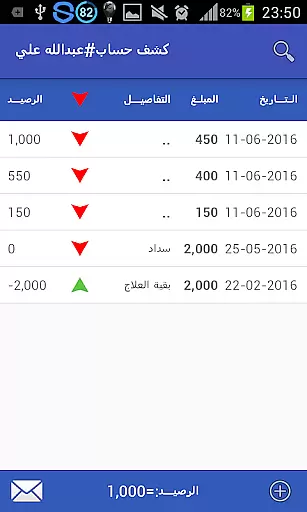
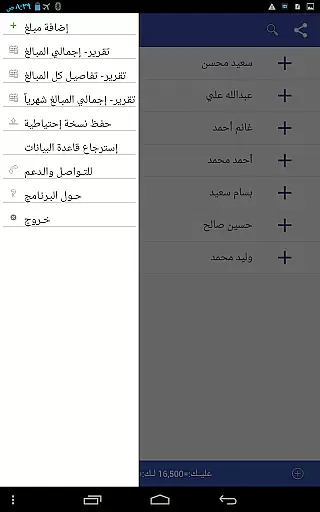
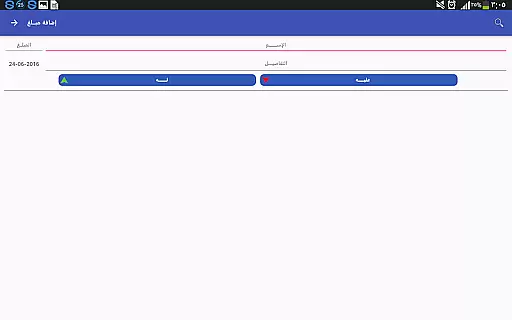
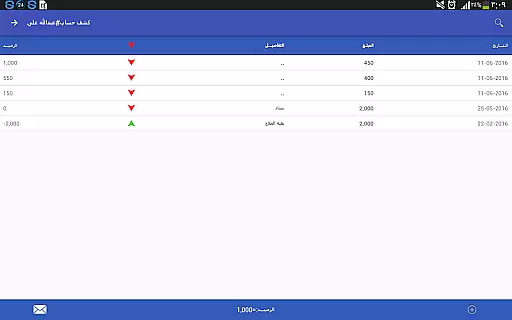
Pro Accounting Book stands out with its diverse range of innovative features tailored for efficient financial management. One key feature is the ability to add transactions easily through the Add Amount (+) button, which includes options to specify dates and save entries directly to the ledger history. This ensures accurate and organized record-keeping.
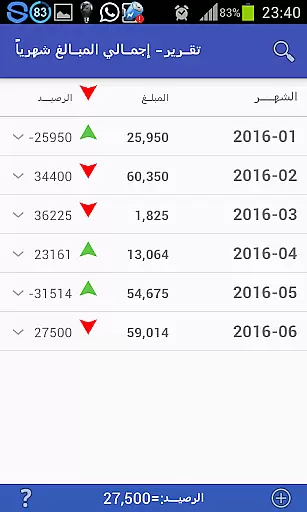
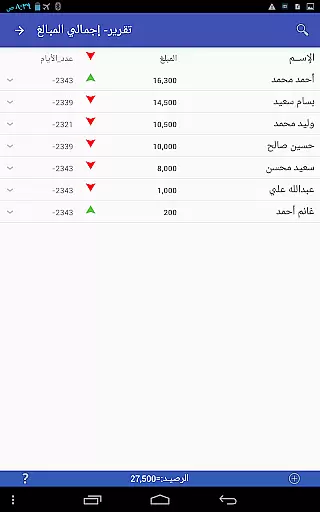
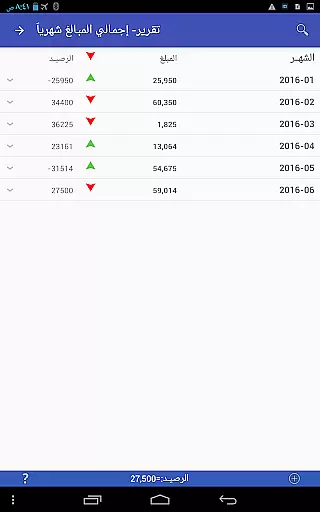
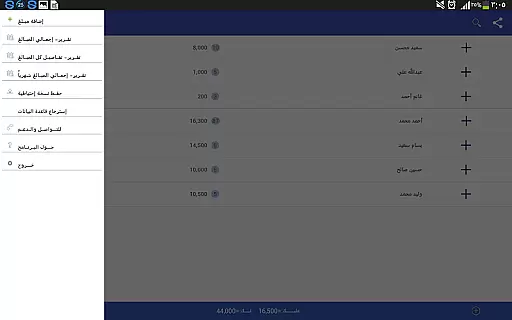
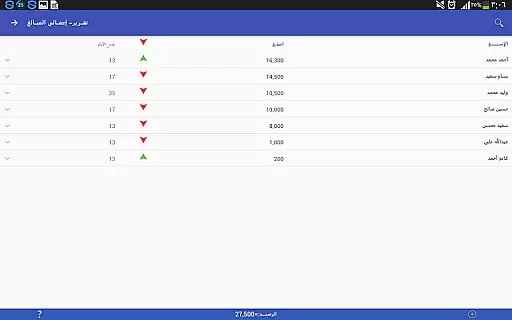
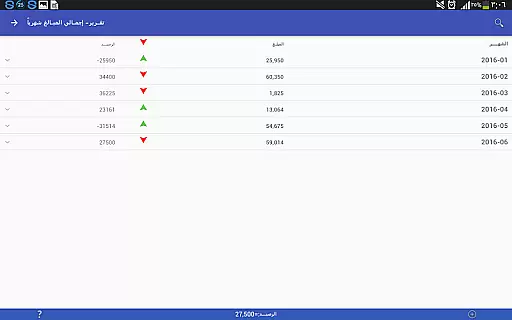
The app also excels in its reporting capabilities, offering analytical reports that provide valuable insights into your finances. Users can access these reports via the Settings menu. Additionally, the app supports flexible search and sorting functionalities, enabling quick filtering of data by date, amount, or keywords. These practical tools make Pro Accounting Book an indispensable asset for anyone seeking to maintain precise financial records.
Account and fund security is a critical aspect of any financial application, ensuring that users' data and transactions are protected from unauthorized access. Pro Accounting Book takes this responsibility seriously by implementing robust security measures to safeguard your financial information.
The app provides database protection through backup and restore functionalities, allowing users to create secure copies of their data. This feature ensures that even if a device is lost or damaged, the financial records remain safe and can be restored on a new device without any loss of information.
Additionally, the app supports sharing accounts via secure methods such as Bluetooth or social networking sites, which means that users have control over who they share their financial data with. By enabling users to export and import databases securely, Pro Accounting Book empowers users to manage their data safely.
With these comprehensive security features, users can trust Pro Accounting Book to maintain the confidentiality and integrity of their financial data, providing peace of mind while managing their accounts.
A seamless transaction experience is vital for maintaining efficiency and accuracy in financial management. Pro Accounting Book offers an intuitive interface that simplifies the process of recording debts and credits, making it easy for users to keep track of their financial obligations.
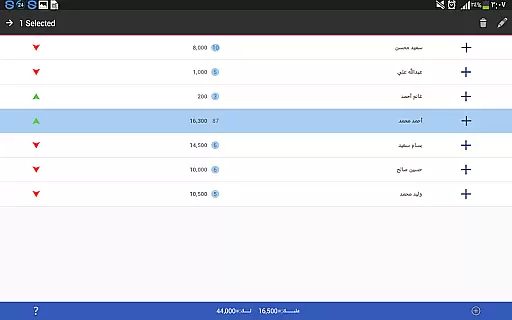
By automating aggregate accounts, the app reduces manual entry errors and saves time. Users can quickly add transactions using the Add Amount (+) button, where they can either enter new names or select from existing ones, streamlining the input process significantly.
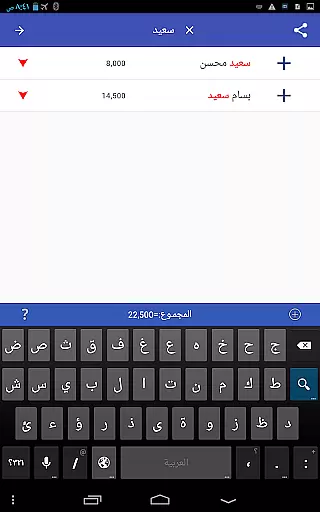
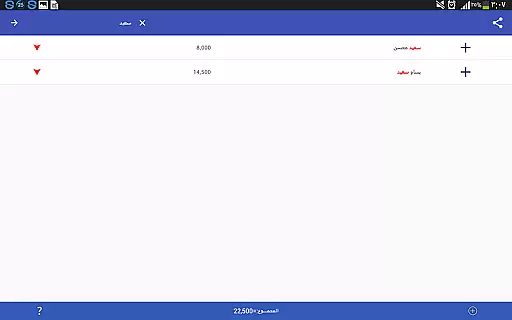
Moreover, the app includes powerful search and sorting capabilities, allowing users to filter data by word, date, or amount. This functionality enables quick access to specific transactions, enhancing the overall transaction experience by saving both time and effort.
Pro Accounting Book's combination of automation, ease of use, and advanced filtering options ensures that users enjoy a smooth and efficient transaction experience, empowering them to manage their finances effectively.
User-friendly interface
Comprehensive reporting tools
Effortless debt tracking
Secure database backup
Quick search functionality
Limited to Android platform
No multi-currency support
Occasional syncing issues
Basic UI design
Ads in free version

Currency Converter, Exchange Rates, Widgets
 4.90
4.90
Download the MySynchrony App to manage your accounts securely and conveniently!
4.60
Earn cash & save money daily. Access instant cash advances* - no credit check!
4.50
Early payday cash advance up to $150 a day with a max of $1,000 per pay period
4.70
The simplest way to budget, bank, save and invest.
4.50
Managing your money just got easier. Get the new Mobile app.
4.70
The Citi Mobile® App lets you manage your accounts virtually anytime, anywhere
4.80
Get up to 500, get paid early, earn interest and find work with no hidden fees.
4.40
Military retirement pay estimation calculator
4.70
Manage your Discover account conveniently from anywhere.
4.80
PayMe helps you claim money from settlements on companies that harmed you.
4.80
Money transfer made easy. Send money to friends and family with great rates.
4.70
Your Big Financial Friend
4.70
Manage your credit card account with the Credit One Bank mobile app.
4.70
Over 180 currencies conversion rates with live exchange rates and offline mode.
4.60
Read and extract public data on NFC Contactless banking card (VISA, MasterCard
4.30
Earn money as a tester with Testerup, get cash testing apps and games
4.20
StockTiles lets you view prices & charts of your favorite stock assets
2.30
Bill Manager is a simple app to help you keep track of your upcoming bills.
4.3










User Reviews