
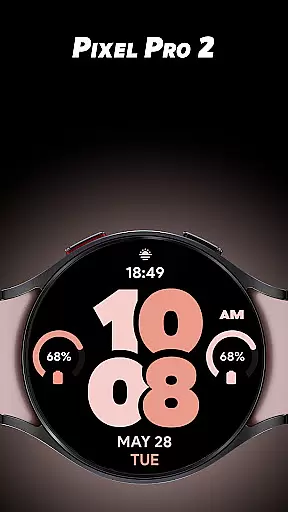
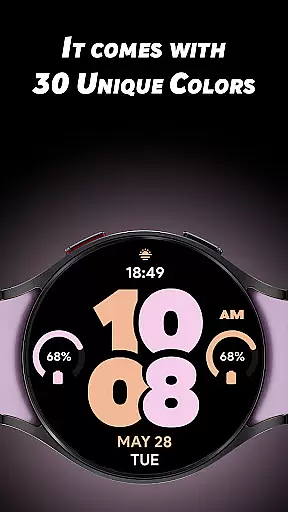
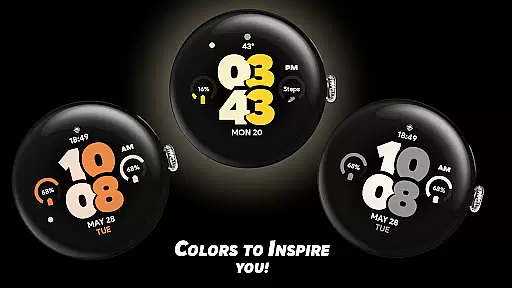
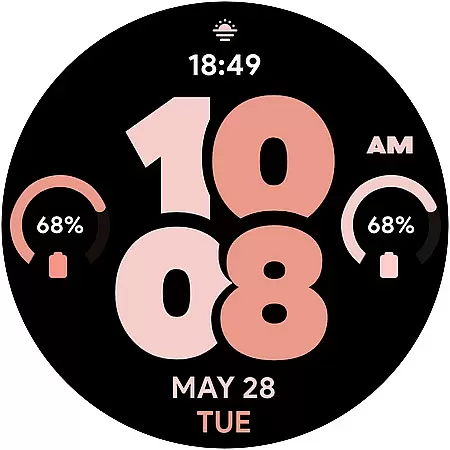
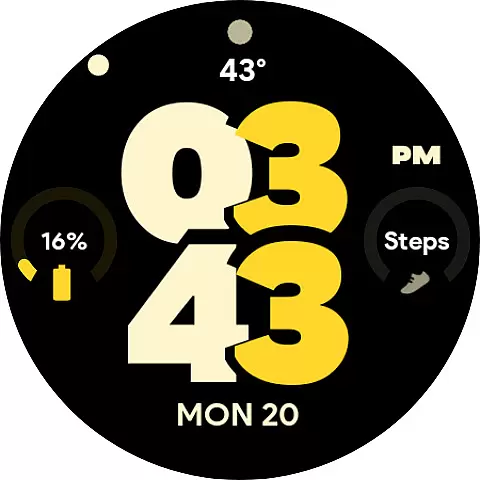
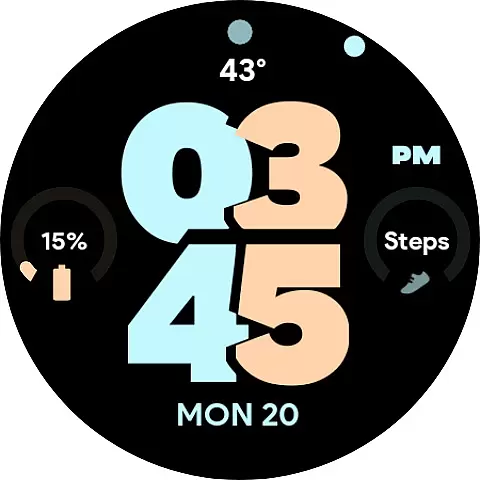
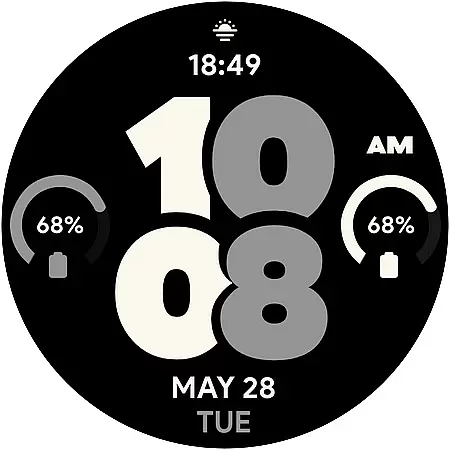
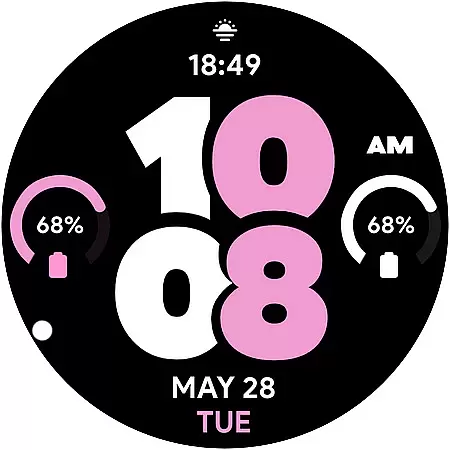
Pixel Pro 2 is a feature-rich watch face designed specifically for Wear OS devices. This app transforms your smartwatch into a personalized timepiece by offering 30 unique color options and advanced customization features. Users can choose from multiple complications to display their preferred data at a glance, making it both functional and stylish.
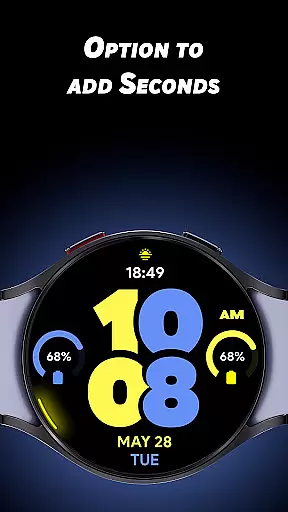
The app supports essential features like 12/24-hour time formats, an always-on display (AOD) option, and the ability to enable seconds with a distinctive rotating animation. Whether you're looking to enhance productivity or simply express your personal style, Pixel Pro 2 provides a versatile solution tailored to your needs.
With its intuitive design and customizable options, this watch face is ideal for users who want to maximize their Wear OS experience while maintaining a sleek and modern appearance on their smartwatch.
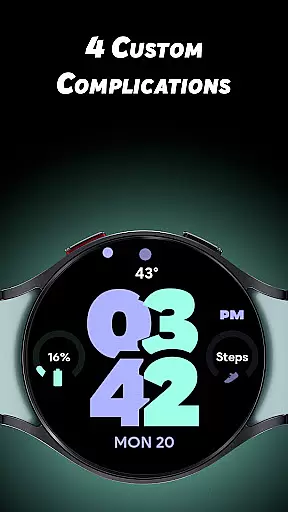
Pixel Pro 2 stands out with its extensive customization capabilities. The app offers 30 unique color themes, allowing users to tailor the look of their watch face to match their preferences. Additionally, it includes four custom complications, one of which is an invisible app shortcut embedded within the TIME display, providing quick access to frequently used apps.
One of the key highlights is the ability to enable a seconds hand with a unique rotating animation along the edge of the watch. This feature adds a dynamic touch to the overall design. The app also supports an always-on display (AOD) mode, which can be toggled on or off based on user preference, ensuring optimal battery usage without sacrificing functionality.
Other notable features include support for both 12-hour and 24-hour time formats, catering to different regional preferences. With its variety of colors and thoughtful design elements, Pixel Pro 2 ensures that users can create a truly personalized and efficient smartwatch experience.
Pixel Pro 2 watch face offers extensive lifestyle category coverage by providing users with a versatile and customizable experience. With 30 unique color options, the app allows for personalization that can match individual styles or moods. This wide range of aesthetic choices ensures that users can find the perfect look for their Wear OS watch, making it not just a timepiece, but also a fashion statement.
In addition to its rich color palette, Pixel Pro 2 includes four custom complications that enable users to display the data most relevant to their daily lives. Whether it's tracking fitness goals, monitoring weather updates, or managing notifications at a glance, these complications turn the smartwatch into a personalized hub of information. The ability to customize what is shown on the watch face enhances user engagement and streamlines their digital experience.
The inclusion of features such as turning on seconds with a unique rotating animation and an Always-On Display (AOD) option further extends the app's lifestyle coverage. These elements provide both functionality and novelty, catering to users who appreciate attention to detail in design and utility. By offering these comprehensive customization options, Pixel Pro 2 stands out as a top choice for those looking to revitalize their smartwatch experience.
When it comes to content authenticity and expert credibility, Pixel Pro 2 watch face shines by delivering a thoughtfully designed product that reflects expertise in both technology and user-centric design. Each of the 30 colors has been inspired by real-world trends and user feedback, ensuring that they are not only varied but also genuinely appealing to a broad audience. This approach demonstrates the developers' commitment to creating an authentic connection with their users through carefully considered aesthetics.
Expertise is evident in the advanced features provided by Pixel Pro 2. The implementation of custom complications showcases deep knowledge of how users interact with their smartwatches daily. By including options like invisible app shortcuts on TIME and AOD with adjustable settings, the developers prove their understanding of practical usability while maintaining sleek visuals. Such sophisticated features require technical proficiency and insight into wearable technology trends.
Furthermore, Pixel Pro 2's attention to detail reinforces its credibility among tech-savvy consumers. The rotating animation for seconds and multiple time display formats (12/24hrs) highlight the developers' dedication to delivering high-quality, reliable content. Users can trust that this watch face will consistently meet their needs for both style and substance, backed by professionals who prioritize excellence in every aspect of their application's design.
Highly customizable
Unique color options
Dynamic animations
Always-on display
Quick app shortcuts
Limited to Wear OS
No widget support
Battery intensive
Complex setup
Fewer complications

Get roadside help, discounts, travel tools & more — AAA is with you everywhere.
 4.80
4.80
Unique informative Dial with Live Moon Phase at a glance!
3.60
Smart controls for your Ember Smart Mugs
4.10
Immerse yourself in the serenity of lavender fields and white butterflies
4.2
Cute animated Thanksgiving watchface for your WearOS smartwatch
4.1
View over 160,000 line dance stepsheets from the CopperKnob website.
3.30
Unique "Isometric" style digital watch face for Wear OS
4.50
Smart home security protection
3.20
An Eerie Musical Trigger Toy for Spirits to Play with!
3.50
PARAVOX 4 is a professional ITC paranormal research application.
4.50
Fly your Solo like a boss.
4.10
Digital watch face design. Modern looking, hi-res & battery friendly.
4.00
Spiritus Ghost Box is an Audio and Visual ITC tool for paranormal research.
4.00
Design and brew great homebrewing beer, mead, cider and wine recipes on the go!
3.60
Connect to your Shark ROBOT™ from anywhere using the SharkClean™ App.
3.60
Take Hobby Lobby with you wherever you go!
3.40
Big bold digital watch face with 30 colors, 6 complications and AOD.
4.5
A daily quote for success
4.0
The cutest Autumn watchface featuring the adorable Mr. Squirrel
4.1



User Reviews