
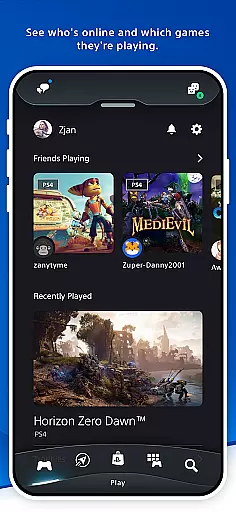
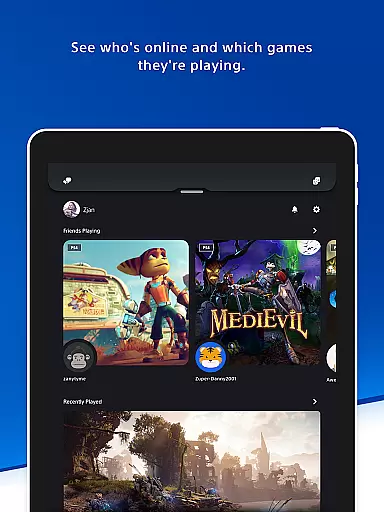
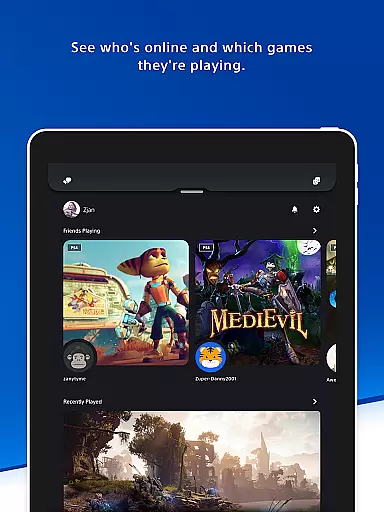
The PlayStation App is your ultimate companion for staying connected to the PlayStation gaming ecosystem. This essential entertainment application allows users to maintain social connections with their gaming friends and access their favorite games remotely. With a sleek interface, it provides real-time information about friends' online status and current gaming sessions.
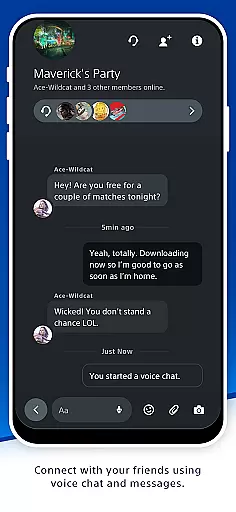
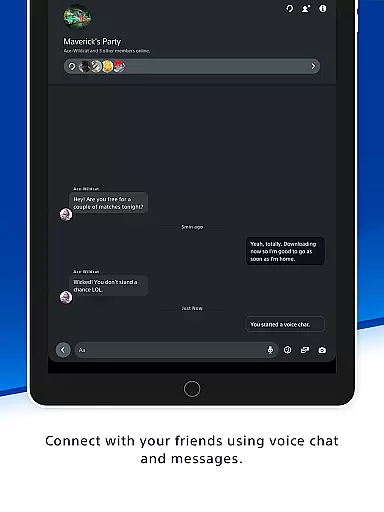
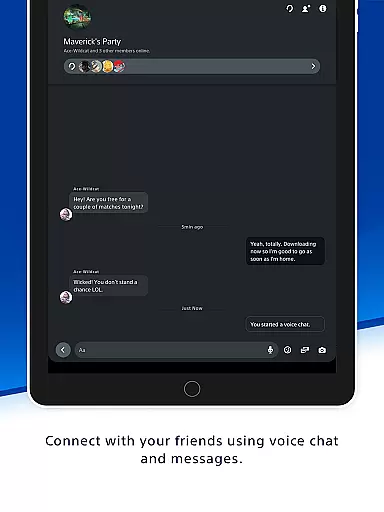
One of the app's standout features is its ability to facilitate communication through voice chat and messaging, making it easier than ever to organize multiplayer sessions. Additionally, the app serves as a hub for discovering new games, exploring the latest PlayStation news, and accessing exclusive deals on the PlayStation Store. Whether you're managing your console remotely or checking out the newest game releases, the PlayStation App ensures you're always in touch with the gaming world.
The PlayStation App offers an impressive array of features designed to enhance the gaming experience. Users can view detailed player profiles, including trophy collections, and see who's online and what games they're playing. The app also supports robust social interaction tools such as voice chat and messaging, allowing gamers to stay connected and plan their next gaming session effortlessly.
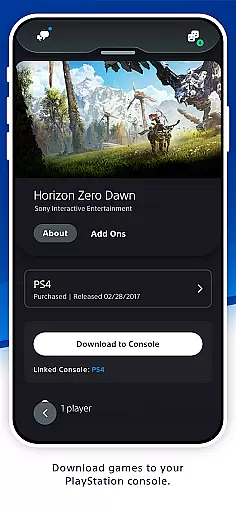
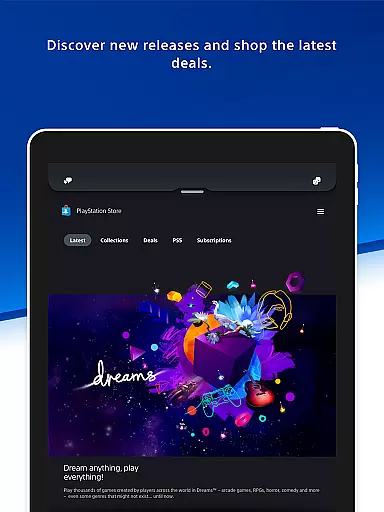
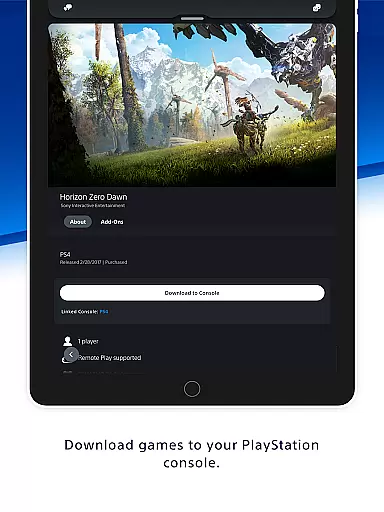
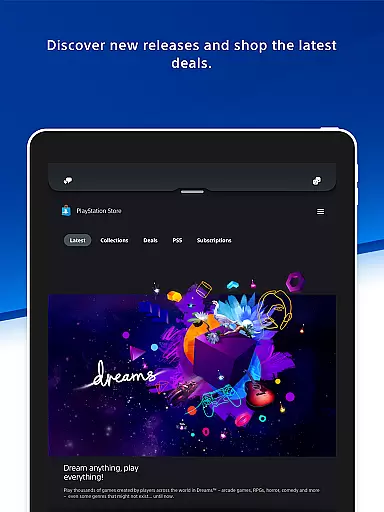
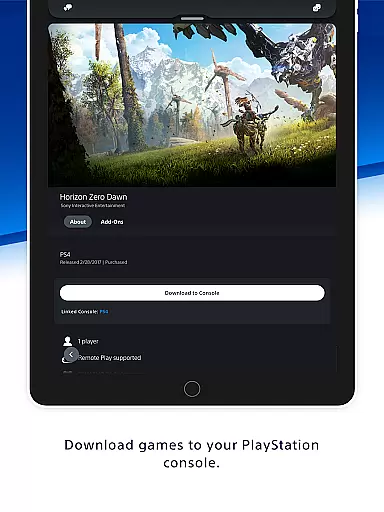
For those interested in expanding their game library, the PlayStation App provides direct access to the PlayStation Store. Here, users can shop for new releases, pre-order upcoming titles, and browse through the latest deals and discounts. The app also enables remote management of PS5 console storage, quick sign-in, and even remote game launching, ensuring that your console is ready to play whenever you are.
Whether you're looking to download new games, manage your console's storage, or simply keep up with the latest gaming news, the PlayStation App delivers a comprehensive suite of tools that cater to every gamer's needs.
The PlayStation App offers a diverse range of content that caters to various gaming interests and needs. Users can explore new game releases, pre-order upcoming titles, and access exclusive deals on the PlayStation Store. This variety ensures that gamers have constant access to fresh content that keeps them engaged and informed about their favorite hobby.
Beyond shopping, the app delivers the latest gaming news from the world of PlayStation, providing users with updates on industry trends, game announcements, and events. The inclusion of notifications and invitations directly on the phone's lock screen further enhances the user experience by keeping players in the loop at all times.
By offering a mix of social features, commerce opportunities, and real-time updates, the PlayStation App maintains its position as an essential tool for any PlayStation gamer looking to stay connected to both their gaming friends and the broader gaming community.
User engagement is a key focus of the PlayStation App, which provides multiple features designed to keep users actively involved over extended periods. Through integrated voice chat and messaging capabilities, players can maintain constant communication with their PSN friends, fostering stronger social connections within the gaming community. These interactions not only increase the time spent on the app but also encourage regular returns.
In addition to social features, the app allows users to manage their console's storage remotely, download games, and even launch titles directly from their mobile device. Such conveniences contribute significantly to user retention, as they streamline the gaming setup process and eliminate common barriers to gameplay sessions.
With personalized notifications and tailored content based on individual preferences, the PlayStation App successfully creates a customized experience that resonates with each user, ensuring they remain engaged and invested in the platform over time.
User-friendly interface
Real-time friend updates
Voice chat functionality
Remote console management
Exclusive store deals
PSN account required
Limited without console
Region-specific content
Occasional bugs
Storage management fees

Air Horn - Siren Sounds Prank, Fun way to wake up your Friends and Family
 4.5
4.5
Pathfinder 2e initiative tracker with bestiary, HP, reaction, conditions, etc
4.80
Stream Online TV - Watch Live IPTV Playlist & Channel with Built-In Player
4.50
Music visualizer and party effects for Hue
3.90
Underrated short-drama gems that hit hard and keep your heart hooked.
4.50
Himnario LLDM - Fast and Easy to read , updated Hymnal 2019 Edition Official
4.20
Raise Christmas Magic with daily missions, magical scanners, and kindness.
4.5
Watch New Episodes & Live TV
3.80
Stream, Watch, Chat. Live.
4.00
Colorful flows will relax and calm you down, or get you trippy and creative!
4.90
Original short dramas with diverse genres for a rich viewing experience!
4.80
Premium version to enjoy your favorite anime
4.60
Your Avatar, Endless Fun
4.60
Create, chat & bond with AI souls who truly listen.
4.50
Rain and lightning effects for your Philips Hue lights
4.30
Build and Share AI
4.20
Daily immersive workout plan: Body warm up & finger yoga exercises
3.80
Explore the unknown!
3.00
With the Steam Mobile App, you can take Steam with you anywhere.
3.00











User Reviews