
Soundstorm for Hue is an innovative entertainment application that transforms your Philips Hue lights into a dynamic party experience. The app allows users to sync their smart lights with music, creating stunning visual effects through various customizable modes.
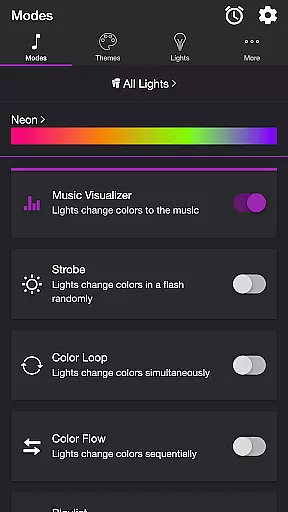
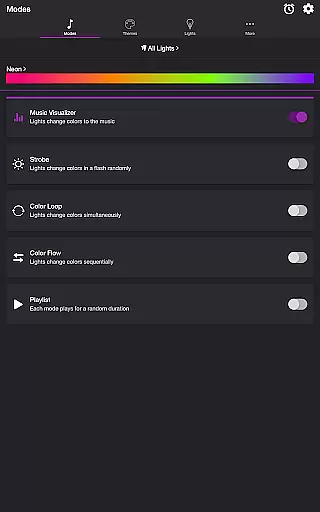
With features like Music Visualizer, Strobe, Color Loop, and Playlist modes, the application caters to diverse user preferences. Whether you want your lights to pulse with the beat of your favorite songs or cycle through colors in a set pattern, Soundstorm for Hue delivers a complete package for enhancing any social gathering or personal celebration.
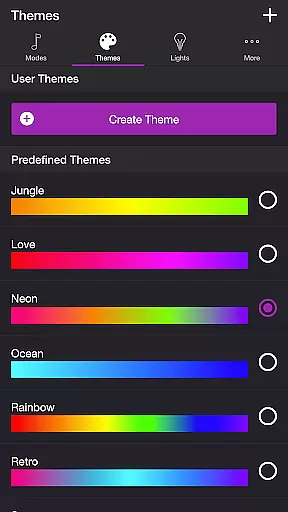
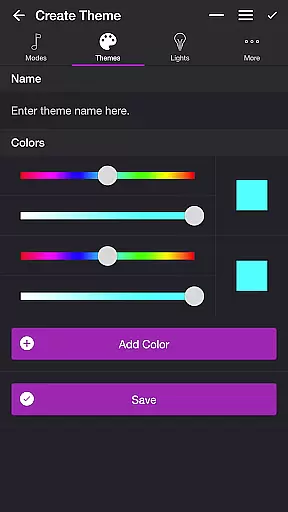
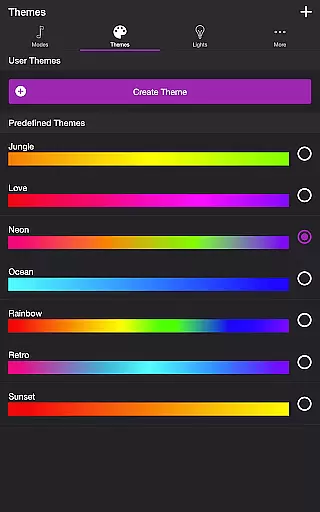
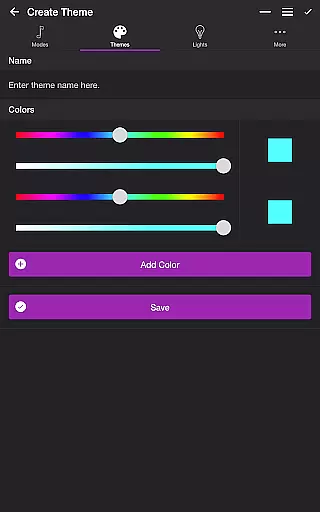
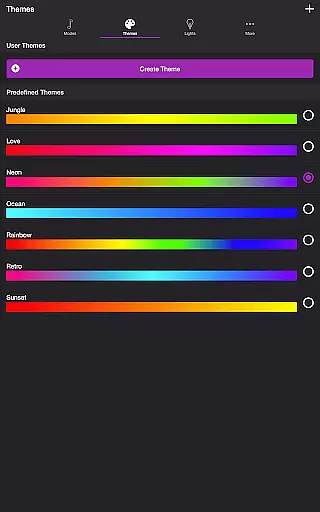
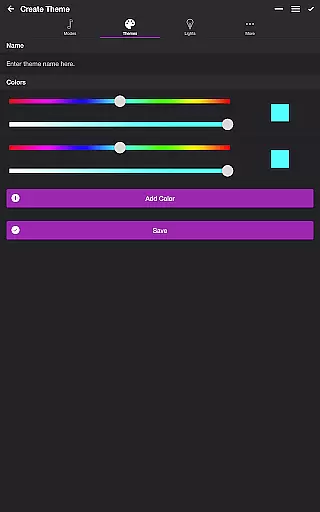
The app's versatility extends to its theme customization options, letting users choose from predefined themes or create their own. This level of personalization ensures that every light show is unique and tailored to individual tastes, making it an essential tool for anyone looking to elevate their entertainment space.
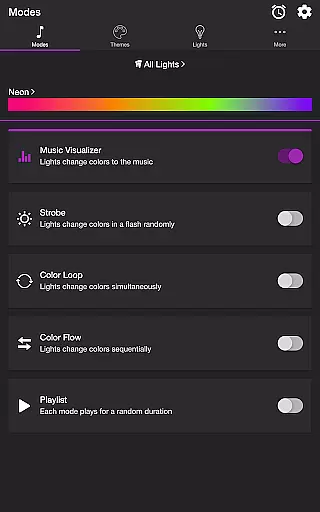
Soundstorm for Hue stands out with its array of specialized features designed to maximize user engagement. The Music Visualizer mode uses the device's microphone to adapt light displays to live audio, offering real-time synchronization that enhances the atmosphere of any event.
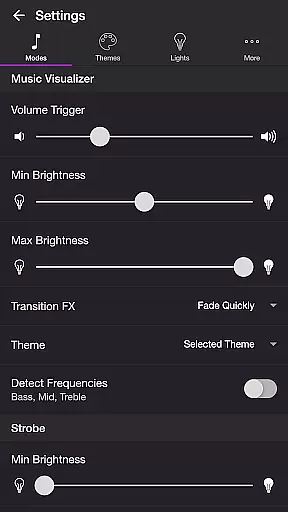
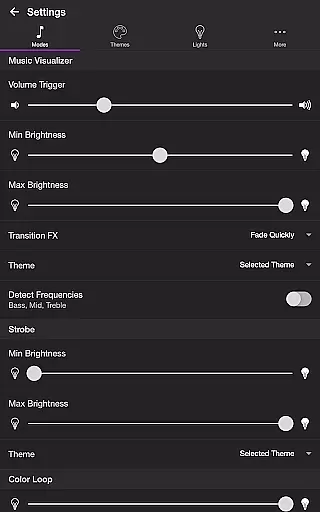
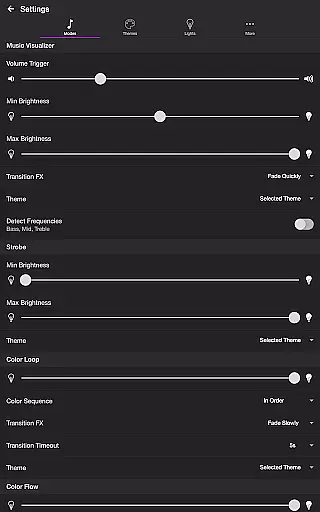
Beyond basic light shows, the app provides advanced settings for each mode. Users can fine-tune parameters such as brightness levels, transition effects, and frequency detection to achieve the perfect ambiance. These granular controls ensure that both casual users and lighting enthusiasts can craft their ideal setups.
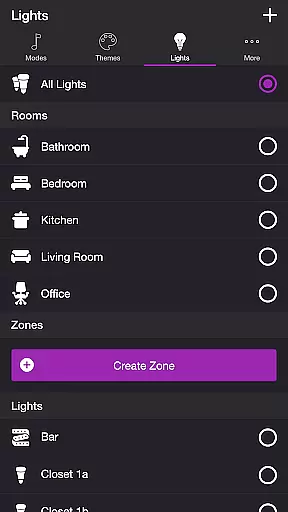
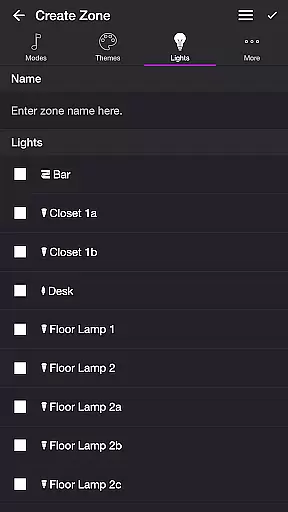
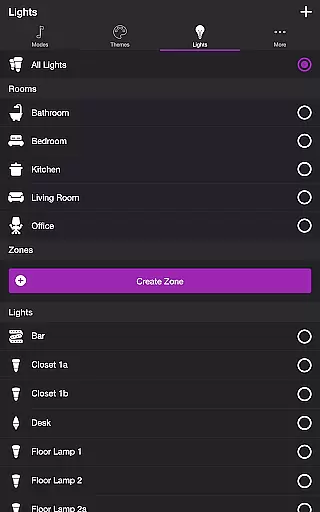
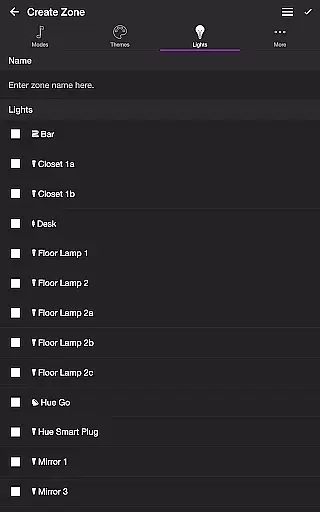
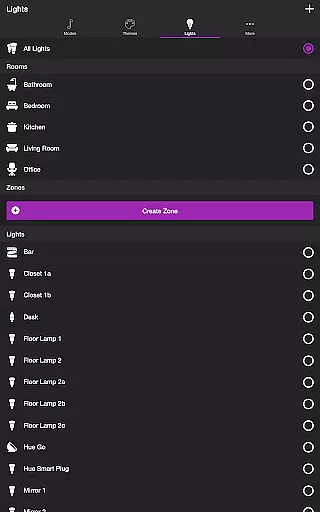
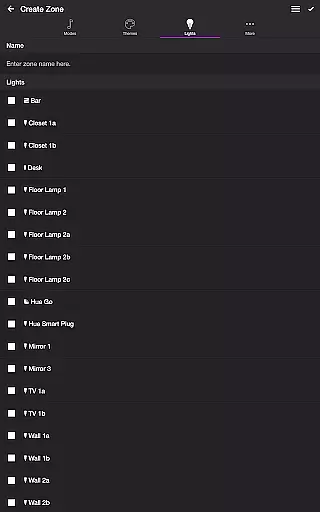
Additional functionalities like Sleep Timer and multi-light/group support further enhance the app's utility. By allowing users to manage multiple lights and zones effortlessly, Soundstorm for Hue proves itself as a comprehensive solution for smart lighting entertainment, suitable for homes and venues alike.
Soundstorm for Hue offers a diverse range of content through its various modes and themes, ensuring users have multiple entertainment options.
The app includes several modes such as Music Visualizer, Strobe, Color Loop, Color Flow, and Playlist, each providing a unique way to enjoy Philips Hue lights. These modes cater to different preferences, whether you want your lights to dance to the music or cycle through colors in a sequence.
Users can choose from predefined themes or create their own, adding another layer of personalization and variety. This feature ensures that the visual experience is always fresh and tailored to individual tastes.
With adjustable settings for each mode, Soundstorm for Hue allows users to fine-tune their experience, keeping the content dynamic and engaging over time.
One of the key strengths of Soundstorm for Hue is its ability to maintain user engagement through customizable and interactive features.
The Music Visualizer mode listens to ambient sounds or music and changes the lights accordingly, creating an immersive environment that encourages prolonged use during parties or relaxation sessions.
Features like Sleep Timer and automatic mode switching provide convenience and help integrate the app into daily routines, increasing the likelihood of regular usage. By setting a timer, users can ensure their lights return to a preferred state without manual intervention.
Additionally, the ability to reorder colors, change transition effects, and customize themes keeps the user interface engaging and promotes longer interaction periods, enhancing overall retention.
Real-time music sync
Highly customizable themes
Multiple lighting modes
User-friendly interface
Advanced parameter controls
Hue Bridge dependency
Microphone access required
Premium feature limitations
Complex for beginners
Device compatibility issues

Simulation of Dashboard / Touch Screen for Tesla. (Works without actual Tesla).
 4.5
4.5
Disney Stickers: Zootopia 2
4.3
Colorful flows will relax and calm you down, or get you trippy and creative!
4.90
Scan sets, track your builds, and enjoy intuitive digital instructions.
4.70
Your choice of 350+ networks plus movies and full TV series on-demand.
3.70
See the frequencies! Watch the magic!
4.0
Neon Christmas Tree Animated: Festive Wear OS watch face with fitness info
4.3
Daily immersive workout plan: Body warm up & finger yoga exercises
3.80
Watch Reels, Drama Shorts & TV Series Anytime. Download DramaWave Now!
4.70
SpiritWave is paranormal ITC application.
5.00
Fun brain twisting challenge with trending Whirlpool Filter.
4.70
The JBL Portable app works with JBL portable Bluetooth speakers.
4.60
Create melty bead designs by numbers, photos or your imagination
4.40
Practice and master your ESP and intuition with five mode trainer.
4.20
Fire effects for your Philips Hue lights
4.20
Official KennysGifs Stickers
4.20
A wonderful collection of the most beautiful sounds of animals and birds
4.0
Music visualizer and party effects for your Nanoleaf devices
4.0
Raise Christmas Magic with daily missions, magical scanners, and kindness.
4.0




User Reviews