
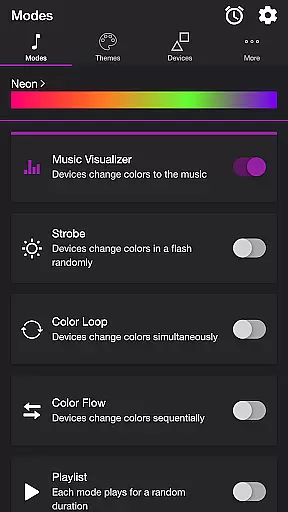
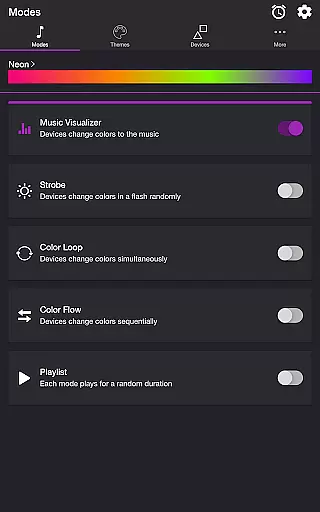
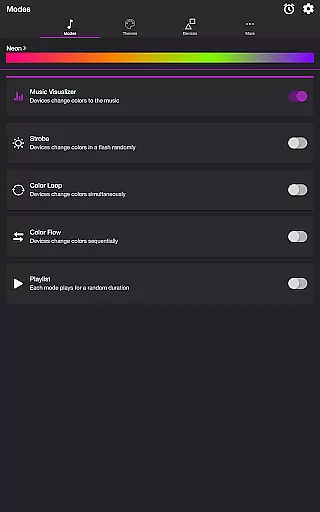
Soundstorm for Nanoleaf is an entertainment app designed to elevate your party experience by syncing Nanoleaf devices with music. The app supports various modes such as Music Visualizer, Strobe, Color Loop, Color Flow, and Playlist, allowing users to customize light shows that pulse and flash to the beat of their favorite songs.
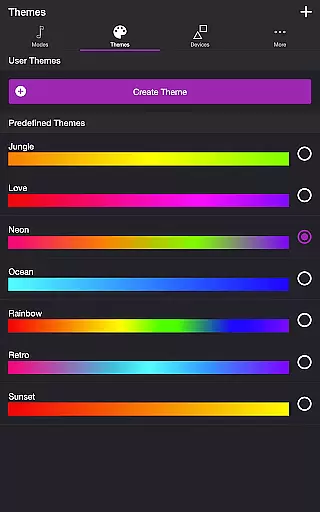
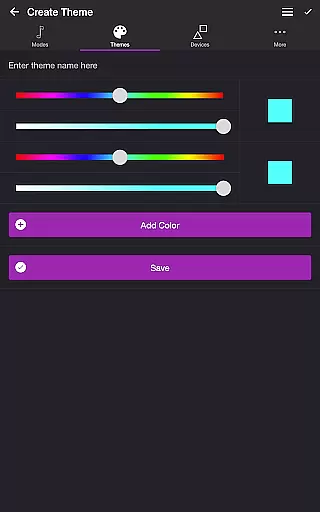
With compatibility across Nanoleaf Wall Lights and Nanoleaf Matter (Wi-Fi) Smart Devices, this app offers extensive customization options through themes and settings. Users can adjust brightness, transition effects, and frequency triggers while also creating personalized themes or selecting predefined ones. Its intuitive interface makes it easy to manage multiple devices and tailor the perfect light show for any occasion.
Soundstorm for Nanoleaf stands out with its diverse range of lighting modes tailored to different moods and events. The Music Visualizer mode uses microphone access to sync lights with live audio, while Strobe creates random flashes of color. The app's Playlist feature cycles through these modes at random durations, ensuring dynamic visual experiences.
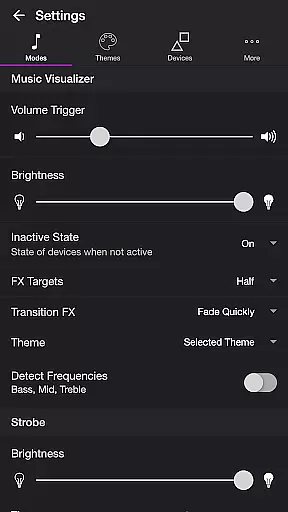
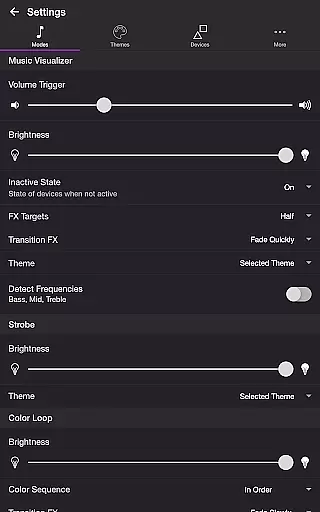
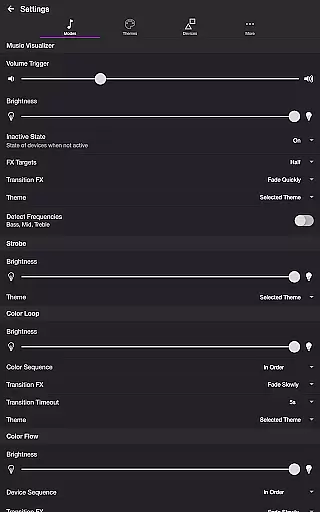
Advanced settings allow precise control over each mode’s behavior, including brightness levels, transition effects, and frequency detection for bass, mid, and treble ranges. Users can reorder colors in Color Loop mode or sequence device activations in Color Flow mode. Additionally, features like Sleep Timer and automatic start/stop functions enhance usability, making it a versatile tool for both casual listeners and party hosts alike.
Soundstorm for Nanoleaf offers a diverse range of content through its multiple modes and themes. Users can choose from Music Visualizer, Strobe, Color Loop, Color Flow, and Playlist modes to create dynamic light shows that sync with their music or operate independently.
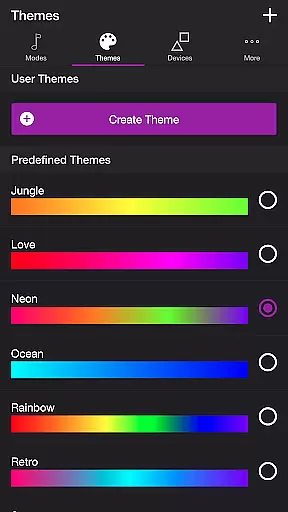
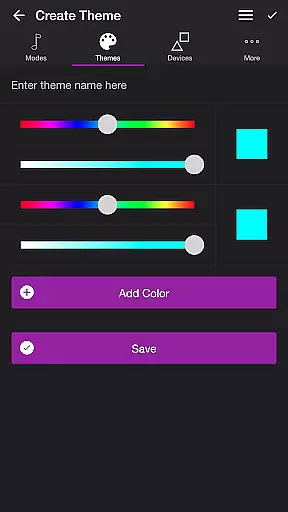
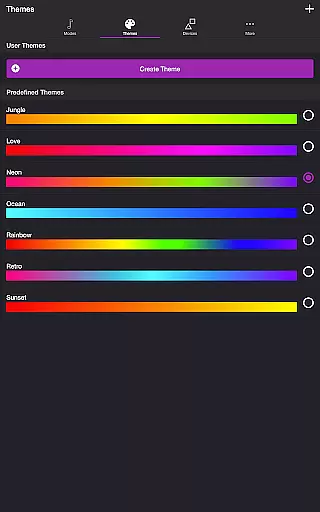
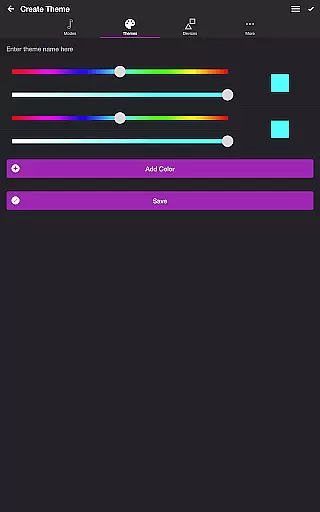
The app's flexibility is further enhanced by customizable themes, allowing users to select predefined color schemes or design their own. This feature ensures that the visual experience remains fresh and engaging, adapting to different moods and occasions.
With settings that enable fine-tuning of effects based on volume triggers, frequency detection, and transition styles, Soundstorm maintains an ever-evolving user experience. The ability to adjust parameters such as brightness, effect duration, and sequence order adds another layer of variety.
This continuous customization capability guarantees that each use feels unique, keeping the content fresh across different sessions and maintaining user interest over time.
Soundstorm for Nanoleaf excels in maintaining high user engagement through its interactive features and customizable options. The app's various modes, including Music Visualizer and Playlist, encourage extended usage by offering dynamic light effects that respond to music in real-time.
Retention is significantly boosted by the app's sophisticated settings menu, which allows users to personalize nearly every aspect of their experience. From adjusting volume triggers to selecting specific frequency ranges, these options create a sense of ownership and investment in the application.
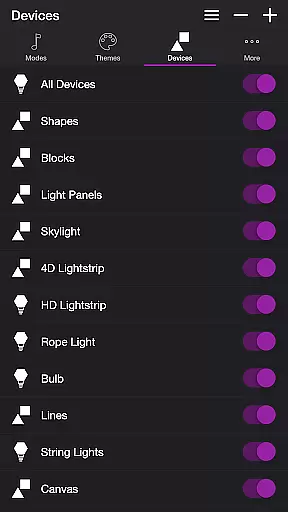
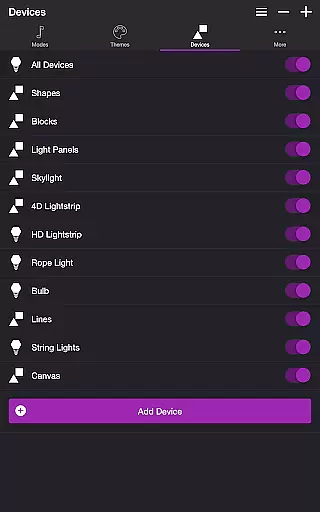
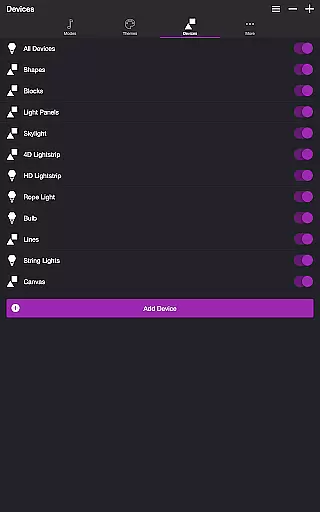
The device management system enhances engagement by enabling users to control multiple Nanoleaf devices simultaneously. This multi-device support, combined with features like Sleep Timer and automatic mode switching, promotes regular and prolonged use.
By providing both immediate visual feedback and long-term customization possibilities, Soundstorm effectively captures user attention while building lasting engagement through its comprehensive feature set.
User-friendly interface
Wide range of customization
Versatile mode options
Real-time music syncing
Supports multiple devices
Requires microphone access
Limited to Nanoleaf products
Premium features may cost extra
Complex setup for beginners
Occasional connectivity issues

Ultimate VR movie player for android mobile videos
 4.5
4.5
Tarot & Oracle Card Readings
4.50
EVP Recorder / Voice Recorder for ghost hunting, to communicate with ghosts.
4.3
Stream videos to VIDAA & VEWD TVs from Hisense, Sharp, Skyworth, Vestel & TiVo
3.00
NFL, NBA, NHL, MLB, local sports coverage, shows, movies & news!
3.20
The classic game of rock, paper, scissors
4.3
Official KennysGifs Stickers
4.20
Earn Real Rewards Playing Fun Mobile Games & Easy Cash Out - PayPal & Gift Cards
4.40
Watch TV shows, movies, and stream Live TV channels without a subscription!
3.80
Colorful flows will relax and calm you down, or get you trippy and creative!
4.90
5 funny and lovely ponies waiting for you to style them!
4.80
Find out if you're on Santa's Naughty or Nice List with this magical scanner!
4.60
Stream Online TV - Watch Live IPTV Playlist & Channel with Built-In Player
4.50
Come and watch short dramas, reels with diverse genres!
4.40
Himnario LLDM - Fast and Easy to read , updated Hymnal 2019 Edition Official
4.20
Create your Songs. Cover Maker with any Voice, Song Generator
3.30
Unofficial Game Companion App” “Guides • Builds • Tips • Progression
4.3
A wonderful collection of the most beautiful sounds of animals and birds
4.4
Christmas Globe: Transform your Wear OS device into a festive timekeeper!
4.5




User Reviews