
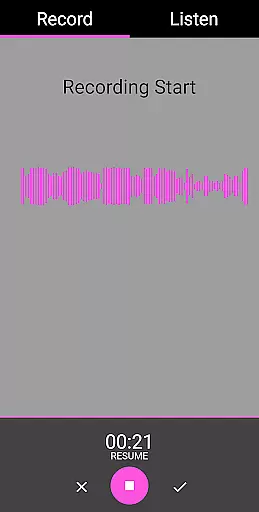
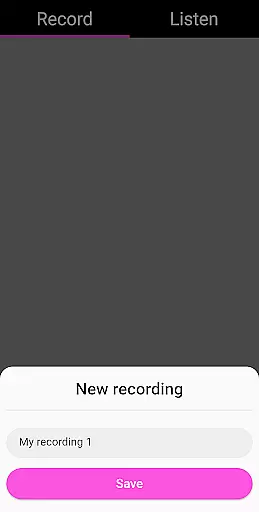
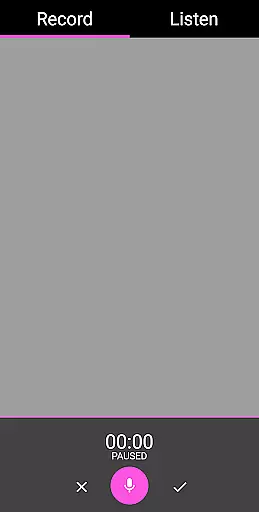
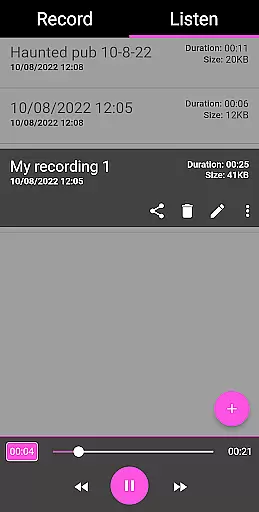
EVP Recorder is a specialized application designed for paranormal enthusiasts and ghost hunters. This app transforms your mobile device into a powerful tool for capturing Electronic Voice Phenomena (EVP), which are believed to be responses from spirits. With its user-friendly interface, the app allows users to record, save, and review audio sessions with ease.
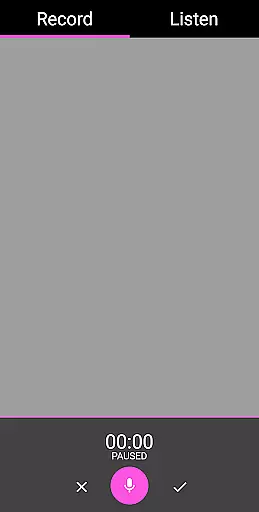
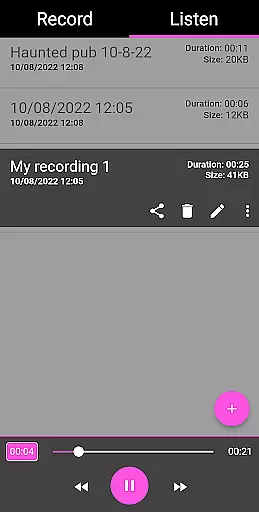
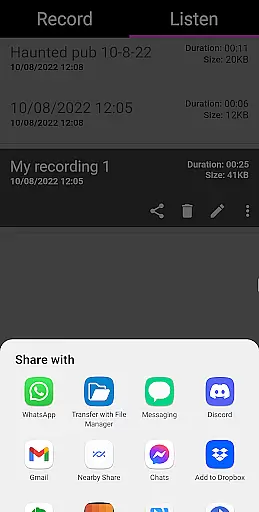
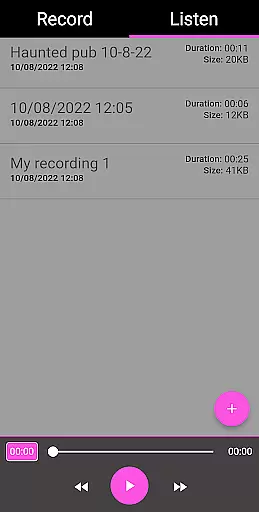
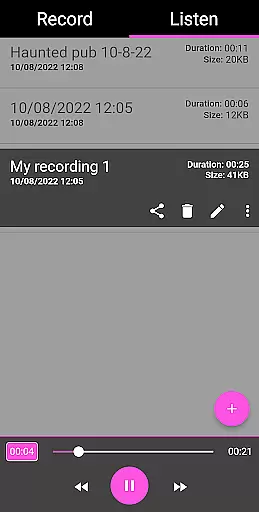
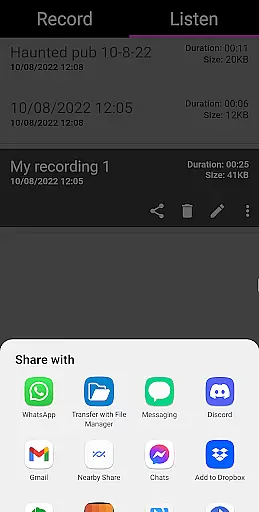
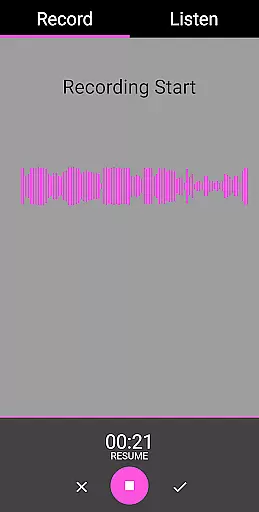
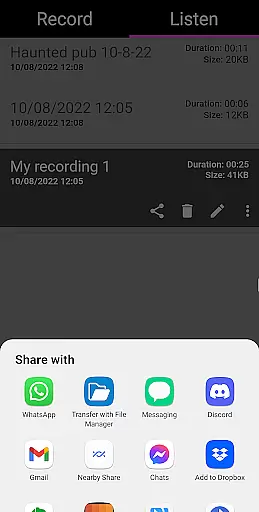
The app's key features include advanced recording capabilities, pause functionality during sessions, and an intuitive playback system. Users can also visualize audio data and manage their recordings by renaming, deleting, or loading existing files. The ability to share findings via social media platforms like Facebook and WhatsApp makes it convenient to collaborate with fellow investigators.
Whether you're conducting a professional paranormal investigation or simply exploring the supernatural as a hobby, EVP Recorder provides reliable performance. Its comprehensive feature set ensures that users can focus on their ghost hunting activities while maintaining high-quality documentation of their experiences.
EVP Recorder stands out in the entertainment category due to its specialized functionality tailored specifically for paranormal investigations. The app utilizes the device's built-in microphone to capture potential spirit communications, providing users with a dedicated tool for their ghost hunting endeavors.
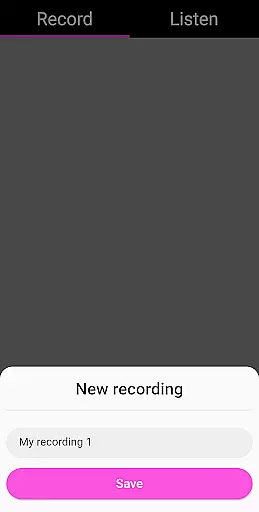
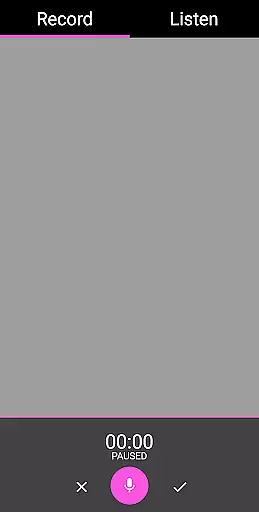
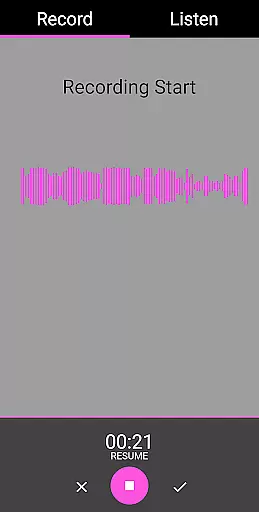
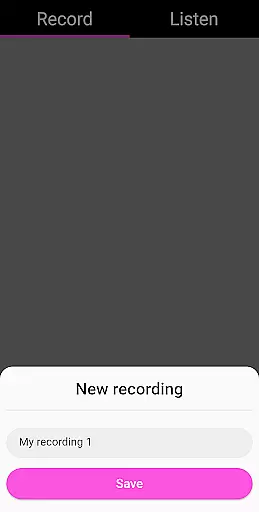
Among its notable features, the app offers robust recording options including pause functionality, which allows users to momentarily stop recording without losing previous captures. The visual representation of audio data helps users identify potential EVPs during playback. Additionally, the app supports file management operations such as renaming and deleting recordings, ensuring organized storage of collected evidence.
What sets EVP Recorder apart from other audio recording applications is its seamless integration of sharing capabilities. Users can easily distribute their findings across various platforms, facilitating collaboration and discussion within the paranormal community. The absence of advertisements and in-app purchases further enhances the user experience, making it an essential tool for serious ghost hunters.
In the realm of ghost hunting and paranormal exploration, content variety and freshness are crucial for maintaining user engagement. The EVP Recorder app offers a unique blend of features that cater specifically to enthusiasts in this niche. With capabilities such as EVP Recording, pause function during recording, and share options, it ensures users have a diverse set of tools at their disposal.
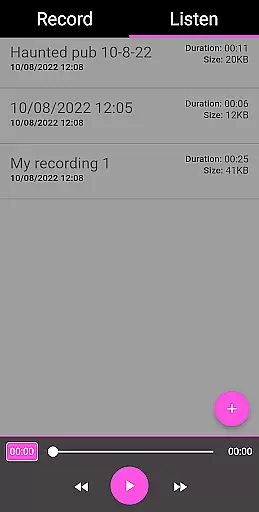
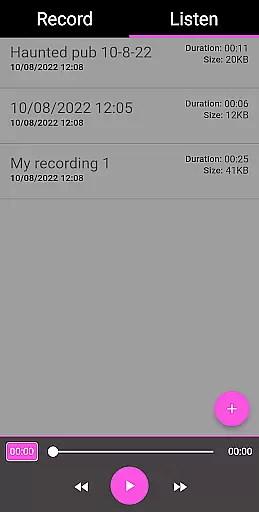
Moreover, the app allows for the import of existing recordings, providing an avenue for users to revisit and analyze past sessions. This feature not only enhances content variety but also encourages users to keep their explorations up-to-date and fresh. The ability to rename and manage records adds another layer of personalization and control over the content being created.
The incorporation of audio visualization further enriches the user experience by offering a visual representation of responses, making it easier to identify potential electronic voice phenomena. By coupling these features with regular free updates, the EVP Recorder app guarantees that its content remains current and engaging for both novice and seasoned ghost hunters alike.
User engagement duration and retention are pivotal metrics for apps in the Entertainment category, especially for specialized tools like the EVP Recorder. Designed for ghost hunting, this app captivates users by transforming their curiosity about the paranormal into an interactive experience. The straightforward interface, coupled with essential features such as real-time recording and playback, ensures that users remain engaged throughout their sessions.
Retention is further bolstered by the app's capacity to save and organize recordings efficiently. Users can easily access past sessions, delete unnecessary files, or even rename them for better clarity. Such functionalities not only streamline the process of managing recordings but also encourage users to return to the app repeatedly for their ghost hunting endeavors.
Additionally, sharing options via social media platforms like Facebook and WhatsApp extend the user experience beyond the app itself, promoting community interaction and discussion. By fostering a sense of belonging and shared discovery among paranormal enthusiasts, the EVP Recorder app successfully enhances user engagement duration and solidifies retention through continuous value delivery.
User-friendly interface
Advanced recording features
Comprehensive file management
Sharing capabilities
Ad-free experience
Limited to paranormal use
No real-time analysis
Requires quiet environment
Dependent on device microphone
Results may vary

Exclusive creator communities
 4.70
4.70
The OFFICIAL PeeWee Purpdrank Soundboard!
4.80
Music visualizer and party effects for your Nanoleaf devices
4.5
Direct access to the most complete Guitar Tab Archive in Spanish: LaCuerda.net
4.60
Colorful flows will relax and calm you down, or get you trippy and creative!
4.90
Come and watch short dramas, reels with diverse genres!
4.40
Companion app for Elden Ring to track quests, bosses, progress and more.
4.70
Your Avatar, Endless Fun
4.60
Everything FOX in one place. Watch FOX News, NFL, MLB, TV shows and more.
4.50
Catalog & tracker of your DVD, Blu-ray & Digital Movie and TV Collection Library
4.80
Classic dynamic pixel art from Mark Ferrari.
4.70
Stream Online TV - Watch Live IPTV Playlist & Channel with Built-In Player
4.50
* Multiple Matches * Intuitive UI * Scoring Made Easy!
4.40
Heroclix search units with multi filter , team builder, collection manager.
4.40
Realistic Baby Simulator App
4.00
Exclusive Short Drama Video! All in HD. Bringe trending reels & enjoy drama time
3.80
Real ghost box scanner with echo, reverb, EMF, & multi-stream channels.
3.80
Necrophone is spirit box ghost hunting app made for spirit communication.
3.70
Stream live TV shows, sports, news, movies & more - all without cable.
3.00




User Reviews