
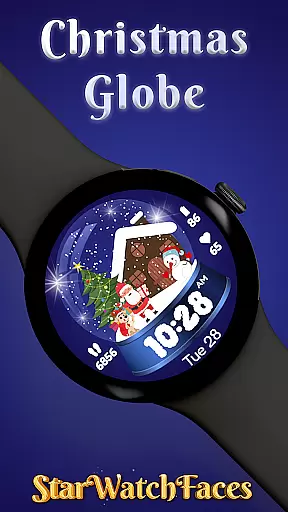
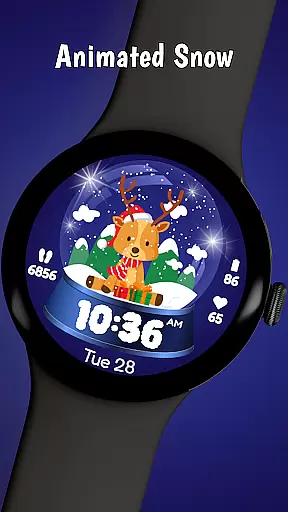
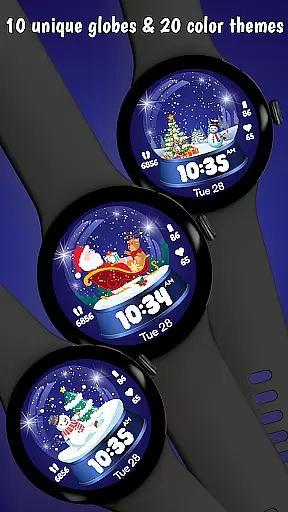
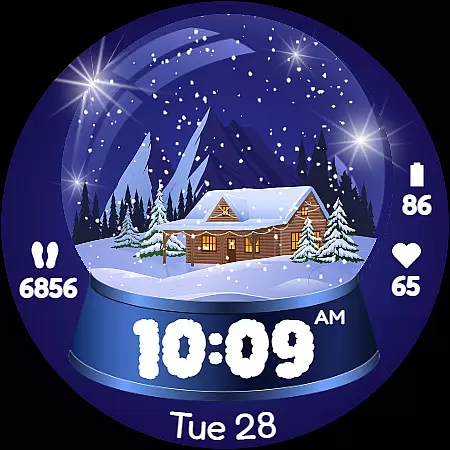
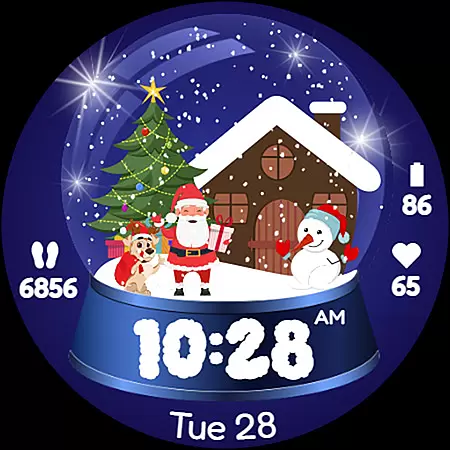
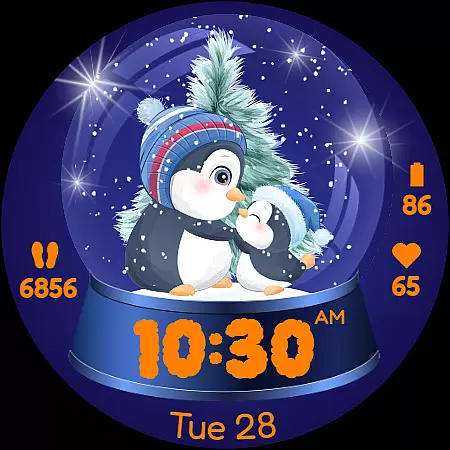
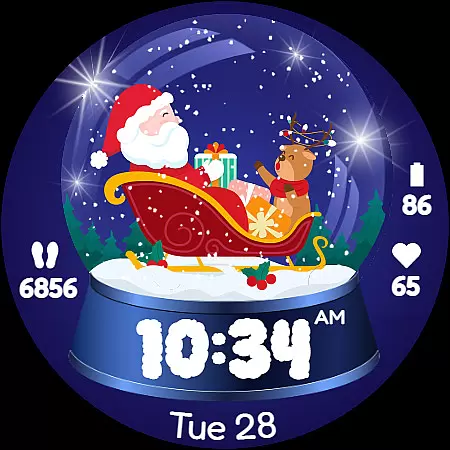
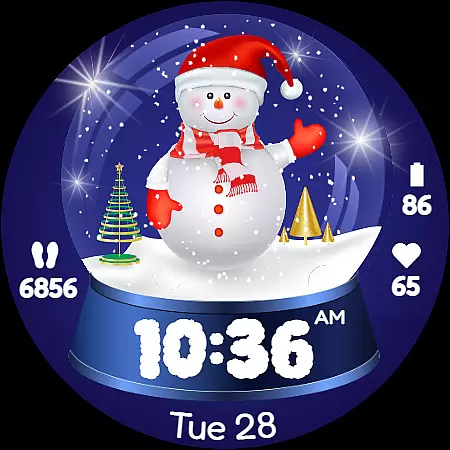
Christmas Globe is an innovative Wear OS watch face that transforms your smartwatch into a delightful winter wonderland. This unique application features a beautifully animated snow globe with 10 customizable festive backgrounds, ranging from Santa Claus to serene winter landscapes. Users can choose from 20 distinct color themes, allowing for personalization that matches their holiday spirit or daily attire.
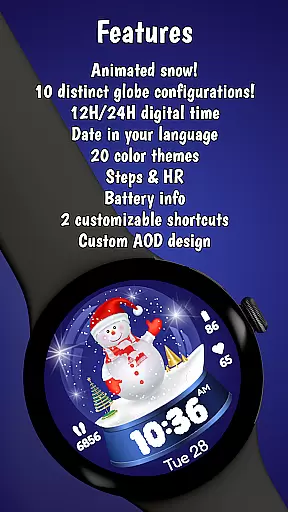
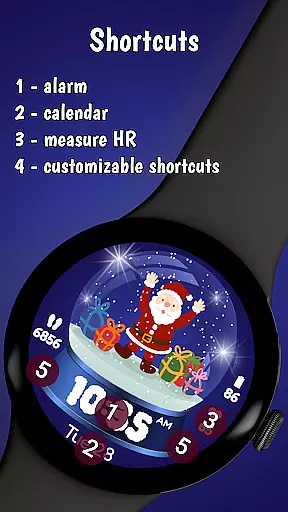
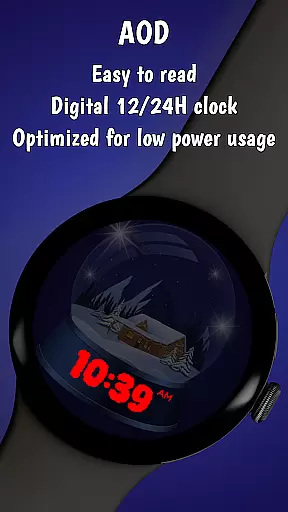
Beyond its charming aesthetics, the Christmas Globe offers practical functionality. It displays time in both 12 and 24-hour formats, includes an English date display, and features health tracking elements like a step counter and heart rate monitor. The watch face also conveniently shows your device's battery level, ensuring you stay connected throughout the holiday season.
This application is perfect for those who want to carry the magic of Christmas with them wherever they go. Whether you're wrapping presents at home or attending holiday parties, the Christmas Globe Watch Face adds a touch of whimsy while keeping you informed and active during the festive period.
The Christmas Globe Watch Face stands out with its rich feature set designed specifically for the holiday season. The app offers 10 unique festive backgrounds, each depicting classic Christmas motifs like Santa Claus, snowmen, and winter landscapes. These backgrounds allow users to customize their smartwatch experience according to their holiday mood.
In addition to background options, the watch face provides 20 different color themes. This extensive customization capability lets users match their watch face with their outfit or preferred holiday palette, whether it's traditional reds and greens or cool blues and silvers. The inclusion of both 12 and 24-hour time formats caters to global preferences, while the English date display helps users keep track of their busy holiday schedules.
What truly sets this watch face apart are its health and practical features. The built-in step counter encourages users to maintain their fitness routines during the indulgent holiday season, while the heart rate monitor helps track physical well-being. The battery level indicator ensures users are always aware of their device's status, making the Christmas Globe not just a festive accessory but a practical tool for everyday use.
The Christmas Globe Watch Face for Wear OS offers an impressive variety of content options that ensure a fresh and engaging user experience. With 10 unique festive backgrounds to choose from, users can personalize their watch face with delightful designs ranging from jolly Santa Claus to serene winter landscapes.
In addition to the diverse background choices, the watch face provides 20 distinct color themes. This extensive selection allows users to customize the appearance to match their personal style or daily outfit, offering both vibrant traditional Christmas colors and more subtle winter-inspired palettes.
Beyond its aesthetic features, the watch face maintains practical functionality with essential timekeeping elements. It supports both 12-hour and 24-hour time formats, catering to global preferences while displaying the current date in English for easy schedule tracking during the busy holiday season.
The combination of these varied content elements creates a dynamic and constantly refreshing user experience. Whether users want to match their watch face to their holiday mood or simply enjoy a new look each day, the Christmas Globe Watch Face delivers continuous variety through its thoughtful design features.
The Christmas Globe Watch Face excels in promoting extended user engagement and improving retention rates through its comprehensive feature set. By integrating essential health tracking tools such as a step counter and heart rate monitor, the application encourages users to maintain consistent interaction throughout the day.
These health-focused features particularly shine during the holiday season when maintaining fitness routines can be challenging. The visible step counter serves as a constant motivator for users to stay active, while the heart rate monitor helps them maintain awareness of their physical well-being during potentially indulgent holiday periods.
Additional practical features contribute to prolonged user retention by addressing everyday needs. The battery level indicator ensures users remain informed about their device's status, preventing unexpected power loss and maintaining continuous engagement with the watch face.
This combination of entertainment value through customizable festive designs and practical utility features creates a compelling reason for users to keep returning to the Christmas Globe Watch Face. The blend of holiday spirit with essential functionality naturally promotes longer usage sessions and sustained user interest beyond the holiday season.
Festive design
Customizable themes
Health tracking
Practical features
Holiday spirit
Limited year-round appeal
Wear OS only
Basic complications
No advanced features
Premium cost

Exclusive creator communities
 4.70
4.70
Stream Online TV - Watch Live IPTV Playlist & Channel with Built-In Player
4.50
Open-source, fast, simple and powerful IPTV app
4.90
Fire effects for your Philips Hue lights
4.20
Chat with AI characters! Anime, games, roleplay & more.
4.50
Companion app for Elden Ring to track quests, bosses, progress and more.
4.70
Connect. Discover. Control.
3.60
Earn big rewards like PayPal & Amazon gift cards by playing games you love!
4.30
Scary prank camera & on face app: Shoot videos, selfies with spiders & scorpions
4.60
SpiritWave is paranormal ITC application.
5.00
Premium version to enjoy your favorite anime
4.60
Series,Películas y Telenovelas
4.50
Music visualizer and party effects for Hue
3.90
Exclusive Short Drama Video! All in HD. Bringe trending reels & enjoy drama time
3.80
VR 360 Cinema Player is the ultimate VR player for playing videos on mobile
3.50
NFL, NBA, NHL, MLB, local sports coverage, shows, movies & news!
3.20
See the frequencies! Watch the magic!
4.4
Control your AWTRIX 3 easily
4.2
The classic game of rock, paper, scissors
4.4



User Reviews