
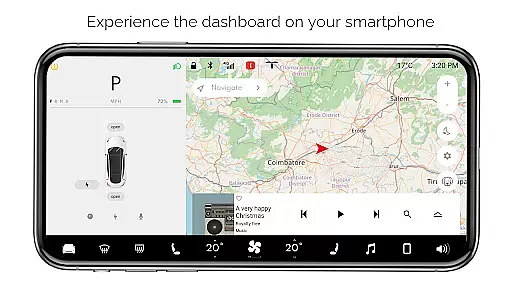
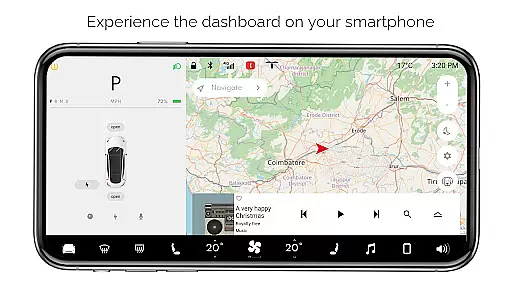
For Tesla is a premium simulator app that recreates the native dashboard experience of a Tesla vehicle on your smartphone. Designed exclusively for Tesla enthusiasts, it offers an interactive touchscreen interface that mirrors the car's system.
The app provides a comprehensive preview of Tesla's dashboard features without requiring an actual vehicle. Users can explore functionalities like interactive maps, temperature controls, battery monitoring, and various vehicle settings. It serves as an excellent tool for fans to familiarize themselves with Tesla's user interface and experience the innovative design philosophy behind Tesla's systems.
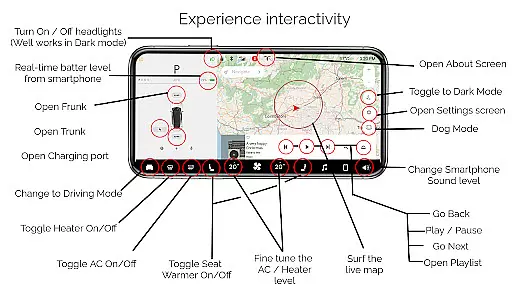
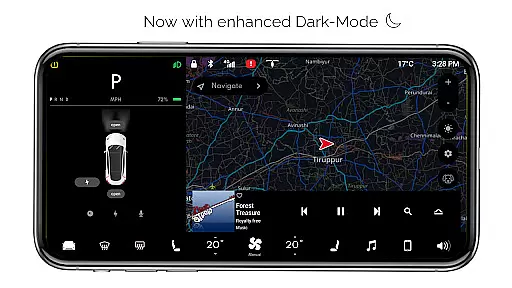
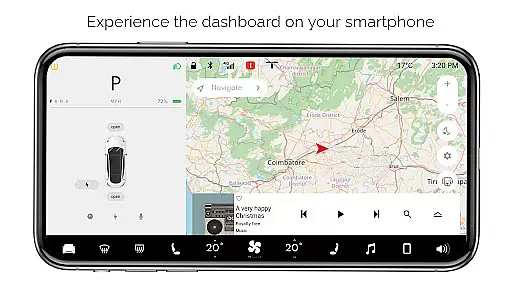
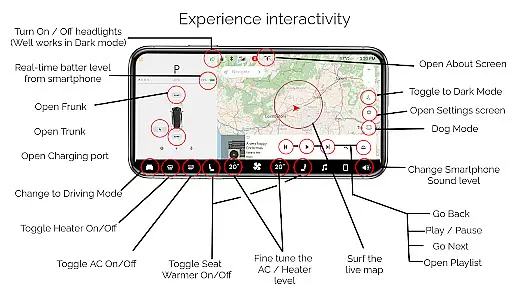
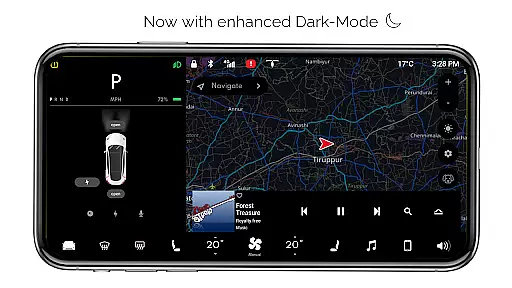
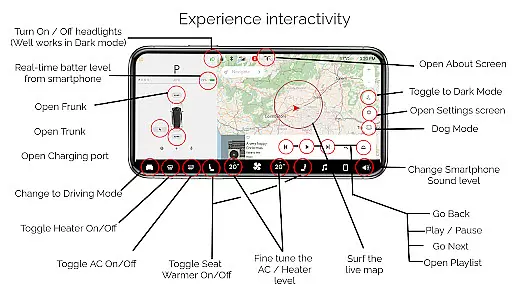
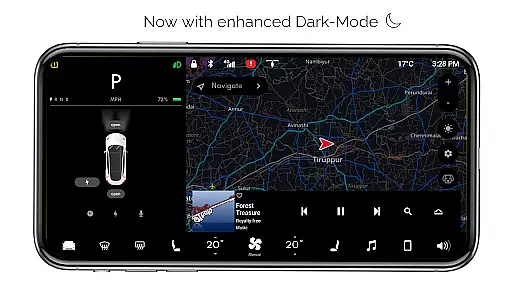
For Tesla boasts an impressive array of simulated features that mirror the actual Tesla dashboard. The app includes interactive maps for real-time location tracking, headlight controls that work seamlessly in dark mode, and precise temperature adjustment options.
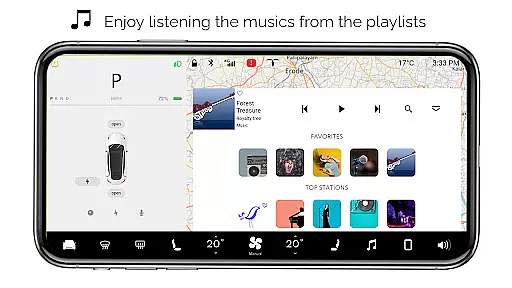
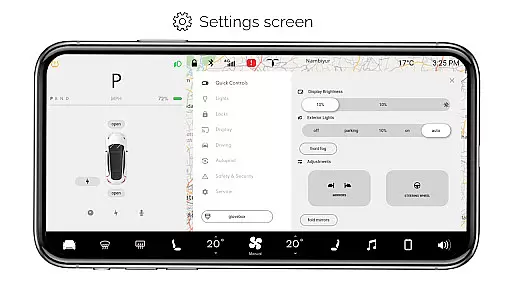
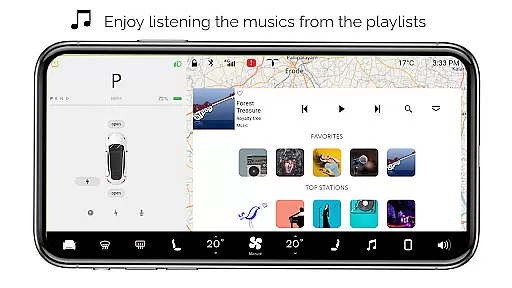
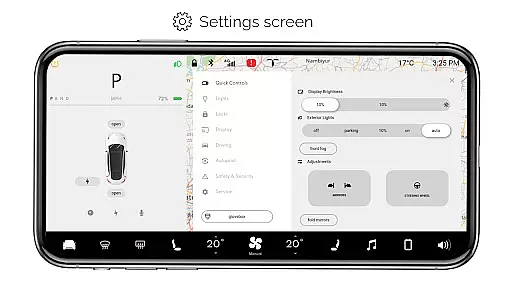
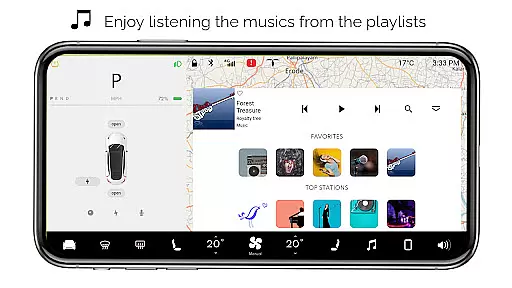
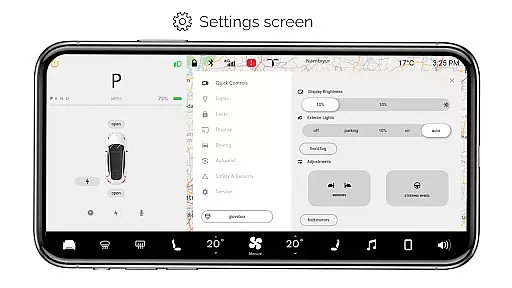
Users can monitor their smartphone's battery level as if it were a Tesla vehicle, open or close the trunk/frunk/charging port virtually, and access a driving mode that simulates the driving screen. Additional features include a comprehensive settings screen, dark mode, dog mode for pet comfort, an about screen for model information, and an interactive music player with playlists.
While all features are simulated and not compatible with actual Tesla vehicles, the app provides an authentic-looking experience. Some features remain inactive, but the core functionality offers valuable insights into Tesla's advanced vehicle systems.
In the realm of digital entertainment, content variety and freshness are paramount to maintaining user engagement. For Tesla app offers an extensive range of simulated features inspired by the Tesla system, ensuring users have access to a broad spectrum of interactive experiences without needing an actual car.
From interactive maps that track your live location to a music player complete with playlists, the app provides numerous ways to engage with content that mimics the native Tesla dashboard. This breadth of content ensures that users can explore different functionalities, keeping their experience dynamic and engaging.
The app is regularly updated to refine existing features and introduce new ones, although it's important to note that not all features are active currently. This commitment to updates means users can look forward to a continually evolving experience, offering fresh interactions and simulations over time.
User engagement duration and retention are critical metrics for apps in the entertainment category. For Tesla app captivates users by providing a realistic simulation of the Tesla dashboard on their smartphones, encouraging longer usage sessions. The level of detail and interactivity, such as fine-tuning the temperature or toggling headlights in dark mode, invites users to spend more time exploring what the app has to offer.
By simulating real-life scenarios through features like driving mode and dog mode, the app creates immersive experiences that can help retain users' interest over extended periods. These simulated environments allow users to imagine themselves interacting with a Tesla vehicle, enhancing emotional connections and increasing the likelihood of returning to the app.
Despite being fan-made and not connected to actual Tesla systems, the app's attention to detail and its ability to simulate complex interactions contribute significantly to sustaining user interest. As updates continue to enhance functionality, user retention is expected to remain strong, driven by the app's capacity to deliver an engaging, Tesla-inspired experience.
User-friendly interface
Comprehensive feature set
Realistic simulation
Interactive elements
Tesla fan inspiration
Limited real-world use
Some features inactive
No vehicle integration
Premium version only
Android exclusive

The JBL Portable app works with JBL portable Bluetooth speakers.
 4.60
4.60
Chat with AI characters! Anime, games, roleplay & more.
4.50
Stream live TV shows, sports, news, movies & more - all without cable.
3.00
Himnario LLDM - Fast and Easy to read , updated Hymnal 2019 Edition Official
4.20
Neon Christmas Tree Animated: Festive Wear OS watch face with fitness info
4.0
Premium version to enjoy your favorite anime
4.60
Official KennysGifs Stickers
4.20
Catch the latest episodes of The Voice or live stream NFL games with The NBC App
4.20
Stream, Watch, Chat. Live.
4.00
Colorful flows will relax and calm you down, or get you trippy and creative!
4.90
Catalog & tracker of your DVD, Blu-ray & Digital Movie and TV Collection Library
4.80
The Xbox app keeps you connected to your gaming community.
4.50
Realistic Baby Simulator App
4.00
Real ghost box scanner with echo, reverb, EMF, & multi-stream channels.
3.80
VR 360 Cinema Player is the ultimate VR player for playing videos on mobile
3.50
Air Horn - Siren Sounds Prank, Fun way to wake up your Friends and Family
4.1
EVP Recorder / Voice Recorder for ghost hunting, to communicate with ghosts.
4.3
Christmas Globe: Transform your Wear OS device into a festive timekeeper!
4.4
The classic game of rock, paper, scissors
4.5



User Reviews