
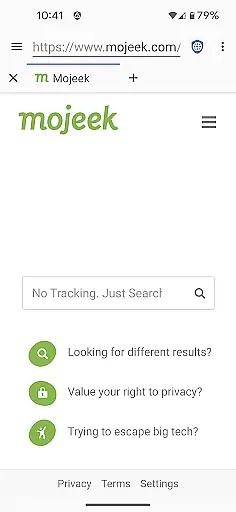
Privacy Browser is a communication app designed to prioritize user privacy by minimizing data collection. The app focuses on two core objectives: reducing data transmission to the internet and limiting data storage on the device. Unlike most browsers that expose users to tracking through technologies like JavaScript and cookies, Privacy Browser disables privacy-sensitive features by default. Users can enable these features temporarily or configure domain settings for automatic toggling. This approach ensures enhanced privacy protection while maintaining necessary functionality for specific websites.
The app currently uses Android's WebView but will transition to Privacy WebView in the 4.x series, enabling advanced privacy features. With its strong emphasis on privacy, this app is ideal for users who want to browse the web without compromising their personal information. By integrating tools like EasyList ad blocking and Tor Orbot proxy support, Privacy Browser offers a secure browsing experience across various platforms.
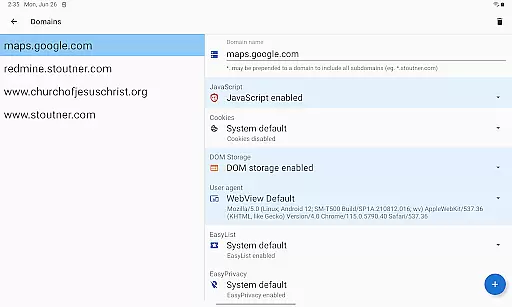
Privacy Browser stands out with its robust privacy-centric features tailored for secure communication. One of its key characteristics is the ability to disable privacy-sensitive features by default, allowing users to enable them only when necessary. This selective feature activation prevents websites from collecting unnecessary data, thus safeguarding user privacy. Additionally, the app supports domain settings, which automatically adjust privacy features based on the website being accessed.
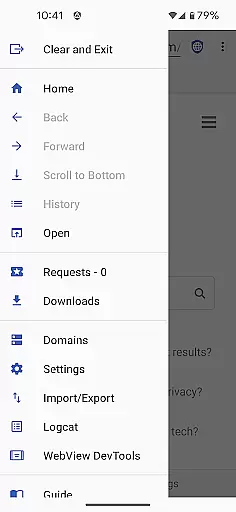
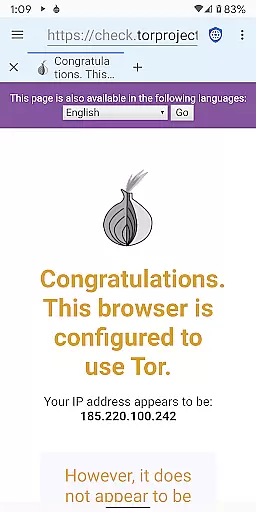
Another notable feature is the integration of advanced tools such as EasyList ad blocking, Tor Orbot proxy support, and SSL certificate pinning. These tools collectively enhance security by blocking ads, routing traffic through the Tor network, and ensuring safe connections. Furthermore, Privacy Browser allows users to import and export settings and bookmarks, providing flexibility and ease of use. With plans to adopt Privacy WebView in the future, the app aims to deliver even more sophisticated privacy protections, making it an essential tool for privacy-conscious individuals.
Privacy Browser excels in providing real-time messaging speed and reliability by focusing on minimizing data transmission while maintaining optimal performance. The app achieves this by disabling privacy-invasive features that often slow down communication processes.
By using Androidu2019s built-in WebView, the browser ensures fast rendering of web pages, which is crucial for instant messaging applications. This approach not only enhances speed but also boosts reliability as users are less likely to experience tracking-related slowdowns or interruptions.
Users benefit from seamless real-time interactions without compromising their privacy. With fewer resources allocated to invasive tracking technologies, messages are delivered faster and with greater consistency, ensuring a smooth communication experience.
Media sharing within Privacy Browser is designed to respect user privacy while ensuring broad compatibility with various file formats. The app supports essential media types, allowing users to share images, videos, and documents without unnecessary data exposure.
Privacy Browser incorporates SSL certificate pinning and Tor Orbot proxy support, securing media transfers against potential interception or unauthorized access. These features provide an additional layer of protection when sharing sensitive files over potentially insecure networks.
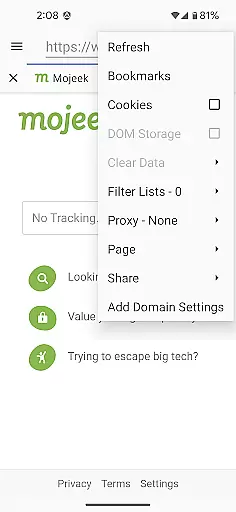
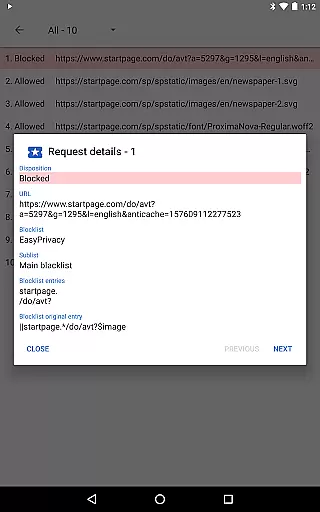
With integrated EasyList ad blocking and careful management of cookies and DOM storage, Privacy Browser minimizes unwanted tracking during media exchanges. Users can confidently share content knowing their activities aren't being monitored or logged by third parties, making it an ideal choice for privacy-conscious individuals who frequently exchange media files.
Enhanced privacy protection
EasyList ad blocking
Tor Orbot proxy support
SSL certificate pinning
Domain settings customization
Limited built-in features
Requires WebView updates
No default cookie support
Advanced setup needed
Future features pending

Save 10% automatically on your first international mobile top up.
 4.60
4.60
This app enables the phone to receive and send FT8 traffic!
3.80
Caller ID App! Add names & photos to unknown calls & Call Recording
4.40
2nd Phone Number Line for Anonymous Texting, Calling, and Picture Messages
4.30
An app dedicated solely to marriage, not dating, and supported by a rigorous verification mechanism to ensure seriousness.
4.2
Bringing the functionality of Winlink to your Android device
4.1
FolderSync enables easy sync of files between cloud storage and Android devices.
4.60
Stay in touch with the people who matter most.
4.60
Share the moment!
4.10
Read OBD2 data and DTCs Create custom dashboards Enhanced diagnostics available
4.70
Browse fast on Opera Mini, with Data Saving, News, Football Scores, and Download
4.60
Talk & text free with a second phone number plus unlimited 5G data, no fees.
4.50
Fast and mini browser with Ad Blocker,Video Downloader and Video Player
4.40
Phone Dialer with Caller ID, Address Book & Contacts Manager.
4.30
Enjoy secure messaging & calling. Safe Messenger: group chats, calls, messages.
4.20
Chill zone on your phone: relax with fun reels & hype shorts!
4.20
Manage and Fund Calling Accounts and Schedule and Join Video Sessions
3.60
Call & Text Anywhere With A Canadian Number.
3.60
Manage Phone Calls, call history, and contacts easily with Phone Pro.
4.0



User Reviews