
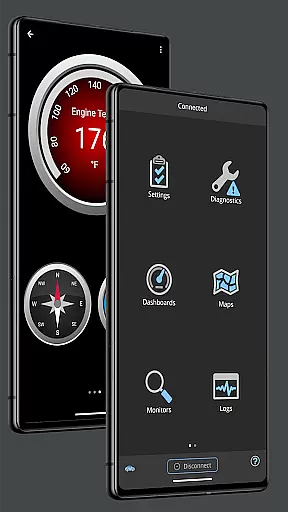
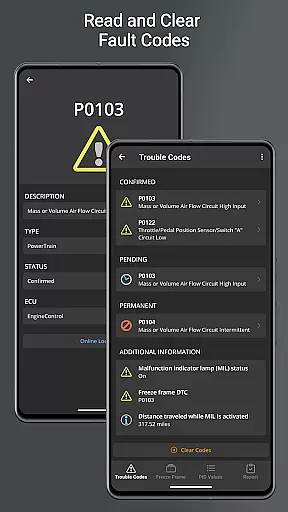
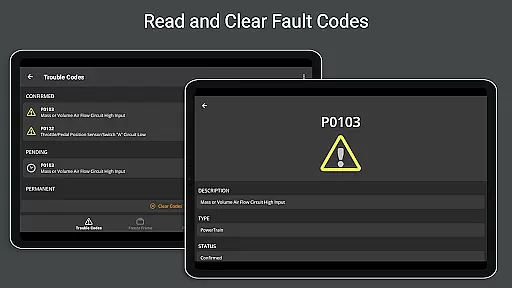
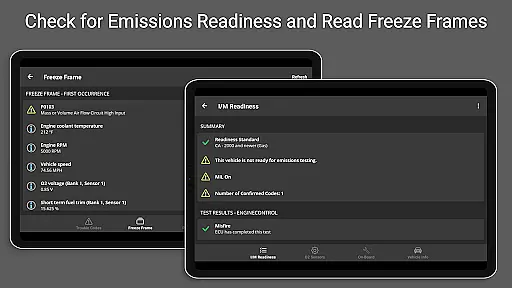
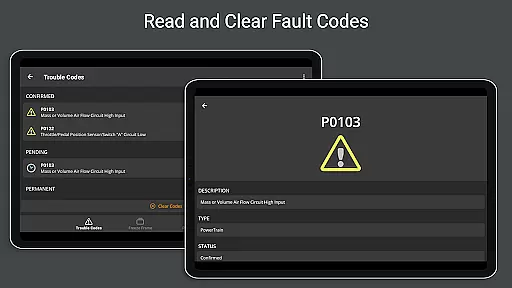
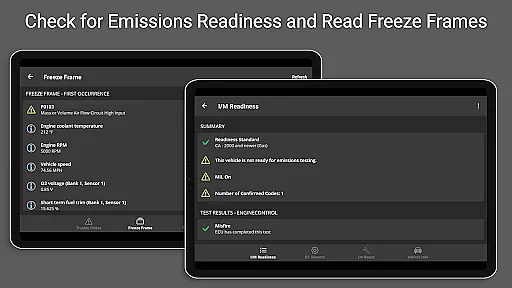
OBD Fusion is a comprehensive vehicle diagnostics tool designed for Android users, enabling direct access to OBD2 vehicle data. This app stands out by offering professional-grade features to car mechanics, DIY enthusiasts, and everyday drivers alike. With capabilities ranging from reading diagnostic trouble codes to monitoring real-time vehicle sensor data, it transforms your smartphone or tablet into an advanced automotive scanner.
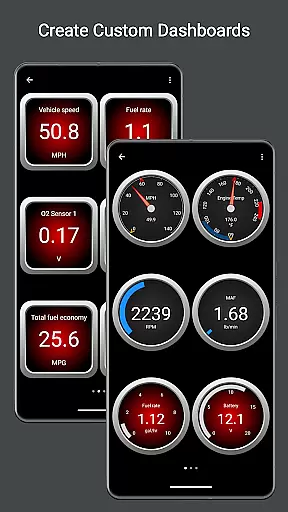
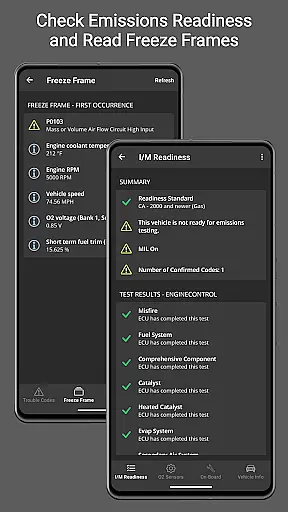
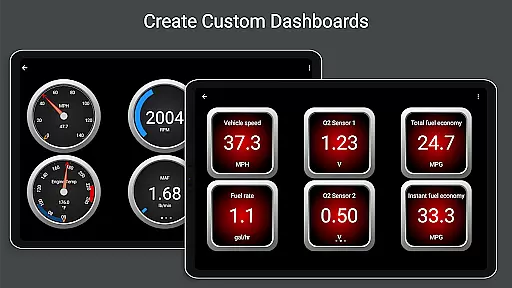
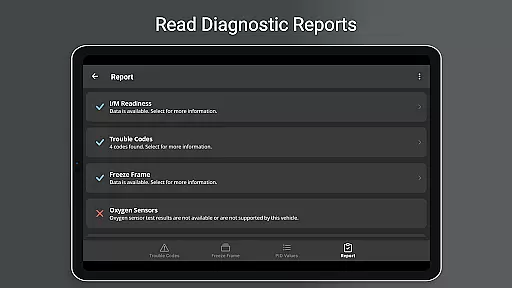
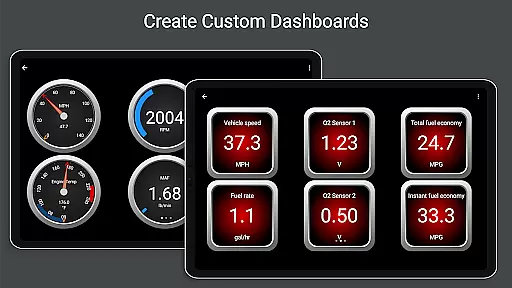
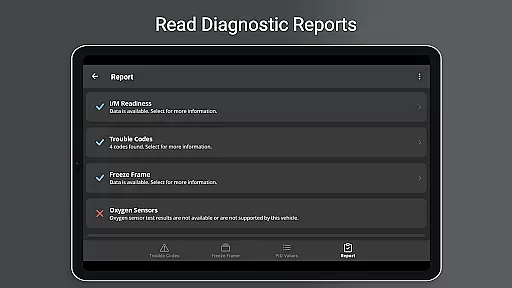
The application provides customizable dashboards, fuel economy estimations, and detailed diagnostic reports. Whether you're looking to clear your check engine light, track fuel usage, or create visually appealing gauge displays, OBD Fusion delivers the tools necessary for effective vehicle monitoring. Its compatibility with various connection types including Bluetooth, USB, and Wi-Fi adapters ensures broad device support, making it an essential utility for maintaining vehicle health and performance.
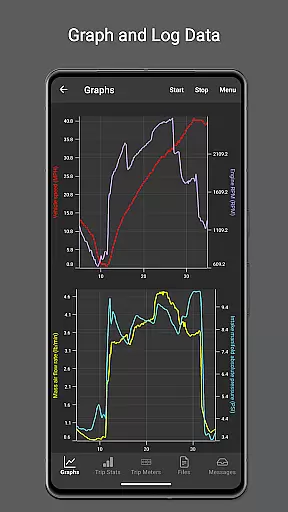
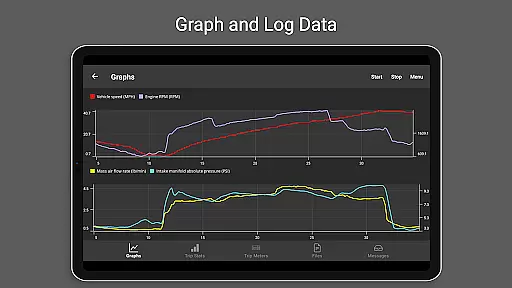
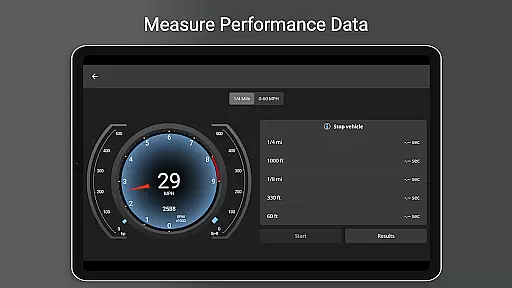
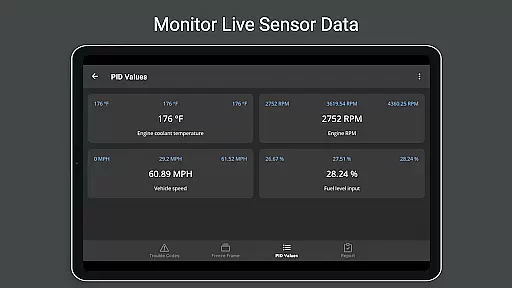
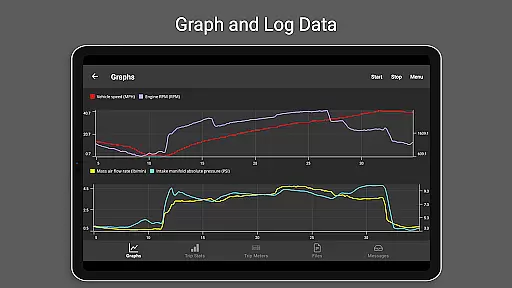
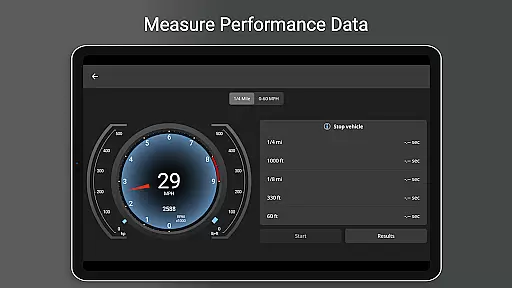
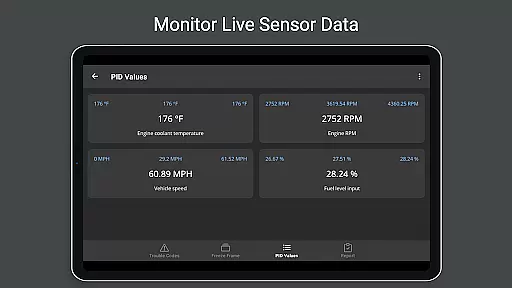
OBD Fusion distinguishes itself through its extensive feature set tailored for both casual users and automotive professionals. The app supports over 150 standard and enhanced parameter IDs (PIDs), allowing users to monitor everything from engine torque to air-to-fuel ratios. One of its standout features is the real-time graphing capability, which visualizes vehicle sensor data instantly, aiding in quick diagnostics and performance tracking.
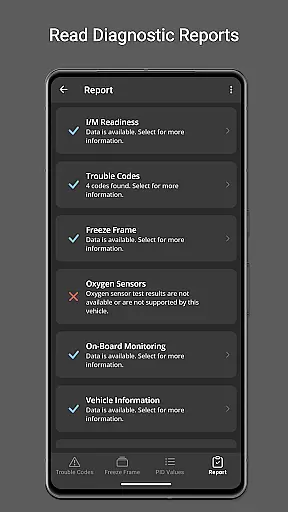
Another key aspect is its adaptability to different user needs. Users can customize their dashboard views, log trip data across multiple metrics, and even generate full diagnostic reports that can be shared via email. Additionally, OBD Fusion's support for Android Auto (excluding dashboard gauges) and its multilingual interface broaden its accessibility. These robust functionalities not only enhance user experience but also establish OBD Fusion as a versatile tool in vehicle maintenance and optimization.
Real-time messaging speed and reliability are crucial for effective vehicle diagnostics. OBD Fusion excels in this area by providing instantaneous data transmission between the vehicle's OBD-II system and the user's Android device.
The app supports multiple connection methods including Bluetooth, Bluetooth LE, USB, and Wi-Fi, ensuring that users can select the most reliable option available for their specific setup. This flexibility enhances the overall messaging reliability, as it adapts to various hardware capabilities.
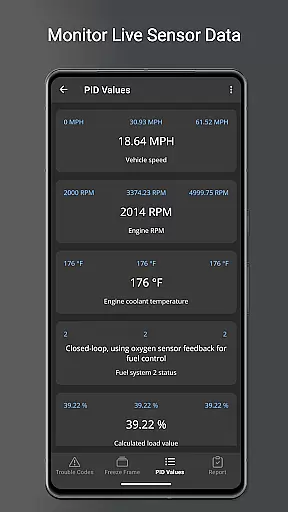
Furthermore, OBD Fusion offers real-time dashboard displays and graphing of vehicle sensors, which means that users receive live updates on their vehicle's performance metrics. This immediacy allows for quick decision-making and response, particularly useful when monitoring critical systems like engine torque or turbo boost pressure.
By maintaining a steady flow of information and minimizing latency, OBD Fusion ensures that mechanics and car enthusiasts can trust the data they receive, leading to more accurate diagnostics and timely interventions when issues arise.
Media sharing support in OBD Fusion encompasses the ability to log, export, and share diagnostic data, enhancing collaborative work and record-keeping. The app allows users to log data in CSV format, which can then be exported and viewed in any spreadsheet application.
This feature is particularly beneficial for professional mechanics who need to maintain detailed service records or for do-it-yourselfers who want to track changes in their vehicle's performance over time. By exporting data, users can create comprehensive reports that include fuel economy, sensor readings, and diagnostic trouble codes.
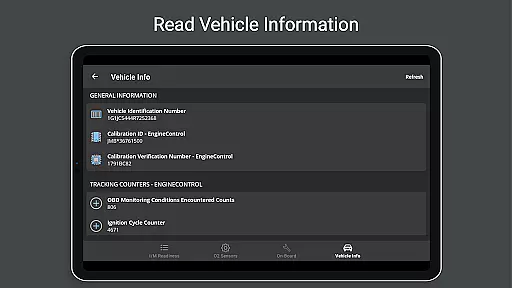
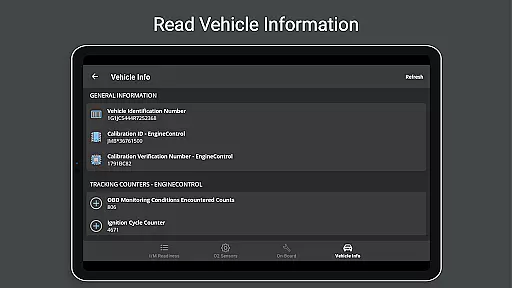
OBD Fusion also supports the creation of full diagnostic reports that can be stored locally or emailed directly from the app. This functionality streamlines the process of sharing important vehicle information with colleagues, clients, or insurance companies.
Additionally, the app's customizable dashboards and trip meters enable users to tailor the data presentation to their specific needs, making it easier to communicate findings and insights with others involved in the vehicle maintenance process.
User-friendly interface
Extensive PID support
Real-time data visualization
Customizable dashboard options
Professional diagnostic capabilities
Requires compatible scan tool
Clone adapters may underperform
Android Auto has limited features
Some functions need specific hardware
Premium features might require payment

Call Forwarding is easy and simple application to use.
 3.80
3.80
Pure modern IRC experience for Android
3.70
A web browser that respects your privacy.
4.30
Messages: Fast, simple SMS app with scheduling and smart features.
4.00
Manage BoostMobile Account
4.60
Caller ID App! Add names & photos to unknown calls & Call Recording
4.40
HD Video Meeting app is a fast & unlimited video conferencing app across world.
4.30
A softphone with crystal clear SIP Calling & Reliable VoIP dialer
4.00
BE PRIVATE
Anonymous. No Trace. Fast.
4.20
A browser that does more than load page, like keeping your privacy safe.
4.70
Messenger, an MMS & SMS messages app with Blockers, Driving mode & Private box
4.60
Fast and mini browser with Ad Blocker,Video Downloader and Video Player
4.40
Simplify texting with Messages SMS, offline messaging, themes & smart tools!
4.30
BiP is a fast, secure, free messaging and HD video calling app!
4.10
Share the moment!
4.10
Threema is the messenger with the most consistent focus on security and privacy.
4.00 3.90
3.90
Comprehensive and powerful scan tool app with enhanced functions
3.00
Chat on the Jabber network (XMPP protocol); support for SMS and other gateways
2.10



User Reviews