
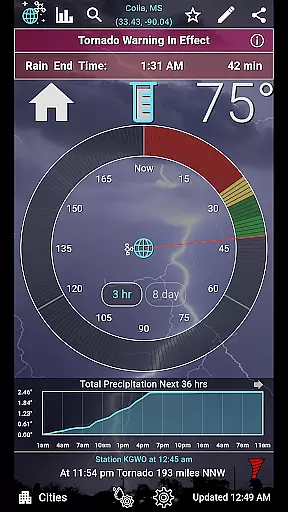
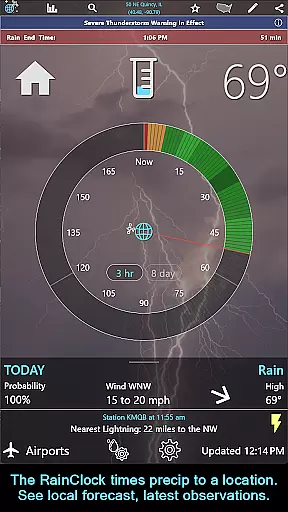
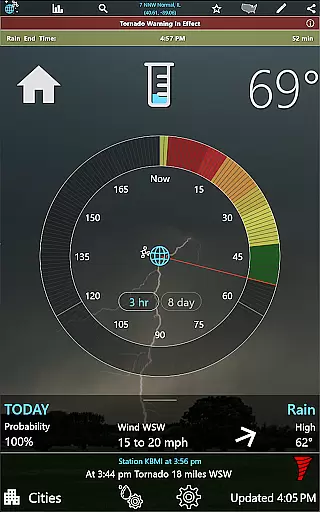
RainAware is a comprehensive weather application that provides users with detailed and localized weather information. The app's core feature is its Rain Clock, which predicts precipitation up to three hours in advance, giving users precise timings for when rain will start and stop at their location. This functionality is complemented by interactive graphs displaying temperature, wind speed, cloud cover, and precipitation type over the next 36 hours.
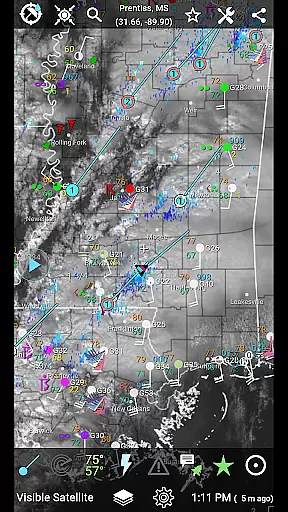
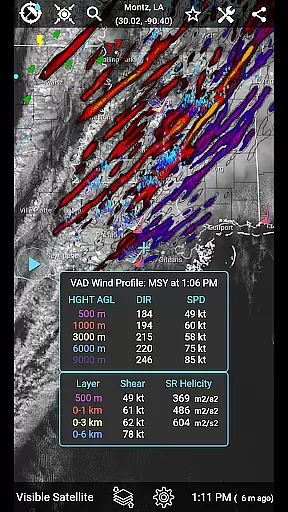
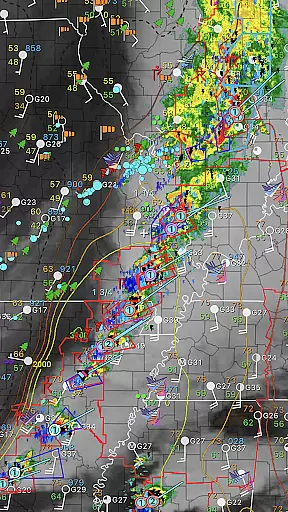
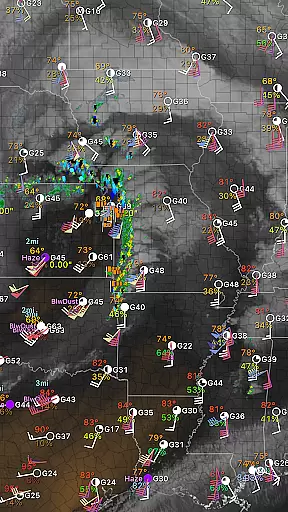
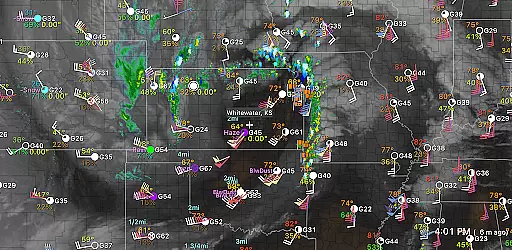
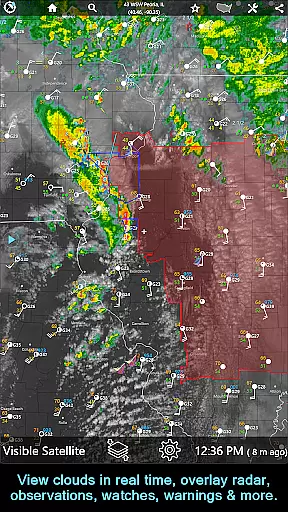
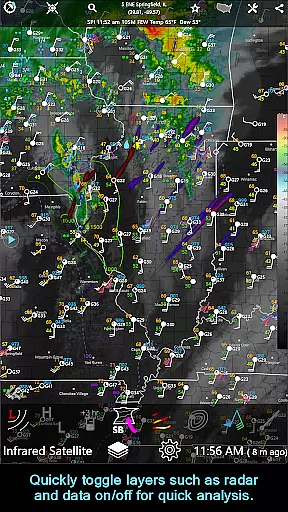
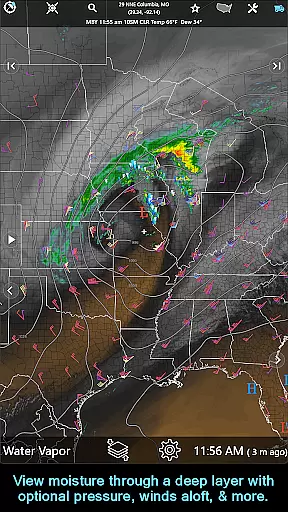
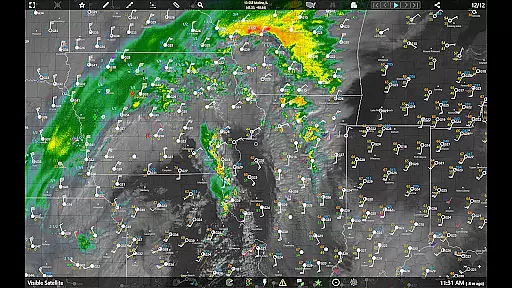
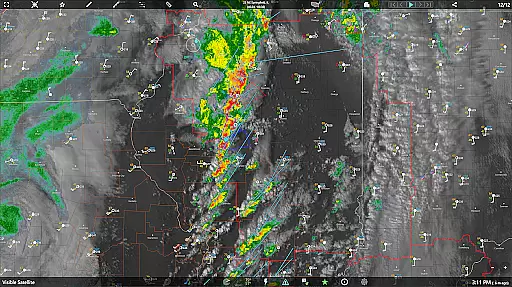
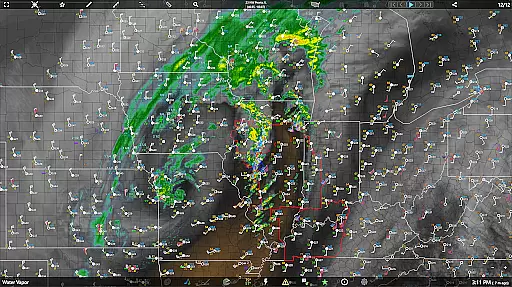
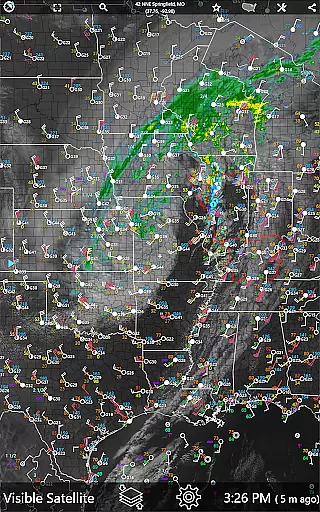
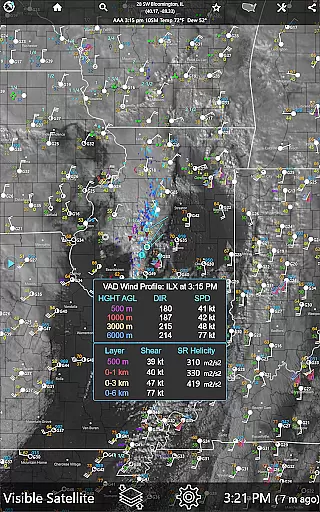
One of the standout features of RainAware is its advanced notification system. Users can receive alerts for incoming rain, severe weather threats, and significant meteorological changes. These notifications are highly customizable, allowing users to define the duration and proximity of precipitation that triggers an alert. Additionally, the app offers a rich set of visualization tools including satellite imagery, radar maps, and surface observation plots, making it invaluable for both casual users and weather enthusiasts.
The application is particularly useful for outdoor event planning, travel, and daily commutes. With its detailed forecasts and real-time updates, RainAware ensures users are always prepared for changing weather conditions. Whether you need to know if rain will disrupt your afternoon or want detailed analysis of storm systems, this app delivers critical information in an accessible format.
RainAware stands out due to its extensive feature set tailored for detailed weather analysis. One of its primary features is the Rain Clock, which provides users with accurate predictions of precipitation timing. This tool is essential for planning outdoor activities and managing daily schedules around the weather. The clock's background images dynamically change to reflect current weather conditions, offering an intuitive visual cue.
In addition to the Rain Clock, RainAware offers interactive graphs and weather badges. These tools provide users with visual data readouts for various meteorological parameters such as temperature, wind speed, and cloud cover. Weather badges appear only during significant weather changes, ensuring users are promptly informed of important updates. The app also includes a Current Conditions Ticker that cycles through nearby weather observations, lightning reports, and storm alerts, enhancing situational awareness.
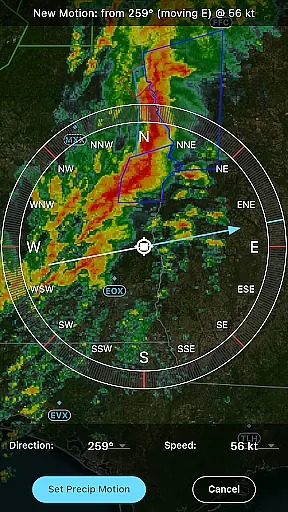
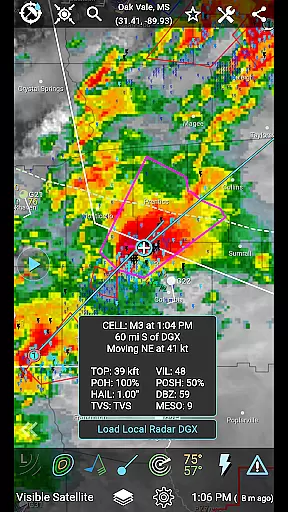
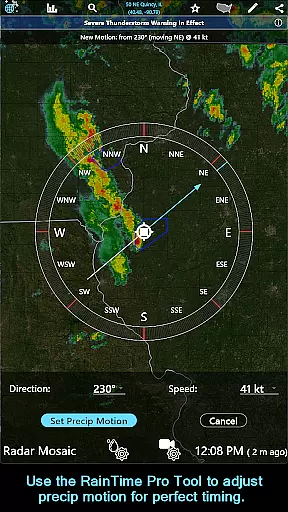
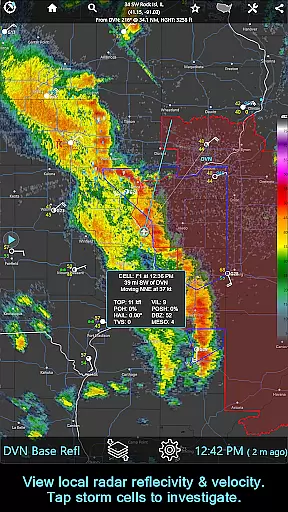
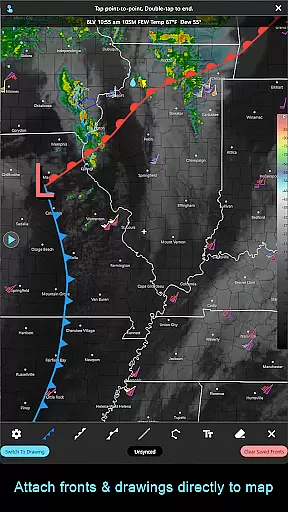
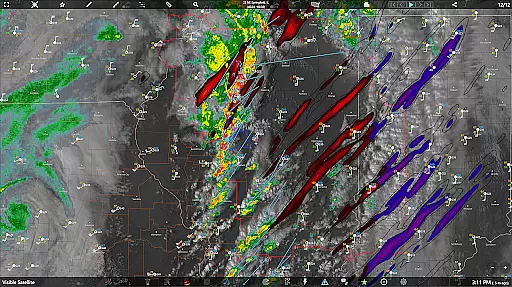
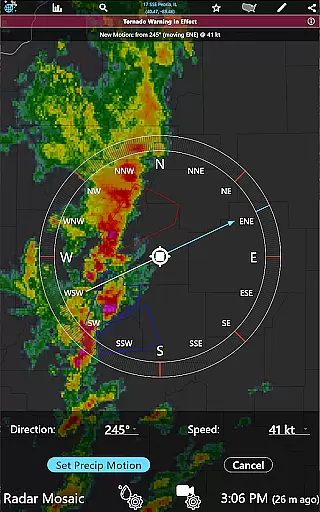
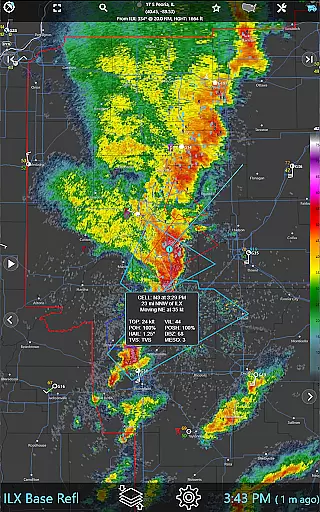
For those requiring more in-depth analysis, RainAware's subscription version unlocks advanced functionalities. These include the RainPro Tool for refining precipitation motion, National Radar Products like Echo Tops and Hail Swaths, and Storm Cell tracking with filtering options. Subscribers also gain access to enhanced drawing tools, longer animation loops, and aviation mode features. Each feature is designed to offer unparalleled detail and customization, catering to professional meteorologists and avid weather watchers alike.
Forecast accuracy and data credibility are crucial for any weather application, and RainAware excels in these areas. The app provides precise rain timing to your location up to three hours in advance, ensuring users can plan their activities accordingly. This forecasting precision is achieved through advanced meteorological algorithms that analyze multiple data sources.
The app's interactive graphs offer detailed visualizations of temperature, wind speed, cloud cover, and precipitation types over the next 36 hours. These graphs not only enhance user understanding but also reinforce the credibility of the forecast data. Users can trust that the information presented is both accurate and actionable.
RainAware goes beyond basic forecasting by offering weather badges that appear when significant or rapid changes in precipitation, temperature, or wind are expected. This feature ensures users are aware of potentially impactful weather events. Additionally, the inclusion of current conditions ticker with real-time updates from nearby observation points further solidifies the app's commitment to data accuracy.
Understanding the temporal and spatial forecast range is essential for effective weather planning. RainAware offers an extensive coverage area that spans from the USA into southern Canada, with satellite and local radar extending from Hawaii to the Caribbean. This wide-reaching spatial coverage ensures users across diverse geographical locations receive relevant weather information.
The app's regional domain view allows users to explore weather maps far beyond their immediate surroundings. By enabling map movement to new locations, RainAware empowers users to check weather conditions in other areas of interest. This flexibility in spatial analysis is particularly beneficial for travelers or those monitoring weather in different regions.
In terms of temporal range, RainAware provides forecasts extending up to 8 days in a concise Today/Tonight format. This includes critical information such as sunrise, sunset, and moon phase details. For more detailed analysis, the subscription version offers extended looping capabilities, animating up to 36 frames and 12 hours ahead on capable devices. Such comprehensive temporal coverage ensures users can plan both short-term and long-term activities with confidence.
Accurate rain prediction
Customizable alerts
Interactive weather graphs
Advanced radar imagery
Comprehensive subscription features
Subscription cost may be high
Complex for casual users
Limited free version features
Regional focus on USA
High data usage

An unofficial app version of the National Weather Service (Weather.gov)
 3.90
3.90
Accurate Thermometer: indoor & outdoor temperature, humidity, pressure, and wind
4.50
Weather - Local weather forecast, weather daily & hourly, weather radar
4.80
Instant weather updates, easy to check anytime on your home screen.
3.50
My Tide Times Pro is the only tide tables and forecasts application you'll need.
4.80
The reliable and trusted global air quality, wildfire, pollen, PM2.5 forecast
4.70
72-hour weather & daily forecasts with extreme weather alerts
4.60
Accurate Weather App: various widgets, real-time storm radar, hurricane tracker.
4.50
Live NOAA weather app to track storm, rain, wind, lightning & real local updates
4.20
Accurate weather forecast, daily weather changes are easy to grasp
4.90
The moon phases app for tracking the lunar calendar, blue moon and full moon.
4.80
Live local weather updates: various widgets & radar maps & hourly forecast.
4.70
Thermometer shows indoor and outdoor temperature
4.70
Your ultimate app for accurate local weather information!
4.60
Powerful US and worldwide earthquake feed with earthquake alerts and maps.
4.60
Room Temperature Thermometer meter shows indoor, outdoor temperature, humidity.
4.40
Precision Weather, Right at Your Fingertips
4.40
The Weather Network TV App - Your weather when it really matters
2.90
Retro TV-style digital watch face with weather, heart rate, steps & events!
4.3




User Reviews