
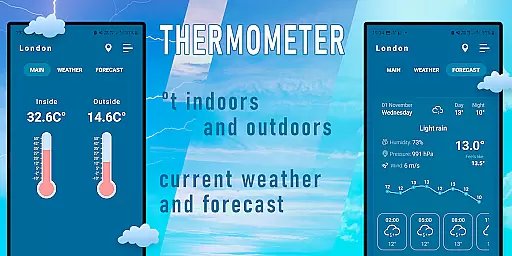
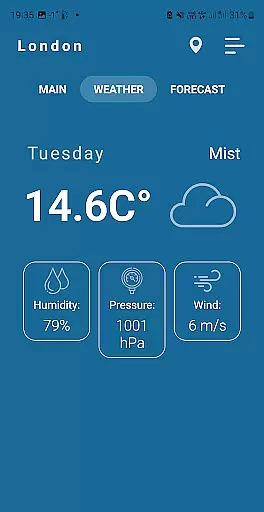
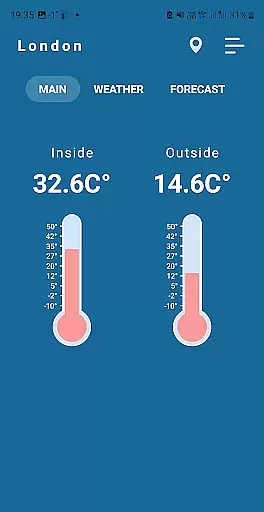
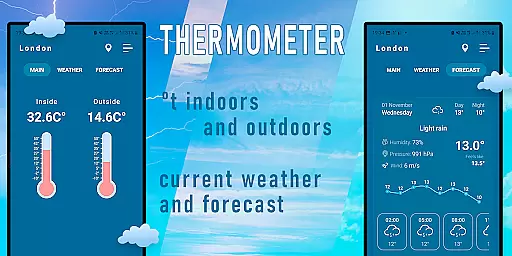
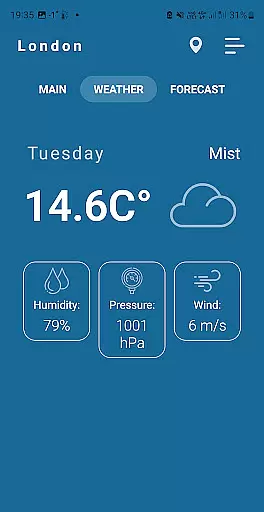
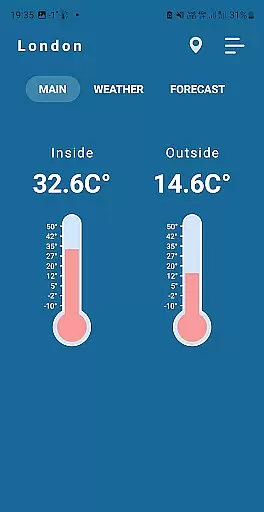
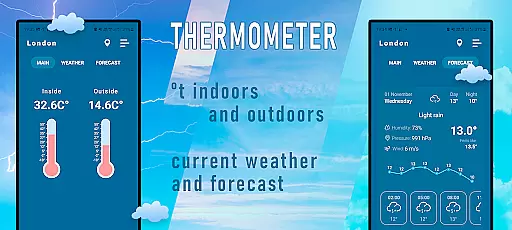
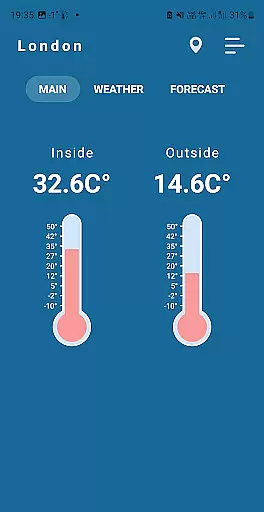
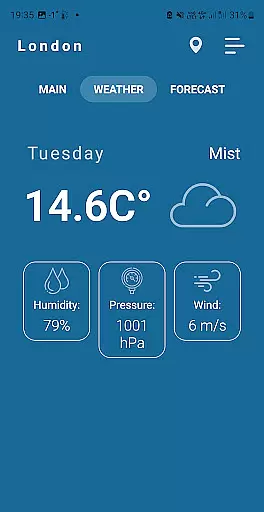
Indoor Thermometer is a specialized weather application that provides both indoor and outdoor temperature readings. The app utilizes the phone's built-in temperature sensor to display the current room temperature where the device is located. Additionally, it gathers weather data from nearby weather stations to show outdoor conditions based on the user's location.
To ensure accurate measurements, users are advised to leave their phones idle for 5-10 minutes. This prevents the device's battery heat from affecting the temperature reading. The app requires network connections and location services to function properly, making it a reliable tool for monitoring environmental conditions both inside and outside your home.
The Indoor Thermometer app offers several notable features that enhance its functionality. First, it uses the phone's internal temperature sensor to provide real-time indoor temperature readings. This feature is particularly useful for maintaining optimal living conditions. Second, the app aggregates data from local weather stations to deliver precise outdoor temperature information tailored to the user's location.
Another key aspect is the app's reliance on network connectivity and location services, which ensures up-to-date weather data. Users should note that for best results, they need to leave their phone unused for a short period. This approach helps avoid inaccurate readings caused by device heat. Overall, these features make the app a comprehensive solution for both indoor climate monitoring and outdoor weather tracking.
Forecast accuracy and data credibility are crucial for weather applications like Indoor Thermometer. This app provides precise temperature readings both indoors and outdoors based on your location.
The application gathers data from nearby weather stations to ensure the most accurate weather information is displayed on your phone screen. By using reliable sources, it maintains high data credibility which users can depend on for their daily planning.
To achieve accurate results, the app requires users to enable network connections and location services. This ensures that the data provided is relevant to the user's current environment, enhancing the overall forecast accuracy.
For best results, it is recommended to leave the phone idle for 5-10 minutes. This helps in obtaining the correct room temperature as active usage can cause the battery to heat up, affecting the temperature reading.
Temporal and spatial forecast range refers to the application's ability to provide weather data across different times and locations. Indoor Thermometer excels in this aspect by offering real-time temperature updates based on your current location.
By leveraging data from nearby weather stations, the app ensures that users receive timely and geographically relevant weather information. This spatial coverage allows for a comprehensive understanding of the environmental conditions around you.
The temporal aspect is equally important, as the app continuously updates its data to reflect the most recent weather changes. This ensures that users have access to the latest information, which is crucial for making informed decisions.
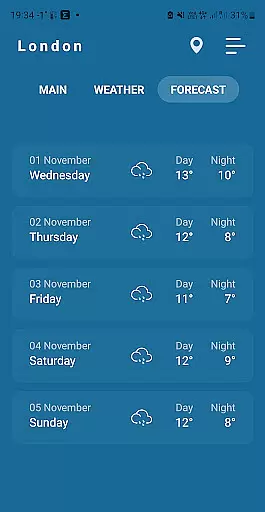
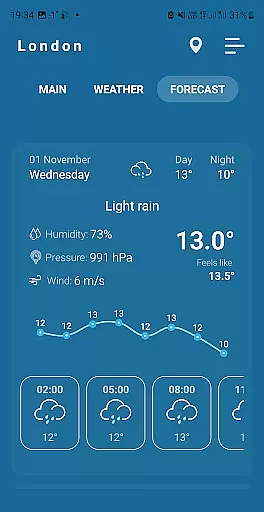
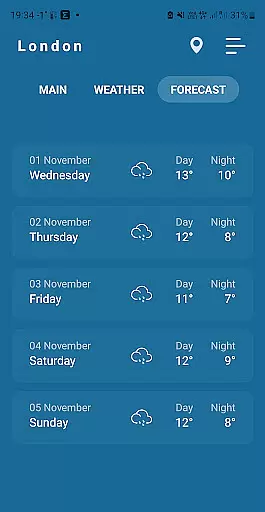
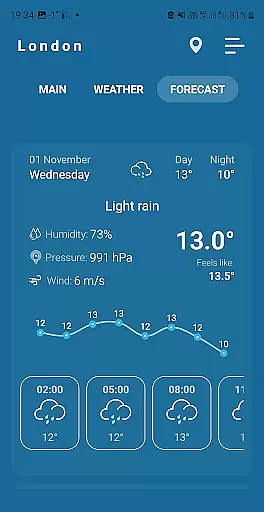
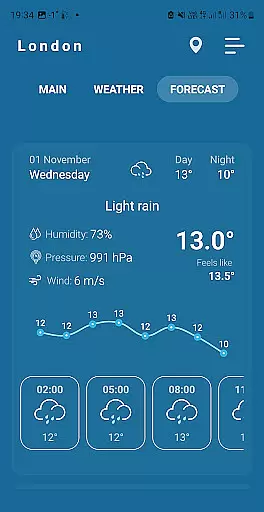
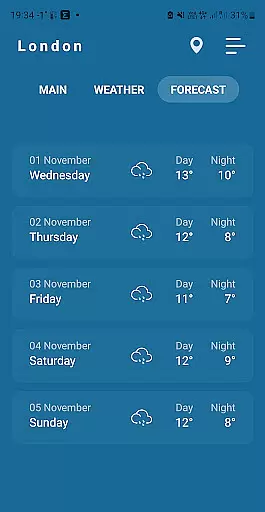
In addition to current temperatures, the app also provides insights into how the weather might change over time. This feature is particularly useful for planning activities and ensuring comfort in varying weather conditions.
Accurate temperature readings
Real-time weather updates
User-friendly interface
Utilizes phone sensors effectively
Provides both indoor and outdoor data
Requires phone to be idle
Dependent on network connection
Battery consumption may increase
Location services must be enabled
Sensor accuracy may vary

Accurate weather forecast and beautiful weather & clock widgets
 4.20
4.20
Moon phase calendar with live wallpaper, lunar widget, & 3D simulation.
3.60
Weather for Indiana, Kentucky and Ohio
4.90
Ultimate Lunar Calendar for 2021!
4.80
View weather widget and map. Wind direction and speed. Tides times and waves
4.70
Industry leading whitetail movement predictor & hunting app.
4.60
Detailed weather info and moon phase, subtle animation, customizable
4.4
Weather channel forecasts weather daily & hourly, local and national air quality
4.70
Your ultimate app for real-time weather information!
4.70
My Tide Times Pro is the only tide tables and forecasts application you'll need.
4.80
Live local weather updates: various widgets & radar maps & hourly forecast.
4.70
weather forecast, weather radar, weather widget in one local weather app
4.70
My Aurora Forecast is the app for Northern Lights and Aurora Borealis alerts.
4.60
Powerful US and worldwide earthquake feed with earthquake alerts and maps.
4.60
Accurate, beautiful weather with landscapes depicting weather, sky, season.
4.50
Your Trusted Weather Companion
4.40
Weather watch face for Wear OS 5+
4.40
Analog Weather Watch Face for Wear OS 5+
4.10
A powerful tool for ultimate weather awareness
3.50



User Reviews