
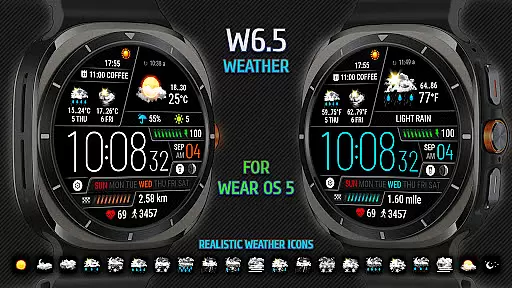
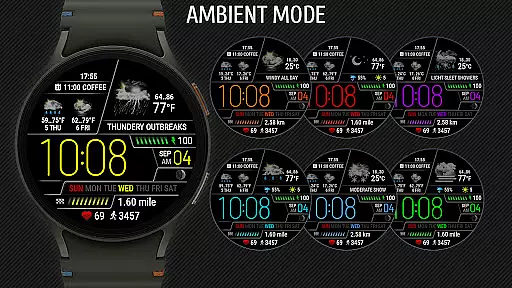
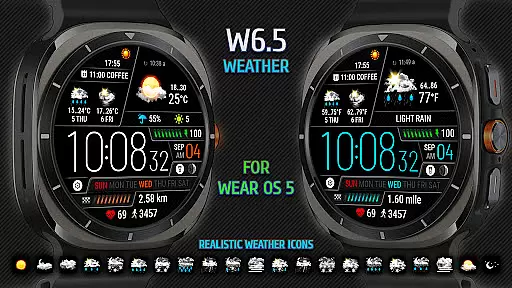
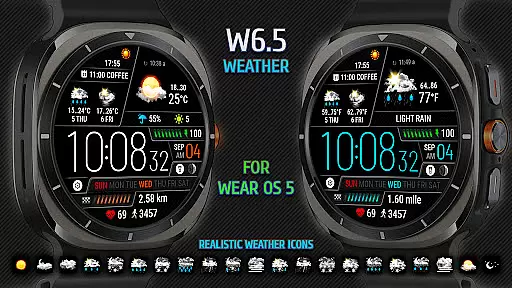
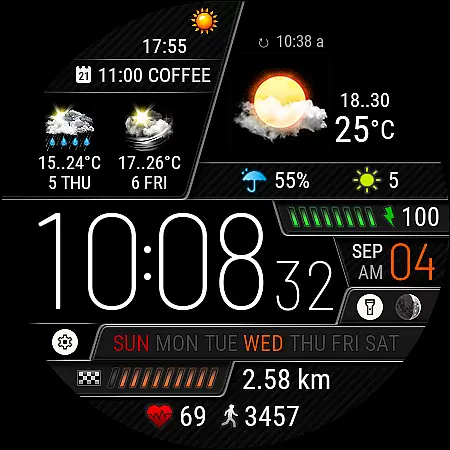
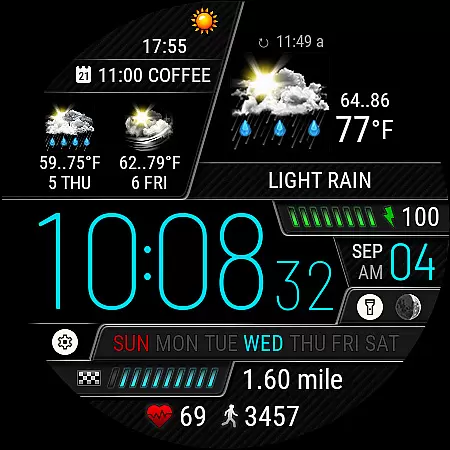
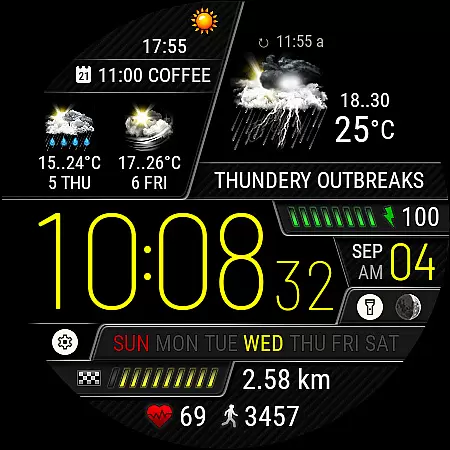
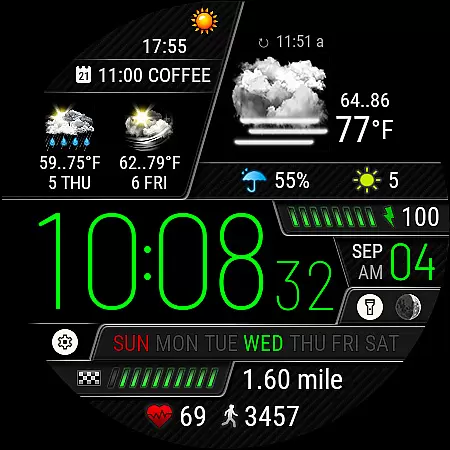
Weather Watch Face W6.5 is a sophisticated timepiece application designed exclusively for Wear OS 5+ devices, including the latest Galaxy Watch and Pixel Watch models. This app transforms your smartwatch face into an advanced weather station, displaying digital time alongside critical weather data such as current conditions, precipitation probability, UV index, and a 2-day forecast.
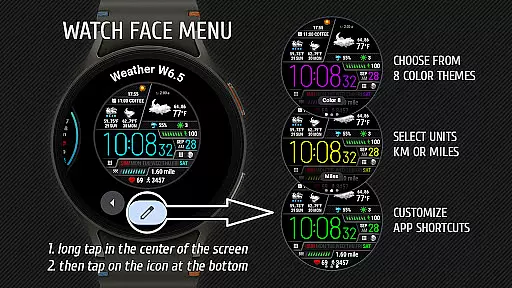
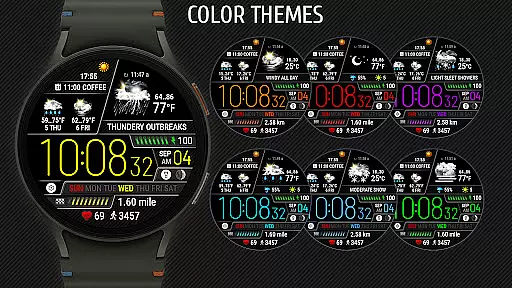
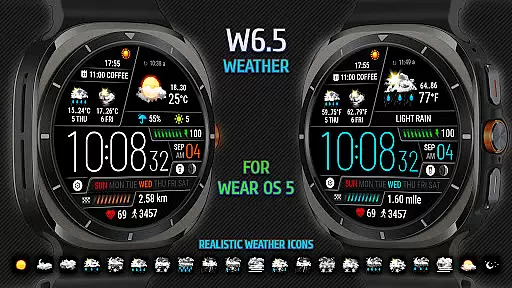
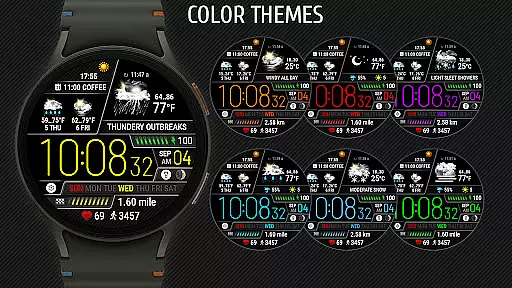
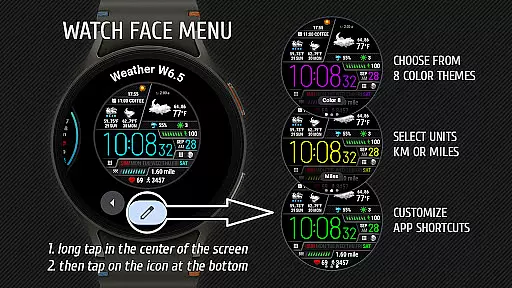
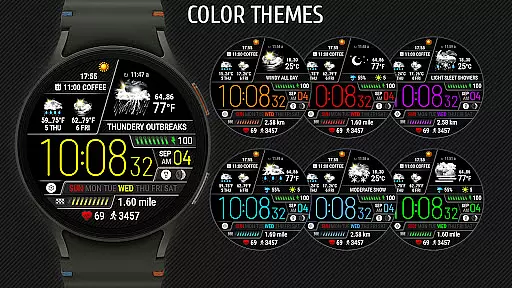
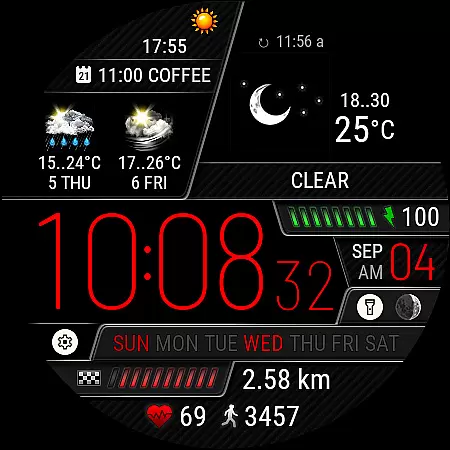
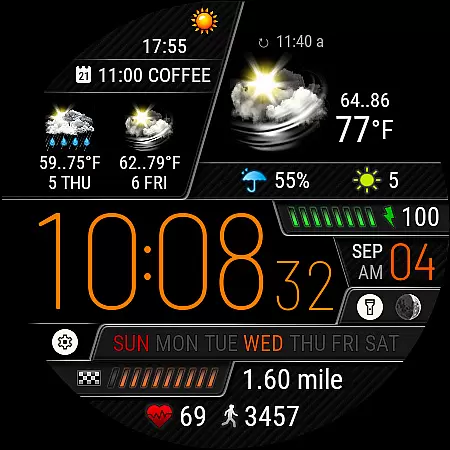
The watch face stands out with its realistic weather icons representing 15 distinct weather conditions. It also tracks health metrics like heart rate, steps, and distance traveled. With customizable features including 8 color themes and app shortcuts, users can tailor their watch face to suit personal preferences while accessing vital information at a glance.
Weather Watch Face W6.5 offers a comprehensive set of features that cater to both weather enthusiasts and everyday users. The app provides accurate weather data through integration with The Weather Channel and other system weather sources, ensuring reliable updates on current weather and forecasts.
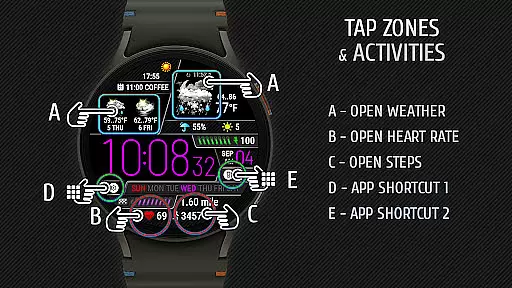
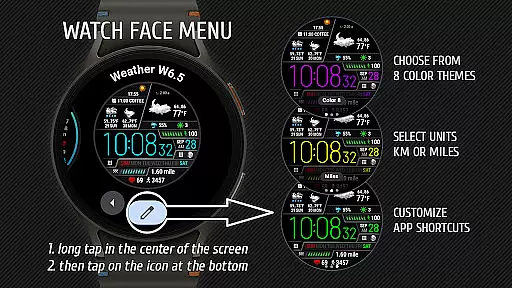
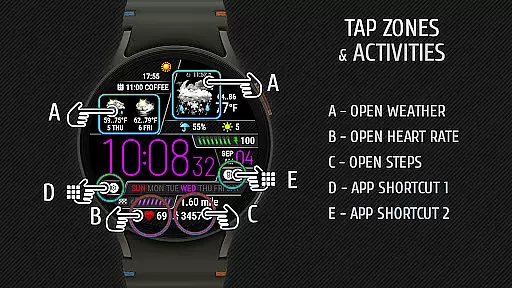
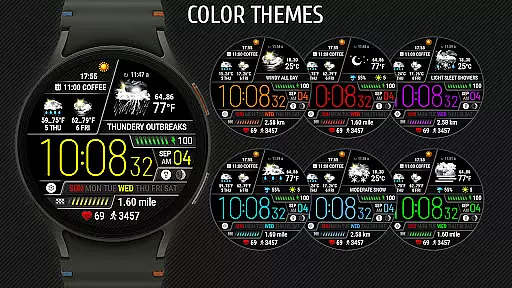
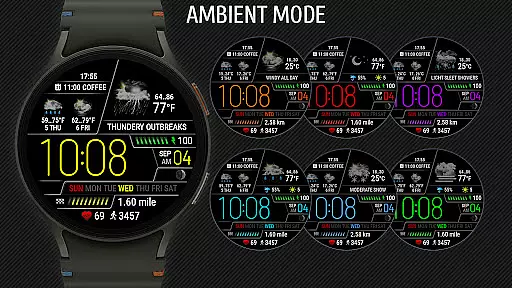
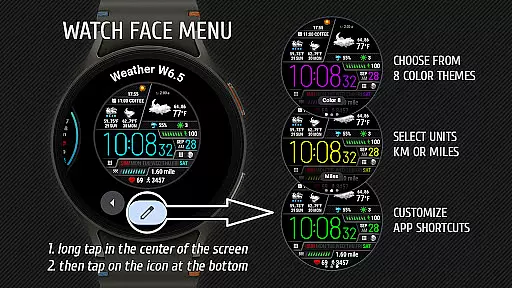
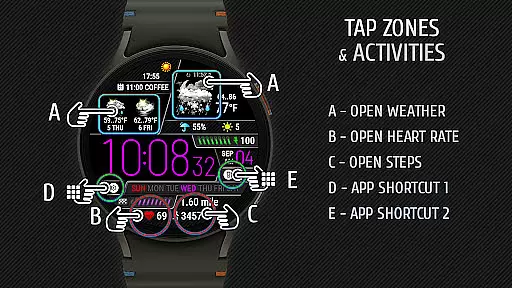
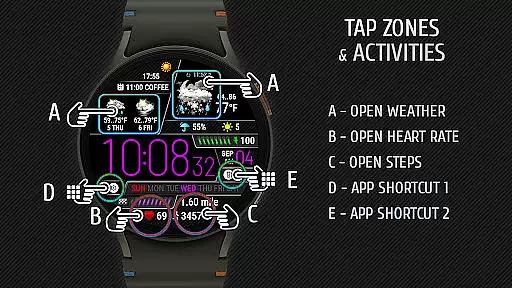
One of the standout features is the realistic representation of weather conditions using detailed icons. Users can choose from 8 unique color themes to customize the appearance of their watch face. Additionally, the app includes two customizable shortcut areas for quick access to frequently used applications. These features, combined with health tracking metrics like heart rate and step count, make it a versatile tool for managing both daily activities and weather awareness.
Weather watch face W6.5 provides highly accurate weather forecasts tailored specifically for Wear OS 5+ devices. The application sources its data from The Weather Channel, ensuring reliable and credible information.
The watch face displays current weather conditions through realistic icons, offering users an intuitive understanding of the weather at a glance. With 15 distinct weather conditions available, it covers a wide range of potential scenarios, enhancing user experience with precise visual cues.
In addition to current weather, the watch face also shows a two-day forecast, allowing users to plan their activities with confidence. This feature is particularly useful for individuals who need to stay prepared for changing weather conditions.
By focusing on accuracy and credibility, Weather watch face W6.5 ensures that users can trust the information displayed on their smartwatches, making it an essential tool for daily planning and safety.
One of the standout features of Weather watch face W6.5 is its ability to provide both temporal and spatial forecast ranges. This functionality allows users to access detailed weather predictions not only for their current location but also for upcoming days.
The inclusion of a UV index and precipitation probability adds another layer of detail to the forecasts. Users can make informed decisions about outdoor activities by checking these parameters directly on their watch face.
Furthermore, the application supports multiple units of measurement for distance traveled, catering to a global audience. Whether you prefer kilometers or miles, the settings menu lets you customize this aspect to suit your preference.
This comprehensive approach to forecasting empowers users to stay ahead of weather changes, ensuring they are always prepared regardless of where they are or what time it is.
User-friendly interface
Realistic weather icons
Customizable color themes
Health metrics tracking
Quick app shortcuts
Limited device compatibility
No support for older Wear OS
Requires specific API level
Premium features may cost extra
Dependent on external weather data

Moon phase calendar with live wallpaper, lunar widget, & 3D simulation.
 3.60
3.60
A tool that provides real-time and 5-day weather info.
4.2
Personal Weather Station PRO - Meteo monitor to check your WU info and charts.
4.20
Accurate Thermometer: indoor & outdoor temperature, humidity, pressure, and wind
4.50
Hurricane Tracker, Rain Map
4.80
Super-res, real-time weather radar. Be prepared for extreme weather.
4.50
Stay ahead of the weather with Daily Weather
4.10
A professional, comprehensive and accurate weather forecast app
4.90
Local forecast, alerts, rain, snow and wind radar, air quality & weather widget
4.60
Aviation weather made simple. Visual decoder for METAR & TAF
4.90
Live Weather Forecast app with acu weather radar, weather alert & weather widget
4.80
NOAA forecast & radar for your exact location.
4.80
Nuts Weather, your ideal choice for knowing weather forecast & weather radar
4.70
My Aurora Forecast Pro is the app for the Northern Lights and Aurora Borealis.
4.70
Your ultimate app for real-time weather information!
4.70
Get accurate rainfall and snowfall totals for pinpoint locations on a map.
4.60
Accurate Weather App: various widgets, real-time storm radar, hurricane tracker.
4.50
Precision Weather, Right at Your Fingertips
4.40
A powerful tool for ultimate weather awareness
3.50



User Reviews