
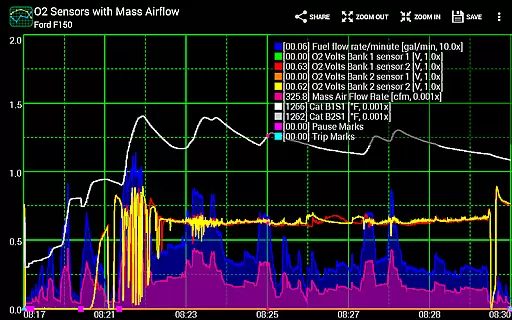
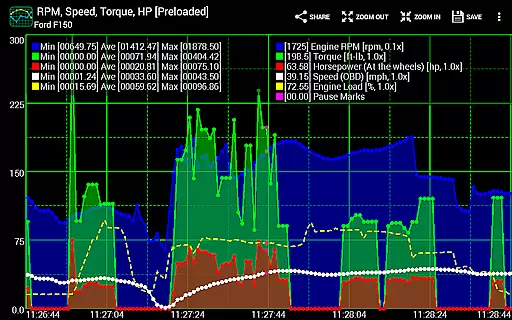
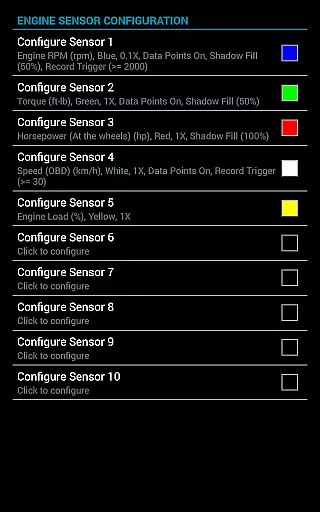
Realtime Charts for Torque Pro is a specialized plugin designed to enhance vehicle performance monitoring for automotive enthusiasts and professionals. This app allows users to graph up to 10 engine sensors simultaneously, providing in-depth analysis of vehicle metrics such as RPM, speed, and MPG on Android devices. With the ability to create custom charts and capture data based on specific sensor criteria, it offers both real-time monitoring and detailed post-analysis.
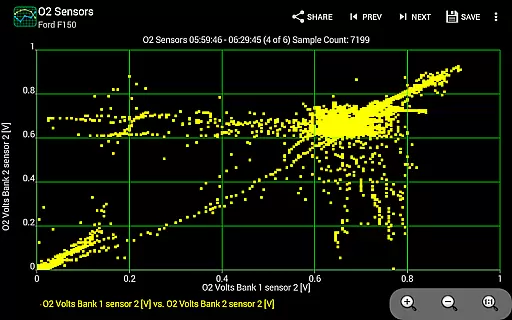
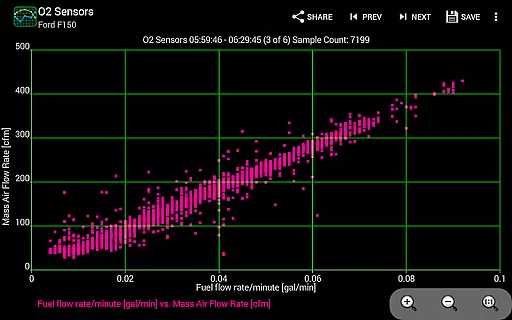
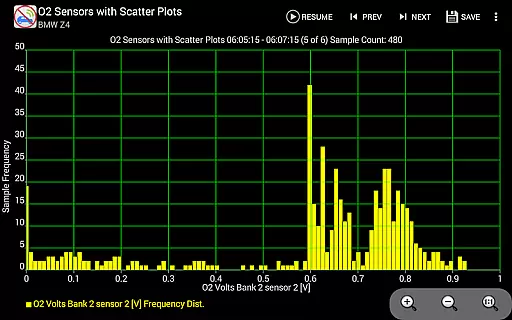
The application supports advanced features like scatter plot analysis and frequency plot analysis, catering to those who require precise diagnostic tools. Users can save their sessions, customize chart attributes, and even operate in simulation mode without an ECU connection. Its comprehensive feature set makes it ideal for tuning, diagnostics, or performance analysis, while supporting sharing capabilities for social media and automotive forums.
Realtime Charts stands out with its robust feature set tailored for automotive diagnostics. The app enables real-time graphing of multiple engine parameters, including RPM, speed, and torque, while allowing users to customize sampling frequencies and chart aesthetics. Advanced options like scatter plot analysis provide deeper insights into vehicle performance, making it suitable for both casual monitoring and professional diagnostics.
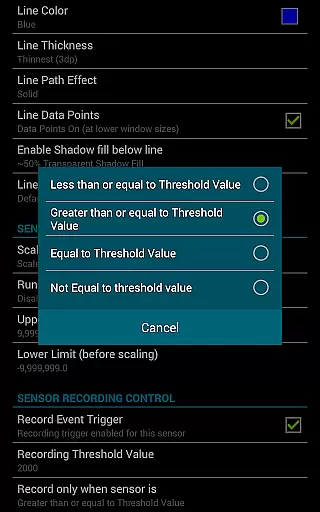
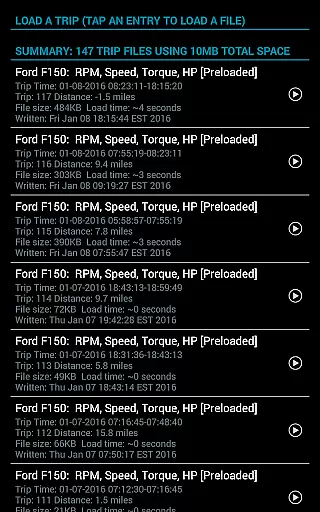
One of the key highlights is its customizable chart creation, where users can design up to 100 unique charts with different sensor combinations. The app also includes trigger-based data capture, auto-scaling y-axis, and dynamic scaling of data points. Additional functionalities such as exporting Excel CSV files, background sensor recording, and session management ensure that users have complete control over their data collection and analysis process.
Realtime Charts for Torque Pro offers unparalleled access to detailed vehicle information by enabling users to monitor and graph up to 10 engine sensors in real-time. This includes critical data such as RPM, speed, MPG, horsepower, and torque, providing automotive enthusiasts with comprehensive insights into their vehicle's performance.
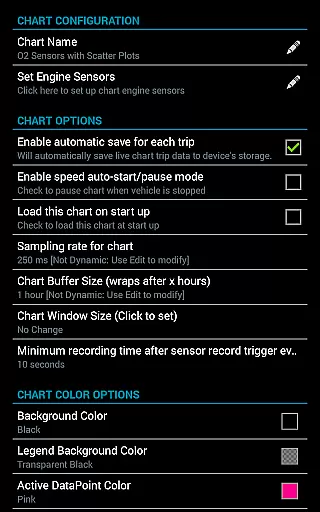
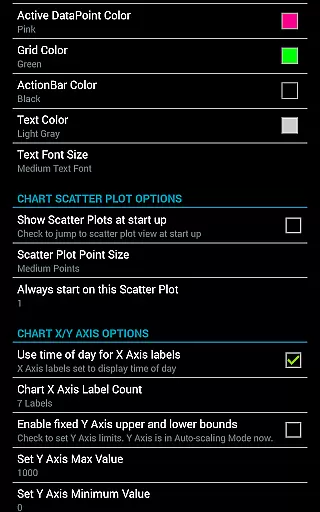
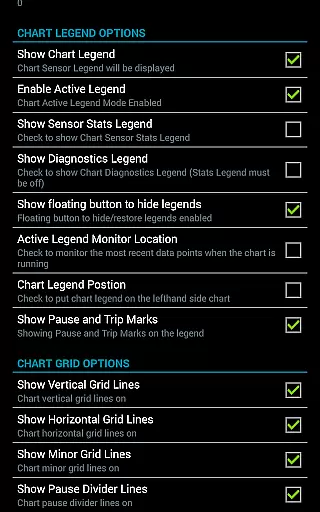
The application allows for the creation of custom charts, with the possibility to configure up to 100 unique combinations of sensors. Users can specify sampling frequency, chart colors, and series attributes, ensuring that the information displayed is tailored to individual preferences and needs. This level of customization supports a detailed analysis of vehicle performance under various conditions.
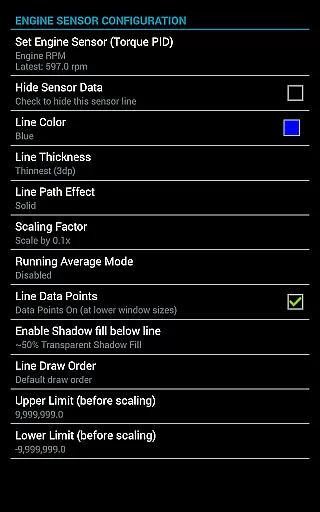
With features like scatter plot analysis and dynamic scaling of series data points, users can perform in-depth diagnostics and fine-tuning of their vehicles. The ability to set upper and lower limits for engine sensor values further enhances the precision with which vehicle performance can be monitored and optimized.
This app bridges the gap between professional mechanics and hobbyists by democratizing access to detailed vehicle analytics, making it an invaluable tool for anyone looking to better understand and enhance their vehicle's capabilities.
While Realtime Charts for Torque Pro itself does not directly deal with monetary transactions, it provides a different type of price transparency by clarifying the value of vehicle diagnostics. By offering advanced features such as real-time monitoring and customizable charting at no additional cost, it highlights the significant value addition to vehicle maintenance and performance tuning.
The app requires a wireless OBD2 adapter and the Torque Pro app, both of which represent the only costs associated with using this powerful diagnostic tool. This setup enables users to potentially save on mechanic fees by empowering them with the ability to diagnose issues themselves, thus illustrating a transparent approach to managing vehicle upkeep expenses.
Furthermore, the capability to export Excel CSV data files and share chart configurations with others adds another layer of economic benefit. Users can collaborate on troubleshooting and optimizing vehicle performance without incurring extra costs, fostering a community-driven approach to automotive care.
By leveraging the simulation mode, users can design and test chart configurations without needing a physical connection to a vehicleu2019s ECU. This feature ensures that users fully understand the app's capabilities before investing in any hardware, promoting informed decision-making regarding expenditures related to vehicle diagnostics.
User-friendly interface
Highly customizable charts
Real-time sensor monitoring
Advanced scatter plot analysis
Supports background recording
Requires Torque Pro app
Needs OBD-II adapter
Complex for beginners
No iOS support
Premium features may cost extra

Taximeter; the professional's choice
 4.30
4.30
The Smarter Way Forward
3.30
Listings of Tesla's with FSD - Included package
4.60
Blink Charging Mobile app makes finding an EV charger an intuitive experience.
3.80
Car Values, Research and More
4.80
Your Path to Driving Licensing Success Begins Here! Develop your driving skills.
4.40
Autotrader is your online solution for buying and selling new and used cars.
4.40
Easy connect & control your cars from afar. Remote Lock & unlock car and carplay
4.60
Shop, finance, or sell today.
4.80
Lexus app currently supports 2010 or newer vehicles (2018 or newer for Hawaii).
4.80
View your car’s service records and find out when maintenance is due.
4.70
Quick and easy car diagnostics to get you the right fix.
4.70
Get price alerts, vehicle history details and more for cars near you!
4.50
Get your personalized financing options and shop for used cars today!
4.20
Control maps, media and messaging, with the Google Assistant while you drive
4.10
Boost profits and hit your goals faster with GigU's amazing tools for gigworkers
4.00
By enthusiasts, for enthusiasts
4.00
Mobile Phone Parking - So easy to park
3.70
Earn and save with Fuel Rewards®
3.20



User Reviews