
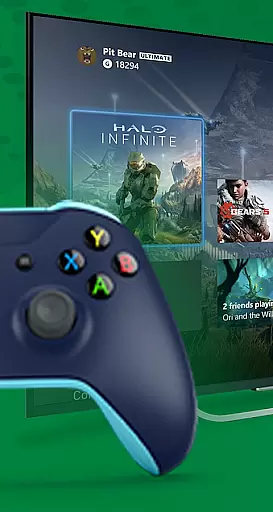
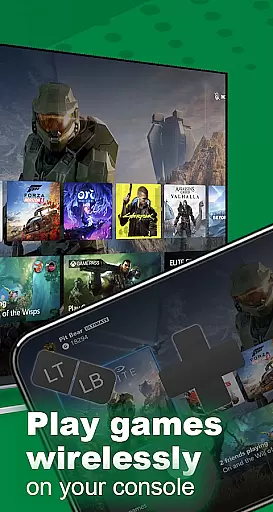
XB Game Controller is a revolutionary application that transforms your smartphone into a wireless Xbox remote, enabling you to control your Xbox Series X/S or Xbox One console effortlessly. With its cutting-edge technology, the app offers ultra-low latency streaming and smooth gameplay directly on your phone, making it an ideal solution for gamers who want flexibility and convenience.
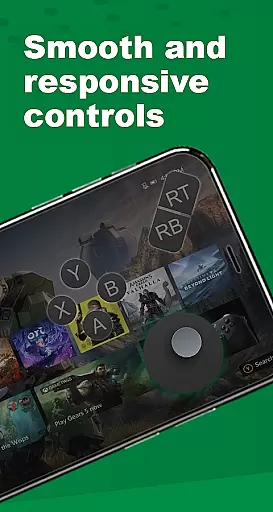
The app provides two main modes of operation: Remote Play and Gamepad Mode. In Remote Play mode, users can stream their Xbox games in real time over Wi-Fi or mobile data, while Gamepad Mode turns the phone into a responsive controller with every button, trigger, and joystick mapped like the original. Additionally, XB Game Controller supports multiplayer gaming sessions, allowing friends to join in using their phones as controllers, and includes features such as voice chat and audio control through the phone's microphone.
This app is perfect for those who wish to enjoy their Xbox experience without being tied to a physical controller or television screen. Whether you're at home or on the go, XB Game Controller ensures you never miss a moment of your favorite games.
XB Game Controller boasts a variety of advanced features designed to enhance your gaming experience. The app allows you to stream and control your Xbox console remotely, providing a seamless interface that supports 1080p streaming with minimal latency. This ensures that your gameplay remains smooth and responsive, even when playing graphically demanding titles.
One of the standout features is the customizable gamepad layout, which lets users tailor the button mapping to their preferences. This level of personalization ensures that every gamer can optimize their controls for maximum efficiency and comfort. Furthermore, the app supports multiplayer gaming over Wi-Fi, making it easy to engage in local co-op or party games with friends.
Additional functionalities include compatibility with Bluetooth keyboards and headsets, seamless device switching, and an intuitive modern interface. These features collectively make XB Game Controller a versatile tool for navigating menus, playing games, and controlling your console from anywhere, all from the convenience of your smartphone.
Functionality completeness refers to how thoroughly an application delivers on its promised features and services. For XB Game Controller, this means providing a seamless experience for users who want to transform their smartphones into wireless Xbox controllers. The app covers essential functionalities such as streaming games in real time, offering a responsive gamepad mode, and supporting multiplayer sessions.
The app ensures that every button, trigger, and joystick is accurately mapped, replicating the original Xbox controller's layout. This comprehensive functionality allows users to enjoy both single-player and multiplayer games without the need for a physical controller. Additionally, it supports voice chat and audio controls, enhancing the overall gaming experience.
Users benefit from the app's wide range of supported features, including 1080p streaming with low latency, compatibility with Bluetooth keyboards and headsets, and seamless device switching. These features collectively ensure that gamers can fully control their Xbox consoles from anywhere, enjoying a high-quality remote gaming experience.
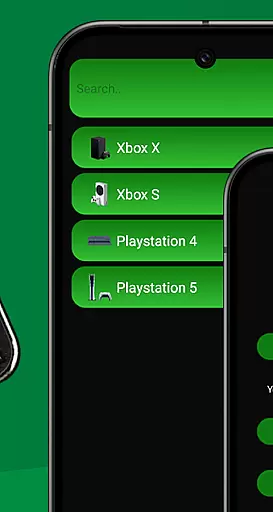
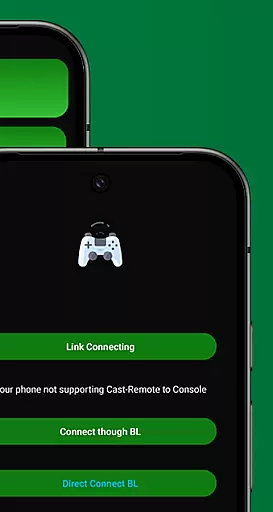
Usability and operational smoothness are critical factors that determine how easily users can interact with an application. XB Game Controller excels in these areas by offering a simple, modern interface that makes navigation intuitive and straightforward. Users can quickly set up the app by connecting their Xbox and phone to the same Wi-Fi network and logging into their Xbox account.
The app provides a streamlined setup process, allowing users to choose between Remote Play or Gamepad Mode effortlessly. Its user-friendly design ensures that even those new to remote gaming can start playing without a steep learning curve. Furthermore, the appu2019s performance is optimized for ultra-low latency and smooth gameplay, making it ideal for gamers who demand quick response times.
By focusing on usability and operational efficiency, XB Game Controller enhances user satisfaction. Gamers can enjoy uninterrupted sessions, whether they're navigating menus, playing games, or controlling their console remotely. This dedication to a smooth operational experience sets the app apart from other similar tools on the market.
User-friendly interface
Low latency streaming
Customizable controls
Multiplayer support
Voice chat integration
Limited to Wi-Fi networks
Requires stable internet
No official affiliation
Potential compatibility issues
Dependent on Xbox updates

Game Booster GFX for smoother gaming experience. Enjoy 120 FPS and 4x Game Space
 4.20
4.20
The Free Catholic Latin American Bible in complete Spanish
4.60
Collection of Maps and Mods for Dmod
3.30
charging your phone by other phone easly
4.00
TV USB connector app provides you a seamless cast option from your phone to tv.
4.70
Connect and Find your smart tag via our app.our app is compatible with smarttag.
3.30
CloudEye 365 is a easy-handling APP
3.60
Phone Software Update Quick Checker helps you to keep your phone apps up to date
4.50
The best PS2 games from your childhood come to life in their mobile version!
4.00
Read Holy Quran Feel Like Real Quran & Listen Al Quran Mp3 Audio Online Offline.
4.70
Enjoy Minecraft Mod Scary Neighbor Granny for Minecraft PE.
4.30
Unlock the hidden menus of your phone with our mobile secret codes app.
4.20
Demo version of the mcpro24fps manual video camera. Try and buy a full version!
4.00
Ps2 plugins for 64 bit artitechture
3.70
Connect and find your Smart Tag 2 devices through our app.
3.60
Experience virtual reality on your smartphone with Cardboard.
3.50
A great tool help you to format Micro SD memory Card
3.10
Read Quran pak offline & listen online mp3 Quran in Al Quran Majeed app
4.2
Mirror Link Car Display to share your screen with car dashboard wirelessly
4.1



User Reviews