
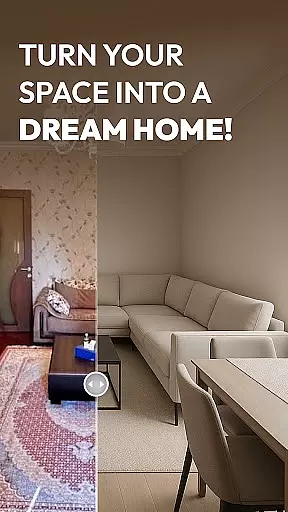
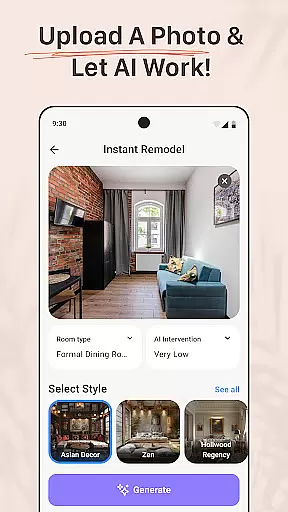
AI Remodel is a cutting-edge AI home design tool that empowers users to plan, design, and visualize their dream spaces with professional precision. The app offers intuitive features such as 3D room planning, smart layout tools, and advanced interior design AI, enabling users to create detailed floor plans, experiment with styles, and preview renovations before implementation. Suitable for homeowners, renters, and professional designers, AI Remodel provides creative freedom and precision control through seamless integration with Planner 5D.
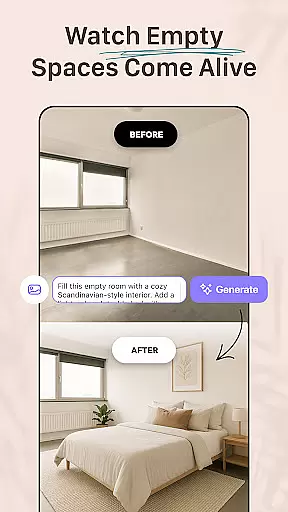
With functionalities like drag-and-drop furniture placement, real-time measurements, and curated style suggestions, the app ensures a smooth design experience. Whether redesigning a single room or an entire home, AI Remodel transforms ideas into polished, high-resolution mockups ready for sharing or execution.
AI Remodel stands out with its robust feature set tailored for modern interior creators. One of its core strengths is the Room AI Interior Design tool, which allows users to create interactive 3D visualizations. This feature lets users drag, drop, and rotate furniture and decor in a fully responsive environment, ensuring accurate spatial planning. Additionally, the app's Planner 5D integration enhances precision by enabling real-time scaling and measurement, making it ideal for both beginners and professionals.
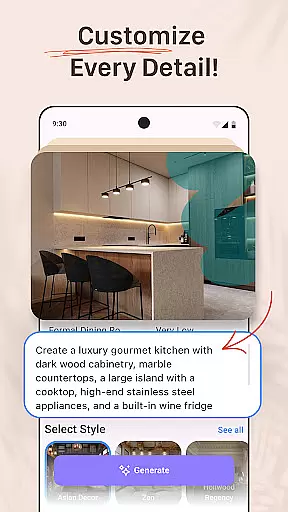
The app also incorporates Smart Layout Tools, empowering users to draw custom floor plans, move walls, and test different materials within a unified interface. Advanced AI-driven suggestions for layouts, color palettes, and furniture arrangements further streamline the design process. These capabilities ensure users can confidently experiment with styles, from minimalism to rustic themes, while maintaining full creative control over their projects.
When it comes to designing your dream home, having accurate and reliable property information is crucial. AI Remodel ensures that every design project starts with authentic property data. The app uses advanced scanning technology and AI algorithms to create precise floor plans that match your actual space dimensions.
The application's integration with Planner 5D guarantees that all measurements are true-to-life and adaptable within the design interface. This means you can trust that the walls, doors, and windows you place in your virtual design will align perfectly with your real-world space. Such accuracy eliminates costly mistakes during renovation projects.
Furthermore, AI Remodel continuously updates its database to reflect any changes in building codes or construction standards. This commitment to up-to-date information ensures that your designs remain compliant with current regulations. Users can confidently proceed with their remodeling plans knowing they have access to verified and current property details.
Beyond just design capabilities, AI Remodel offers comprehensive home management features that streamline the entire renovation process. The app allows users to track various aspects of their home improvement projects, from initial concept to final execution. This organizational functionality helps homeowners stay on top of deadlines and budgets.
One standout feature is the smart layout tool that enables users to modify room structures virtually. You can move walls, add fixtures, and experiment with different materials without making any physical changes. These tools provide a risk-free environment to test ideas before committing to them in reality.
Additionally, the app's synchronization with smart home devices creates a seamless experience for managing both digital designs and physical spaces. Whether you're a homeowner planning a DIY project or a professional designer presenting concepts to clients, these integrated home management features ensure smooth project progression and efficient communication throughout the renovation journey.
User-friendly interface
Advanced 3D visualization
Smart AI suggestions
Planner 5D integration
Versatile design options
Limited offline functionality
Premium features locked
Steep learning curve
Occasional glitches
High system requirements

Unlock AI-based barcode scanning and support the development of Grocy Android
 4.4
4.4
Control your Daikin, Amana & Goodman heating & cooling systems from anywhere
4.40
Rent on-the-go with TurboTenant’s app made just for renters
4.50
AI floor creator to design your dream house, plan rooms & style your home
4.00
Smart AI plant care schedules, Real plant experts, support & Thriving community!
4.20
Control your Vivint Smart Home with the next generation Vivint App.
4.30
The Merkury Smart app makes it easy to control your smart devices.
4.50
Find homes for sale and apartments for rent in the best neighborhood.
4.70
Houses for Sale & Homes for Rent: Buy Homes, Rent Apartments & Sell Real Estate
4.80
Search for Homes, Rentals, Agents & Schools
4.70
Home Ideas | Renovation Advice | Local Pros. Go From Dream to Home with Houzz.
4.70
Plants, Beauty, Collectibles
4.60
Wobble Fix Tool
4.40
Make your phone a surveillance camera remote with a home camera app for Android!
4.40
Find contractors for all home renovation projects. Remodeling, repair, and more.
4.20
USHUD.com helps you find the best homes for sale in your area
4.00
Technology powering many in-home services for residents across the United States
3.80
An awesome mobile app for Home Security Surveillance - uses ZoneMinder
3.20
PRO Version of GLB AR Viewer
4.1






User Reviews