
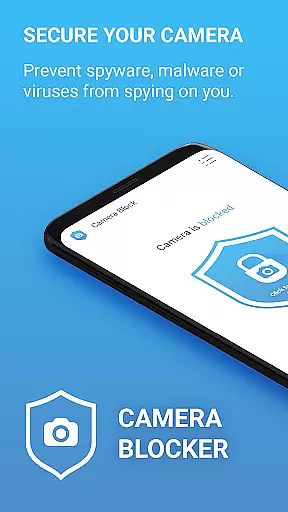
Camera Blocker is a privacy protection app designed to secure your phone's camera access and prevent unauthorized surveillance. The app allows users to block camera access with a single click, protecting against spyware, malware, and other potential threats that could secretly record or watch you. It offers an essential layer of security by monitoring apps that request camera permissions and notifying you when new apps gain access. Suitable for anyone concerned about digital privacy, this tool ensures your phone’s camera cannot be exploited without your knowledge.
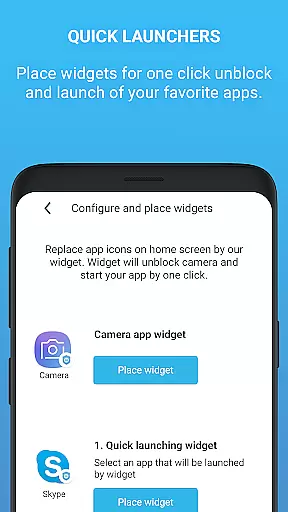
In addition to its core functionality, Camera Blocker provides features like automatic blocking schedules, a user-friendly interface with dark mode, and widgets for quick access. Whether you're worried about malicious apps or simply want more control over your device's privacy settings, Camera Blocker delivers a reliable solution to safeguard your personal space.
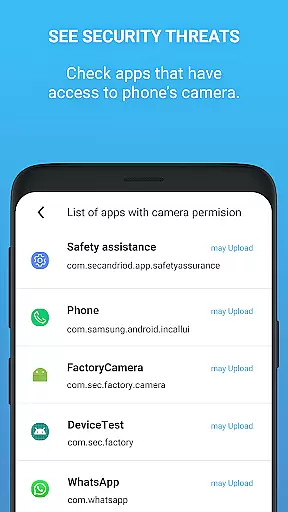
Camera Blocker stands out with its comprehensive set of features tailored for privacy-conscious users. One of the key highlights is the one-click blocking mechanism, which instantly disables camera access across all applications. This feature is crucial in preventing spyware and malware from capturing unauthorized photos or videos. Additionally, the app includes a camera detector and guard function that actively monitors which apps have permission to use your camera and alerts you to any changes.
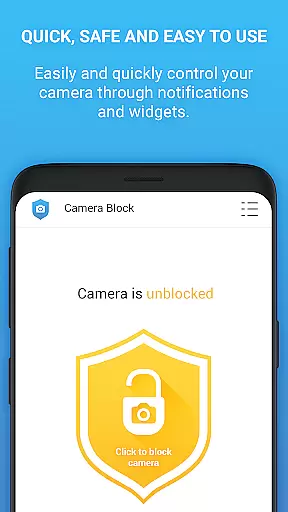
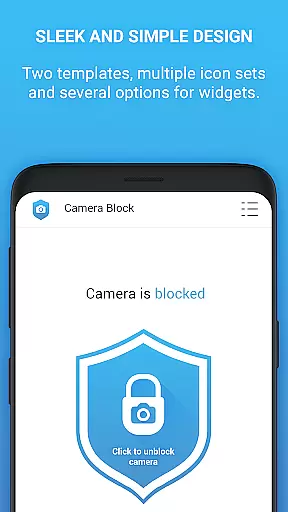
For enhanced usability, Camera Blocker offers customization options such as setting automatic blocking times and choosing from various icon sets and themes, including a sleek dark mode. Users also benefit from home screen widgets and notifications, providing instant access to camera controls. While the free version offers robust protection, upgrading to the PRO version unlocks unlimited 24-hour protection, removes ads, and ensures no internet access or private data collection, making it a worthwhile investment for long-term privacy management.
Camera Blocker provides comprehensive functionality to protect user privacy by blocking unauthorized access to the phone's camera. The app covers various aspects of security, including one-click camera blocking, automatic scheduling, and real-time monitoring.
The application prevents spyware, malware, and other threats from secretly using the camera. It also offers a unique camera detector feature that monitors apps with camera access and notifies users of any new permissions granted. This ensures complete protection against potential surveillance attempts.
With its well-rounded feature set, Camera Blocker addresses multiple user needs. From basic blocking functions to advanced monitoring tools, the app delivers robust protection without requiring root access. The inclusion of a home screen widget and notifications further enhances accessibility and convenience.
While the free version offers substantial protection, the PRO version extends functionality with 24/7 protection, no ads, and additional privacy benefits. This tiered approach ensures users can choose the level of functionality that best suits their security requirements.
Camera Blocker demonstrates excellent usability through its intuitive interface and straightforward operation. The app features a simple design with dark mode support and multiple icon sets, making it accessible to users of all technical levels.
The one-click blocking mechanism streamulates the process of securing camera access, while the automatic scheduling feature allows users to set specific blocking times. These practical functions ensure smooth daily operation without complicated setup procedures.
Additional usability features include a home screen widget for quick access and a notification system that keeps users informed about camera access status. The app also provides educational content about Android permissions, helping users make informed decisions about their privacy.
Despite offering advanced security features, Camera Blocker maintains operational smoothness through its optimized performance. The application runs efficiently in the background without affecting device speed or battery life, providing continuous protection without compromising user experience.
Easy-to-use interface
Effective spyware protection
Real-time monitoring
Customizable blocking schedules
Free version available
Limited free version hours
Requires manual checks
No iOS compatibility
Premium version costs
Occasional notifications

Use your Phone as Drone Controller.
 3.70
3.70
Demo for Key Attestation feature of the Android system.
4.80
Block and secure the microphone and protect from secret listening and recording.
4.50
A great tool help you to format Micro SD memory Card
3.10
Collection of Maps and Mods for Dmod
3.30
Recite Quran Majeed القران with special 16 line real Kuran page in hand
4.30
a wireless controller that provides a seamless and gaming experience for players
3.80
Looking to connect your phone to your car screen? Mirror Link is the solution.
3.20
DamonSx2 is the open Source LGPL Emulator
3.20
TV USB connector app provides you a seamless cast option from your phone to tv.
4.70
Al QURAN-القرأن الكريم app to read Quran offline just like an actual Quran book
4.30
Manage apps & elevate your gaming experience with Game Launcher: Gaming Hub app.
4.30
View your cameras anywhere and anytime
4.20
Unlock the hidden menus of your phone with our mobile secret codes app.
4.20
Connect and find your Smarttag devices through our app.
4.00
Demo version of the mcpro24fps manual video camera. Try and buy a full version!
4.00
CloudEye 365 is a easy-handling APP
3.60
Experience virtual reality on your smartphone with Cardboard.
3.50
Record with Double Camera Video Recording using Dual Camera Front and Back Video
3.00




User Reviews