
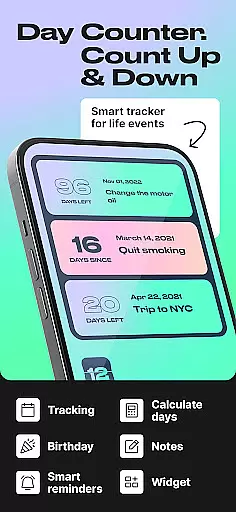
Day Counter is an elegant and versatile time tracking app designed to help users count up or down to any significant moment in their lives. Whether you're marking personal milestones, tracking habits, or preparing for upcoming events, this app provides a simple yet powerful solution. With features like unlimited counters, customizable notifications, and intuitive widgets, Day Counter ensures you never miss an important date or deadline.
The app's clean and minimal design makes it easy to use across various scenarios, from professional productivity tracking to personal event countdowns. Its dual counting modes - count up and countdown - offer flexibility for different needs, while the ability to review past events by week, month, or year adds valuable context to your time management. This makes Day Counter not just a countdown app, but a comprehensive tool for organizing and optimizing your schedule.
Day Counter stands out with its robust set of features that cater to diverse time-tracking needs. The app offers two primary modes: count up and countdown, each designed to help users track different types of events. Countdown mode is perfect for anticipating future events like birthdays, holidays, or work deadlines, while count up mode helps monitor ongoing progress such as habit streaks or sobriety milestones.
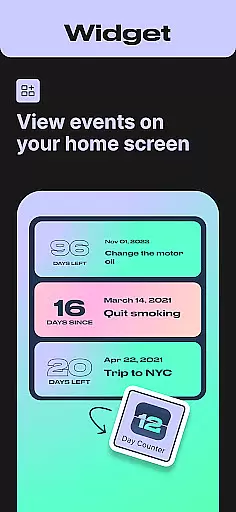
One of the app's key strengths is its unlimited counter capability, allowing users to track multiple events simultaneously without restrictions. The customizable notification system ensures you stay informed about approaching deadlines or special occasions, while the widget support keeps essential information readily accessible on your home screen. Additionally, the app's clean interface and distraction-free design make it easy to focus on what matters most - managing your time effectively.
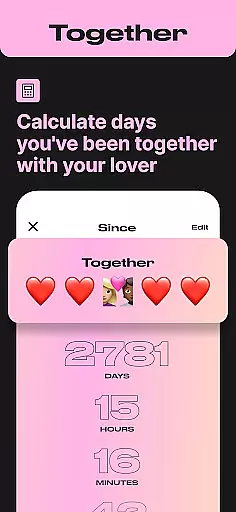
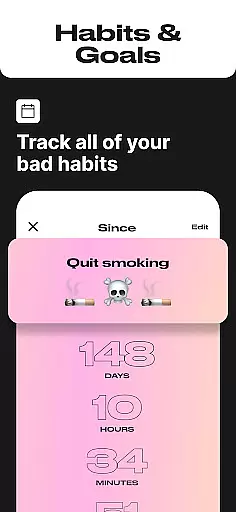
For those seeking to build better habits or maintain streaks, Day Counter provides dedicated tracking tools. Whether you're monitoring days since quitting smoking, tracking relationship anniversaries, or maintaining daily routines, the app offers precise tracking mechanisms that adapt to various lifestyle goals. The inclusion of both productivity-focused and personal milestone tracking features makes this app suitable for both professional and personal use cases.
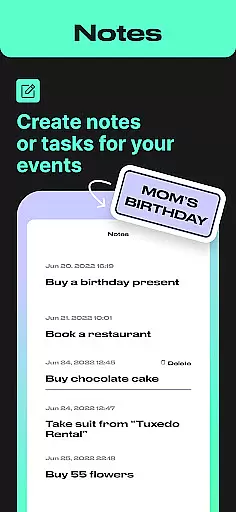
Task creation and detail customization are essential features for any event management app, and Day Counter excels in this area. This functionality allows users to create personalized countdowns and count-ups for any event they wish to track. Whether it's an upcoming birthday, a work deadline, or a personal milestone like days of sobriety, the app provides the tools necessary to capture every detail.
The app offers unlimited counters, which means you can track as many events as you need without limitations. Each counter can be individually named and set with specific dates, ensuring that your tracking is both comprehensive and personalized. The ability to customize notifications adds another layer of detail, allowing users to receive timely reminders about upcoming or ongoing events.
Day Counter also supports different modes of trackingu2014count up and countdownu2014offering flexibility in how users choose to monitor their time. This dual functionality ensures that whether you're looking forward to future events or commemorating past ones, the app adapts to your needs seamlessly.
By providing such detailed customization options, Day Counter empowers users to stay organized and never miss important moments. The ease of setting up and managing these tasks makes the app suitable for both personal and professional use, enhancing productivity and mindfulness in everyday life.
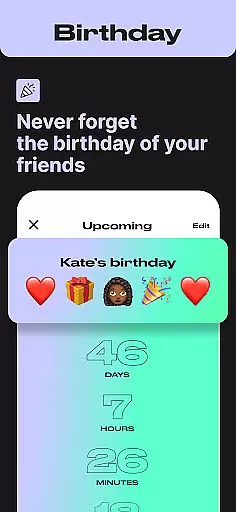
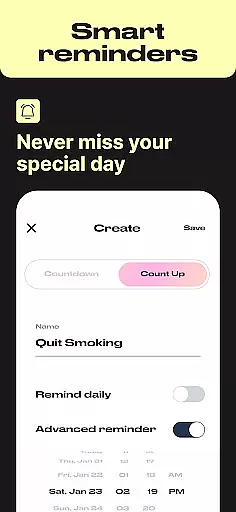
Reminder settings in Day Counter play a crucial role in ensuring users never overlook significant dates or milestones. These settings allow individuals to configure custom notifications tailored to their specific needs, making sure they are always aware of important upcoming events. Whether itu2019s a birthday, anniversary, or critical deadline, the app keeps you informed well in advance.
Users have the flexibility to set multiple reminders for different counters, each with its unique notification preferences. This granular control over reminder schedules ensures that all aspects of one's life, from personal commitments to professional responsibilities, are covered. The app sends timely alerts through push notifications, which serve as effective prompts to take action or prepare accordingly.
In addition to basic reminders, Day Counter enhances user experience by offering recurring notifications. For ongoing events or habits being tracked, such as sobriety milestones or fitness streaks, these periodic alerts help maintain consistency and motivation. Users can rely on the app not only for singular events but also for continuous progress tracking.
Overall, the robust reminder settings in Day Counter contribute significantly to its utility as a comprehensive time management tool. By keeping users engaged and consistently informed, the app fosters better planning habits and aids in achieving both short-term objectives and long-term goals efficiently.
User-friendly interface
Unlimited event tracking
Customizable notifications
Clean minimal design
Versatile counting modes
Limited advanced analytics
No team collaboration
Premium feature costs
Occasional bugs
Basic widget options

Buy event tickets easily with our user-friendly App. Stay updated on hot events
 4.3
4.3
Browse events, find transportation, keep up with the latest news from your team
4.1
Create Wedding Invitation and Wedding Anniversary Cards using our app
4.60
Rocket Monkey - Space rocket launch schedule for launch sites around the world
4.20
Soft Proxy for Your Online World
4.3
Text message invitations for birthday party, wedding, graduation, baby shower +
4.60
Discover events, experiences, and things to do near you - Anytime, Anywhere!
4.70
Thanksgiving Wishes, Thanksgiving Stickers & Animated GIF for Whatsapp Stickers
4.4
Freebie Games for Epic Games, Steam, Amazon, Rockstar etc.
4.40
TodayTix is the easiest way to get tickets to the best shows in your city.
4.90
Here you can choose tickets for films, performances, concerts and other events
4.60
Listen Full Quran MP3 Offline - Qibla Compass, Salah Timing & 99 Names of Allah
4.60
Invitation Card Maker, Design & share wedding, birthday & party invites fast
4.40
Get live football here
4.30
The calendar app in this 2026 year see all dates.
4.20
Introducing the official Magic: The Gathering app for mobile.
4.20
Purchase line-skip passes, drinks, cover, and more at bars and clubs
3.50
Some connections are better kept private
4.3
It is an Event Planning Application.
4.1




User Reviews