
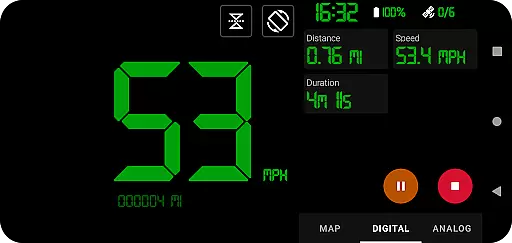
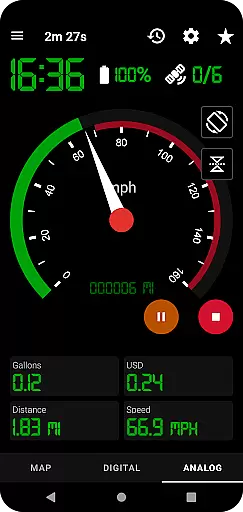
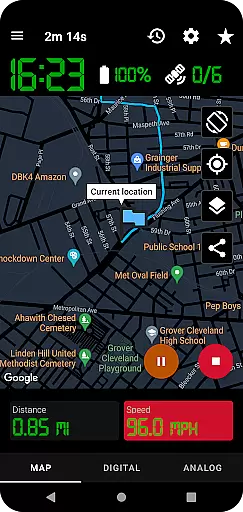
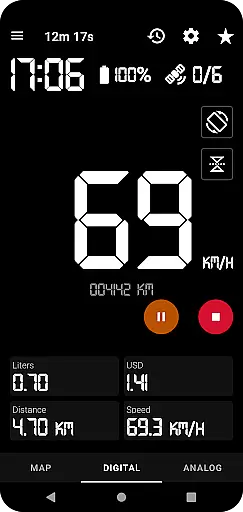
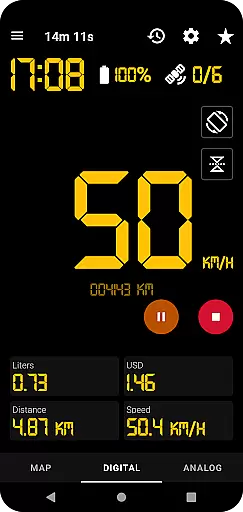
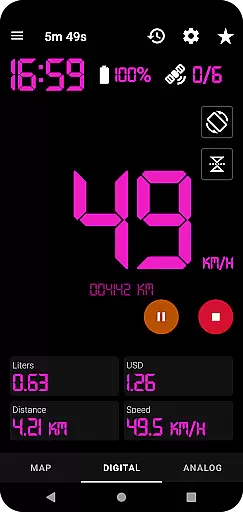
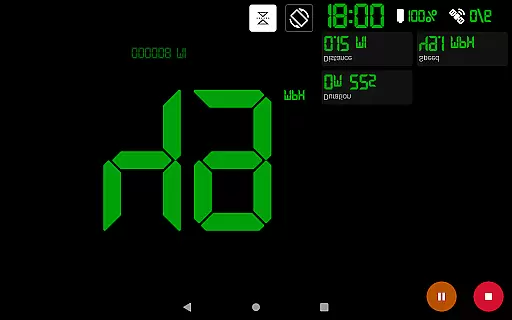
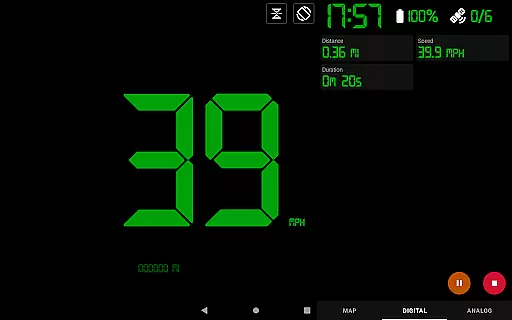
GPS Speedometer Pro is a versatile navigation app that transforms your smartphone into a powerful GPS tracking tool. The app allows users to effortlessly monitor their speed, distance, and routes during various activities such as driving, running, walking, or cycling. With its intuitive interface, users can switch between different display modes including map view, digital speedometer, and analog speedometer.
A standout feature of this app is its ability to operate seamlessly in the background, enabling users to multitask on their phones without interrupting the tracking process. Whether you're commuting, exercising, or exploring new terrains, GPS Speedometer Pro provides accurate real-time data while conserving battery life through its pause and resume functionality.
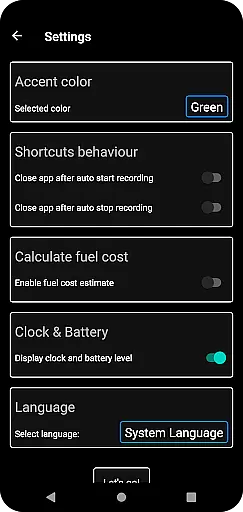
The application's value extends beyond basic speed tracking. It offers advanced features like fuel cost estimation, head-up display (HUD) mode, and over-speed alerts, making it an essential tool for both everyday commuters and outdoor enthusiasts. Users can also download their tracked routes in .gpx format for analysis in third-party software, enhancing the app's utility for professional and recreational purposes alike.
GPS Speedometer Pro stands out with its comprehensive set of features designed to enhance user experience in navigation and tracking. One of its key capabilities is the utilization of phone GPS to record detailed routes and speeds with precision. The app offers multiple display options including analog and digital speedometers, along with a head-up display (HUD) mode for easy viewing while driving.
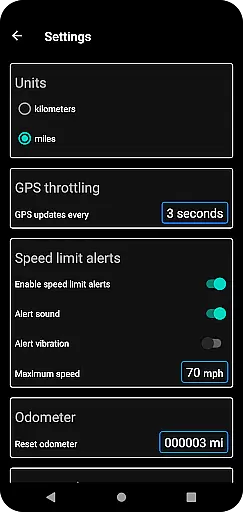
Users benefit from practical tools such as an odometer for distance measurement, fuel cost estimation for trip planning, and customizable map views with light, dark, and terrain options. The app supports both metric and imperial units, allowing users to switch between kilometers and miles according to their preference. Its smart design includes app shortcuts for one-tap start/stop recording and orientation flexibility with both portrait and landscape gauge displays.
What sets GPS Speedometer Pro apart is its robust route management system. Users can save their tracking history, replay recorded routes within the app, and share their locations or routes through various formats. The app's privacy-focused approach ensures 100% private usage without requiring sign-in or collecting personally identifiable information, making it a secure choice for location tracking needs.
Map accuracy is crucial for any navigation or tracking application, and GPS Speedometer Pro excels in this area. The app leverages your phone's built-in GPS to provide precise location data, ensuring that your routes, speed, and distances are recorded with high fidelity.
The app offers multiple map types including light, dark, and terrain views, allowing users to choose the most suitable option for their environment. This versatility ensures optimal readability and context-specific navigation, whether you're driving through urban streets or hiking in remote areas.
Users benefit from real-time tracking that continues even when the app runs in the background. This feature maintains consistent map accuracy without draining excessive battery life, providing peace of mind that your location data is reliably captured at all times.
Effective route planning can significantly enhance travel efficiency, and GPS Speedometer Pro provides essential tools for this purpose. While primarily a tracking app, it includes features like setting maximum speed alerts and over-speed notifications, which help users plan safer journeys.
The ability to download routes in .gpx file format adds another layer to its route planning capabilities. Users can export their tracked routes and analyze them using third-party software, gaining deeper insights into their travel patterns and optimizing future trips accordingly.
Additionally, the app allows users to replay saved routes within the app itself, visualizing recorded speeds and conditions. This functionality not only aids in better route planning but also serves as a valuable tool for reviewing past travels, making GPS Speedometer Pro an indispensable companion for both everyday commutes and adventurous explorations.
User-friendly interface
Accurate GPS tracking
Background operation
Customizable display options
Privacy-focused design
Limited free features
Occasional GPS inaccuracies
Battery consumption
Premium subscription required
Complex settings for beginners

Route schedules, maps, and real-time tracking of MTA buses in New York City.
 4.20
4.20
Find EV & Tesla charging stations with PlugShare
4.70
NJ TRANSIT information and ticketing at your fingertips
3.70
Truck Safe GPS Navigation & Maps: Parking, Fuel, Diesel, Weight Station
4.80
Live Satellite view app for find GPS navigation Direction and live location map
3.70
Explore offline maps with radar, satellite view, and real-time alerts.
3.60
Get route, find shortest path, near by places and weather update
3.90
Park in Chicago, NYC, Boston, SF, Houston & more!
4.70
Neshan: map & navigation app with 20M+ monthly active users
4.50
Find shortest way and save energy . Distance and area calculator.
4.70
Parcel map, property lines, owner, acres, land use, zoning and more from Regrid.
4.60
Explore a light pollution map to find suitable dark sky locations for observing.
4.30
Phone Tracker and GPS Location Sharing
4.20
Find radar, speed camera, flight tracker. Use hud, location tracker, speedometer
4.20
TACNAV-X: Precision MGRS navigation, built specifically for the military.
4.00
Navigation, weather, offline maps & tools for smarter, safer travel planning.
4.00
Gas Station & Fuel Rewards Points
3.70
Compass is an accurate compass and a great tool for any outdoor activities
4.0
All of NHSA's trail information at your fingertips for the 2025-2026 season
4.3



User Reviews