
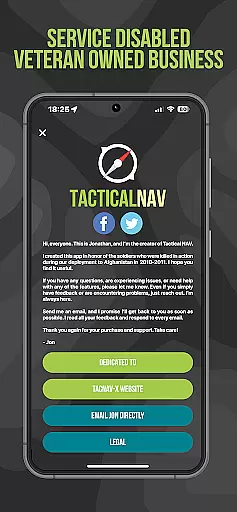
Tactical NAV is a specialized navigation app designed for military use, particularly developed to enhance soldier safety and mission success. Created during a combat deployment in Afghanistan, this app serves as a tribute to fallen soldiers and provides a low-cost, highly accurate mobile navigation platform tailored for the U.S. military.
The app offers advanced features such as offline mapping capabilities, WGS-84 standard coordinates, tactical drawing mode, and waypoint plotting functionality. These tools are crucial for mission planning, targeting, and increasing situational awareness in austere and contested environments.
With its precision targeting platform and compatibility with military graphics, Tactical NAV empowers service members to operate effectively in both training and combat scenarios, ensuring they have the navigational support needed to succeed.
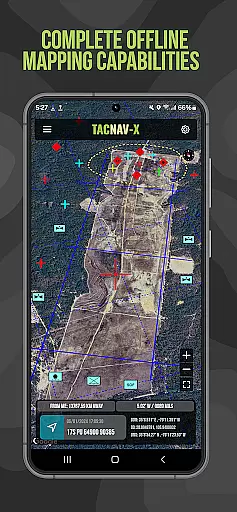
Tactical NAV stands out with its military-grade precision targeting platform, purpose-built for individual soldiers. The app's offline mapping capabilities allow complete usage without emitting a cellular signal, making it ideal for operations in remote areas.
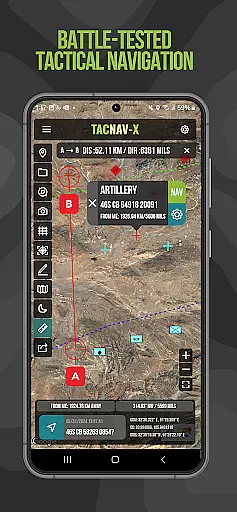
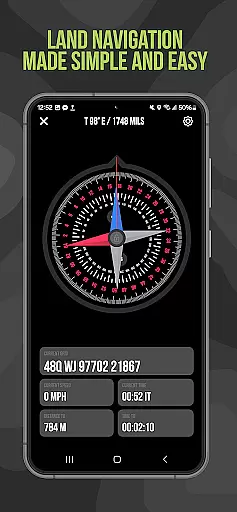
Key features include WGS-84 standard coordinates (MGRS, UTM, BNG, and USNG), tactical drawing mode for mission planning, and waypoint plotting with military graphics. The Compass 'FastLock' function enables quick and precise azimuth capture, while the 'Go to Grid' feature aids in precision planning.
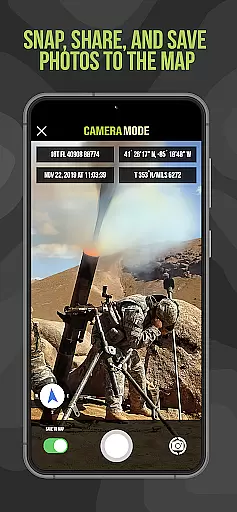
Additional functionalities like location, waypoint, and photo-sharing via email and text further enhance operational effectiveness. Built specifically for austere environments, Tactical NAV ensures reliable performance where it matters most.
Map accuracy is crucial for navigation applications, especially in tactical environments where precision can be a matter of life and death. Tactical NAV offers highly accurate mapping capabilities that are on par with military-grade devices like the AN/PSN-13 Defense Advanced GPS Receiver (DAGR). This ensures that users can rely on the app to provide precise location data within 1mm of officially approved systems issued by the Department of Defense.
The app supports various coordinate systems including WGS-84 standard MGRS, UTM, BNG, and USNG coordinates, which are essential for military operations. The inclusion of these standards allows soldiers to communicate positions effectively and plan missions accurately without discrepancies in location data.
Tactical NAV's offline mapping mode further enhances its reliability. Users can access maps without emitting a cellular signal, making it ideal for use in contested environments where maintaining stealth is critical. This feature not only improves operational security but also ensures continuous functionality even when network coverage is unavailable or intentionally avoided.
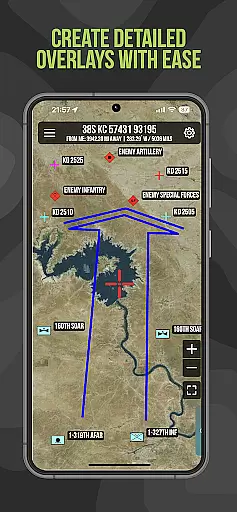
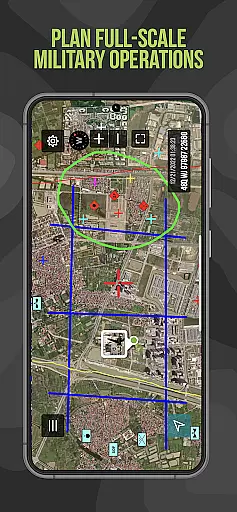
Effective route planning is vital for mission success and personnel safety in both training and combat scenarios. Tactical NAV provides robust tools for plotting waypoints using military graphics as specified in FM 1-02.2. These visual aids help service members understand their planned routes better and execute them with confidence.
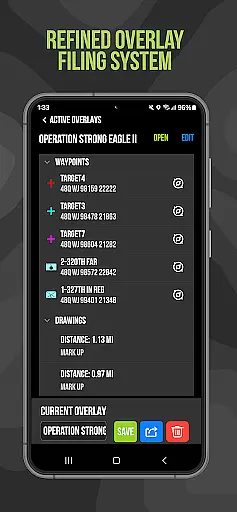
In addition to traditional waypoint plotting, Tactical NAV includes a 'Go to Grid' feature that enables precision planning and drawing overlays directly onto maps. This capability allows users to create detailed mission plans, identify key locations, and drop waypoints with exactness, enhancing situational awareness during operations.
The Compass u201cFastLocku201d function adds another layer of utility by allowing quick capture of precise azimuths. Whether navigating through unfamiliar terrain or coordinating movements with other units, this tool ensures that directions are clear and accurate. By integrating such features, Tactical NAV empowers military personnel to operate efficiently and safely in diverse environments.
Highly accurate navigation
Offline mapping available
Military-grade features
Enhances mission planning
Supports situational awareness
No DoD endorsement
Not for combat use
In-app purchases required
Limited to military use
Subscription fees apply

Turn your Android device into a real off-road GPS using off-line topo maps!
 4.40
4.40
Complete offline 1:50k South Island topo map including DOC Hunting Permit Areas
4.60
Parcel map, property lines, owner, acres, land use, zoning and more from Regrid.
4.60
Maps, Driving Directions & GPS navigation using directions app & GPS App
4.30
Get route map navigation with 3D satellite view, and live earth camera streaming
3.70
Explore Live Earth Map with 3D World Map & locate cites, mountains real time.
3.80
Bolt is a ride-hailing app for requesting fast, safe, and affordable transport
4.80
Lets explore the world's famous places by using Live Cams, GPS & Satellite View.
4.20
Navigate MTA, NJ Transit, MBTA, SEPTA, BART, MARTA, CTA & 900+ cities
4.60
Find EV & Tesla charging stations with PlugShare
4.70
GPS Speedometer & Odometer: Track car, bike, truck speed & distance in real-time
4.70
Number locator, real connection map
4.10
Use GPS Maps and GPS Voice Navigation to find your way and get directions
4.10
Avoid delays. Get real-time GPS navigation, safety alerts and live traffic.
4.10
Drive safe with real-time speed camera radar, police, and traffic alerts
3.80
Explore Earth with live GPS, satellite view & street navigation
3.60
Play in the outdoors with Android as your Handheld GPS and offline topo maps!
3.50
Offline maps for phone and smart watch: topographic maps, satellite images...
3.30
Turn your tablet or Android powered unit into a full blow Android Auto headunit.
2.30



User Reviews