
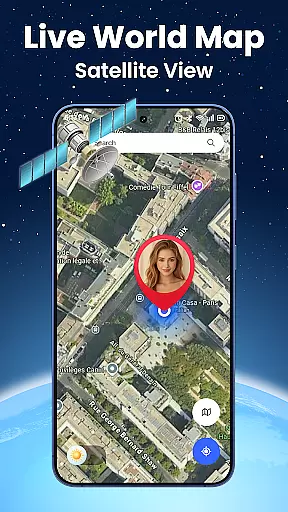
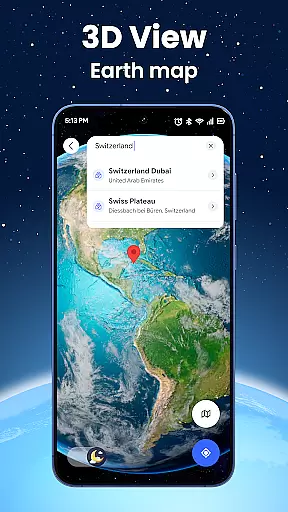
Live World Map: Satellite View is a comprehensive navigation and exploration app that combines real-time 3D Earth navigation with GPS location tracking. The app offers realistic terrain and city maps, allowing users to explore mountains, rivers, buildings, and streets through interactive maps. With its live satellite imagery, users can access high-resolution views of any place on Earth, making it ideal for virtual tours or monitoring remote locations.
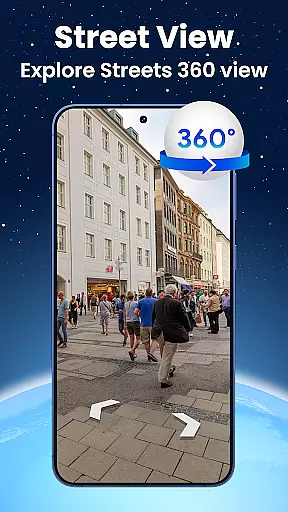
In addition to its mapping capabilities, the app provides a street view feature with a 360-degree panorama camera, enabling immersive virtual travel experiences. Users can also take advantage of the built-in GPS navigation tools to track their current position and receive turn-by-turn directions. Whether planning a trip or exploring from home, Live World Map: Satellite View delivers an intuitive interface with smart search functions for places and landmarks, ensuring quick access to essential locations worldwide.
One of the standout features of Live World Map: Satellite View is its realistic terrain and city maps. Users can rotate, zoom, and navigate across interactive maps to visualize places before traveling. The app's live satellite map provides real-time imagery fetched from global GPS satellite sources, offering the most accurate and updated views possible. This makes it perfect for monitoring remote locations or exploring natural environments without leaving home.
The app also includes a street view function with a 360-degree panorama camera, allowing users to walk through real streets and neighborhoods virtually. Its GPS navigation and route-finding tools ensure smooth routing and precise movement tracking, helping users avoid wrong turns and delays. Additionally, the smart search feature enables quick location of restaurants, airports, hotels, ATMs, and tourist attractions, enhancing travel efficiency and convenience.
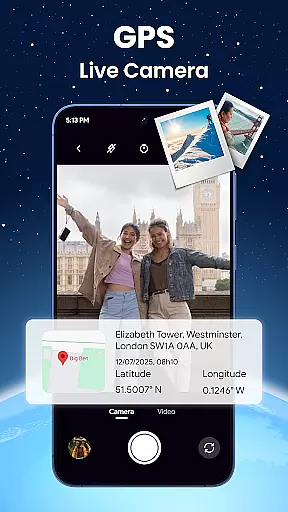
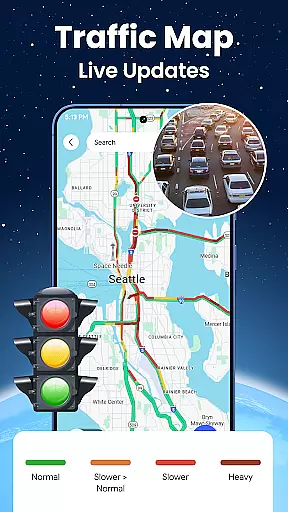
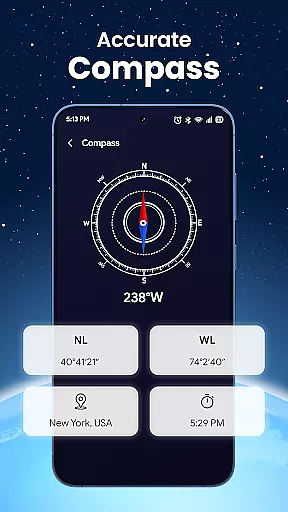
With bonus tools like a compass, speedometer, altitude display, and real-time location sharing, Live World Map: Satellite View stands out as an all-in-one solution for travelers, geographers, and curious explorers alike. The clean, fast, and intuitive interface ensures seamless access to all these powerful features, making it easy to use for both casual browsing and professional applications.
Map accuracy is a critical feature for any navigation application, and Live World Map excels in this area by providing realistic terrain and city maps. The app allows users to view the Earth with detailed cityscapes and terrain, which can be rotated, zoomed, and navigated interactively.
By accessing high-resolution satellite imagery, the app fetches updated data from global GPS sources, ensuring that users receive the most precise visual information available. This level of detail is ideal for those who need to visualize locations before traveling or for conducting virtual tours.
The inclusion of street view with a 360u00b0 panorama camera further enhances the accuracy of the maps by allowing users to walk through real streets and neighborhoods. This immersive experience aids in both preparation for trips and revisiting places virtually.
Overall, the map accuracy provided by Live World Map ensures that whether you're exploring cities or natural landscapes, the representation is as close to reality as possible, making it an invaluable tool for travelers and geography enthusiasts alike.
Route planning is made effortless with Live World Map's comprehensive set of tools designed to help users navigate efficiently. With built-in GPS locator and map navigation features, the app provides turn-by-turn directions to destinations, helping users avoid wrong turns and delays.
In addition to basic route guidance, the app offers smart search capabilities for places and landmarks, enabling quick location of essential services like restaurants, airports, and hotels. This functionality saves time and enhances travel experiences by offering one-touch access to nearby points of interest.
Live World Map also includes bonus tools such as a compass, speedometer, and altitude display, which contribute to more informed route planning. These features ensure that users have all the necessary information at their fingertips for a smooth journey.
With its clean, fast, and intuitive interface, Live World Map makes route planning not only efficient but also enjoyable, catering to both everyday commuters and adventurous explorers seeking seamless navigation experiences.
User-friendly interface
High-resolution satellite imagery
Real-time GPS tracking
Comprehensive navigation tools
Global coverage with frequent updates
Requires stable internet connection
Some features may need premium access
Occasional lag in satellite updates
Limited offline functionality
Heavy data usage for live maps

Explore a light pollution map to find suitable dark sky locations for observing.
 4.30
4.30
Instant diesel discounts - save big with each fill up!
4.40
America’s largest public fast charging network, with over 500 charging stations.
4.50
Track accurate speed & distance with GPS Speedometer. Check speed limit & time.
4.50
Explore with GPS Navigation with GPS offline, voice GPS, speed camera radar
4.60
Bolt is a ride-hailing app for requesting fast, safe, and affordable transport
4.80
Truck Safe GPS Navigation & Maps: Parking, Fuel, Diesel, Weight Station
4.80
ParkWhiz, an Arrive Mobility brand, part of the Arrive Network
4.30
Navigate seamlessly with Real-Time Traffic, Offline Maps, and Voice Navigation.
4.10
Navigate confidently with our precise Digital Compass app & Direction Compass!
4.70
Parcel map, property lines, owner, acres, land use, zoning and more from Regrid.
4.60
Track friends in real-time and explore worldwide live cameras.
4.60
Rideshare, taxi cabs, and more for your airport travels and everyday trips.
4.50
Simple & easy to use a compass app. Get accurate directions.
4.20
Discover over 800 points of interest along the canal.
3.70
Play in the outdoors with Android as your Handheld GPS and offline topo maps!
3.50
Your guide to the recreational opportunities of the Bureau of Land Management!
3.40
Off-Roading Navigation App With Trails, Public Lands, & Private Property Info
3.30
Ride CTA, Metra & Pace: Manage your fares, buy Metra tickets, get arrivals.
3.00




User Reviews