
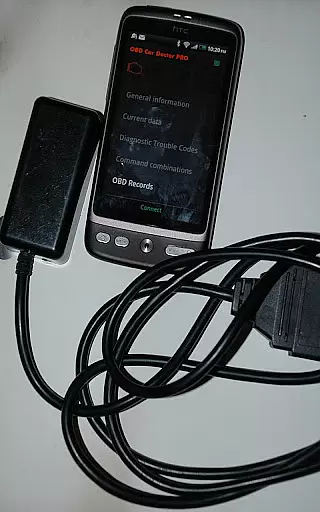
inCarDoc Pro is a sophisticated automotive diagnostic application designed for OBD-II compliant vehicles. This powerful tool connects to cars through ELM327-based scanners, enabling users to monitor crucial engine parameters and diagnose potential issues.
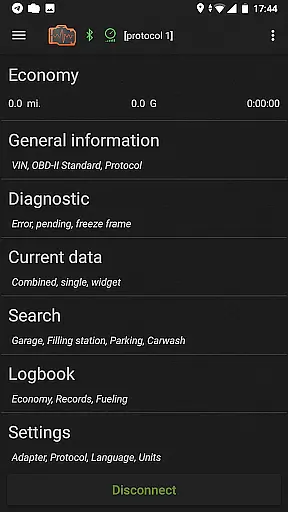
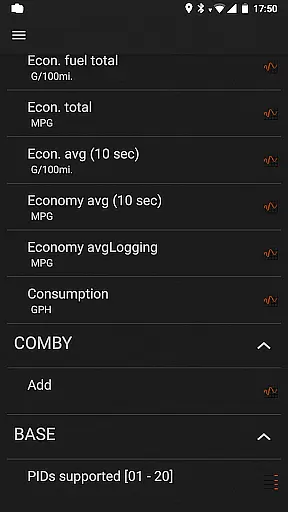
The application's core functionality revolves around real-time vehicle diagnostics. It reads essential parameters like engine speed, temperature, and pressure while providing detailed fault code explanations. Additionally, it offers advanced features such as fuel economy tracking, GPS logging, and maintenance records management.
Professional users benefit from the app's ability to record and share comprehensive diagnostic reports. The premium version removes advertisements while adding valuable features like background recording and extended widget support. Whether you're a car enthusiast or automotive professional, inCarDoc Pro delivers essential tools for maintaining optimal vehicle health.
inCarDoc Pro offers extensive vehicle diagnostic capabilities for car owners and professionals alike. The application connects with ELM327-based OBD2 scanners to retrieve critical engine and emission system data.
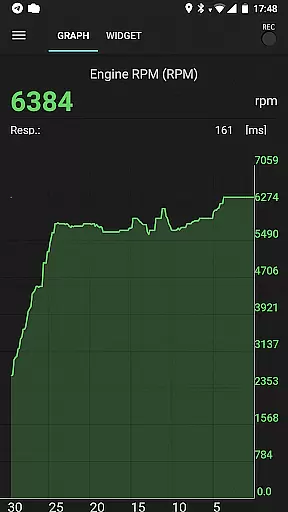
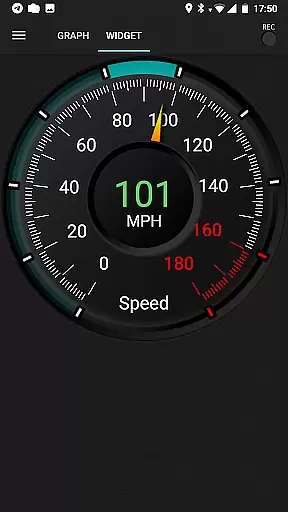
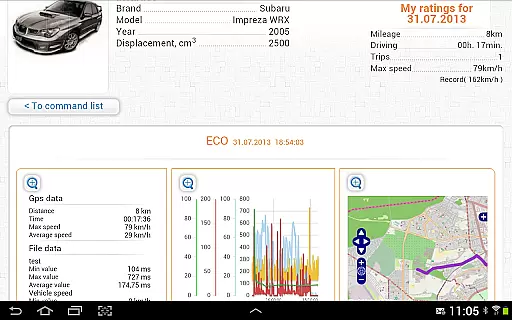
Key functionalities include real-time parameter monitoring such as speed, RPM, coolant temperature, and oxygen sensor readings. Users can record and analyze these metrics through interactive charts and widgets. The pro version enables background data recording, GPS trace support, and server uploads for extended analysis.
The app also provides fuel economy tracking, maintenance logbooks, and professional-grade diagnostic reports. These features help users optimize vehicle performance, track service history, and share detailed diagnostic information with repair services.
Accessing detailed vehicle information is crucial for effective car maintenance and diagnostics. inCarDoc Pro provides comprehensive data about your vehicle's performance by connecting to the OBD-II system. The app reads real-time parameters from the car's sensors, including speed, engine rotation, coolant temperature, and more.
The application supports multiple parameter readings, allowing users to monitor various aspects of their vehicle's health. This includes critical engine metrics and emission system statuses, ensuring that all essential components are functioning optimally. By providing this level of detail, inCarDoc Pro empowers car owners to stay informed about their vehicle's condition.
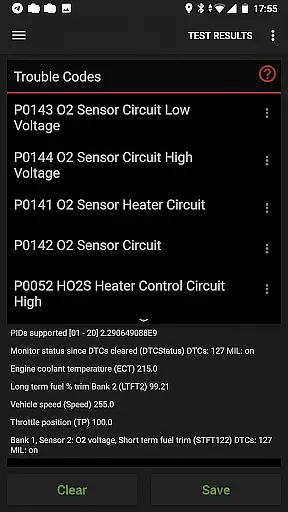
Users benefit from advanced features like fault code scanning and diagnostics. The app not only reads check engine lights but also provides detailed descriptions and freeze frame data related to diagnostic trouble codes. This functionality helps users understand specific issues and make informed decisions regarding necessary repairs or maintenance.
Price transparency in automotive tools ensures users understand the value they receive. inCarDoc Pro offers a professional version with enhanced features compared to its free counterpart. The pro version eliminates ads and provides additional functionalities such as real-time parameter recording and extended widgets for fuel economy and acceleration.
Customers can evaluate the differences between the free and pro versions before making a purchase decision. The app clearly outlines the benefits of upgrading, including background mode recording, GPS trace support, and server uploads. These features enhance the user experience by offering more robust data management and analysis capabilities.
By providing a detailed feature list and specifying the exact advantages of the pro version, inCarDoc Pro maintains price transparency. Users can confidently invest in the upgraded version knowing exactly what enhancements they will receive, ensuring satisfaction and trust in their purchase decision.
Comprehensive diagnostics
Real-time parameter tracking
Fuel economy optimization
Professional reporting tools
Extensive feature set
Requires compatible scanner
No offline functionality
Premium cost
Complex for beginners
Device compatibility issues

Taximeter; the professional's choice
 4.30
4.30
Take Control of Your Car
4.80
OBD diagnostics, Live Data, DPF regeneration for BMW
4.00
Ferrari inspired analog & digital watch face with quick access and premium style
4.4
* This app needs an adapter cable and a certain OBD2 adapter to work *
4.20
Club Car Wash Mobile App—the fast lane to managing your wash membership.
3.30
BlueDriver® is a Premium Diagnostic OBD2 Scan Tool. www.BlueDriver.com
3.90
The ExtraMile App allows you to pay for fuel from the comfort of your car!
4.70
Get price alerts, vehicle history details and more for cars near you!
4.50
Get more out of your AAWireless adapter with this companion app | aawireless.io
4.80
Car Values, Research and More
4.80
1M+ high-quality auto parts at your fingertips. Fitment guaranteed.
4.70
Find Your Local Store or Shop Online for the Car, Truck, or SUV Parts You Need
4.70
Browse millions of cars, track vehicle listings or sell your car today
4.70
Autolist - The Largest Selection of Local Used Cars and Trucks
4.50
Find, search, and browse 40,000+ used cars, SUVs, and trucks.
4.50
A full featured, real-time transit locator system
4.30
Theme for Car Launcher
4.2
Theme for Car Launcher
4.0



User Reviews