
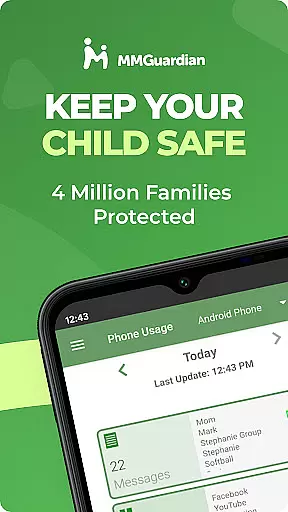
MMGuardian Parental Control is a comprehensive parental monitoring solution designed to ensure children's online safety. This app, intended for parents, allows remote management and monitoring of a child's mobile activity. Key features include screen time management, app blocking, internet filtering, text message monitoring, and safety alerts. The service also provides GPS location tracking to help parents keep tabs on their child's whereabouts.
The app operates on a two-device system where the parent installs this app on their phone and a corresponding child app on the child's device. It supports both Android and iPhone devices, with separate installations required for each platform. Parents can monitor SMS texts, web browsing activity, application usage, and phone calls. Additionally, MMGuardian extends its monitoring capabilities to popular social media platforms like Facebook Messenger, WhatsApp, Snapchat, Instagram, Kik, TikTok, and Discord.
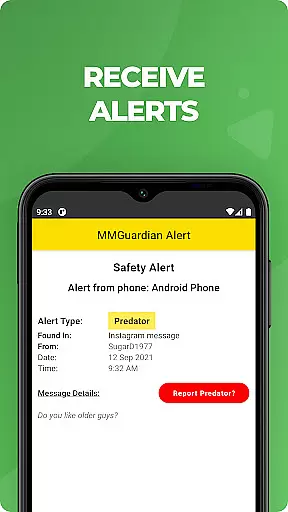
This parental control tool proves invaluable in identifying potential dangers such as cyberbullying, sexting, or suicidal thoughts through keyword alerts. With a free 14-day trial available, parents can explore the full range of features before committing to a subscription plan starting at $4.99 per month.
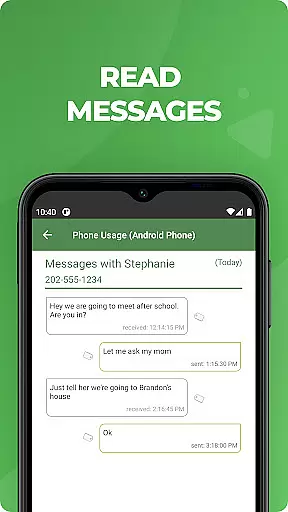
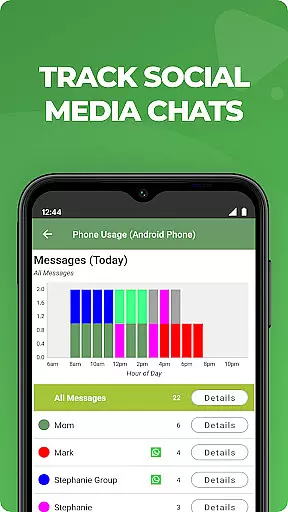
MMGuardian Parental Control offers an extensive set of features tailored to provide parents with peace of mind regarding their children's digital activities. One of its standout functionalities is the ability to monitor and receive alerts on text messages and chat communications from various social media apps. This ensures that any potentially harmful conversations are flagged immediately.
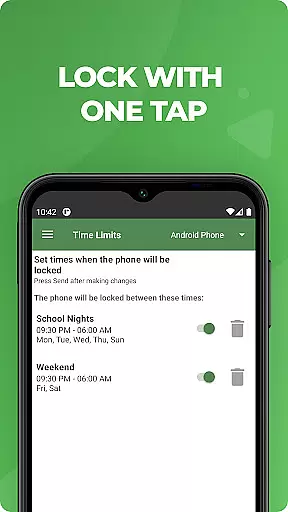
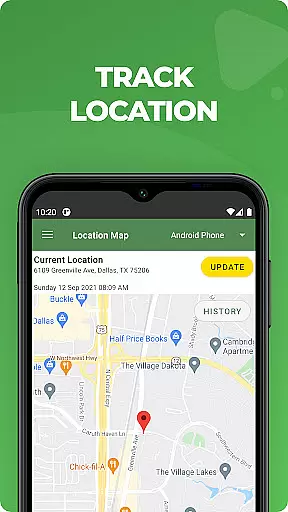
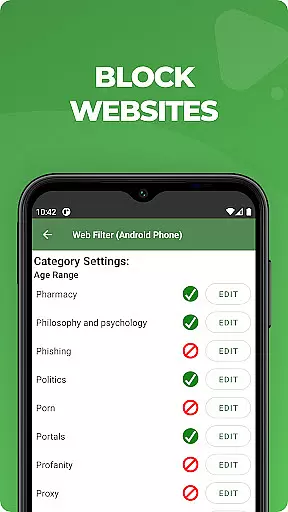
Beyond communication monitoring, MMGuardian enables parents to manage their child's screen time effectively. By setting specific limits on app usage and web filtering, parents can prevent overexposure to inappropriate content. The app also includes a GPS location tracker, allowing parents to locate their child's phone easily. Additional functions such as remotely locking or unlocking the child's phone add another layer of security and control.
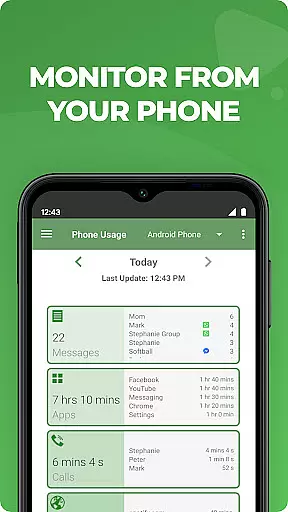
Parents benefit from comprehensive reports detailing text messages, app usage, web browsing history, and voice call logs. These insights empower parents to make informed decisions about their child's digital environment. Moreover, the necessity for both parent and child devices to be registered under the same email ensures seamless synchronization and management across devices.
When it comes to parenting applications, the credibility of content and expert validation are paramount. MMGuardian Parental Control excels in this area by providing reliable information that parents can trust. The app's features are designed based on expert recommendations and thorough research into online child safety.
The application offers advanced monitoring tools that alert parents to potential dangers such as cyberbullying, sexting, and exposure to inappropriate content. These alerts are not arbitrary but are based on well-researched keywords and phrases that experts have identified as red flags. This ensures that the guidance provided is both accurate and actionable.
Parents using MMGuardian can be confident that they are receiving advice and alerts that have been vetted by professionals in child psychology and digital safety. This level of expert validation provides peace of mind, knowing that the app's recommendations are rooted in scientific understanding and practical experience.
By combining cutting-edge technology with expert-validated content, MMGuardian Parental Control stands out as a reliable tool for modern parenting. It empowers parents to make informed decisions about their children's digital lives while fostering a safer online environment.
Growth tracking accuracy is essential for understanding a child's development over time. MMGuardian Parental Control goes beyond basic monitoring by offering detailed reports on various aspects of a child's digital behavior. These reports provide precise data on screen time, app usage, web browsing activity, and social media interactions.
The app employs sophisticated algorithms to ensure that the data collected is both comprehensive and accurate. Parents receive regular updates that clearly illustrate trends and patterns in their child's online activities. This allows for more informed discussions between parents and children about responsible device use.
Moreover, MMGuardian's growth tracking extends to safety features that monitor potentially harmful behaviors. The app's ability to detect and report suspicious activities or conversations adds another layer of accuracy to its growth tracking capabilities. This feature helps parents identify areas where intervention might be necessary.
With its commitment to providing accurate and meaningful data, MMGuardian Parental Control enables parents to effectively track their child's digital growth. This information serves as a valuable tool for promoting healthy development in today's technology-driven world.
Comprehensive monitoring
Real-time alerts
GPS tracking included
Remote device control
Free trial available
Paid subscription
Separate child app
Requires data
Limited without license
Complex setup

Comprehensive Parental Control & Child Safety — Hear & Protect Your Child World
 4.30
4.30
With BabyCam you can monitor your baby using your mobile phone, tablet, PC or TV
4.40
Track Pregnancy, Baby Feeding, Sleep, Diaper Changes, Postpartum Health & More!
4.80
Cherish every beat - capture your baby's heart sounds with our app
4.30
Protect kids online safety through GPS tracking,screen time control,app blocking
4.20
Babysitting video camera - Turn your two phones or tablets into a single nanny.
4.40
Speech Therapy Exercises For All!
4.40
Advanced baby tracking, expert sleep help & parenting support for every stage.
4.80
The Most Trusted Co-Parenting App.
4.60
A simple way to track your baby’s breastfeeding, diaper changes, sleep patterns.
4.90
Track your labor contractions
4.90
FamilyAlbum helps you share, save, and remember your child's special moments.
4.80
Kids story books for children. Baby reading books with audio for pre-k toddlers
4.70
GPS tracker app: Simple GPS phone tracker for fast family location tracking
4.60
App/Game blocker & GPS tracker
4.50
Free symptom & med tracker with expert-reviewed tips.
4.30
Fake call application designed for parents and adults to discipline their children through the children's police.
4.20
Limit screen time, Block Apps & Games, Monitor with Parental control app
4.20
Track pregnancy health and wellness with pregnant tracker from healthcare advice
4.5




User Reviews