
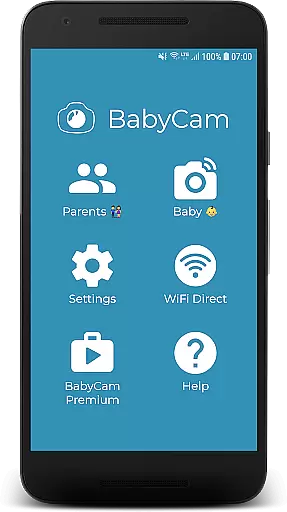
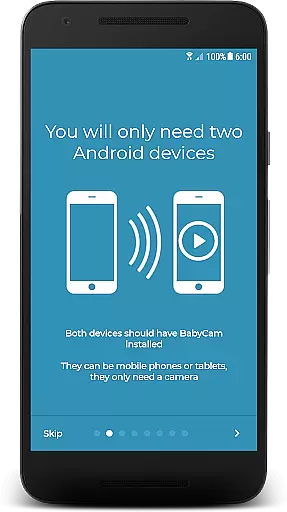
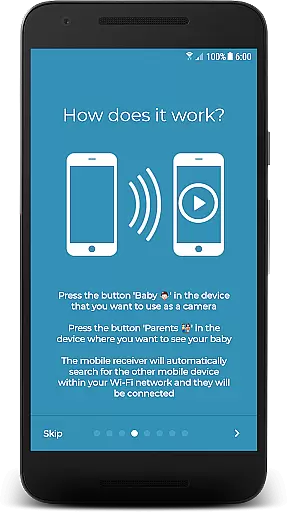
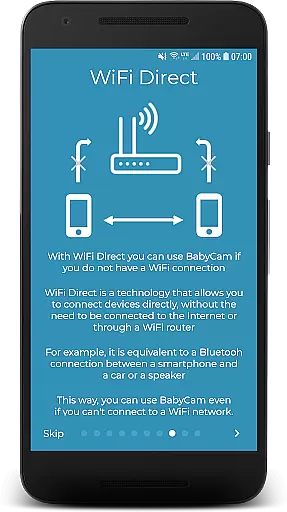
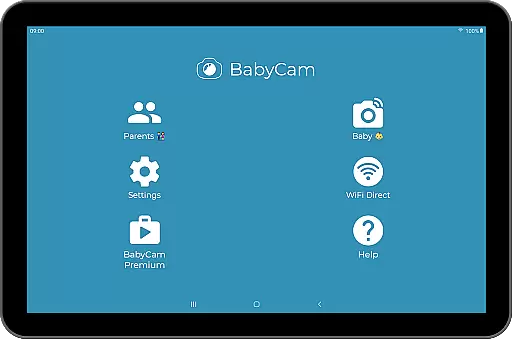
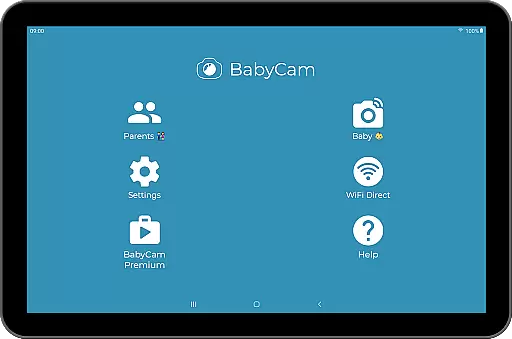
BabyCam is a smart parenting solution that allows parents to monitor their baby using two devices, such as phones or tablets. One device acts as a camera placed near the baby, while the other serves as a viewing screen for the parents. The app operates seamlessly on the same WiFi network or via WiFi Direct, eliminating the need for an internet connection. With its user-friendly design, BabyCam connects devices effortlessly with just a single button press, avoiding complicated setups like registration or matching codes.
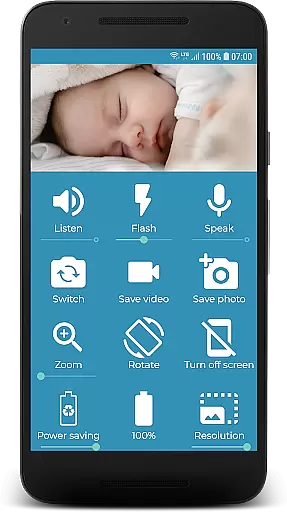
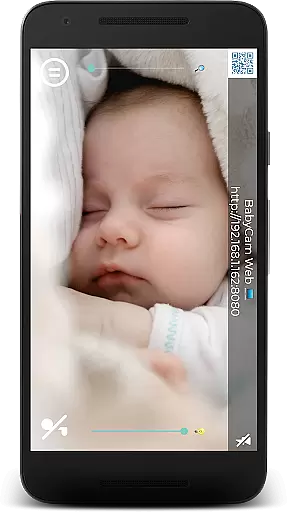
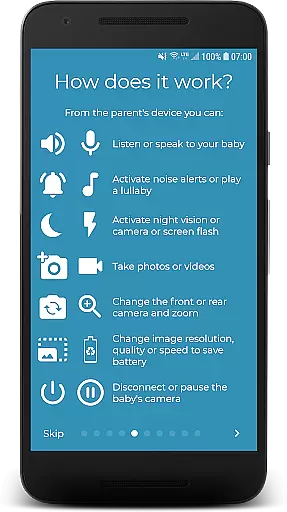
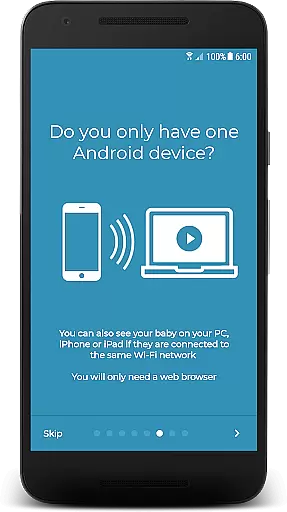
Parents can enjoy advanced features including real-time audio and video streaming, lullaby playback, flash activation for low-light visibility, and front-back camera switching. Additionally, BabyCam supports Chromecast for TV viewing and offers web browser access for PC, iPhone, or iPad users. Its premium version removes ads at an affordable price, making it a versatile and reliable choice for modern parenting needs.
BabyCam stands out with its innovative features tailored for parental convenience. The app provides real-time monitoring without requiring an internet connection, thanks to WiFi Direct compatibility. Parents can listen to and talk to their baby through the app's audio functionalities, ensuring constant communication. Advanced controls allow users to adjust microphone volume, activate night mode for comfortable viewing, and even play soothing lullabies to help the baby sleep.
Additional highlights include flash activation for better visibility in low-light conditions, zoom functionality for closer observation, and simultaneous multi-device connections so both parents can monitor their child. BabyCam also supports media capture, letting parents take pictures and videos directly from the app. These features collectively ensure a comprehensive, flexible, and user-focused baby monitoring experience.
When it comes to parenting applications, the credibility of content and expert validation are crucial factors. BabyCam excels in these areas by providing features that are not only innovative but also endorsed by child care professionals. The app offers functionalities such as lullaby playback, night mode for eye comfort, and real-time baby monitoring, which are designed with both safety and convenience in mind.
BabyCam ensures that all its features undergo rigorous testing and adhere to safety standards suitable for infant care. For instance, the ability to listen and talk to your baby is achieved through secure connections, either via the same WiFi network or WiFi Direct, eliminating the need for internet connectivity. This guarantees a safe and private environment for monitoring your child.
The application's credibility is further enhanced by its user-friendly design, which requires no complicated setup or registration process. Parents can easily connect their devices with a simple button press, making it accessible even to those who may not be tech-savvy. Additionally, BabyCam provides options like flash activation for low light conditions and camera zoom, which are practical tools validated by parenting experts to ensure they meet the needs of modern parents.
Growth tracking accuracy is an essential aspect of parenting apps, allowing parents to monitor developmental milestones and health indicators. Although BabyCam is primarily focused on real-time monitoring, it indirectly supports growth tracking through features like video recording and picture-taking capabilities. These functions enable parents to document their baby's progress visually, capturing moments that can be reviewed later for developmental assessments.
The app facilitates accurate tracking by offering high-quality video and image capture without requiring an internet connection. Through WiFi Direct or a shared network, BabyCam streams live footage to multiple devices simultaneously, ensuring that both parents can observe and record significant moments. This feature is particularly useful for comparing behavioral changes or physical growth over time.
BabyCam also includes functionalities such as battery level display for the babyu2019s device and adjustable microphone volumes, which contribute to consistent and reliable monitoring. By maintaining a stable connection and providing clear audio-visual feedback, BabyCam empowers parents to keep detailed records of their child's daily activities. Such meticulous documentation aids in identifying patterns or anomalies early on, thus supporting overall growth tracking accuracy.
User-friendly interface
No internet required
Multi-device support
Affordable premium option
Real-time audio-video
Limited to WiFi networks
Premium costs extra
Ads in free version
Device compatibility issues
Requires manual setup

Happiest Baby App replaces the SNOO App (the mobile companion to SNOO & SNOObie)
 3.20
3.20
Cherish every beat - capture your baby's heart sounds with our app
4.30
Family GPS locator app — child location tracker. GPS kids tracker, family safety
4.70
A simple way to track your baby’s breastfeeding, diaper changes, sleep patterns.
4.90
Learn according to the age of your child and consult with other moms.
4.20
Watching baby, helping parents
4.10
Lullabies, Night Light & Age-based Routines to help your baby fall asleep
4.5
Track your labor contractions
4.90
FamilyAlbum helps you share, save, and remember your child's special moments.
4.80
Introduce real food to baby with First Foods® Database, baby led weaning BLW
4.80
Parental control App for Location, Remote Camera, Screen Mirroring, Block Apps.
4.60
GPS phone tracker: find kids on map. Location tracking and parental control.
4.50
Block apps, set screen time limits, and customize usage schedules
4.50
Keep track of your stored breastmilk
4.40
Educational resource for parents to inspire creativity in their children.
4.00
Parental Control including Screen time control, GPS tracking, App/Game blocker.
3.90
Monitor screen time and build healthy habits with Family Safety
3.90
Discover fun videos, kids songs, bedtime stories and games
3.60
Track pregnancy health and wellness with pregnant tracker from healthcare advice
4.4



User Reviews