
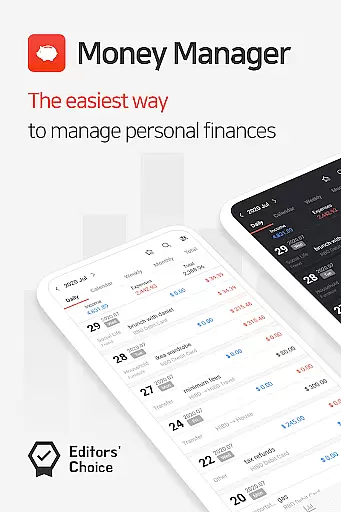
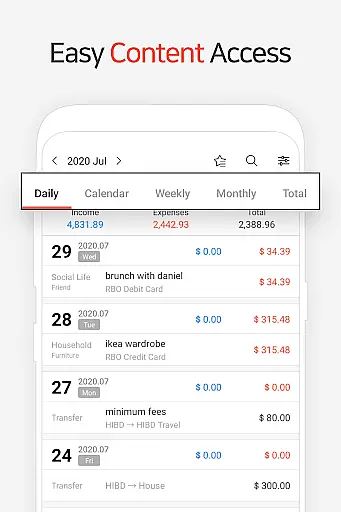
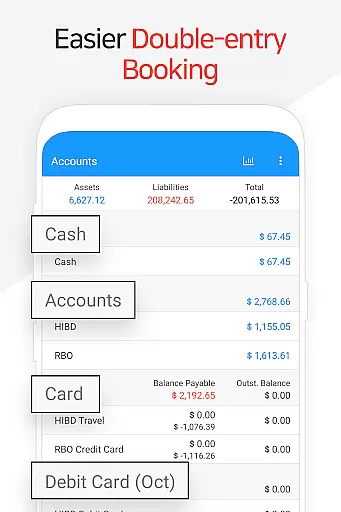
Money Manager is a comprehensive personal asset management application designed to help users efficiently track and manage their finances. The app employs double-entry bookkeeping, ensuring accurate recording of both incoming and outgoing transactions. This method provides a clear picture of your financial health by automatically updating account balances with each entry.
The application offers advanced budgeting tools that allow users to set spending limits and visualize their expenditure through intuitive graphs. With dedicated features for managing credit cards and debit accounts, users can monitor payment schedules and outstanding balances directly from the asset dashboard. The inclusion of a passcode feature ensures secure access to sensitive financial data.
Designed for both mobile and PC use, Money Manager enables seamless data synchronization across devices via Wi-Fi. This allows for more detailed data management on larger screens, including customizable views and graphical representations of account fluctuations. Whether you're tracking daily expenses or planning long-term financial goals, Money Manager provides the tools necessary for effective personal finance management.
Money Manager stands out with its robust feature set tailored for meticulous financial management. The app's double-entry bookkeeping system revolutionizes how users log transactions by automatically updating account balances upon entry of income or expenses. This ensures real-time accuracy in financial tracking and simplifies reconciliation processes.
Budget management capabilities are particularly noteworthy, offering visual comparisons between planned budgets and actual expenditures. Users can easily identify overspending patterns and adjust their financial habits accordingly. The card management feature streamulates payment tracking by displaying upcoming payments and outstanding balances, while enabling automatic debits through linked accounts.
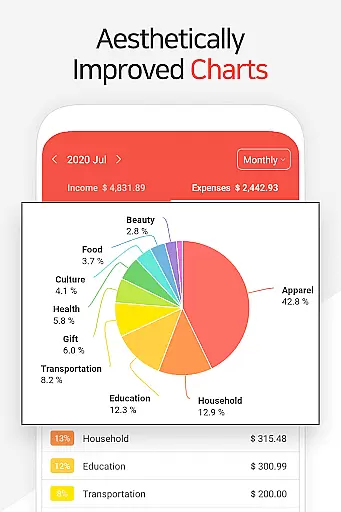
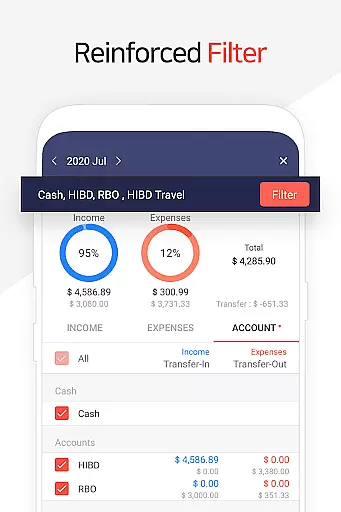
Advanced functionality includes instant statistical analysis, allowing users to view categorized expenses and monthly trends at a glance. The app supports complex financial operations such as fund transfers, recurring payments, and automated salary allocations. With additional features like bookmarking frequent transactions, calculator integration, and flexible backup options including Google Drive support, Money Manager delivers a complete solution for modern personal finance management.
Account and fund security is a critical aspect of any financial management application. Money Manager ensures the safety of user data through multiple layers of protection.
The app implements advanced encryption protocols to safeguard sensitive financial information, ensuring that all transactions and account details remain confidential. Additionally, the passcode feature adds an extra layer of security, allowing users to lock their financial data behind a secure PIN.
Furthermore, by enabling Google Drive backup, users can securely store their financial records in the cloud. This not only protects data against device loss or damage but also allows for easy restoration when needed.
These security measures provide users with peace of mind, knowing their personal and financial information is protected from unauthorized access while maintaining accessibility and convenience.
A seamless transaction experience is essential for effective personal asset management. Money Manager excels in providing users with intuitive tools to manage their finances effortlessly.
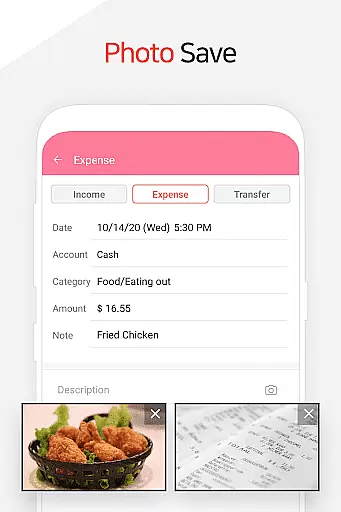
The app supports double-entry bookkeeping, which streamlines the process of recording income and expenses. As soon as a transaction is logged, funds are automatically deposited into or withdrawn from the respective accounts, ensuring real-time accuracy.
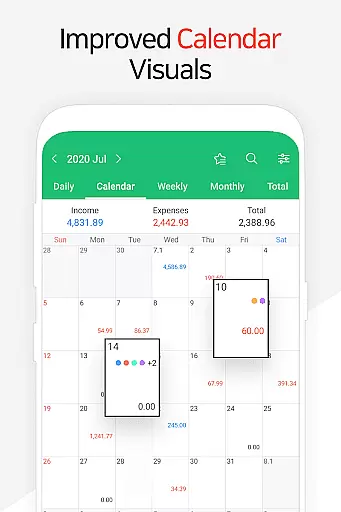
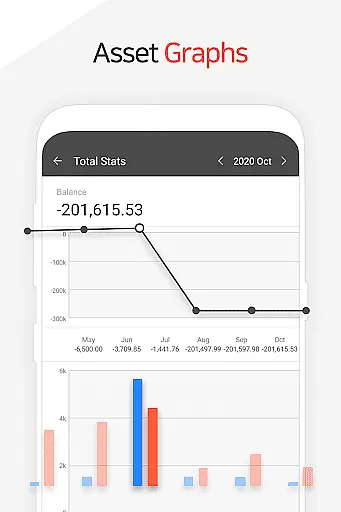
With features like instant statistics, users can view their financial status at a glance. Graphs display monthly changes in income and expenses, offering valuable insights into spending habits and financial trends.
Moreover, functions such as budget management and card/debit card tracking enhance the overall transaction experience by giving users greater control over their financial planning and monitoring capabilities.
User-friendly interface
Comprehensive budgeting tools
Secure passcode protection
Multi-platform synchronization
Automated transaction tracking
Requires learning curve
Premium features locked
Occasional sync issues
Limited free storage
Complex setup process

The all-in-one app to save, earn, travel, and put more money in your pocket
 4.50
4.50
Companies owe you money.
4.80
Play for fun, earn for real. Collect rent by owning virtual land & get cashback
4.60
Get, Earn, and Save Money
4.30
Invest, bank & save in one app. Trade stocks, earn high APY & budget smarter.
4.00
Make your paycheck work harder for you with Perpay.
4.10
Wells Fargo Mobile allows you to access your investment and bank accounts.
4.80
Make Real Cash by Playing Games! Fetch Playful Rewards, Win & Triumph
4.50
Venmo is the fun and easy way to pay and get paid.
4.10
Join 12M+ users. Instant cash advances, personal loans, build credit, save money
4.80
Manage your credit card account with the Credit One Bank mobile app.
4.70
Send money and bitcoin easily. Invest, bank and do more with your money
4.70
Manage and cancel subscriptions, lower bills, track expenses, create budgets.
4.60
Earn cash back. Build credit.
4.60
Banking, Budgeting & Investing
4.60
The US Debt Clock .org App gives you a Real-Time glimpse of US Financial Stats
4.60
All your crypto & stocks in one secure and trusted app.
4.40
Expenses, Bills, Budget and Accounts - All seamlessly integrated in one app!
3.80
Bill Manager is a simple app to help you keep track of your upcoming bills.
4.4




User Reviews