
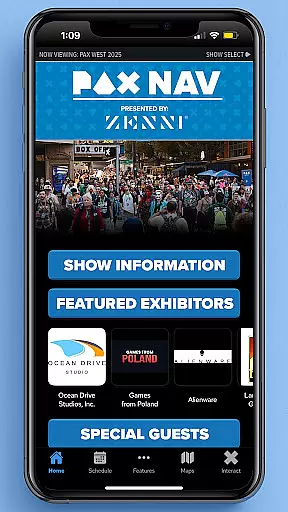
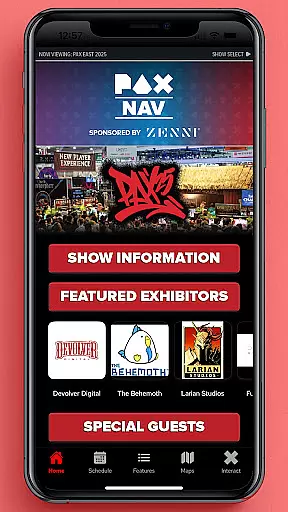
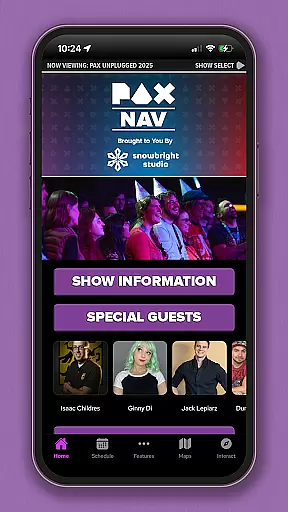
PAX Nav is the official app for PAX West, PAX East, and PAX Unplugged events. It provides users with comprehensive access to event schedules, exhibitor lists, interactive maps, exclusive show specials, and entry into the PAX XP program. Designed specifically for gaming enthusiasts and event attendees, this app serves as an all-in-one guide to maximize your PAX event experience. Whether you're planning your day or navigating the venue, PAX Nav ensures you have the most up-to-date information at your fingertips.
The app's intuitive interface allows for easy navigation through various features, ensuring that users can quickly find what they need. From detailed exhibitor information to real-time updates on session timings, PAX Nav is an essential tool for anyone attending these premier gaming conventions. Its ability to enhance event engagement makes it invaluable for both casual visitors and industry professionals alike.
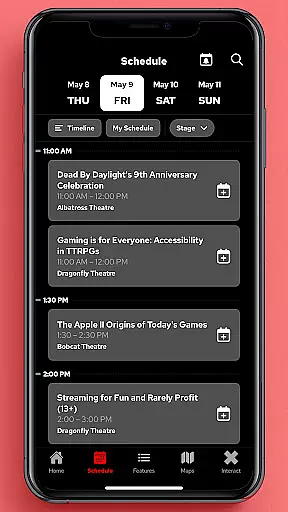
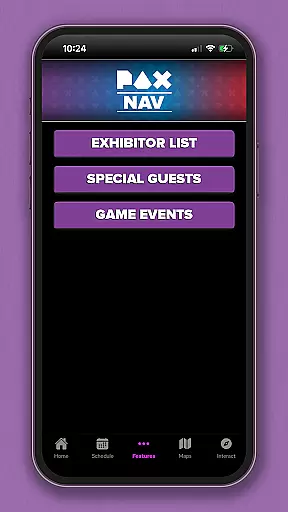
PAX Nav offers a robust set of features tailored for PAX event attendees. The app includes a complete schedule of all sessions, panels, and activities, allowing users to plan their visit efficiently. Additionally, it provides detailed exhibitor lists, enabling attendees to locate their favorite vendors and discover new ones easily. Interactive maps further enhance the user experience by offering precise directions within the venue, ensuring you never miss out on key attractions.
One standout feature is the integration with PAX XP, a unique rewards program that enhances attendee engagement through gamification. Users can earn points by checking into events and participating in activities, unlocking exclusive rewards and experiences. Furthermore, the app highlights special promotions available only to PAX attendees, adding extra value to their visit. With its comprehensive functionality and user-friendly design, PAX Nav stands out as a must-have companion for any PAX event participant.
Task creation and detail customization are essential features for event management applications like PAX Nav. This functionality allows users to create personalized schedules by selecting specific panels, workshops, or exhibitors they want to see at the event.
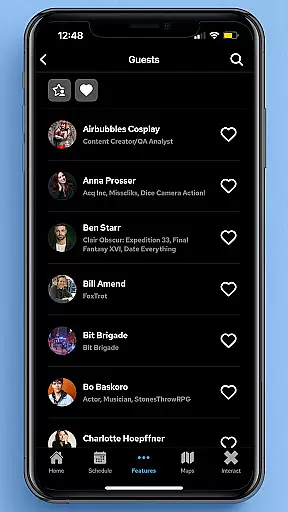
PAX Nav takes this a step further by providing detailed information about each session or exhibitor. Users can view descriptions, speaker bios, room locations, and special requirements for each event. The app also enables attendees to set reminders for upcoming sessions, ensuring they never miss an important presentation or meeting.
The benefits of this feature are significant. Attendees can optimize their time at PAX events by planning their days in advance. They can also make real-time adjustments to their schedules based on new discoveries or last-minute changes. This level of customization ensures that each user's experience is tailored to their specific interests and needs.
For frequent PAX attendees, this feature becomes even more valuable as it allows them to build upon their previous event experiences. By saving favorite sessions or exhibitors, users can quickly reconstruct their optimal schedule for future events, making each subsequent visit more efficient and enjoyable.
Reminder settings in event applications serve as crucial tools for managing time and commitments during busy conventions. PAX Nav offers sophisticated reminder functionalities that help attendees stay organized throughout their event experience.
The app provides multiple notification options, allowing users to choose when and how they receive reminders. Whether it's a push notification 15 minutes before a panel starts or a daily agenda summary delivered each morning, attendees can customize their alert preferences to match their personal scheduling style.
This feature proves particularly beneficial in large-scale events where multiple interesting sessions often occur simultaneously. The reminder system helps users prioritize their interests and manage conflicts effectively. Additionally, the ability to set different types of reminders - such as for exhibitor visits, special announcements, or social meetups - creates a comprehensive event management solution.
Furthermore, PAX Nav's reminder system integrates seamlessly with its other features. When a notification triggers, users can quickly access additional information about the upcoming event or rearrange their schedule if needed. This interconnected approach to event management significantly enhances the overall attendee experience at PAX events.
User-friendly interface
Comprehensive event coverage
Interactive maps
Exclusive rewards via PAX XP
Real-time updates
Limited to PAX events
Requires internet connection
Occasional bugs
No offline mode
Event-specific content

Manages display and transfer of tickets from the Mundo Tickets platform
 3.80
3.80
Manage all your events, leads, ticketing, payments and check-ins.
4.30
CUE Live utilizes ultrasonic sound waves to sync devices at CUE enabled events
4.80
Create Wedding Invitation and Wedding Anniversary Cards using our app
4.60
The KRUU app - plan, celebrate, remember
4.80
For weddings, parties & events
4.60
The Official Football Ticketing App for Fans in Qatar
4.1
Fast Scans. Happy Fans. For Every Hometown!
4.60
TV Garden - World Live TV : Play & cast your videos seamlessly!
3.20
Fantasy of Lights Event App
5.00
Events, Meetings, Photo Shoots
4.50
Get live football here
4.30
The calendar app in this 2026 year see all dates.
4.20
The world's largest selection of tickets is now at your fingertips
3.90
Local events, contests, and giveaways for local dads
3.70
Purchase line-skip passes, drinks, cover, and more at bars and clubs
3.50
An App for Bhutanese
4.3
Digital Income Wallet of the Final Libertadores 2025
4.4
Thanksgiving Wishes, Thanksgiving Stickers & Animated GIF for Whatsapp Stickers
4.0




User Reviews