
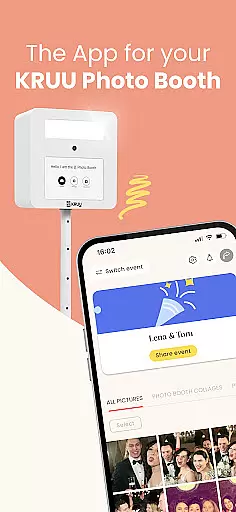
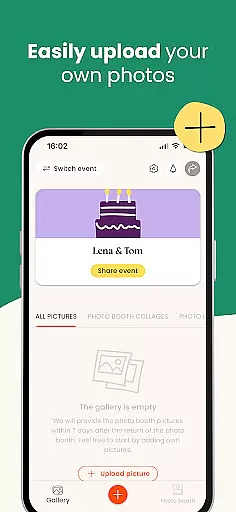
KRUU is an innovative mobile application designed specifically for event photography management, catering to both event hosts and guests. The app's core functionality revolves around creating a centralized digital space where all event photos can be securely stored, shared, and interacted with. Through its intuitive interface, users can easily upload images from various sources including professional photographers, guest contributions, and the integrated KRUU Photo Booth system.
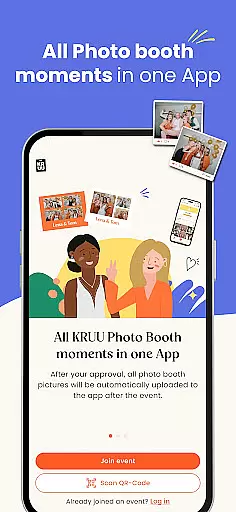
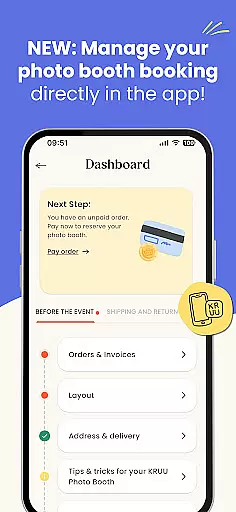
What sets KRUU apart is its comprehensive approach to event photo management. The app automatically syncs photos from KRUU Photo Booth installations directly to user galleries, while also providing tools for organizing, sharing, and preserving precious event memories. Its GDPR-compliant storage solution ensures maximum data protection through German-based servers, making it particularly suitable for European events where data privacy is paramount.
The application proves especially valuable during weddings, corporate events, and family gatherings where multiple photographers and guests are capturing moments simultaneously. By providing a unified platform for photo collection and distribution, KRUU eliminates the chaos of scattered digital memories across different devices and social media platforms, ensuring no special moment gets lost.
KRUU distinguishes itself through several key features that enhance event photography management. The app's automatic photo synchronization system seamlessly transfers images from KRUU Photo Booth installations directly to user accounts, eliminating manual upload processes. This feature is particularly beneficial for event organizers who want immediate access to professional-quality booth photos without technical complications.
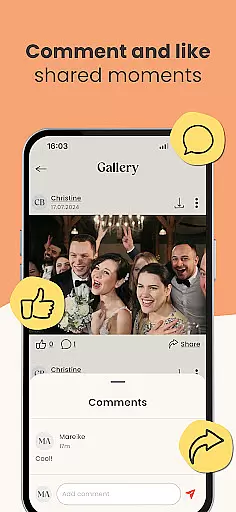
The application's social interaction capabilities represent another significant advantage. Users can create dedicated event galleries where guests can contribute their own photos, add comments, and like favorite images. The built-in administrative tools allow event hosts to manage participant access and monitor who is contributing to and viewing the shared gallery. This creates a dynamic, interactive experience that extends beyond simple photo storage.
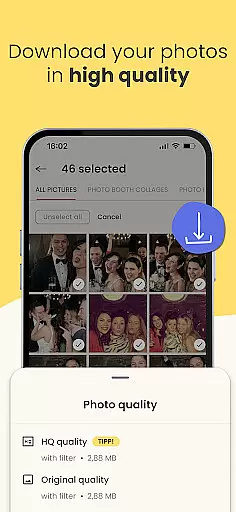
KRUU's commitment to data security and privacy stands out in the event management space. All photos are stored on German servers with strict GDPR compliance, ensuring maximum protection for sensitive event documentation. The three-month secure storage period provides ample time for users to download and preserve their memories while maintaining control over who can access the content. Additionally, the app's free pricing model with no in-app purchases makes it accessible for all event participants.
Task creation and detail customization are essential features for event management apps like KRUU. This functionality allows users to set up events with specific details, ensuring that every aspect of the celebration is captured and organized effectively.
KRUU excels in this area by enabling users to create new events or join existing ones seamlessly. The app provides options to customize event details, such as inviting friends and family, managing participants through an admin area, and setting permissions for who can upload and interact with photos. These features ensure that each event is tailored to the user's preferences.
For users, this means they can effortlessly organize their events and control how memories are shared and preserved. The ability to manage participants and customize interactions adds a layer of personalization and security, making sure that only invited guests can access and contribute to the event's photo gallery.
Ultimately, KRUU's robust task creation and customization capabilities enhance the overall event experience. By offering tools to meticulously plan and manage events, users can focus on enjoying their celebrations while the app takes care of preserving every precious moment.
Reminder settings play a crucial role in ensuring that users never miss important moments or updates related to their events. For an app like KRUU, which focuses on capturing and sharing event memories, having reliable reminder functionalities enhances user engagement and satisfaction.
KRUU incorporates reminder settings by allowing users to receive notifications about new photo uploads, likes, and comments. This keeps everyone involved in the event loop and encourages continuous interaction within the app. Users can also be reminded to download photos later if they prefer not to store them immediately in their personal albums.
The benefit to users is significant; reminders help maintain active participation in the event's digital space, ensuring that no memorable moment goes unnoticed. Additionally, these notifications foster a sense of community among guests, prompting them to engage more frequently with shared content.
In summary, KRUU's reminder settings add substantial value by keeping users engaged and informed throughout their events. By leveraging timely notifications, the app ensures that all cherished memories are acknowledged and appreciated, enhancing the overall user experience.
User-friendly interface
Free with no hidden costs
GDPR-compliant storage
Automatic photo syncing
Social interaction features
Limited to three months storage
Event-specific functionality
Requires stable internet
Photo booth dependency
No advanced editing tools

An App for Bhutanese
 4.2
4.2
The calendar app in this 2026 year see all dates.
4.20
Manage all your events, leads, ticketing, payments and check-ins.
4.30
Microsoft Build is an annual developer conference hosted by Microsoft
4.20
Wedding planner app with wedding venues, wedding checklist, countdown & budget.
4.60
The official app for Sched events! View your event schedule here.
4.20
Invitation Card Maker, Design & share wedding, birthday & party invites fast
4.40
Meet people over dinner
4.40
Save money on concert, sport, and theater tickets, and discover upcoming events.
4.80
Fantasy of Lights Event App
5.00
Find tickets to upcoming concerts, sports events, festivals, shows, attractions
4.70
Buy and Sell Tickets for Concerts, Sports, and Theater.
4.70
Create Wedding Invitation and Wedding Anniversary Cards using our app
4.60
Listen Full Quran MP3 Offline - Qibla Compass, Salah Timing & 99 Names of Allah
4.60
Freebie Games for Epic Games, Steam, Amazon, Rockstar etc.
4.40
Microsoft Ignite is an event that showcases latest advancements in technology
4.00
No invest, Easy way to earn USDT through crypto cloud mining
3.80
TV.Garden is a video player to play your own TV streams from around the world!
3.40
Mobile Event Guide for Greater NY Dental Meeting
4.1




User Reviews