
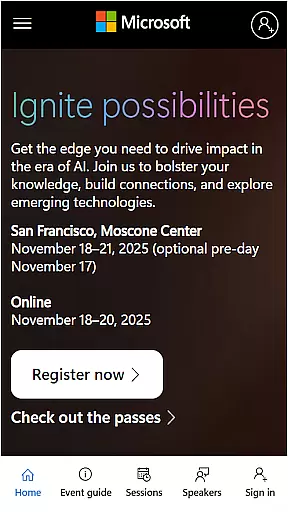
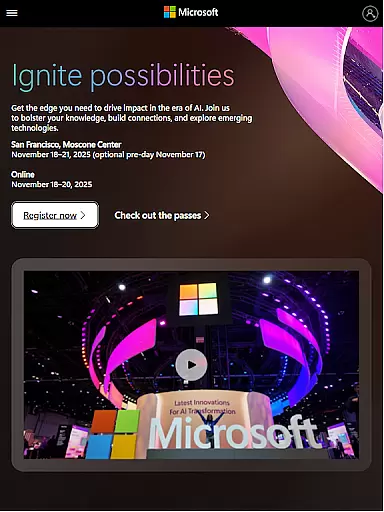
Microsoft Ignite is a premier annual event hosted by Microsoft, designed to showcase the latest advancements in technology. This event serves as a crucial platform for tech enthusiasts, developers, and industry leaders to explore new solutions, enhance their skills, and connect with the broader tech community. With a focus on AI, cloud computing, and productivity tools, attendees can expect to gain valuable insights and practical knowledge.
The app provides comprehensive access to event details, session schedules, and networking opportunities. Users can easily navigate through various sessions, build personalized agendas, and engage with fellow participants. Whether you're looking to stay updated on the latest tech trends or seeking professional development opportunities, Microsoft Ignite offers a rich environment to achieve your goals.
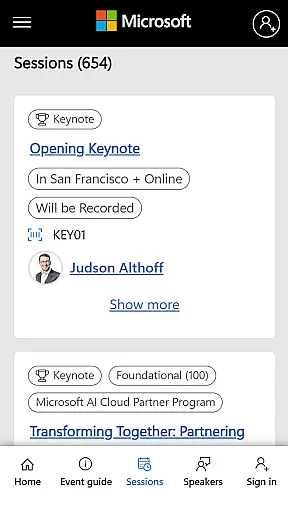
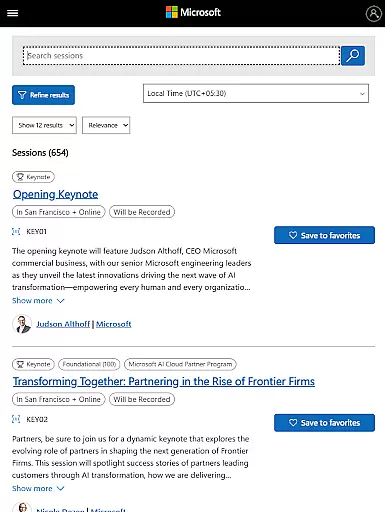
Microsoft Ignite app offers a variety of features tailored to enhance the event experience. One of the standout features is the detailed session schedule, allowing users to browse through numerous sessions and workshops. Each session comes with a description, speaker information, and timing, enabling attendees to plan their day efficiently.
In addition to session management, the app facilitates networking and community building. Attendees can connect with peers, join discussion groups, and participate in social engagement activities. The app also supports personalized agendas, real-time updates, and notifications, ensuring that users never miss out on important events or announcements during the conference.
Task creation and detail customization are essential features for any event management app, including Microsoft Ignite. This functionality allows users to create personalized schedules by selecting sessions, workshops, and keynotes that match their interests and professional needs.
Microsoft Ignite offers a streamlined process for creating tasks or events within the app. Users can browse through an extensive catalog of sessions and add them to their personal agenda with just a few taps. Each task created can be customized with specific details such as time, location, and additional notes, ensuring attendees never miss an important session.
The benefits of this feature extend beyond mere convenience. Attendees can optimize their event experience by planning their days in advance, balancing their time between attending sessions, networking with peers, and exploring the exhibition floor. This level of customization ensures that each attendee's experience is tailored to their unique objectives and interests.
Ultimately, the ability to create and customize tasks transforms the way participants engage with large-scale events like Microsoft Ignite. By empowering users to design their event journey, the app enhances both the efficiency and effectiveness of their participation, leading to more productive and satisfying event experiences.
Reminder settings play a crucial role in ensuring attendees make the most out of their event experience. For an event like Microsoft Ignite, which features a packed schedule of sessions, keynotes, and networking opportunities, having reliable reminders is essential for effective time management.
Microsoft Ignite provides users with flexible reminder options that can be tailored to individual preferences. Whether it's setting alerts 15 minutes before a session starts or receiving daily summaries of upcoming events, the app caters to various user needs. These reminders can be synced with the deviceu2019s native calendar, providing a seamless integration into the attendee's daily routine.
This feature significantly enhances the overall event experience by reducing the likelihood of missed sessions and last-minute rushes. Attendees can focus on immersing themselves in the content and networking opportunities, knowing that the app will keep them on track with timely notifications.
In summary, the reminder settings in the Microsoft Ignite app not only help attendees stay organized but also contribute to a stress-free event experience. By leveraging these tools, participants can fully engage with the event's offerings, confident that they are maximizing their time and investment.
User-friendly interface
Comprehensive session details
Real-time updates
Networking opportunities
Personalized agenda
Limited to event participants
Requires stable internet
No offline functionality
Occasional bugs
Platform-specific content

Audio guide companion APP for SEE's Michelangelo's Sistine Chapel
 3.50
3.50
Browse events, find transportation, keep up with the latest news from your team
4.1
Greeting card maker with photos best app| Birthday cards| All wishes eCards FREE
4.50
Community for Mods, Addons, Melsaves, Melmods for Melon Playground
4.3
Wedding planner app with wedding venues, wedding checklist, countdown & budget.
4.60
The KRUU app - plan, celebrate, remember
4.80
Text message invitations for birthday party, wedding, graduation, baby shower +
4.60
TodayTix is the easiest way to get tickets to the best shows in your city.
4.90
Discover events & experiences in NYC, LA, Chicago, DC, Miami and more!
4.70
Invitation card maker for birthday party & Wedding. Digital greeting card editor
4.90
Plan your wedding for free on the go: vendors, budget, website and checklists!
4.80
Find Live Event Ticket Deals to Sports, Concerts, Festivals, & Comedy For Less!
4.80
Discover events, experiences, and things to do near you - Anytime, Anywhere!
4.70
Fast Scans. Happy Fans. For Every Hometown!
4.60
Connect with an ecosystem of 5M+ eventgoers and organizers.
4.50
Invitation Card Maker, Design & share wedding, birthday & party invites fast
4.40
The world's largest selection of tickets is now at your fingertips
3.90
Some connections are better kept private
4.2
It is an Event Planning Application.
4.3



User Reviews