
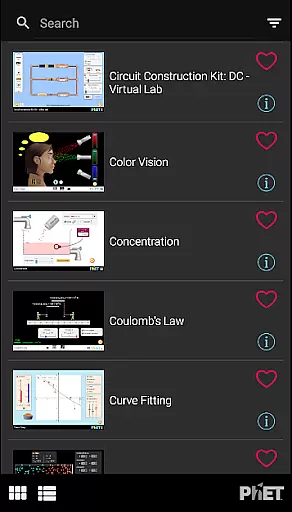
PhET Simulations is an educational app that provides access to over 85 interactive HTML5 simulations, designed for learning science and math. Developed by experts at the University of Colorado Boulder, this app caters to various learners, whether they are understanding atoms, exploring energy, or mastering multiplication.
The app offers offline play, multiple language support, favorites collection, automatic updates, easy sorting, and fullscreen options. It's suitable for parents who want to engage their children in educational discovery, teachers needing reliable resources even without internet access, and administrators looking to optimize school use.
With its comprehensive suite of simulations, PhET Simulations delivers a valuable educational tool that can be used at home, in class, or on the go, making it an essential companion for modern education.
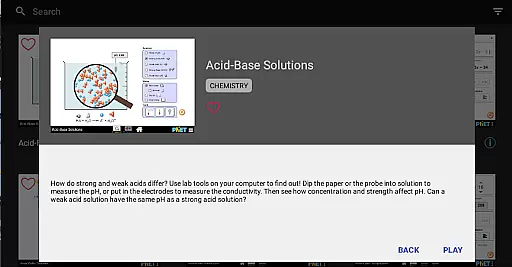
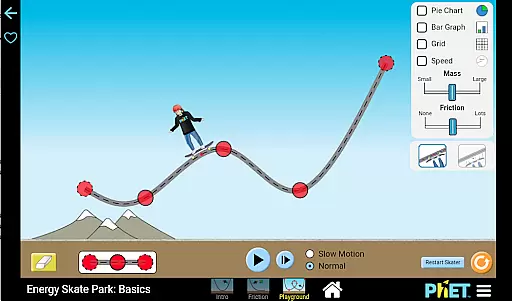
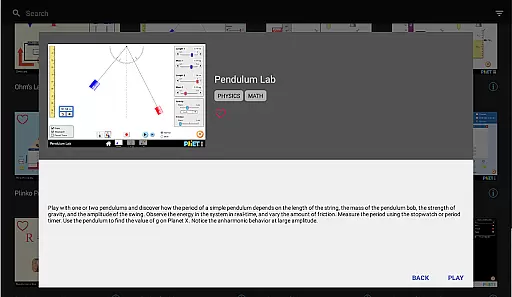
PhET Simulations stands out with its rich features tailored for diverse educational needs. The app includes over 85 HTML5 simulations, ensuring users have a wide array of interactive learning tools at their disposal. These simulations cover various subjects such as physics, chemistry, biology, and mathematics, providing a holistic educational experience.
One of the key features is the ability to learn offline, which allows students to continue their studies without needing a WiFi connection. Additionally, the app supports multiple languages, making it accessible for bilingual learners. Users can also create a custom collection of their favorite simulations, enhancing personalized learning experiences.
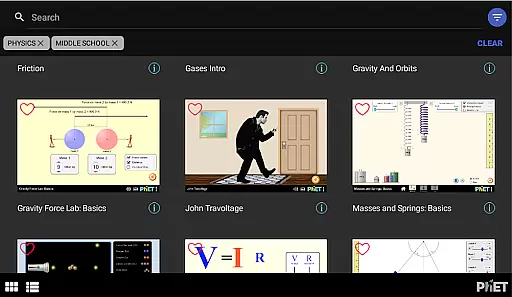
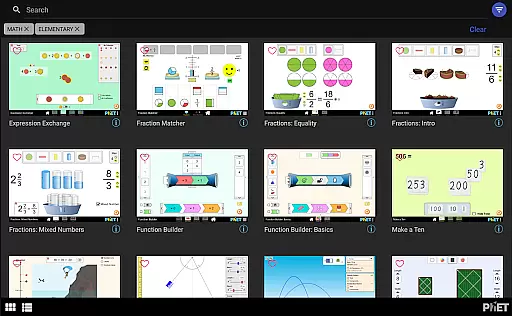
Other notable features include automatic updates for accessing the latest simulations, easy sorting to find the right simulation quickly, and a fullscreen mode for optimal exploration. These features collectively ensure that PhET Simulations remains a cutting-edge educational tool.
In the realm of educational tools, content accuracy is paramount. PhET Simulations delivers scientifically verified and pedagogically sound interactive simulations developed by experts at the University of Colorado Boulder. This ensures that each sim provides reliable information that aligns with current scientific understanding.
The app includes over 85 HTML5 sims covering a wide range of topics from atomic interactions to energy transformations, all designed to facilitate deep conceptual learning. The authoritative nature of these resources makes them suitable for both classroom instruction and independent study.
For educators and learners alike, having access to such authoritative content means that students can explore complex concepts in physics, chemistry, biology, and mathematics with confidence. The simulations are crafted not only to impart knowledge but also to challenge misconceptions and foster critical thinking skills.
PhET Simulations offers features that support personalized learning experiences tailored to individual needs. With multiple languages available, the app caters to bilingual learners and diverse educational settings, allowing users to engage with the material in their preferred language.
Users can curate their own collections by selecting favorite sims, which enables them to focus on areas where they need more practice or exploration. This customization empowers learners to take charge of their education journey and progress at their own pace.
Furthermore, automatic updates ensure that learners always have access to the latest educational tools without needing to search for new resources constantly. This keeps the learning experience fresh and relevant, adapting to the evolving landscape of science and math education.
User-friendly interface
Wide range of simulations
Offline functionality
Multi-language support
Automatic updates
Limited accessibility features
No Java or Flash sims
Some outdated content
Occasional bugs
Heavy on storage

scanner body part for fun Prank friends realistic scan effects
 3.00
3.00
Turns you phone or tablet into TI graphing calculator (ROM required).
4.20
The Only Official DVSA Theory Test Kit App
4.50
Astronomy Guide to the Night Sky
4.40
Skelly is a fully poseable, anatomically correct reference skeleton for artists.
4.10
Hasbro's Classic Board Game - Make Cavity Sam better or get the buzzer!
3.50
Flashnote Derby is the fun way for kids to learn music notes and memorize them.
3.40
Master note reading with StaffWars….
4.00
SkyView®, an augmented reality space app, brings stargazing to everyone!
4.40
Dinosaurs coloring book game. Drawing and painting dinos.
4.50
An easy to use yet powerful and full-featured flashcard study app.
4.50
Your guide to thousands of satellites and spacecraft in orbit around Earth!
3.90
FAR/AIM, FAR for Flight Crew and FAR for Aviation Maintenance Technicians
3.80
An aviator’s preparation, study and test tool for FAA Knowledge Exams.
3.80
An animated storybook app to help ease your child through toilet training.
3.70
Bebefinn and Baby Shark educational, animated videos & games for kids
3.40
Test prep for Indiana students
4.3
Learn and joke with the Silly Turkey!
4.4
Animals pop up and make sounds—learn names and noises in Peekaboo Barn!
4.5




User Reviews