
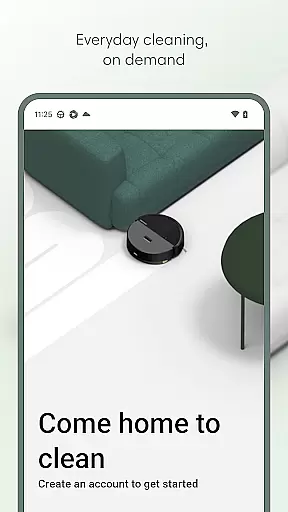
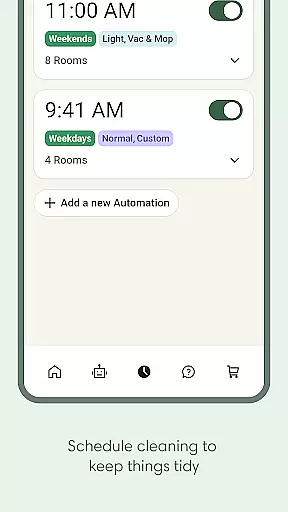
Roomba Home is a smart cleaning management app designed for Roomba 100, 200, 400, 500, and 700 series robots. It provides users with complete control over their robotic vacuum cleaner through an intuitive interface. The app allows you to start, stop, or schedule cleanings, customize maps, and create personalized routines based on your home's layout and cleaning history.
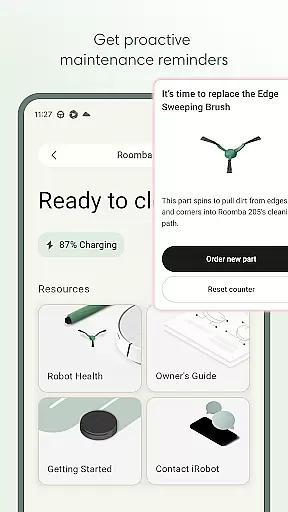
With proactive maintenance alerts and seamless smart home integration, the app ensures optimal performance of your robot while offering real-time insights into its cleaning activities. Whether you're managing daily cleaning tasks or monitoring your robot's health, Roomba Home simplifies the process, making it easier than ever to maintain a spotless home with minimal effort.
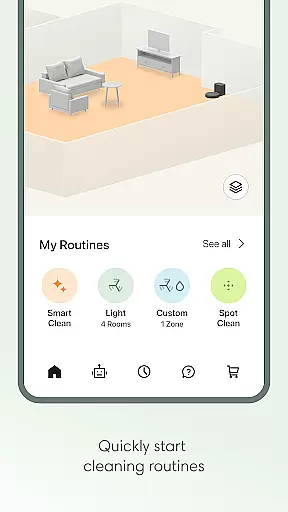
Roomba Home offers a variety of advanced features that enhance user experience. One standout feature is the Routine Builder, which lets you design customized cleaning schedules by selecting specific rooms, adjusting suction power, and enabling advanced scrubbing modes. Additionally, the app supports up to five detailed maps, allowing users to label rooms, set cleaning zones, and target specific areas for more efficient cleaning.
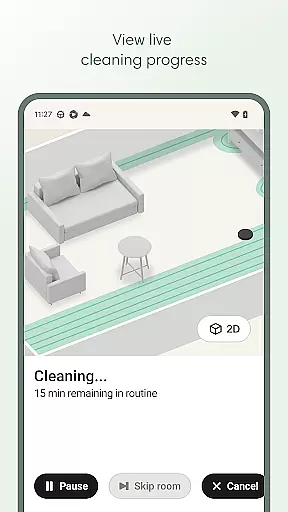
Voice control compatibility with Alexa, Siri, and Google Assistant adds convenience, enabling hands-free operation. The Health Dashboard monitors both the robot and its accessories, providing timely maintenance suggestions. Real-time tracking of the robot's cleaning path and instant control options further elevate the app's functionality, ensuring a seamless and intelligent cleaning experience tailored to individual preferences.
The Roomba Home app offers extensive coverage of lifestyle categories by integrating various smart home functionalities into a single platform. This app is not just about cleaning; it encompasses scheduling, personalized routines, and even voice command capabilities through Alexa, Siri, or Google Assistant-enabled devices.
With features like Routine Builder, users can customize cleaning schedules and settings to match their unique lifestyles. Whether you need to vacuum, mop, or both, the app allows for tailored cleaning passes based on individual preferences, making daily chores more manageable and efficient.
Additionally, the app provides real-time insights and controls, ensuring that users are always informed about their robot's activities. This level of integration and control across different aspects of home management truly elevates its lifestyle category coverage.
Roomba Home app ensures content authenticity by offering verified and accurate information about the robotu2019s performance and maintenance needs. The app provides proactive product maintenance tips and a Health Dashboard that monitors the status of both the robot and its accessories.
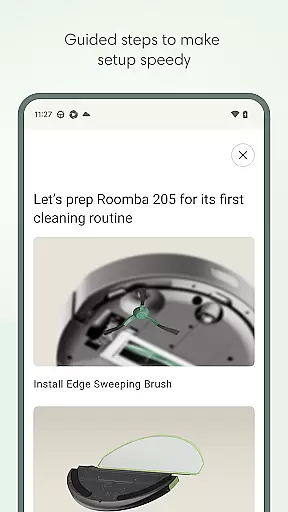
Expert credibility is evident in the intelligent recommendations provided throughout the user journeyu2014from setup to daily operations. These recommendations are designed to optimize the cleaning process and maintain the device's health, leveraging iRobot's extensive experience in home robotics.
Furthermore, compatibility with specific Roomba models sold after March 2025 underscores the company's commitment to delivering reliable and up-to-date solutions, reinforcing trust in the app's content and overall credibility.
User-friendly interface
Customizable cleaning routines
Real-time robot tracking
Voice assistant integration
Proactive maintenance alerts
Not compatible with all Roomba models
Requires 2.4 GHz Wi-Fi network
Limited to five saved maps
No offline functionality
Dependent on stable internet connection

Healthy eating timer app to track meal pace, improve habits, and eat slowly.
 4.0
4.0
Big bold digital watch face with 30 colors, 6 complications and AOD.
4.3
Unique Dark Analog style for Wear OS watches.
4.1
Duo Watch Face (animated)
4.4
Play. Earn. Repeat. Get rewarded for playing mobile games. Welcome to Mobius!
4.80
Communicate with your vehicles and Powerwalls anytime, anywhere
3.60
Going above and beyond known spirit communication
3.60
Earn money for every survey and game you play, and get real rewards every time
4.50
Create slime on your phone and enjoy satisfying and relaxing ASMR games
4.50
Daily lessons from A Course in Miracles with scheduled reminders
4.80
Tap to the beat with interactive videos — warm up your reflexes & have fun
4.70
Have your Tehillim with you at all times
4.70
Earn money & gift cards when you take surveys, play games, scan receipts & more.
4.50
Mixing Colors for Menswear
4.20
Unique BIG BOLD TIME with amazing colors and customisations.
3.70
Paranormal EVP, Ghost Box, Spirit box, ITC, Haunted, Spirit communication device
3.70
Smart home security protection
3.20
Bring the warm colors of fall directly to your wrist with Autumn Leaves!
4.0
A uniquely designed isometric digital watch face made for Wear OS
4.2




User Reviews