
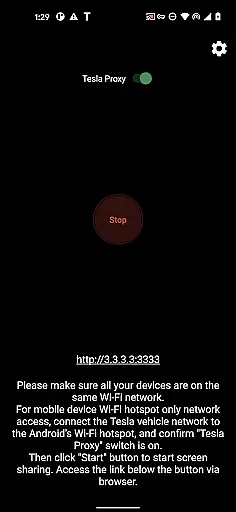
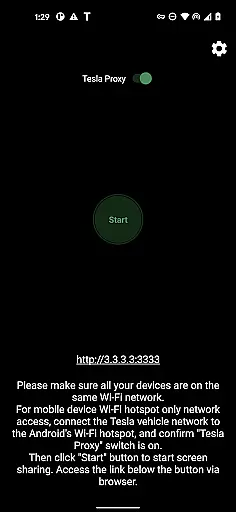
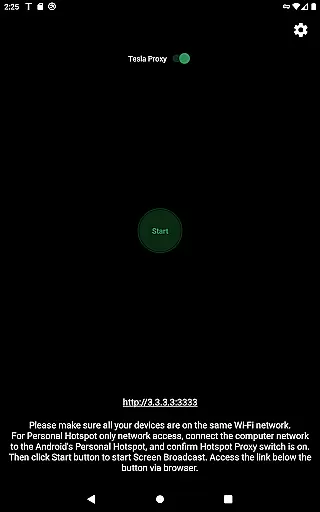
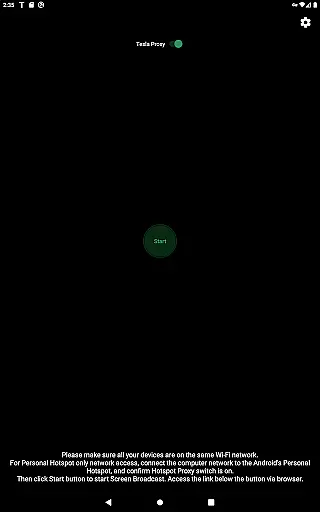
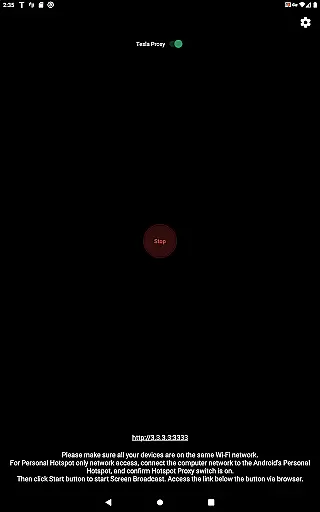
TeslaMirror is an innovative application that allows users to mirror their Android device screens directly onto Tesla vehicle displays. This app supports Tesla models with MCU2/3 hardware, including Model 3, Model Y, and newer versions of Model S and X. With a simple setup process involving connecting your Tesla to your phone's hotspot and accessing the mirroring service via the Tesla browser, it offers a seamless experience.
One of the standout features of TeslaMirror is its support for high-quality video streaming using H.264/H.265 codecs, ensuring smooth playback even at higher resolutions. Additionally, the app provides lossless audio quality for devices running Android 10 or later. The remote control functionality further enhances user convenience by allowing control of the phone through the Tesla touchscreen. This makes TeslaMirror a valuable tool for enhancing in-car entertainment and productivity while parked.
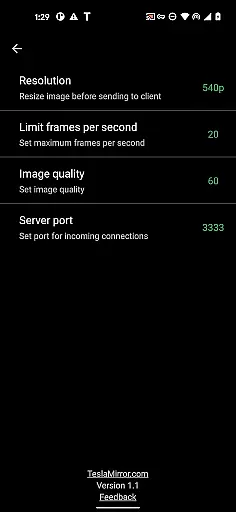
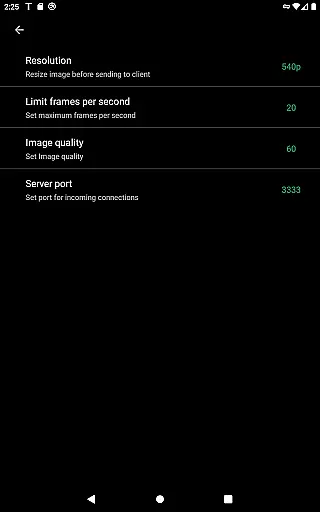
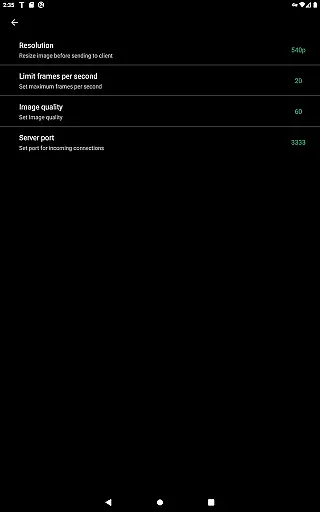
TeslaMirror boasts several advanced features that set it apart from other screen mirroring solutions. Firstly, it supports both H.264 and H.265 video codecs, catering to different Tesla hardware capabilities. For vehicles equipped with MCU3 (AMD Ryzen), users can enjoy H.265 streaming at up to 720p@60fps, while MCU2 (Intel Atom) users can utilize H.264 at 540p@30fps. This ensures optimal performance based on the vehicle's specifications.
In addition to superior video quality, TeslaMirror also offers lossless audio streaming for Android 10+ users, providing an immersive audio experience far superior to Bluetooth alternatives. The app includes an MJPEG mode for basic screen mirroring needs, complemented by Bluetooth audio options. Furthermore, the remote control feature enables users to interact with their Android devices directly from the Tesla touchscreen, adding a layer of convenience and accessibility.
The app's reliance on a local web server and virtual IP ensures privacy and security, as no data is transmitted over the public internet. This localized approach guarantees that only the user's Tesla and Android device communicate, maintaining a secure environment. Overall, TeslaMirror combines cutting-edge technology with user-friendly features to deliver a top-tier screen mirroring solution for Tesla owners.
TeslaMirror provides comprehensive access to detailed vehicle information by enabling users to mirror their Android device directly to their Tesla's infotainment system. This feature allows drivers to view and interact with a wide range of data, including real-time performance metrics, system diagnostics, and multimedia content.
The application supports Tesla vehicles with MCU2/3 hardware, ensuring compatibility with newer models and upgraded systems. By connecting via a mobile hotspot, users can access specific vehicle parameters such as speed, battery status, and navigation details seamlessly on their Tesla's display.
With support for different video encoding standards like H.264 and H.265, TeslaMirror optimizes the quality of mirrored content based on the vehicle's hardware capabilities. This ensures that users receive accurate and high-resolution information, enhancing both the driving and entertainment experience.
By providing this level of detail and customization, TeslaMirror empowers Tesla owners to maximize their vehicle's potential while maintaining full control over their Android applications and content.
TeslaMirror offers clear and upfront pricing with a unique 144-hour (6-day) free trial period for users to evaluate the app's functionality before committing to a purchase. This transparent approach allows potential customers to test features such as screen mirroring, remote control, and audio streaming without any initial financial obligation.
In the event that users are not satisfied with TeslaMirror during the trial period, they can easily request a refund by contacting the support team with their order details. This hassle-free refund policy underscores the app's commitment to honest pricing and customer satisfaction.
All premium features, including H.265 video support for enhanced quality and lossless audio streaming, are included in the trial version. Users can experience the full range of functionalities without encountering hidden fees or unexpected charges after purchase.
This dedication to price transparency ensures that Tesla owners can make informed decisions about using TeslaMirror, knowing exactly what they are getting and how much it will cost them in the long run.
High-quality video streaming
Lossless audio support
Remote control functionality
Secure local connection
Easy setup process
Limited to Tesla models with MCU2/3
Requires vehicle to be parked
No Netflix support
Dependent on hotspot connection
Accessibility permission needed

Easily notify car owners in urgent situations, safe, fast, multilingual.
 4.5
4.5
Ferrari inspired analog & digital watch face with quick access and premium style
4.4
Practice the drills within MotoJitsu Master Riding Program Volume 1 & 2!
4.80
CVT diagnostics with ELM327 for Nissan-based vehicles
4.40
Autolist - The Largest Selection of Local Used Cars and Trucks
4.50
Your Path to Driving Licensing Success Begins Here! Develop your driving skills.
4.40
MySubaru: Download. Connect. Love.
4.70
Your go-to app for car, truck & SUV parts, DIY tools, and expert repair help.
4.70
Find Fast EV Chargers | Charge Your Vehicle at 1,100+ Fast Car Charging Stations
4.60
Lexus app currently supports 2010 or newer vehicles (2018 or newer for Hawaii).
4.80
OBD2 car scanner and diagnostics: read Check Engine, DTC, economy....
4.30
ODB2 based monitoring application for the Chevy Bolt (2017-2021)
4.00
Boost profits and hit your goals faster with GigU's amazing tools for gigworkers
4.00
By enthusiasts, for enthusiasts
4.00
Simplify your drive
3.90
Wonder how much horsepower and torque your car/truck makes? Look no further.
3.40
Attention! This is the theme for the Car Launcher app
4.5
DIY Vehicle Wheel Alignment
4.0
Theme for Car Launcher
4.2



User Reviews